Zavedení
The Mytrix Tac Master Wireless Gaming Headset is designed to provide a high-quality audio experience for gaming across multiple platforms. Featuring 2.4GHz lossless wireless technology, Bluetooth 5.3, and a 3.5mm wired connection, this headset offers versatile connectivity, low latency, and immersive surround sound. The detachable noise-canceling microphone ensures clear communication, while the ergonomic design and long battery life provide comfort for extended use.
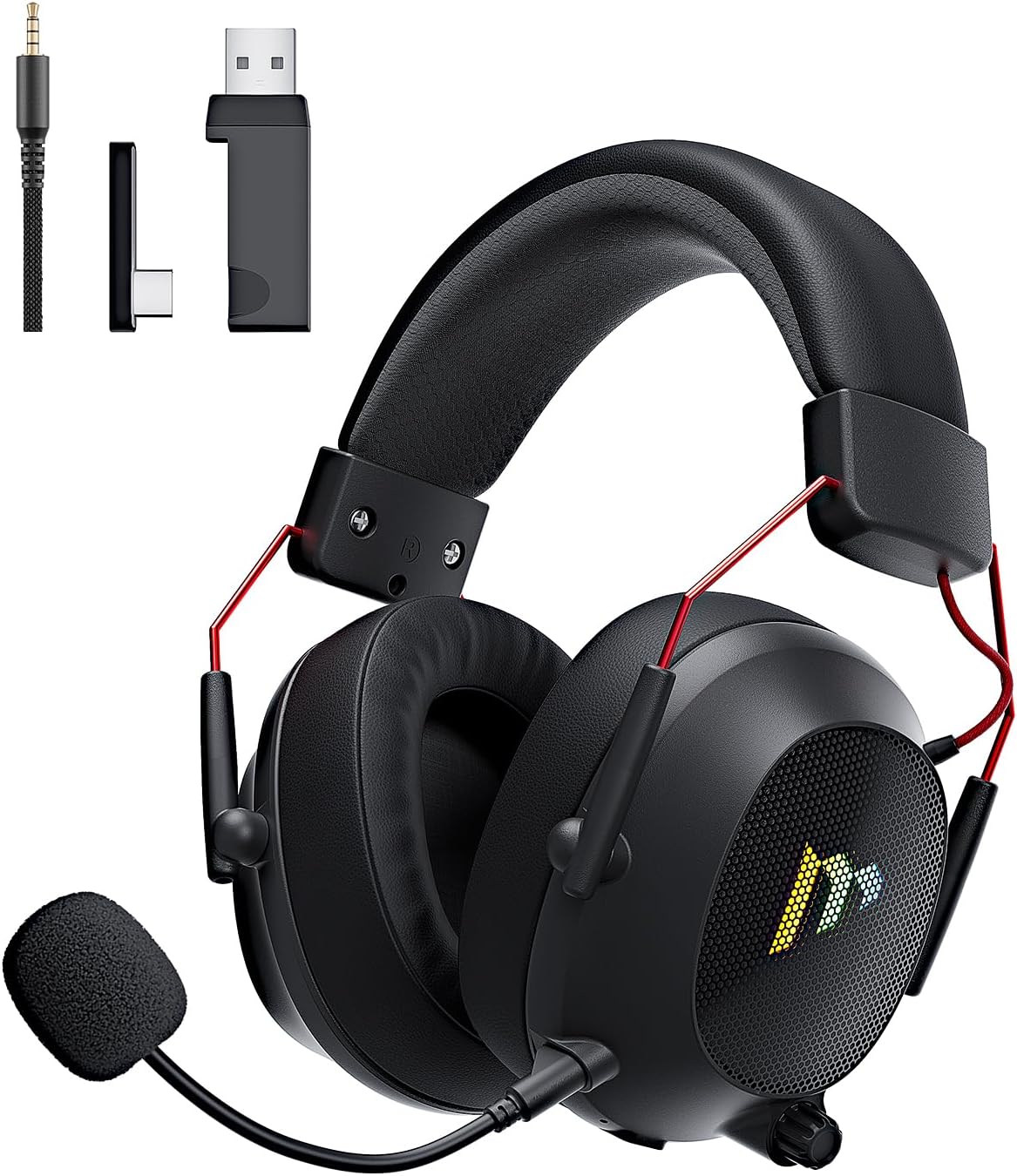
Image: The Mytrix Tac Master Wireless Gaming Headset, showcasing its sleek black design with red accents, detachable microphone, and included USB dongle and Type-C adapter.
Obsah balení
Ověřte prosím, zda jsou ve vašem balení obsaženy všechny níže uvedené položky:
- Mytrix Tac Master Wireless Gaming Headset
- Detachable Noise-Canceling Microphone
- Bezdrátový 2.4GHz USB-A adaptér
- USB Type-C Transmitter
- 3.5mm audio kabel
- USB nabíjecí kabel (USB-A na USB-C)
- Uživatelská příručka (tento dokument)
Headset Controls and Components
Familiarize yourself with the various controls and components of your Mytrix Tac Master headset:

Image: Diagram illustrating the location and function of controls on the Mytrix Tac Master headset, including power button, volume wheel, microphone mute button, and mode switch.
- Vypínač: Press and hold for 3 seconds to turn on/off. Single press to pause/play audio.
- Tlačítko režimu (M): Single press to toggle microphone on/off. Double press to switch between Bluetooth and 2.4G wireless modes. Press and hold for 3 seconds to turn RGB lights on/off.
- Kolečko hlasitosti: Rotate up to increase volume, rotate down to decrease volume.
- Port mikrofonu: Pro připojení odnímatelného mikrofonu.
- 3.5mm audio jack: Pro kabelové připojení.
- Nabíjecí port USB-C: Pro nabíjení náhlavní soupravy.
- RGB osvětlení: Located on the earcups.
Nastavení
1. Nabíjení náhlavní soupravy
Before first use, fully charge the headset. Connect the USB charging cable to the headset's USB-C port and the other end to a USB power source (e.g., computer USB port, USB wall adapter). The LED indicator will show charging status and turn off when fully charged. A full charge takes approximately 3 hours and provides up to 48 hours of battery life.

Image: Visual representation of the headset's long-lasting battery life, indicating approximately 50 hours of use and a 3-hour charging time.
2. Připevnění mikrofonu
Insert the detachable microphone into the microphone port on the left earcup. Ensure it is securely seated. The microphone is flexible and omni-directional, allowing for angle adjustment.
3. Možnosti připojení
The Mytrix Tac Master headset offers multiple connection methods for broad compatibility:

Image: Diagram illustrating the four connection modes: 2.4GHz Dongle (USB-A and USB-C), Bluetooth 5.3, and 3.5mm Wired, along with compatible devices for each mode.
3.1. 2.4GHz Wireless Connection (Recommended for PC, PS4, PS5, Switch Docked Mode)
- Identify the appropriate dongle for your device:
- For devices with a USB-A port (PC, PS4, PS5, Switch Docked): Use the 2.4GHz USB-A dongle.
- For devices with a USB-C port (Switch Handheld, Laptops, Tablets): Use the USB Type-C transmitter.
- Plug the selected 2.4GHz dongle/transmitter into an available USB port on your device.
- Zapněte sluchátka stisknutím a podržením tlačítka napájení po dobu 3 sekund.
- Ensure the headset is in 2.4GHz mode. If not, double-press the 'M' button to switch modes until the headset connects to the dongle. The headset will automatically pair with the dongle.
- On your device, select the headset as the audio output and input device.
3.2. Bluetooth 5.3 Connection (Recommended for Mobile Phones, Tablets, Laptops)
- Zapněte sluchátka stisknutím a podržením tlačítka napájení po dobu 3 sekund.
- Double-press the 'M' button to switch the headset to Bluetooth pairing mode. The LED indicator will flash, indicating it's ready to pair.
- On your device, enable Bluetooth and search for "Mytrix Tac Master" in the list of available devices.
- Select "Mytrix Tac Master" to connect. Once connected, the LED indicator will stop flashing.
3.3. 3.5mm Wired Connection (Recommended for Xbox, Game Console Controllers, Devices without USB/Bluetooth)
- Připojte jeden konec 3.5mm audio kabelu k 3.5mm jacku na sluchátkách.
- Connect the other end of the 3.5mm audio cable to the audio jack on your device (e.g., Xbox controller, phone).
- In wired mode, the headset's microphone and RGB lighting functions are not active.
Návod k obsluze
Zapnutí/vypnutí
- Zapnutí: Press and hold the Power button for approximately 3 seconds until the headset powers on.
- Vypnutí: Press and hold the Power button for approximately 3 seconds until the headset powers off.
Ovládání hlasitosti
- Zvýšení hlasitosti: Rotate the Volume wheel upwards.
- Snížit hlasitost: Rotate the Volume wheel downwards.
Ovládání mikrofonu
- Ztlumit/zapnout mikrofon: Single press the 'M' button.
- The detachable microphone features noise cancellation for clear voice chat.
Ovládání osvětlení RGB
- Turn RGB Lights On/Off: Press and hold the 'M' button for approximately 3 seconds.
Ovládání přehrávání zvuku
- Přehrát/Pozastavit zvuk: Jednou stiskněte tlačítko napájení.
Prostorový zvuk
The headset features 7.1 stereo surround sound for an immersive audio experience, allowing for precise positioning of sound details in games.

Obrázek: Explodoval view of the headset's 50mm drivers, illustrating the components that contribute to its 7.1 stereo surround sound capability.
Údržba
- Čištění: Use a soft, dry cloth to clean the headset. Do not use abrasive cleaners or solvents. For earcups, gently wipe with a damp hadříkem a před použitím nechte zcela uschnout na vzduchu.
- Skladování: Store the headset in a cool, dry place away from direct sunlight and extreme temperatures. If storing for an extended period, ensure the battery is partially charged (around 50%) to preserve battery health.
- Péče o baterie: Avoid fully discharging the battery frequently. Charge the headset regularly, even if not in constant use, to maintain battery longevity.
- Péče o mikrofon: Handle the detachable microphone gently. Avoid excessive bending or twisting.
Odstraňování problémů
| Problém | Možná příčina | Řešení |
|---|---|---|
| Žádný zvuk z náhlavní soupravy. | Headset not powered on, low battery, incorrect audio output selected, connection issue. | Ensure headset is powered on and charged. Check device's audio settings to confirm "Mytrix Tac Master" is selected as output. Re-establish 2.4GHz or Bluetooth connection. For wired mode, ensure cable is fully inserted. |
| Mikrofon nefunguje. | Microphone muted, not properly attached, incorrect audio input selected, wired mode limitation. | Single press the 'M' button to unmute. Ensure microphone is securely attached. Check device's audio settings to confirm "Mytrix Tac Master" is selected as input. Note: Microphone does not function in 3.5mm wired mode. |
| Nelze se připojit bezdrátově přes 2.4 GHz. | Dongle not recognized, headset not in 2.4GHz mode, interference. | Ensure dongle is fully inserted into a working USB port. Double-press 'M' button to switch headset to 2.4GHz mode. Try a different USB port. Move closer to the dongle to reduce interference. |
| Nelze se připojit přes Bluetooth. | Headset not in pairing mode, Bluetooth disabled on device, already connected to another device. | Double-press 'M' button to enter Bluetooth pairing mode (LED flashes). Ensure Bluetooth is enabled on your device. Disconnect from other Bluetooth devices if necessary. |
| RGB světla nefungují. | Lights turned off, low battery, wired mode limitation. | Press and hold the 'M' button for 3 seconds to toggle RGB lights. Ensure headset has sufficient battery. Note: RGB lights do not function in 3.5mm wired mode. |
Specifikace
| Funkce | Detail |
|---|---|
| Název modelu | Gaming Headset (G901) |
| Technologie připojení | Bezdrátové připojení 2.4 GHz, Bluetooth 5.3, kabelové připojení 3.5 mm |
| Jack pro sluchátka | Zásuvka 3.5 mm |
| Bezdrátové Dosah | Up to 50 feet (in open spaces) |
| Latence | ≤20ms (2.4GHz) |
| Typ zvukového ovladače | 50mm dynamické ovladače |
| Zvukové vlastnosti | 7.1 Stereo Surround Sound |
| Mikrofon | Detachable, Omni-directional, Noise-Canceling |
| Životnost baterie | Až 48 hodin |
| Doba nabíjení | Přibl. 3 hodin |
| Typ baterie | 1 lithium-iontová baterie (součástí balení) |
| Tvar sluchátka | Přes ucho |
| Speciální funkce | Ergonomic Design, RGB Lighting, Foldable & Portable |
| Rozměry produktu | 5.91 x 3.94 x 5.91 palce |
| Hmotnost položky | 13.4 unce |
| Výrobce | Mytrix |
Záruka a podpora
Mytrix products are manufactured to high quality standards. For information regarding warranty coverage, technical support, or service inquiries, please refer to the warranty card included with your product or visit the official Mytrix website. You may also contact Mytrix customer support directly for assistance with your Tac Master Gaming Headset.
Pro další pomoc prosím navštivte Mytrix Store on Amazon.
Důležité bezpečnostní informace
- Nevystavujte sluchátka extrémním teplotám, vlhkosti ani kapalinám.
- Zabraňte pádu sluchátek na zem nebo jejich vystavení silným nárazům.
- Do not attempt to disassemble or repair the headset yourself. This will void the warranty.
- Poslouchejte při střední hlasitosti, abyste předešli poškození sluchu. Dlouhodobé vystavení hlasitým zvukům může způsobit trvalou ztrátu sluchu.
- Uchovávejte mimo dosah dětí.


