Zavedení
This manual provides detailed instructions for the installation, operation, and maintenance of your aigo AF12 3-in-1 ARGB Fan Kit. Please read this manual thoroughly before use to ensure proper functionality and longevity of the product.
Vlastnosti produktu
The aigo AF12 3-in-1 ARGB Fan Kit offers efficient cooling and customizable lighting for your computer system. Key features include:
- Model: AF123IN1-BK
- Počet ventilátorů: 3 x 120mm fans
- Rychlost ventilátoru: 800–2000 ot./min (±10 %)
- Fan Noise Level: ≤ 30 dBA
- Proud vzduchu: 86.6 CFM
- Statický tlak: 1.27mm-H²O
- Working Current (Motor): ≤0.2A (12V)
- Working Current (Light): ≤0.48A (5V)
- Rozměry: 120 x 120 x 25 mm
- ARGB osvětlení: Addressable RGB lighting for customizable effects.
Obsah balení
Ověřte, zda jsou v balení přítomny všechny níže uvedené položky:
- 3 x aigo AF12 ARGB Fans
- Montážní šrouby
- ARGB Controller (if included in kit)
- Cables (Power, ARGB Sync)
Průvodce instalací
Follow these steps to properly install your aigo AF12 ARGB fans into your computer case.
- Připravte si systém: Power off your computer and disconnect it from the power source. Open your computer case.
- Určete místa montáže: Determine the desired locations for your fans (e.g., front, top, rear, bottom of the case). Ensure proper airflow direction.
- Namontujte ventilátory: Position each fan in its chosen location. Use the provided mounting screws to secure the fans to the case. Ensure the fan blades are not obstructed.
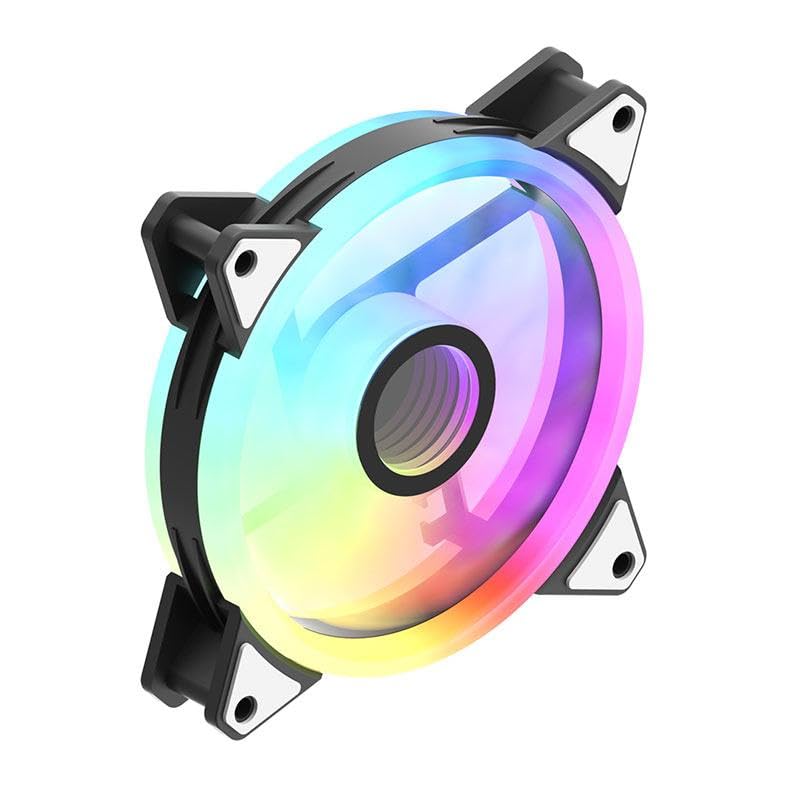
Image: An aigo AF12 fan viewed from an angle, highlighting the mounting points on its corners. This illustrates how the fan is secured.
- Připojení napájecích kabelů: Connect the 3-pin power connector from each fan to an available fan header on your motherboard or fan controller.
- Connect ARGB Cables: Connect the ARGB cable from each fan to the ARGB controller (if applicable) or directly to a compatible 5V 3-pin ARGB header on your motherboard. Ensure correct pin orientation to avoid damage.
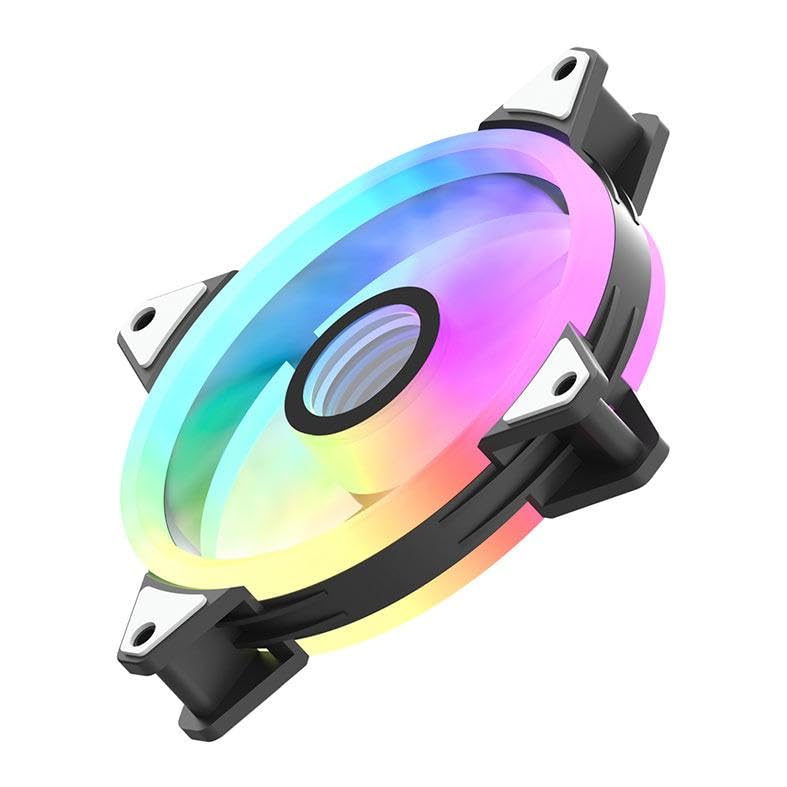
Obrázek: Vedlejší profesionálfile of the aigo AF12 fan, illustrating the thickness and potential locations for cable connections on the frame.
- Správa kabelů: Route cables neatly to prevent interference with other components and to improve airflow.
- Zavření pouzdra a zapnutí: Zavřete skříň počítače, znovu připojte napájení a zapněte systém.
Návod k obsluze
Once installed, your aigo AF12 ARGB fans will operate automatically based on your system's fan control settings. The ARGB lighting can be controlled via your motherboard's software or a dedicated ARGB controller.
Ovládání rychlosti ventilátoru
Fan speed can typically be adjusted through your motherboard's BIOS/UEFI settings or through fan control software provided by your motherboard manufacturer. Refer to your motherboard manual for specific instructions.
Ovládání osvětlení ARGB
If connected to a 5V 3-pin ARGB header on your motherboard, use your motherboard's ARGB synchronization software (e.g., ASUS Aura Sync, MSI Mystic Light Sync, GIGABYTE RGB Fusion, ASRock Polychrome Sync) to customize lighting effects, colors, and patterns.
If using a dedicated ARGB controller (often included with fan kits), refer to the controller's specific instructions for lighting adjustments.
Údržba
Pravidelná údržba zajišťuje optimální výkon a prodlužuje životnost vašich ventilátorů.
- Čištění prachu: Periodically clean dust from the fan blades and housing using compressed air or a soft brush. Ensure the system is powered off before cleaning.
- Kontrola kabelu: Verify that all cables are securely connected and free from damage.
- Monitorování hluku: Listen for unusual noises, which may indicate a fan bearing issue or obstruction.
Odstraňování problémů
If you encounter issues with your aigo AF12 ARGB fans, refer to the following common solutions:
Ventilátory se netočí
- Zkontrolujte připojení napájení: Ensure the fan's 3-pin power connector is securely plugged into the motherboard or controller.
- Check BIOS Settings: Verify that fan headers are enabled in your motherboard's BIOS/UEFI settings.
- Test Another Header: Try connecting the fan to a different fan header to rule out a faulty header.
ARGB Lights Not Working
- Zkontrolujte připojení ARGB: Ensure the 5V 3-pin ARGB connector is correctly and securely plugged into the motherboard or controller. Verify the pin orientation.
- Zkontrolujte software: Confirm that your motherboard's ARGB software is installed and configured correctly.
- Kompatibilita: Ensure your motherboard has a compatible 5V 3-pin ARGB header. This product is not compatible with 12V 4-pin RGB headers.
Nadměrný hluk
- Zkontrolujte překážky: Ensure no cables or other components are touching the fan blades.
- Upevňovací šrouby: Verify that all mounting screws are tightened to prevent vibrations.
- Nahromadění prachu: Clean any dust from the fan blades.
Technické specifikace
| Funkce | Specifikace |
|---|---|
| Značka | aigo |
| Model | AF123IN1-BK |
| Počet ventilátorů | 3 x 120 mm |
| Rychlost ventilátoru | 800 ± 2000 ± 10% RPM |
| Hluk ventilátoru | ≤ 30 dBA |
| Proudění vzduchu | 86.6 CFM |
| Statický tlak | 1.27mm-H²O |
| Working Current (Motor) | ≤ 0.2A (12V) |
| Working Current (Light) | ≤ 0.48A (5V) |
| Rozměry | 120 x 120 x 25 mm |
| Typ napájecího konektoru | 3-pin |
| svtage | 12 voltů |
| Způsob chlazení | Vzduch |
| Kompatibilní zařízení | Desktop |
| Hmotnost položky | 10.6 unce |
Záruka a podpora
This aigo product comes with a Záruka 12 měsíců od data nákupu, která kryje výrobní vady.
For technical support, warranty claims, or further assistance, please visit the official aigo store or contact their customer service through the details provided on their webmísto.
Official aigo Store: Obchod aigo na Amazonu


