1. Úvod
Děkuji za nákupasing the Matbip Wireless Controller. This controller is designed to enhance your gaming experience on Nintendo Switch, Switch Lite, Switch OLED, and PC. It features advanced functions such as programmable back buttons, adjustable TURBO speed, multi-level HD vibration, and a 6-axis gyro sensor for precise motion control. Please read this manual carefully before use to ensure proper operation and maintenance.
2. Konec produktuview
Familiarize yourself with the controller's components and buttons.

Figure 2.1: Controller Front and Rear Button Layout
This image displays the front and rear views of the Matbip Wireless Controller, highlighting all buttons and their labels. Key features include the Left and Right Analog Sticks, Direction Pad, ABXY Buttons, L/R/ZL/ZR Buttons, Capture, Menu Selection (-/+), Home Button, TURBO Button, LED Indicators, Type-C Interface, Start Button, and the M1/M2 Programmable Back Buttons.
Funkce tlačítek:
- Levá analogová páčka: Pro ovládání pohybu a kamery.
- Směrová podložka (D-Pad): Pro směrový vstup.
- Tlačítka ABXY: Standardní akční tlačítka.
- Pravá analogová páčka: For camera control or specific in-game actions.
- Tlačítka L/P: Knoflíky na ramenou.
- Tlačítka ZL/ZR: Trigger buttons.
- Tlačítko snímání: Takes screenshots.
- Menu Selection (-/+): Used for navigating menus.
- Tlačítko Domů: Returns to the console's home screen and can wake up the console.
- Tlačítko TURBO: Activates and adjusts auto-fire function.
- LED indikátory: Show connection status, battery level, and player number.
- Rozhraní typu C: Pro nabíjení a kabelové připojení.
- Tlačítko Start: Obvykle se používá k pozastavení nebo spuštění her.
- M1/M2 Programmable Back Buttons: Customizable buttons for macro functions.
3. Nastavení a připojení
3.1 Počáteční nabíjení
Before first use, fully charge the controller. Connect the included USB-C cable to the controller's Type-C interface and the other end to a USB power source (e.g., console, PC, or USB wall adapter). The LED indicators will show charging status and turn off when fully charged. A full charge takes approximately 3 hours.

Figure 3.1: Controller with Charging Cable
This image shows the Matbip Wireless Controller alongside its USB-C charging cable, illustrating the connection point for power.
3.2 Bezdrátové připojení (Bluetooth)
The controller supports wireless connection to Nintendo Switch, Switch Lite, Switch OLED, and PC (via Bluetooth or wired).
- For Nintendo Switch/Lite/OLED:
- V nabídce HOME vyberte „Řadiče“, pak "Change Grip/Order".
- Na ovladači stiskněte a podržte Tlačítko Domů a Y tlačítko simultaneously for 3-5 seconds until the LED indicators flash rapidly.
- Once connected, the corresponding player LED(s) on the controller will remain solid.
- To wake up the console from standby, simply press the Tlačítko Domů na ovladači.
- Pro počítač (Bluetooth):
- Ujistěte se, že váš počítač má povolenou technologii Bluetooth.
- Go to Bluetooth & other devices settings on your PC.
- Select "Add Bluetooth or other device" and then "Bluetooth".
- Na ovladači stiskněte a podržte Tlačítko Domů a tlačítko X simultaneously for 3-5 seconds until the LED indicators flash rapidly.
- Select the controller from the list of available devices (it may appear as "Pro Controller" or similar).
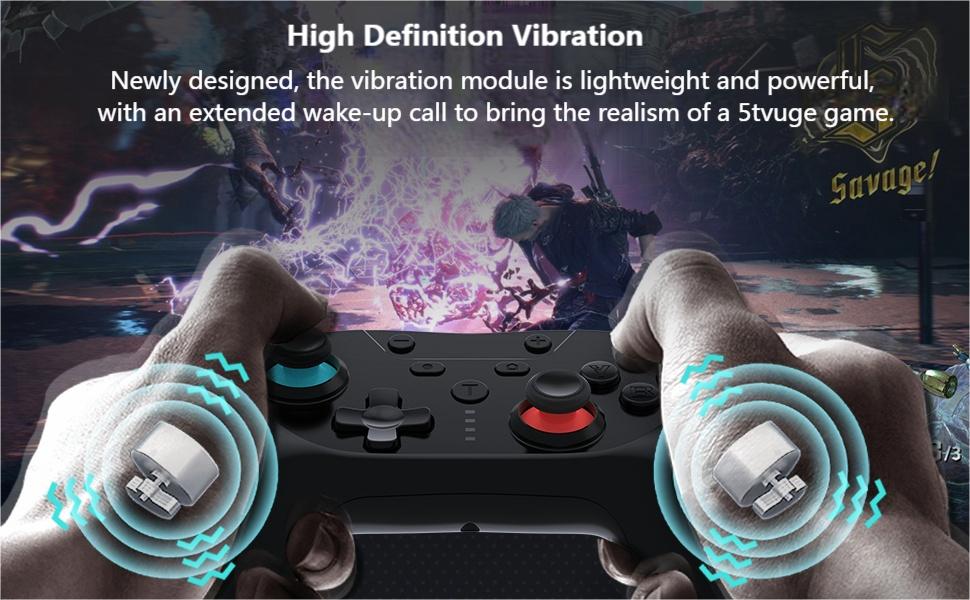
Figure 3.2: Wireless Connection Overview
This diagram illustrates the wireless Bluetooth connection process, showing the controller connecting to a Nintendo Switch, Switch Lite, and Switch OLED, along with the wireless range and working time.
3.3 Wired Connection (PC)
To connect to a PC via wired mode (X-Input), simply connect the controller to your PC using the USB-C cable. The PC should automatically recognize the controller.
4. Návod k obsluze
4.1 Funkce TURBO
The TURBO function allows for continuous rapid firing of a button. It has three adjustable speeds.
- Setting TURBO: Stiskněte a podržte Tlačítko TURBO, then press the desired action button (A/B/X/Y/L/R/ZL/ZR) once to activate TURBO mode for that button.
- Adjusting TURBO Speed: Zatímco držíte Tlačítko TURBO, stiskněte tlačítko Right Analog Stick Up/Down to cycle through the three speeds: 5 times/sec, 12 times/sec, and 20 times/sec.
- Clearing TURBO: Stiskněte a podržte Tlačítko TURBO, then press the action button again to deactivate TURBO for that specific button. To clear all TURBO settings, press and hold the Tlačítko TURBO a Tlačítko minus (-) zároveň.

Figure 4.1: TURBO Function in Action
This image visually represents the TURBO function, showing the 'T' button and bullet icons indicating rapid firing, emphasizing its benefit in shooting games.
4.2 Programovatelná tlačítka zpět (M1/M2)
The M1 and M2 back buttons can be programmed to execute single or multiple button actions (macros).
- Vstup do programovacího režimu: Stiskněte a podržte M1/M2 button you wish to program, then press the Tlačítko TURBO. The LED indicators will flash slowly, indicating programming mode.
- Recording Actions: Press the sequence of buttons you want to assign (up to 16 consecutive actions).
- Ukončení režimu programování: Stiskněte tlačítko M1/M2 button again to save the recording and exit programming mode. The LED indicators will stop flashing.
- Clearing Programming: To clear a specific M1/M2 button's programming, repeat step 1 and then press the M1/M2 button again without pressing any other buttons.

Figure 4.2: M1 and M2 Programming Buttons
This image highlights the M1 and M2 programmable back buttons on the underside of the controller, showing an example of how multiple button presses can be assigned to a single back button.
4.3 Nastavení vibrací
The controller features 4 levels of HD vibration adjustment.
- To adjust vibration intensity, press and hold the Tlačítko TURBOa poté stiskněte tlačítko Left Analog Stick Up/Down to cycle through the vibration levels (0%, 30%, 70%, 100%).

Figure 4.3: HD Vibration Levels
This image illustrates the four levels of HD vibration adjustment (0%, 30%, 70%, 100%), showing the internal vibration motors within the controller.
4.4 6-Axis Gyro Sensor
The built-in 6-axis gyro sensor allows for motion control in compatible games, detecting tilt and movement for enhanced gameplay.

Figure 4.4: 6-Axis Motion Sensor Capabilities
This image demonstrates the capabilities of the 6-axis motion sensor, showing how it detects swinging motion, differentiates viewing motion, and enables operating direction control in games.
5. Údržba
- Čištění: K čištění ovladače používejte měkký, suchý hadřík. Nepoužívejte agresivní chemikálie ani abrazivní materiály.
- Skladování: Regulátor skladujte na chladném a suchém místě mimo dosah přímého slunečního záření a extrémních teplot.
- Péče o baterie: Chcete-li prodloužit životnost baterie, vyvarujte se častého úplného vybíjení ovladače. Pravidelně jej nabíjejte, i když jej delší dobu nepoužíváte.
- Vyhněte se kapkám: Chraňte ovladač před pády a nárazy, které by mohly poškodit vnitřní součásti.
6. Řešení problémů
| Problém | Možná příčina | Řešení |
|---|---|---|
| Controller does not connect. | Low battery, incorrect pairing mode, interference. |
|
| Tlačítka nereagují nebo se zasekávají. | Dirt/debris, physical damage. |
|
| Analog sticks drift. | Calibration issue, wear and tear. |
|
| TURBO/Programming not working. | Nesprávné kroky programování. |
|
| Krátká výdrž baterie. | Frequent vibration, continuous use, aging battery. |
|
7. Specifikace
- Číslo modelu: SW02-blue&red
- Konektivita: Bezdrátové (Bluetooth), Kabelové (USB-C)
- Kompatibilita: Nintendo Switch, Switch Lite, Switch OLED, PC (X-Input mode)
- Kapacita baterie: 600 XNUMX mAh
- Doba nabíjení: Přibližně 3 hodiny
- Pracovní doba: 16–20 hodiny (v závislosti na používání)
- Vibrace: 4-level HD vibration adjustment
- Pohybový senzor: Osa 6 Gyro
- Programovatelná tlačítka: 2 back buttons (M1, M2)
- Funkce TURBO: 3 adjustable speeds (5/12/20 times/sec)
- Hmotnost: Přibližně 9.1 uncí (258 gramů)
- Rozměry: 6.77 x 4.53 x 2.72 palce (17.2 x 11.5 x 6.9 cm)
8. Záruka a podpora
Matbip provides customer support for its products. If you encounter any issues or have questions regarding your controller, please contact us via email. We aim to respond within 24 hours.
For warranty information and further assistance, please refer to the contact details provided with your purchase or visit the official Matbip store on Amazon: Matbip Official Store


