1. Úvod
This manual provides instructions for the safe and efficient operation of the Chainway C71 Android Barcode Scanner. The C71 is a robust and versatile handheld device designed for various applications, including warehouse inventory management and forklift operations. It features a Zebra SE55 long-range 2D/1D/QR code reader, runs on Android 13, and offers comprehensive connectivity options.
Před použitím zařízení si prosím pečlivě přečtěte tento návod k obsluze a uschovejte si jej pro budoucí použití.
2. Konec produktuview
2.1 Klíčové vlastnosti
- Durable and Versatile Design: Suitable for both indoor and outdoor environments, ideal for warehouse inventory and forklift scanning.
- Zebra SE55 Long Range Scanner: Capable of scanning 2D, 1D, and QR codes from distances up to 40 feet (depending on barcode size and media).
- Operační systém Android 13: Provides access to the latest Android features and the Google Play Store for application downloads.
- Bezdrátové připojení: Features fast and reliable WiFi, Bluetooth 5.0, NFC, and GPS for seamless data transmission and real-time updates.
- Large Vivid Screen: A bright and clear display for easy reading and interaction in various lighting conditions.
- Vysokokapacitní baterie: Vybaven baterií s kapacitou 5000 mAh pro delší dobu provozu.
- Osmijádrový procesor: Ensures fast and responsive performance for demanding applications.
2.2 Součásti zařízení
The Chainway C71 scanner features a robust design with an integrated display, scanning engine, and various ports and buttons.
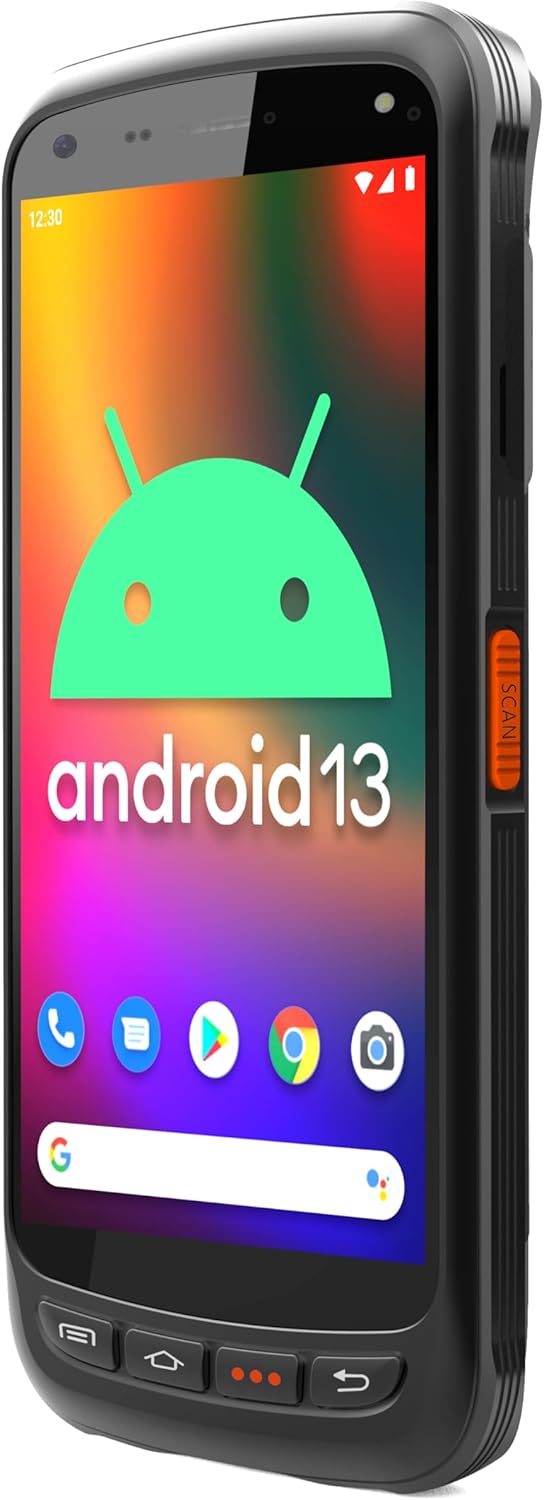
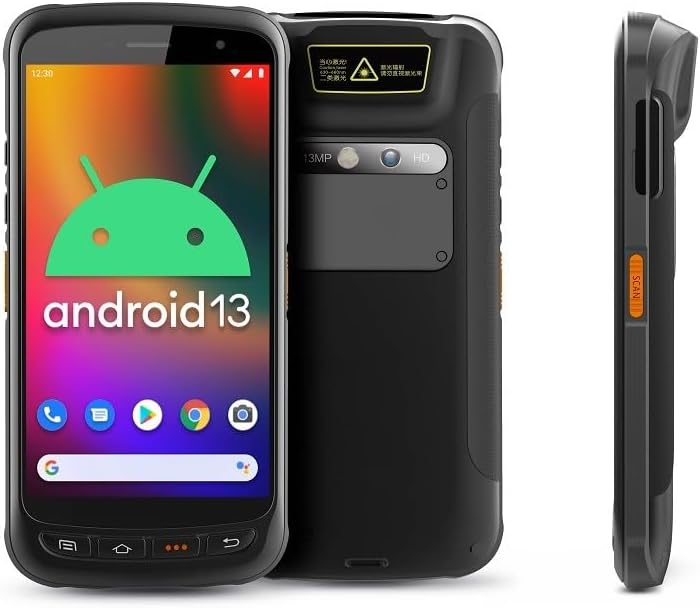
- Zobrazit: Large vivid touchscreen for user interaction.
- Tlačítko skenování: Located on the side for convenient barcode scanning activation.
- Zebra SE55 Scan Engine: Integrated at the top rear for long-range barcode capture.
- Zadní kamera: For image capture (13MP).
- Přední kamera: For video calls or selfies (5MP).
- Fyzická tlačítka: Power, volume, and programmable function keys.
- Porty: USB-C pro nabíjení a přenos dat.
3. Nastavení
3.1 Instalace a nabíjení baterie
The Chainway C71 requires one Lithium Ion battery for operation. Ensure the battery is correctly installed before first use.
- Vyhledejte kryt přihrádky na baterie na zadní straně zařízení.
- Open the cover and insert the Lithium Ion battery, ensuring the contacts align correctly.
- Bezpečně zavřete kryt bateriového prostoru.
- Connect the device to a power source using the provided USB-C cable and power adapter. The device will begin charging.

3.2 Počáteční zapnutí
- Press and hold the Power button (usually on the side) until the device vibrates and the screen illuminates.
- Postupujte podle pokynů na obrazovce a dokončete počáteční nastavení systému Android 13, včetně výběru jazyka, připojení k Wi-Fi a přihlášení k účtu Google.
4. Návod k obsluze
4.1 Barcode Scanning with Zebra SE55 Engine
The Chainway C71 is equipped with a powerful Zebra SE55 scan engine for efficient barcode capture.
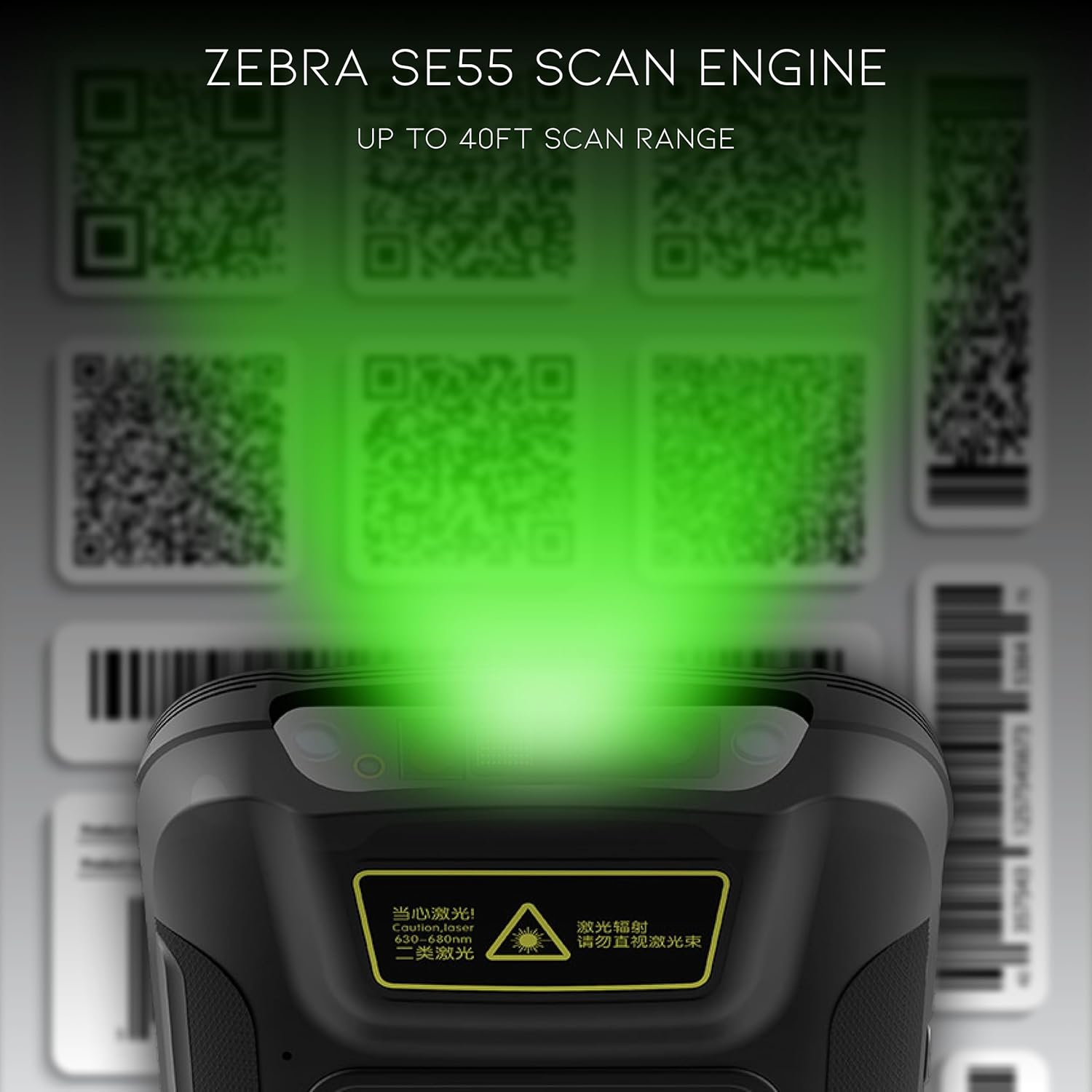
- Open the desired application that requires barcode scanning (e.g., inventory management app).
- Point the top of the device, where the scan engine is located, towards the barcode.
- Press the dedicated scan button on the side of the device. A green aiming pattern will appear.
- Align the aiming pattern with the barcode. The device will emit a sound or vibrate upon successful scan.
- The scanned data will be input into the active field of your application.
Poznámka: The Zebra SE55 can scan barcodes from up to 40 feet away, depending on the barcode size and quality. For optimal performance, ensure clear line of sight and adequate lighting.
Operační systém 4.2 Android 13
The C71 runs on Android 13, providing a familiar and intuitive user experience. You can navigate the interface using touch gestures.

- Domovská obrazovka: Access your installed applications and widgets.
- Oznámení: Přejeďte prstem dolů z horní části obrazovky na view oznámení a rychlé nastavení.
- Obchod Google Play: Download and install additional applications relevant to your workflow.
4.3 Konektivita
The device supports multiple connectivity options for data transfer and communication.
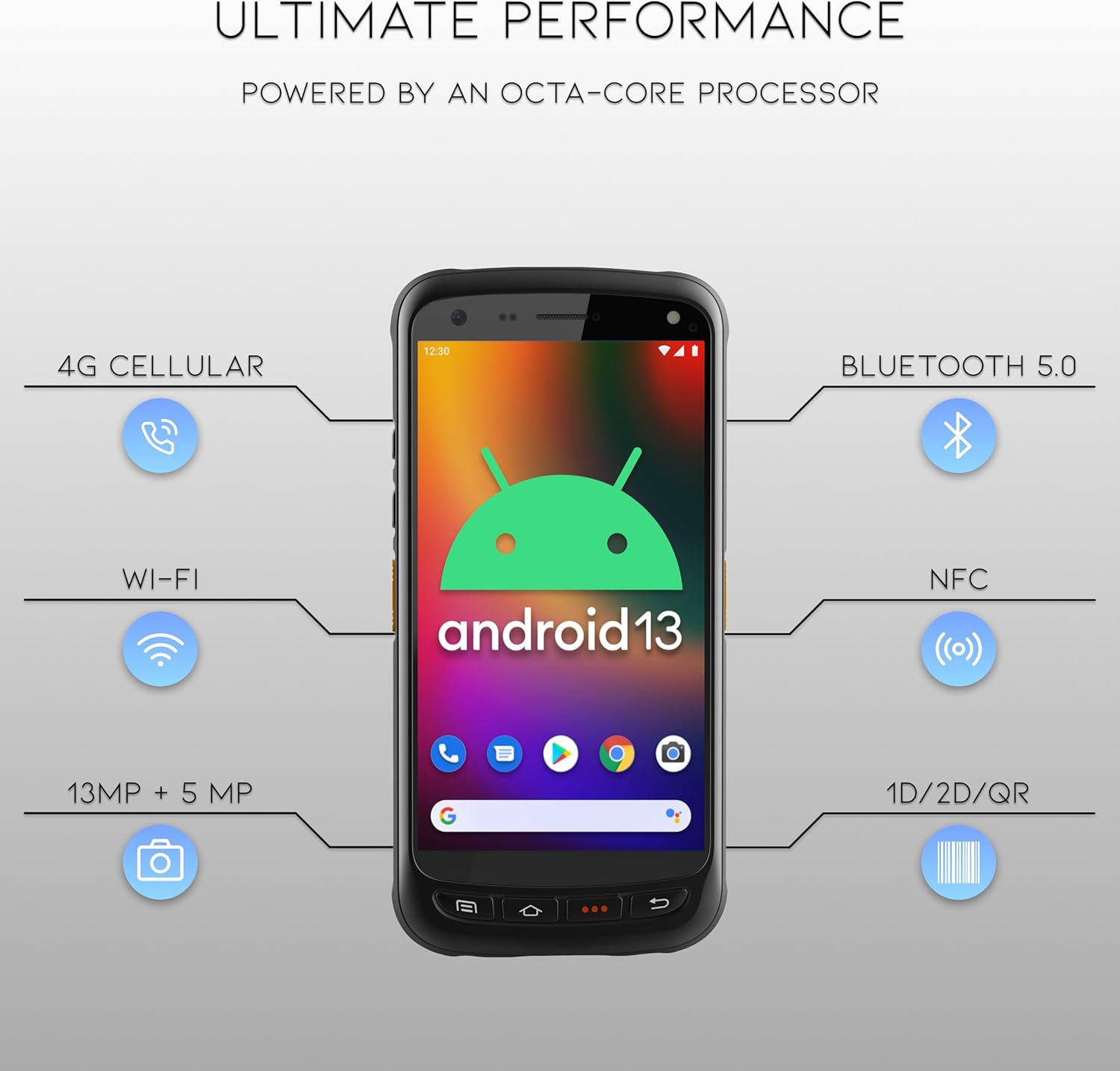
- Wi-Fi: Connect to wireless networks for internet access and data synchronization. Go to Nastavení > Síť a internet > Wi-Fi.
- Bluetooth 5.0: Pair with Bluetooth-enabled devices such as headsets or printers. Go to Nastavení > Připojená zařízení > Bluetooth.
- NFC: Pro aplikace v blízkém poli.
- GPS: For location-based services.
- 4G mobilní sítě: (If equipped with SIM card slot) For mobile data connectivity.
5. Údržba
5.1 Čištění zařízení
- Použijte měkký hadřík, který nepouští vlákna dampened with water or a mild, non-abrasive cleaning solution to clean the screen and exterior.
- Nepoužívejte agresivní chemikálie, rozpouštědla ani abrazivní materiály, protože by mohly zařízení poškodit.
- Zajistěte, aby se do portů nebo otvorů nedostala žádná kapalina.
5.2 Péče o baterii
- Nevystavujte baterii extrémním teplotám (horkým nebo nízkým).
- Baterii pravidelně nabíjejte, ale nenechávejte ji delší dobu zcela vybitou.
- Use only the manufacturer-approved charging accessories.
6. Řešení problémů
This section addresses common issues you might encounter with your Chainway C71 scanner.
6.1 Zařízení se nezapíná
- Ujistěte se, že je baterie správně nainstalována a plně nabitá.
- Connect the device to the charger and attempt to power it on after a few minutes.
- Pokud problém přetrvává, kontaktujte zákaznickou podporu.
6.2 Barcode Not Scanning
- Verify that the scanning application is open and ready to receive input.
- Ensure the barcode is clean, undamaged, and within the scanner's range (up to 40 feet).
- Check for adequate lighting; extreme glare or insufficient light can affect scanning performance.
- Confirm the scan engine is pointed directly at the barcode.
6.3 Problémy s připojením k Wi-Fi
- Check if Wi-Fi is enabled in the device settings.
- Ensure you are within range of a known Wi-Fi network.
- Verify the Wi-Fi password if connecting to a new network.
- Restart the device and the Wi-Fi router if necessary.
7. Specifikace
Technical specifications for the Chainway C71 Android Barcode Scanner.
| Funkce | Detail |
|---|---|
| Číslo modelu | C71 |
| Operační systém | Android 13 |
| Skener čárových kódů | Zebra SE55 (2D/1D/QR, up to 40ft range) |
| Procesor | 2.0 GHz Octa-Core Processor |
| Baterie | 5000mAh lithium-iontová baterie (vyžaduje 1) |
| Konektivita | Wi-Fi, Bluetooth 5.0, NFC, GPS, 4G Cellular (optional) |
| Kamery | 13MP zadní, 5MP přední |
| Kompatibilní zařízení | Smartphone, Tablet (as a handheld device) |
| Zdroj napájení | Napájení z baterie |
| Výrobce | Chainway |

8. Záruka a podpora
For warranty information and technical support, please contact the seller, BARCODE-USA. Details regarding specific warranty periods and coverage will be provided at the point of purchase or upon request from the seller.
prodejce: BARCODE-USA
For assistance, refer to your purchase documentation or visit the BARCODE-USA store page on Amazon: BARCODE-USA Store


