Zavedení
This manual provides detailed instructions for setting up, operating, and maintaining your Ajazz AK820MAX 75% Mechanical Keyboard. Please read this manual thoroughly before using the product to ensure optimal performance and longevity.
Vlastnosti produktu
- TFT Smart Display & Knob: Features a high-definition TFT color screen displaying time, connectivity modes, battery status, and custom GIF animations. The integrated knob allows for quick adjustments.
- Struktura těsnění a drážkování jednoho klíče na desce plošných spojů: Designed with a gasket structure and 1.2mm thick PCB single key slotting for enhanced resilience, stability, and a softer, more elastic typing feel. Multiple internal fillings reduce noise for a pure and pleasant sound.
- Třírežimové připojení: Supports wireless connectivity via Bluetooth 5.1, 2.4GHz, or a wired Type-C USB cable. Easily switch between modes for efficient multitasking across various devices.
- Baterie s dlouhou výdrží: Equipped with an 8000mAh battery for extended use without frequent recharging.
- RGB Backlighting with Music Rhythm: Offers 20 customizable backlighting effects, including a mode that synchronizes with music playback.
- 75% Hot-Swappable Layout: A compact 75% layout saves desktop space. The 3/5-pin PCB mounting design allows for easy hot-swapping of mechanical switches, enabling customization of typing preferences.
Obsah balení
Po vybalení se prosím ujistěte, že jsou přítomny všechny následující položky:
- Ajazz AK820MAX Mechanical Keyboard
- Kabel USB typu C
- Uživatelská příručka

Image: The Ajazz AK820MAX keyboard, USB-C cable, and user manual as they appear when unboxed.
Nastavení
- Nabíjení klávesnice: Connect the provided USB Type-C cable to the keyboard's Type-C port and the other end to a USB power source (e.g., computer, wall adapter). The TFT display will indicate charging status.
- Nastavení úhlu klávesnice: Flip the keyboard over and extend the adjustable feet on the underside to achieve your preferred typing angle.
- Selecting Connectivity Mode:
- Kabelový režim: Connect the USB Type-C cable to your computer. The keyboard will automatically switch to wired mode.
- Bezdrátový režim 2.4 GHz: Locate the 2.4GHz receiver (usually stored in a slot on the keyboard's underside). Plug the receiver into an available USB port on your computer. Switch the mode selector on the keyboard to 2.4G.
- Režim Bluetooth: Switch the mode selector on the keyboard to BT. On your device (PC, laptop, tablet), search for Bluetooth devices and select "AK820MAX" to pair.

Obrázek: Boční view of the keyboard highlighting the USB-C port and switches for selecting wired, 2.4G, or Bluetooth connectivity modes.

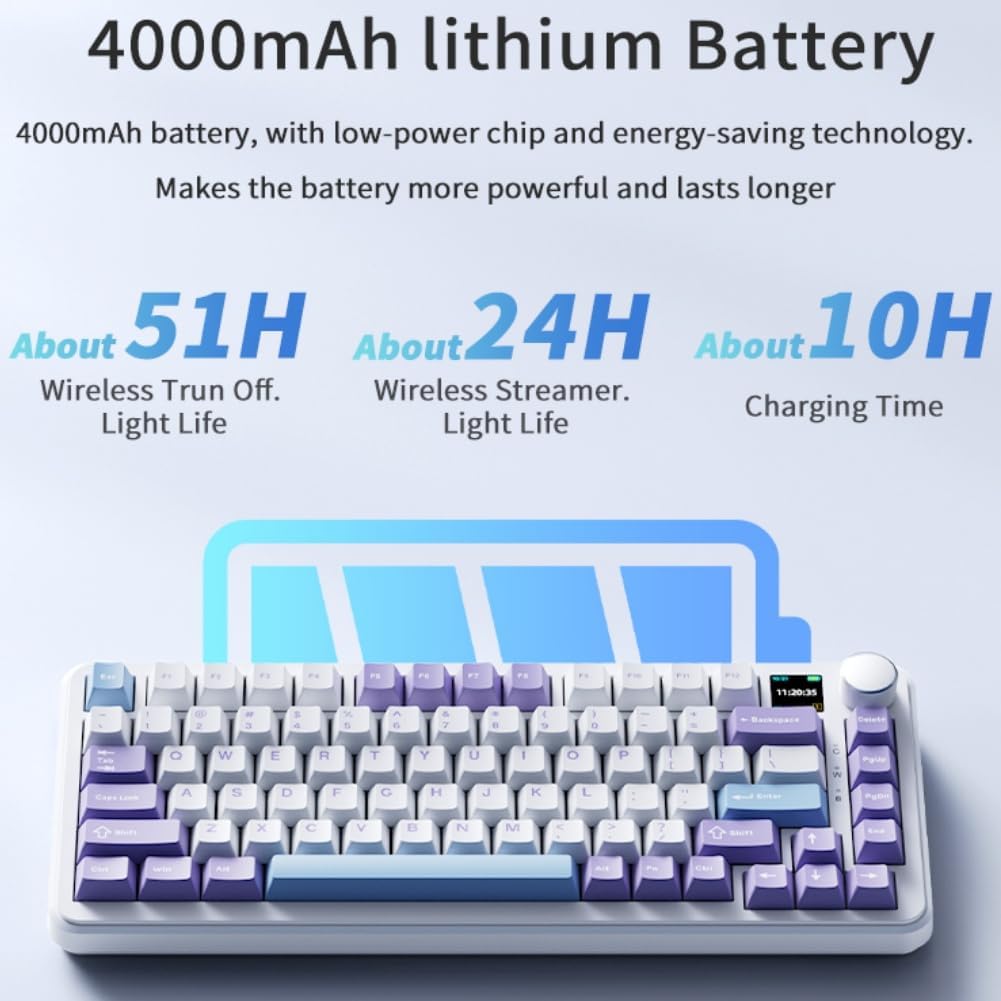
Image: The keyboard displaying battery life information on its TFT screen, indicating approximate usage times for wireless with lights off and wireless streamer light life, along with charging time.
Návod k obsluze
TFT Smart Display and Knob Functions
The integrated TFT color screen and multi-function knob provide quick access to various settings:
- Otáčení knoflíku: Rotate the knob to navigate through menu options or adjust values (e.g., brightness, speed).
- Stisknutí knoflíku: Press the knob to confirm a selection or enter a menu.
- Informace o displeji: The screen shows current time, active connectivity mode (wired, 2.4G, BT), and battery level.
- Custom GIF Animations: The display supports custom colorful GIF animations. Refer to the software for customization options.

Image: A close-up of the keyboard's 0.85-inch TFT color screen, illustrating its capability to display settings such as backlight brightness, speed, color, and effect modes.
Ovládání podsvícení RGB
The keyboard features 20 backlighting effects. Use the knob or dedicated function keys (refer to the keyboard's keycap legends or software) to:
- Change lighting effects.
- Upravte úrovně jasu.
- Modify animation speed.
- Select specific colors.
- Activate music rhythm mode, where lighting fluctuates with audio.
Přepínače s možností výměny za provozu
The AK820MAX supports hot-swappable mechanical switches, allowing you to change switches without soldering.
- Opatrně sejměte krytku kláves pomocí stahováku na krytky kláves.
- Use a switch puller to gently remove the switch from the PCB.
- Zarovnejte piny nového spínače s otvory na desce plošných spojů a pevně zatlačte, dokud nezacvakne. Ujistěte se, že piny nejsou ohnuté.
- Vyměňte krytku kláves.
Obrázek: Detailní záběr view of the keyboard's hot-swappable key switches, demonstrating the ease with which switches can be changed to customize typing preferences.

Obrázek: Podrobný view of the keyboard's PCB, showcasing the 1.2mm thick single key slot design for improved switch stability and feel.

Image: A diagram illustrating the internal gasket structure of the keyboard, which contributes to a softer and more elastic typing experience.

Image: A cross-section diagram detailing the five-layer internal filling, including silicone bottom pad, IXPE switch pad, and PET voice actor pad, designed to reduce noise and produce a pure sound.
Údržba
- Čištění: K otření povrchu klávesnice použijte měkký, suchý hadřík. Pro důkladnější čištění sejměte klávesy a nečistoty odstraňte stlačeným vzduchem.
- Péče o spínač: Avoid spilling liquids on the keyboard. If a switch feels inconsistent, it may need to be replaced or lubricated.
- Skladování: Klávesnici skladujte na chladném a suchém místě mimo dosah přímého slunečního záření a extrémních teplot.
Odstraňování problémů
- Klávesnice nereaguje:
- Ujistěte se, že je klávesnice nabitá.
- Check the connectivity mode switch (wired, 2.4G, BT) matches your connection type.
- For 2.4GHz, ensure the receiver is properly plugged in.
- V případě Bluetooth se ujistěte, že je klávesnice spárovaná a v dosahu. Zkuste ji znovu spárovat.
- Zkuste se připojit pomocí kabelu USB-C, abyste vyloučili problémy s bezdrátovým připojením.
- RGB světla nefungují/jsou nesprávná:
- Check brightness settings using the knob or software.
- Ensure the keyboard software is up to date.
- Reset lighting effects to default via software or keyboard shortcuts (refer to specific key combinations if available).
- Klíče se neregistrují:
- If a specific key is not working, try hot-swapping the switch with a known working one to determine if the switch or PCB socket is faulty.
- Ujistěte se, že je krytka kláves správně usazena.
Specifikace
| Funkce | Detail |
|---|---|
| Číslo modelu | AK820MAX |
| Rozložení | 75 % (81 kláves) |
| Konektivita | Bluetooth 5.1, bezdrátové připojení 2.4 GHz, kabelové připojení USB typu C |
| Typ přepínače | Hot-swappable Mechanical (Avocado Switch) |
| Podsvícení | RGB (20 effects, music rhythm) |
| Zobrazit | 0.85-inch TFT Color Smart Display |
| Kapacita baterie | 8000mAh lithium-polymerová (dobíjecí) |
| Kompatibilní zařízení | PC, notebook, tablet |
| Rozměry | 15.75 x 6.89 x 2.71 palce |
| Hmotnost položky | 2.75 libry |
| Výrobce | Odpaltój |
Záruka a podpora
For warranty information and technical support, please refer to the warranty card included with your product or contact the manufacturer directly. You can also visit the official Ajazz webweb s častými dotazy a dalšími zdroji.
Manufacturer: Odpaltoy
Contact: Please refer to the contact information provided in the product packaging or on the manufacturer's official webstránky pro dotazy na podporu.


