1. Úvod
Thank you for choosing the truefree O2 Open Ear Headphones. This manual provides detailed instructions for setting up, operating, and maintaining your new wireless earbuds. Please read this guide thoroughly to ensure optimal performance and a satisfying user experience.
2. Obsah balení
Ověřte, zda jsou v balení přítomny všechny níže uvedené položky:
- truefree O2 Open Ear Earbuds (x2)
- Nabíjecí pouzdro
- Nabíjecí kabel USB-C
- Uživatelská příručka
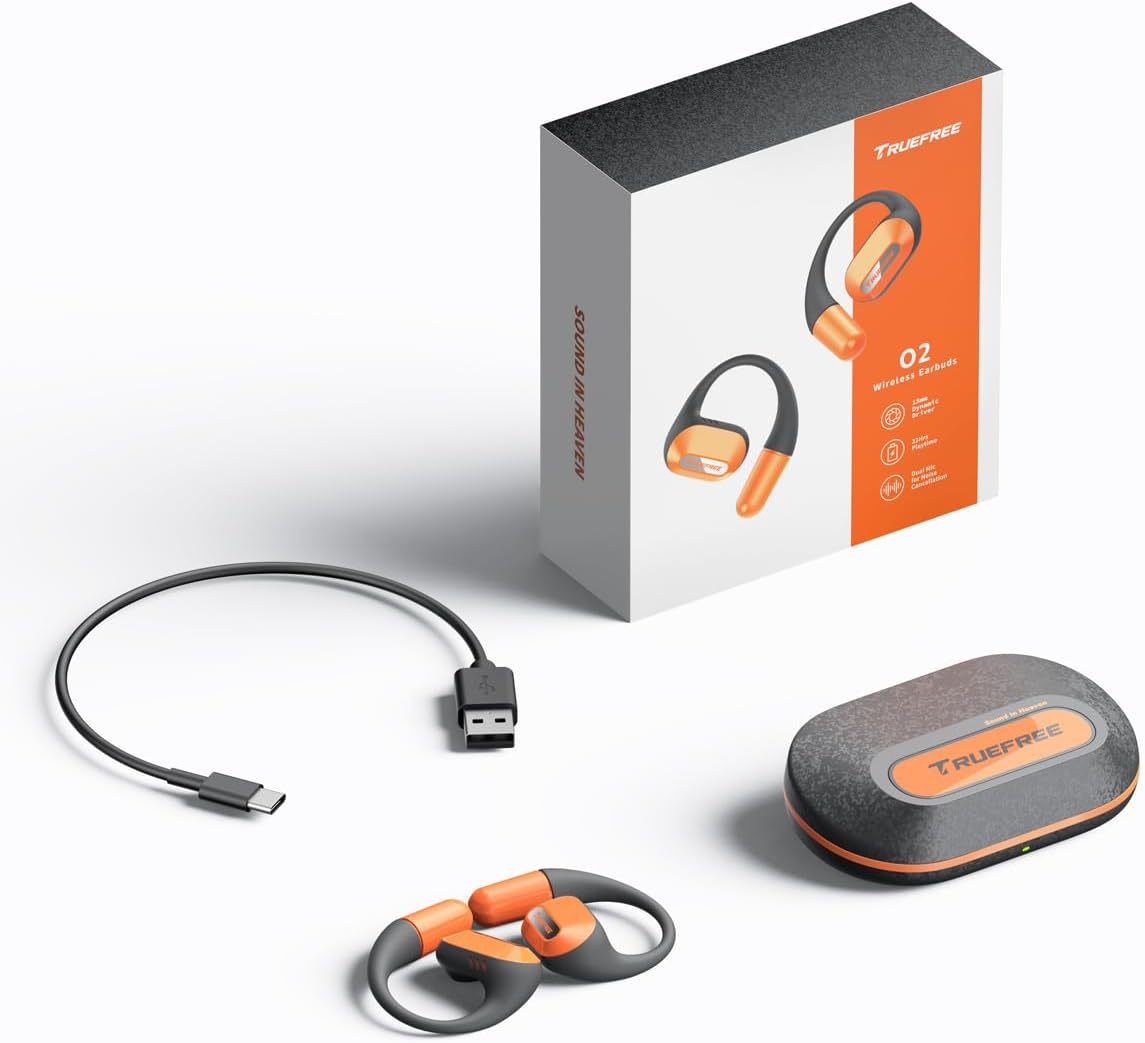
The complete package contents: two truefree O2 open ear earbuds, the charging case, a USB-C charging cable, and the user manual.
3. Konec produktuview
The truefree O2 headphones feature an open-ear design for comfort and situational awareness, equipped with 15mm dynamic drivers and directional acoustics. The earbuds are ultra-lightweight (8g each) and designed with soft silicone ear hooks for a secure fit during various activities.

The truefree O2 open ear headphones and their compact charging case.
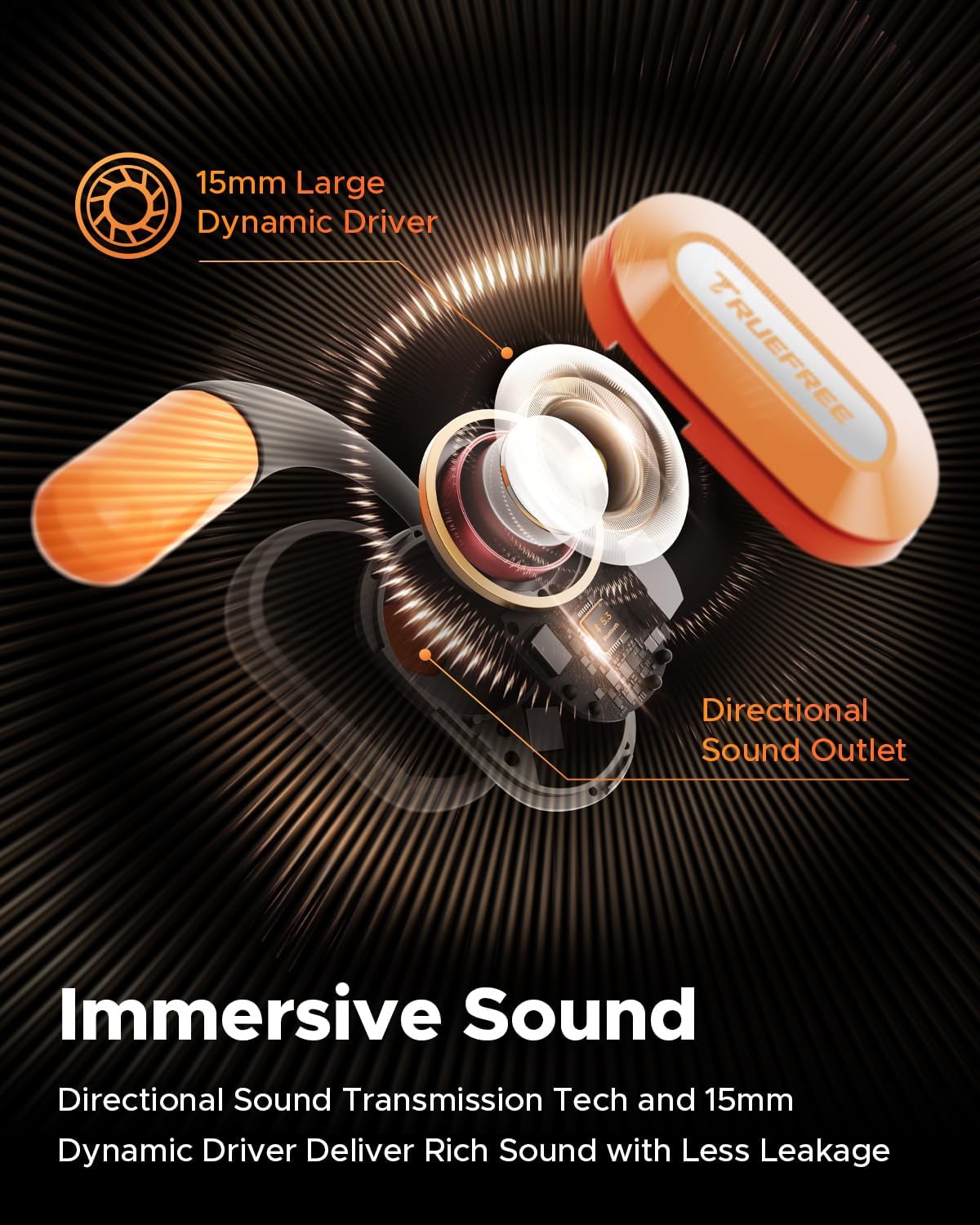
Explodoval view diagram of the truefree O2 earbud, highlighting its 15mm large dynamic driver and directional sound outlet for immersive audio with minimal leakage.
4. Nošení sluchátek do uší
Pro optimální kvalitu zvuku a pohodlí se ujistěte, že jsou sluchátka správně nasazena.
- Identifikujte levé (L) a pravé (R) sluchátko.
- Gently hook the earbud over your ear, positioning the speaker part towards your ear canal.
- Adjust the ear hook to fit snugly and securely around your ear. The flexible NiTi alloy memory steel wire ensures a stable fit for various ear shapes.
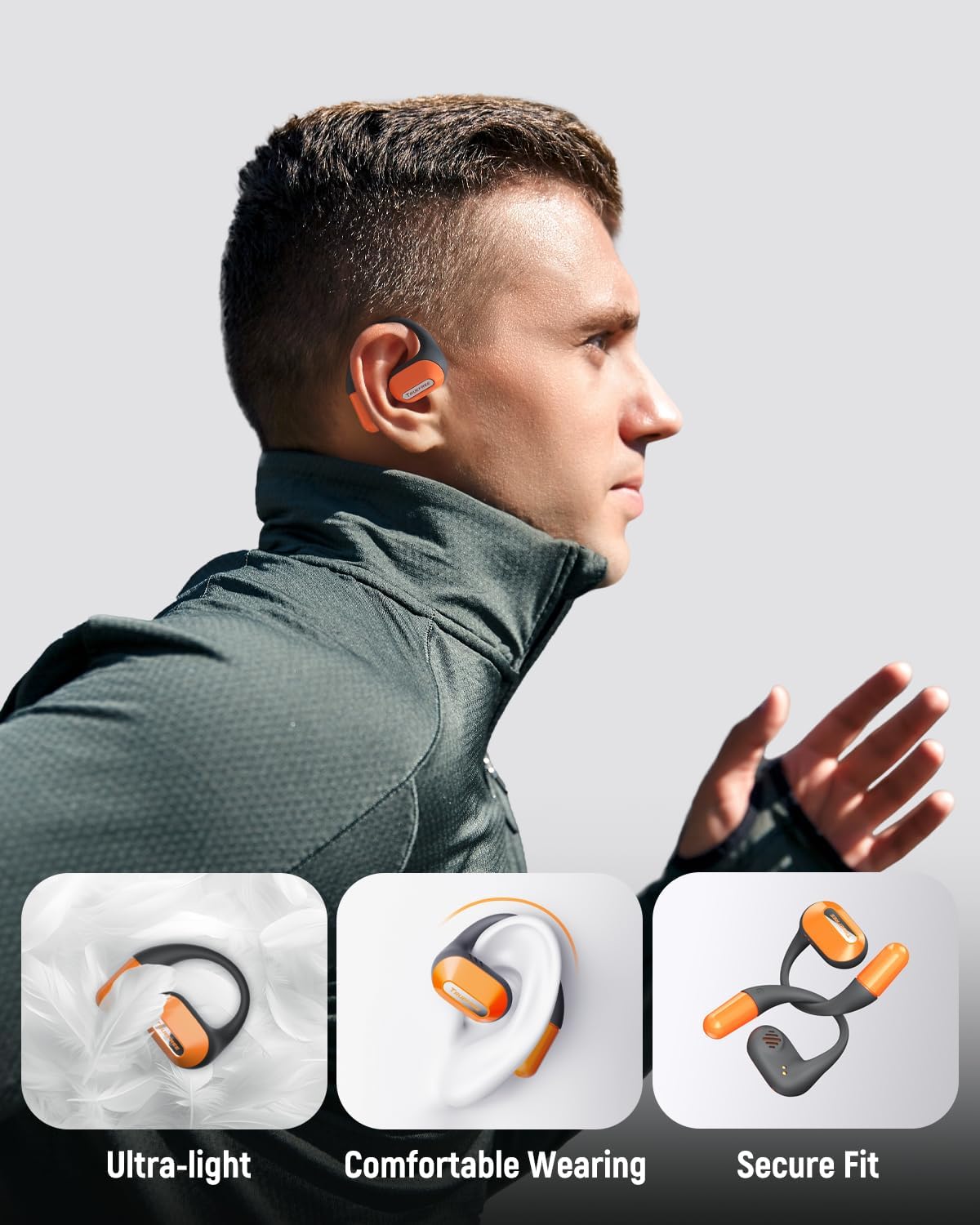
A user wearing the truefree O2 headphones, demonstrating their ultra-light design, comfortable fit, and secure ear hooks suitable for active use.
5. Nabíjení
The truefree O2 headphones and charging case are designed for efficient power management.
5.1 Nabíjení sluchátek
- Vložte sluchátka do nabíjecího pouzdra. Ujistěte se, že jsou nabíjecí kontakty zarovnány.
- Kontrolky na sluchátkách budou ukazovat stav nabíjení.
- Plné nabití poskytuje přibližně 6.5 hodin přehrávání.
5.2 Nabíjení pouzdra
- Připojte nabíjecí kabel USB-C k nabíjecímu portu na pouzdře a ke zdroji napájení.
- The charging case can be fully charged in approximately 1 hour and 15 minutes.
- A fully charged case provides up to 22 hours of total playtime for the earbuds.

An illustration detailing the IPX5 waterproof rating, 6.5 hours of playtime on a single charge, 22 hours total with the charging case, and 1 hour 15 minutes fast charging via USB-C.
6. Nastavení
6.1 Počáteční párování Bluetooth
- Otevřete nabíjecí pouzdro. Sluchátka se automaticky přepnou do režimu párování.
- Povolte Bluetooth na svém zařízení (chytrý telefon, tablet, notebook).
- Hledat "truefree O2" in the list of available Bluetooth devices.
- Select "truefree O2" to connect. A voice prompt will confirm successful pairing.
6.2 Ovládání aplikace
Enhance your experience by downloading the "Truefree" application from your device's app store.
- Přizpůsobení: Adjust EQ settings, including 9 personalized presets and a customizable option.
- Aktualizace firmwaru: Udržujte svá sluchátka aktualizovaná o nejnovější funkce a vylepšení.
- Speciální funkce: Control features like game mode and other settings directly from the app.
- Připojení dvou zařízení: Enable multipoint connection for seamless switching between two devices.
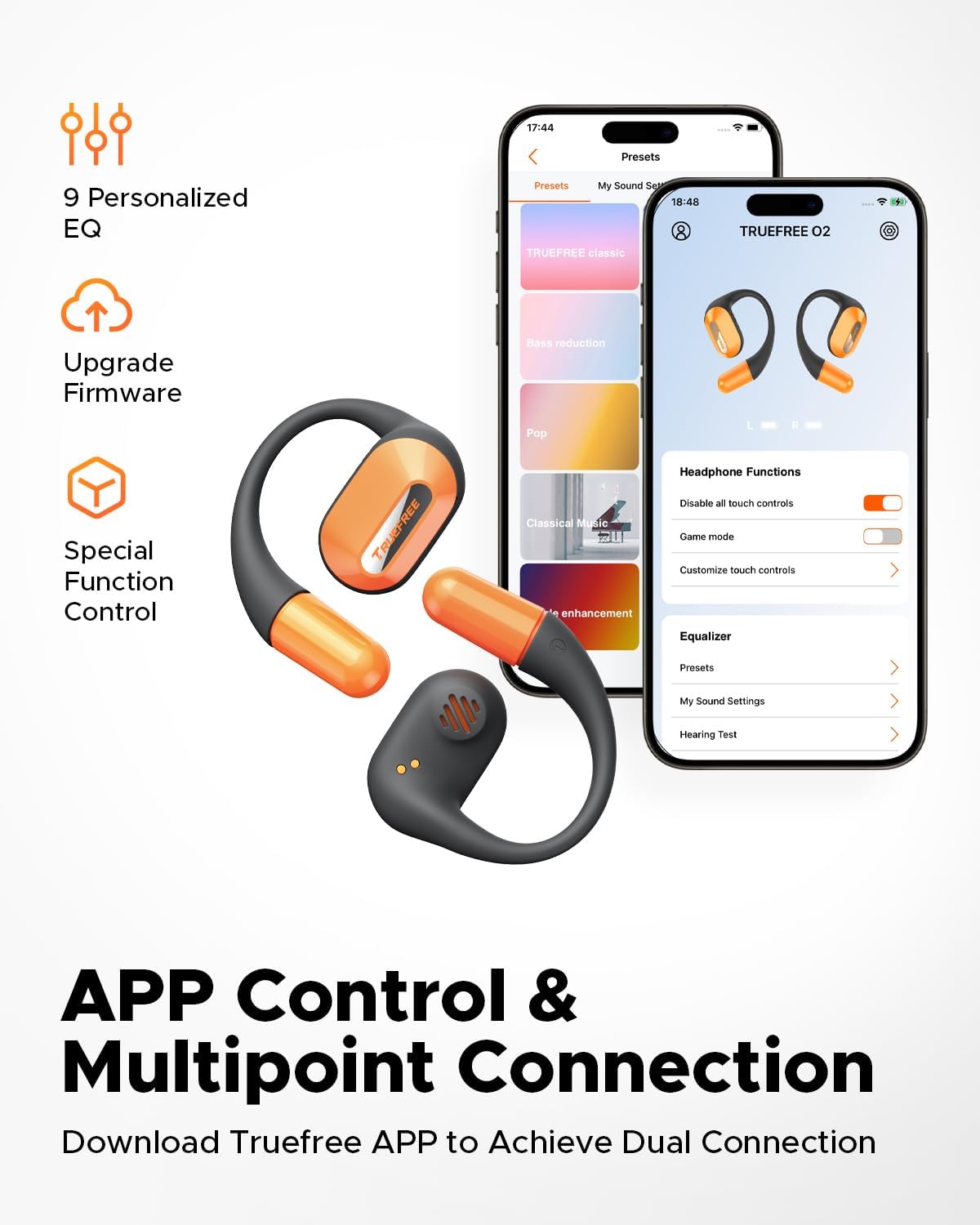
Screenshots of the Truefree mobile application, illustrating options for customizing EQ settings, game mode, and other control functions for the O2 headphones.
7. Provoz
7.1 Dotykové ovládání
The truefree O2 earbuds feature intuitive touch controls on both the left (L) and right (R) earbuds.
| Akce | Funkce |
|---|---|
| L & R Double tap | Přehrát/Pozastavit, Přijmout/Ukončit hovor |
| L & R Long press for 1.5s | Previous Track (L), Next Track (R), Power On/Off (when not in case) |
| L Single tap | Snížit hlasitost |
| R Single tap | Zvýšení hlasitosti |
| L Long press for 3s | Aktivujte herní režim |
| R Long press for 3s | Aktivujte hlasového asistenta |

A visual guide to the touch control functions on the truefree O2 earbuds.
7.2 Vícebodové připojení
The truefree O2 supports connecting to two devices simultaneously, allowing for seamless switching between audio sources.
- Ensure the earbuds are connected to your first device.
- Put the earbuds back into the charging case, then take them out again to re-enter pairing mode.
- Connect the earbuds to your second device via Bluetooth.
- Once both devices are paired, the earbuds will intelligently switch audio based on activity (e.g., taking a call on your phone while listening to music on your laptop).

An image showing the truefree O2 headphones connected to both a laptop and a smartphone, illustrating the multipoint connection feature for seamless device switching.
7.3 Herní režim
Activate Game Mode for reduced audio latency, providing a more synchronized audio-visual experience during gaming.
- To activate: Long press the left earbud for 3 seconds.
- To deactivate: Repeat the action.
- Game Mode can also be toggled via the Truefree app.
8. Údržba
Vodotěsnost 8.1 IPX5
The truefree O2 earbuds are IPX5 waterproof, meaning they are resistant to sweat and light splashes of water. This makes them suitable for workouts and outdoor activities.
- Neponořujte sluchátka do vody.
- Před vložením sluchátek zpět do nabíjecího pouzdra se ujistěte, že jsou suchá, abyste předešli jejich poškození.

The truefree O2 earbud with water droplets, illustrating its IPX5 waterproof rating.
8.2 Čištění
- Otřete sluchátka a nabíjecí pouzdro měkkým, suchým hadříkem, který nepouští vlákna.
- Vyhněte se použití abrazivních materiálů nebo agresivních chemikálií.
- Pravidelně čistěte nabíjecí kontakty na sluchátkách i pouzdře, aby se zajistilo správné nabíjení.
9. Řešení problémů
If you encounter issues with your truefree O2 headphones, refer to the following common solutions:
| Problém | Řešení |
|---|---|
| Sluchátka se nespárují | Ensure earbuds are charged. Turn off and on Bluetooth on your device. Forget "truefree O2" from your device's Bluetooth list and re-pair. |
| Žádný zvuk z jednoho sluchátka | Vložte obě sluchátka zpět do pouzdra, zavřete ho a znovu otevřete. Zkontrolujte nastavení vyvážení zvuku zařízení. |
| Problém s nabíjením | Clean charging contacts on earbuds and case. Try a different USB-C cable and power adapter. Ensure earbuds are correctly seated in the case. |
| Nízká hlasitost | Adjust volume on both the earbuds and your connected device. Check EQ settings in the Truefree app. |
| Připojení často vypadává | Ensure no obstructions between earbuds and device. Reduce distance between earbuds and device. Avoid strong electromagnetic interference. |
If the issue persists, please contact truefree customer support for further assistance.
10. Specifikace
| Funkce | Detail |
|---|---|
| Název modelu | truefree O2 |
| Konektivita | Bluetooth 5.3 |
| Umístění uší | Otevřete ucho |
| Tvar sluchátka | Háček |
| Voděodolnost | IPX5 |
| Životnost baterie sluchátek | Až 6.5 hodin |
| Celková doba přehrávání (s pouzdrem) | Až 22 hodin |
| Doba nabíjení pouzdra | Approx. 1 hour 15 minutes (USB-C) |
| Velikost zvukového ovladače | 15 mm |
| Hmotnost sluchátek | 8 gramů (každý) |
| Typ ovládání | Dotykové ovládání, ovládání aplikací |
| Speciální funkce | Multipoint Pairing, Game Mode, Dual-mic Noise Cancelling |
11. Záruka a podpora
truefree is committed to providing excellent customer experience. If you have any problems or suggestions regarding your truefree O2 Open Ear Headphones, please do not hesitate to contact our customer support team. We are ready to offer you a satisfactory solution.
For support, please refer to the contact information provided on the truefree official webweb nebo vaše nákupní platforma.


