1. Úvod
This manual provides essential information for the safe and efficient operation of your Haier H65M95EUX 65-inch QD Mini LED 4K UHD Smart TV. Please read this manual thoroughly before using the product and retain it for future reference.
The Haier H65M95EUX is a 65-inch Smart TV featuring QD Mini LED technology for superior brightness and vibrant colors, 4K UHD resolution, and a 144 Hz refresh rate. It integrates Google TV for smart functionalities, Harman Kardon speakers for enhanced audio, and supports Dolby Atmos and Dolby Vision for an immersive viewzkušenosti.
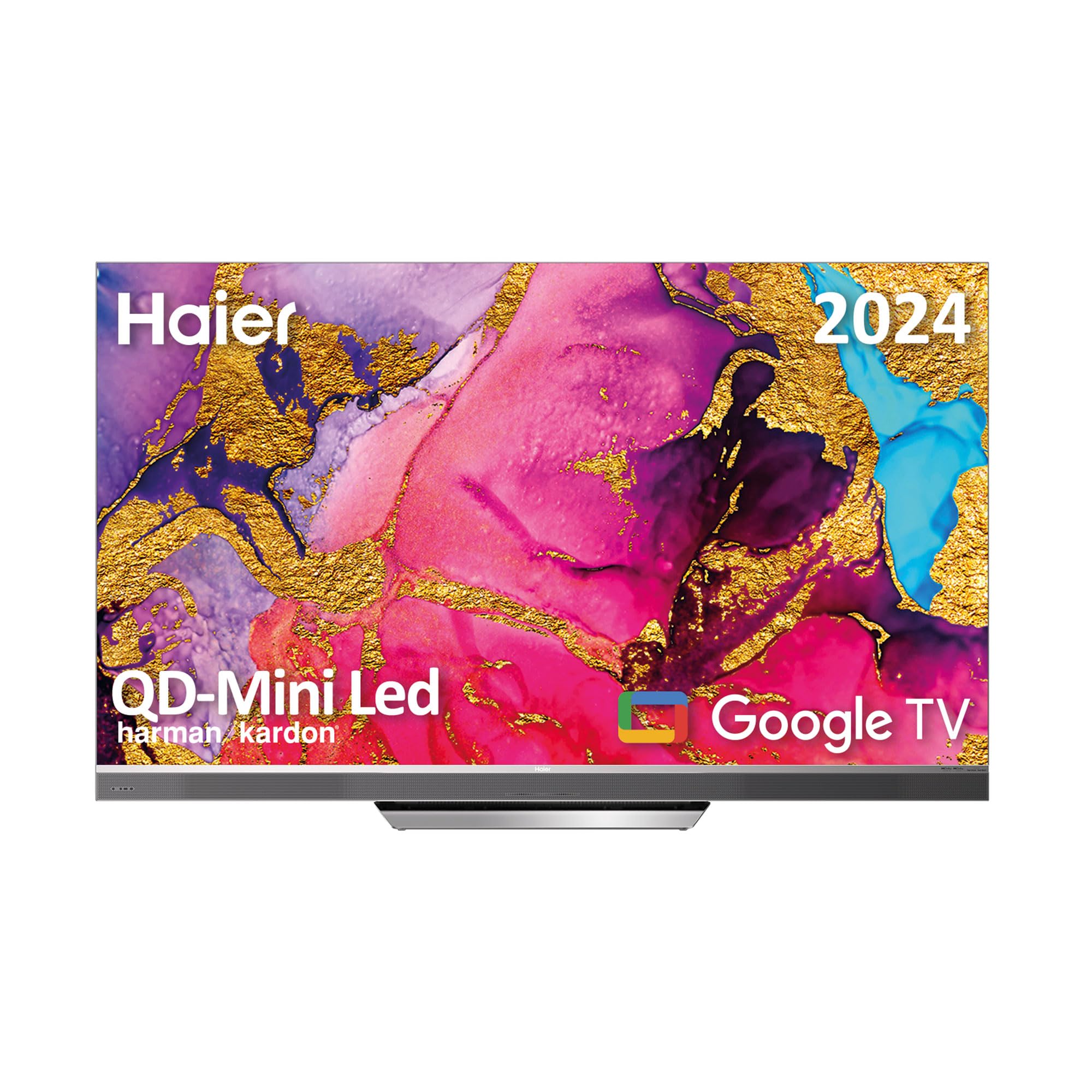
Image 1.1: Haier H65M95EUX 65-inch QD Mini LED 4K UHD Smart TV.
2. Bezpečnostní informace
Při používání tohoto televizoru vždy dodržujte základní bezpečnostní opatření, abyste snížili riziko požáru, úrazu elektrickým proudem a zranění.
- Zdroj napájení: Connect the TV only to an AC power source as indicated on the label.
- Větrání: Zajistěte dostatečné větrání. Neblokujte větrací otvory.
- Voda a vlhkost: Nevystavujte televizor dešti ani vlhkosti. Nepokládejte na televizor předměty naplněné tekutinami.
- Čištění: Před čištěním odpojte televizor ze zásuvky. Použijte měkký, suchý hadřík. Nepoužívejte tekuté ani aerosolové čisticí prostředky.
- Umístění: Umístěte televizor na stabilní a rovný povrch. Neumísťujte jej na přímé sluneční světlo ani do blízkosti zdrojů tepla.
- Servis: Nepokoušejte se tento výrobek opravit sami. Veškerý servis svěřte kvalifikovanému servisnímu personálu.
- Děti: Supervise children to ensure they do not play with the television.
3. Obsah balení
Verify that all items are present in the packaging before proceeding with the setup.
- Haier H65M95EUX 65-inch QD Mini LED 4K UHD Smart TV
- Inteligentní dálkové ovládání
- Napájecí kabel
- TV Stand (Base)
- Uživatelská příručka (tento dokument)
- Šrouby pro montáž stojanu
4. Nastavení
4.1. Sestavení stojanu
Place the TV screen face down on a soft, clean surface to prevent damage. Align the stand with the mounting holes on the bottom of the TV. Secure the stand using the provided screws. Ensure the stand is firmly attached before placing the TV upright.
4.2. Montáž na stěnu (volitelné)
If you choose to wall mount your TV, refer to the instructions provided with your wall mount kit. Ensure the wall mount is compatible with VESA standards for a 65-inch TV and can support the weight of the television.
4.3. Připojení zařízení
Your Haier H65M95EUX TV offers various connectivity options.
- HDMI: Connect external devices such as Blu-ray players, gaming consoles, or set-top boxes to the HDMI 2.1 ports (x4).
- USB: Connect USB storage devices for media playback or software updates to the USB ports (x2).
- Ethernet: Pro stabilní kabelové připojení k internetu připojte ethernetový kabel k portu LAN.
- Wi-Fi: For wireless internet, connect to your home network via the Wi-Fi settings in the TV menu.
- Bluetooth: Spárujte zařízení s podporou Bluetooth, jako jsou sluchátka nebo soundbary.
4.4. Připojení napájení
Připojte napájecí kabel k napájecímu vstupu televizoru a poté jej zapojte do zásuvky ve zdi.
5. Ovládání televizoru
5.1. Počáteční nastavení a Google TV
Upon first power-on, the TV will guide you through the initial setup process. This includes language selection, network connection, and Google account sign-in. Google TV organizes your favorite content from various streaming services into one personalized interface.
- Obchod Google Play: Access over 10,000 applications, including popular streaming services like Disney+, YouTube, and Netflix.
- Vestavěný Chromecast: Cast content directly from your mobile device to the TV using compatible applications.
- Asistent Google: Use the integrated microphone on the Smart Remote Control to interact with the TV, search for content, and control smart home devices.
5.2. Inteligentní dálkové ovládání
The Smart Remote Control allows for intuitive navigation and voice commands. Refer to the remote's diagram (if provided separately) for button functions.
5.3. Nastavení zvuku a videa
Your TV features advanced audio and video technologies for an enhanced viewzkušenosti.
- QD Mini LED & 4K UHD: Enjoy sharp images with vibrant colors and brightness up to 2,000 nits.
- Obnovovací frekvence 144 Hz: Provides ultra-smooth motion, ideal for fast-paced content and gaming.
- Reproduktory Harman Kardon: Integrated 60W front speakers deliver clear and powerful sound.
- Dolby Atmos a Dolby Audio: Experience immersive, three-dimensional surround sound.
- Dolby Vision & HDR 10: Enhanced contrast and color accuracy for compatible content.
- DBX TV: Audio calibration technology for optimized sound performance.
6. Údržba
6.1. Čištění obrazovky
Jemně otřete obrazovku měkkým hadříkem, který nepouští vlákna. V případě odolných skvrn lehceampNavlhčete hadřík vodou nebo specializovaným čističem obrazovek (ujistěte se, že je bezpečný pro televizní obrazovky) a jemně otřete. Netlačte.
6.2. Čištění skříně
Skříňku televizoru otřete měkkým, suchým hadříkem. Nepoužívejte abrazivní čisticí prostředky ani rozpouštědla.
6.3. Aktualizace softwaru
Your Google TV may receive automatic software updates. Ensure your TV is connected to the internet to receive these updates, which can improve performance and add new features. You can also manually check for updates in the TV settings.
7. Řešení problémů
Než kontaktujete zákaznickou podporu, vyzkoušejte následující řešení běžných problémů.
| Problém | Možná příčina | Řešení |
|---|---|---|
| Žádná síla | Power cable disconnected; Power outlet not working | Check power cable connection; Try a different outlet; Press power button on TV or remote. |
| Žádný obraz, ale zvuk je přítomný | Nesprávný vstupní zdroj; Problém s podsvícením | Press the "Input" button on the remote to select the correct source; Contact support if backlight is suspected. |
| Žádný zvuk, ale obraz je přítomen | Hlasitost je ztlumená nebo příliš nízká; Problém s externím zvukovým zařízením | Unmute or increase volume; Check connections to external audio devices; Select correct audio output in settings. |
| Dálkové ovládání nefunguje | Vybité baterie; Překážka mezi dálkovým ovladačem a televizorem | Replace batteries; Remove any obstructions; Re-pair remote if it's a Bluetooth remote. |
| Nelze se připojit k Wi-Fi | Nesprávné heslo; Problém s routerem; Televizor je příliš daleko od routeru | Ověřte heslo k Wi-Fi; Restartujte router; Přesuňte televizor blíže k routeru nebo použijte Ethernet. |
8. Specifikace
Detailed technical specifications for the Haier H65M95EUX Smart TV.
- Číslo modelu: 36200086
- Velikost obrazovky: 65 palce
- Technologie displeje: QD Mini LED, 4K UHD
- Rezoluce: 3840 x 2160 (4K UHD)
- Obnovovací frekvence: 144 Hz
- Jas: Až 2,000 nitů
- Operační systém: Google TV
- Zvuk: Harman Kardon 60W Front Speakers, Dolby Atmos, Dolby Audio, DBX TV
- Video: Dolby Vision, HDR 10
- Konektivita:
- HDMI 2.1 x 4
- USB x 2
- Wi-Fi
- Bluetooth 5.1
- Ethernet (LAN)
- Speciální vlastnosti: Google Assistant (via Smart Remote), Chromecast Built-in, Frameless Design
- Rozměry produktu (bez stojanu): 144.8 cm (Š) x 87.4 cm (V) x 7.7 cm (H)
- Rozměry produktu (se stojanem): 144.8 cm (Š) x 91.2 cm (V) x 25.8 cm (H)
- Barva: Stříbro

Image 8.1: Haier H65M95EUX TV dimensions with and without stand.
9. Záruka a podpora
For warranty information, please refer to the warranty card included with your product or visit the official Haier webmísto.
If you encounter issues that cannot be resolved using the troubleshooting guide, please contact Haier customer support. Have your model number (H65M95EUX) and serial number ready when contacting support.
- Výrobce: Haier
- Model: H65M95EUX
- ASIN: B0D53W4KDL
- Online podpora: Visit Haier Official Webmísto


