1. Konec produktuview a funkce
The G.SKILL Ripjaws M5 RGB Series DDR5 U-DIMM Memory Kit (Model: F5-6400J3239G16GX2-RM5RK) is designed for desktop PC and gaming systems, offering high-speed DDR5 performance. This kit includes two 16GB modules for a total capacity of 32GB, rated for speeds up to DDR5-6400 with CL32-39-39-102 timings at 1.40V. It features non-ECC, 288-pin U-DIMM architecture and supports Intel XMP 3.0 memory overclock profiles.
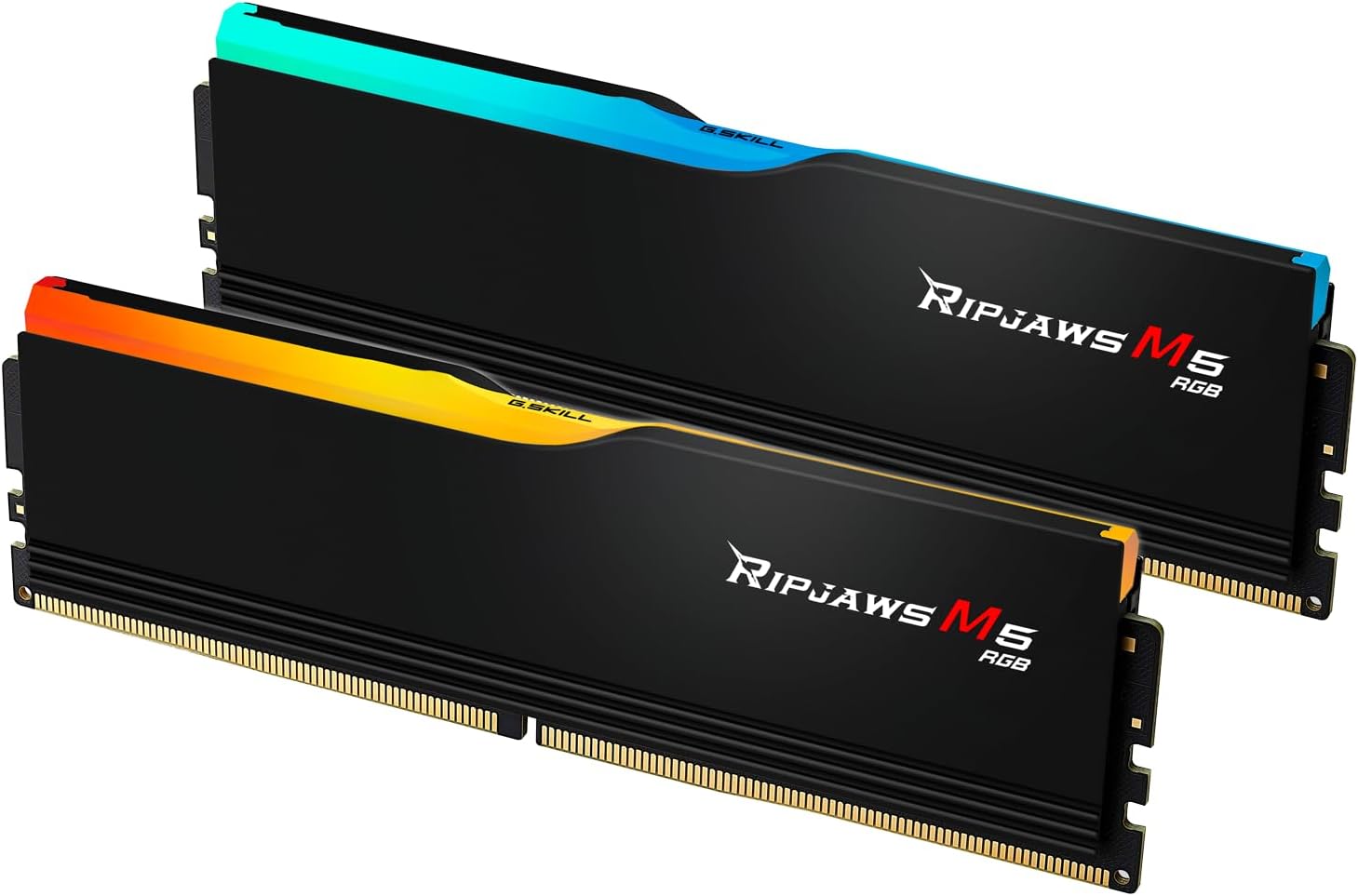
Figure 1.1: G.SKILL Ripjaws M5 RGB Series DDR5 RAM modules.
Klíčové vlastnosti:
- Vysokorychlostní výkon: Rated for DDR5-6400 MT/s with optimized timings for enhanced system responsiveness.
- Podpora Intel XMP 3.0: Enables easy overclocking to achieve rated speeds on compatible platforms.
- RGB osvětlení: Customizable RGB light bar for personalized aesthetics, compatible with G.SKILL Trident Z Lighting Control software and various third-party motherboard RGB software (e.g., ASUS Aura Sync, ASRock Polychrome Sync, GIGABYTE RGB Fusion, MSI Mystic Light Sync).
- Kvalitní konstrukce: Features aluminum heatspreaders in matte black or matte white, with each memory kit individually hand-tested for reliability.
- Kompatibilita: Designed for Intel Z890, Intel Z790, Intel B860, Intel B760 platforms.
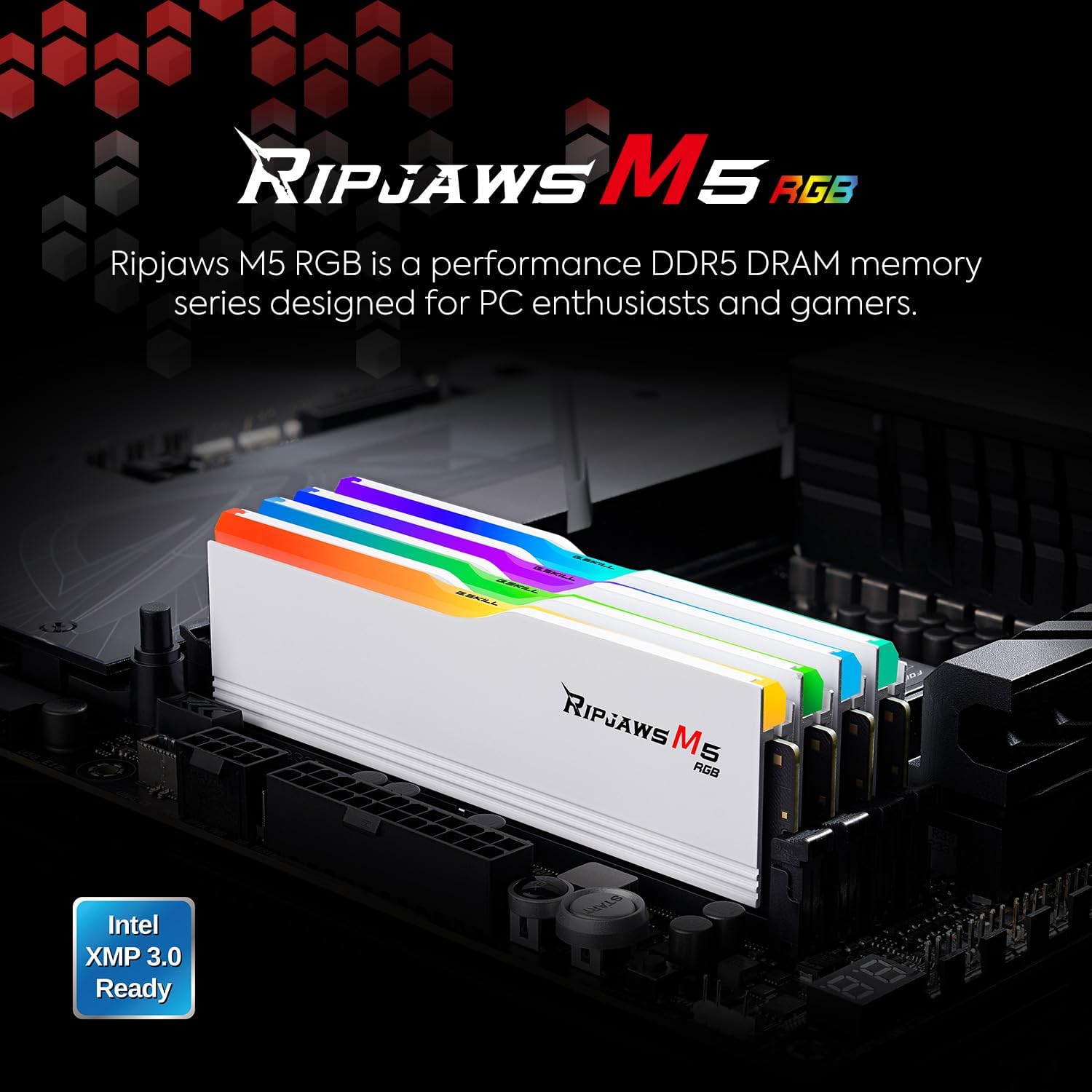
Figure 1.2: Ripjaws M5 RGB modules installed, highlighting performance and XMP 3.0 readiness.

Figure 1.3: Available heatspreader colors: Matte Black and Matte White.
2. Instalační příručka
Proper installation of your G.SKILL Ripjaws M5 RGB DDR5 RAM is crucial for optimal performance and system stability. Always handle memory modules by their edges to avoid touching the gold contacts or components.
2.1 Kontrolní seznam před instalací:
- Ensure your motherboard is powered off and disconnected from the power supply.
- Consult your motherboard's manual for specific RAM slot configurations and recommended installation order (e.g., for dual-channel operation).
- Před manipulací se součástmi vybijte statickou elektřinu dotykem uzemněného kovového předmětu.
2.2 Installing the Memory Modules:
- Locate the DIMM slots on your motherboard. For dual-channel configurations, refer to your motherboard manual for the correct slots (often slots 2 and 4, or 1 and 3).
- Gently push open the retention clips at both ends of the selected DIMM slot.
- Align the notch on the bottom edge of the RAM module with the corresponding key in the DIMM slot. This ensures correct orientation.
- Insert the module firmly and evenly into the slot. Apply pressure to both ends of the module until the retention clips snap into place, securing the module.
- Repeat the process for the second RAM module, following your motherboard's recommended configuration.
Video 2.1: This video demonstrates the physical installation of G.SKILL Ripjaws M5 RGB DDR5 RAM modules into a motherboard, showing how to properly seat the modules into the DIMM slots.

Figure 2.1: Installed Ripjaws M5 RGB modules within a PC system.
3. Návod k obsluze
Your G.SKILL Ripjaws M5 RGB DDR5 RAM modules will initially boot at JEDEC default SPD (Serial Presence Detect) speeds with default BIOS settings. To achieve the advertised DDR5-6400 MT/s speed, you must enable the Intel XMP 3.0 profile in your motherboard's BIOS.
3.1 Enabling Intel XMP 3.0:
- Power on your computer and enter the BIOS/UEFI setup. This is typically done by pressing a specific key (e.g., Del, F2, F10) during startup.
- Navigate to the memory settings or overclocking section. The exact location varies by motherboard manufacturer. Look for options like "XMP," "DOCP," or "A-XMP."
- Select the Intel XMP 3.0 profile. This will automatically configure the memory frequency, timings, and voltage to the rated specifications of your G.SKILL RAM.
- Save the changes and exit the BIOS. Your system will restart with the new memory settings.
Poznámka: Enabling XMP is a form of overclocking. System stability and the ability to reach the rated XMP speed depend on the compatibility and capability of your specific motherboard and CPU. Refer to the G.SKILL website for a Qualified Vendor List (QVL) or RAM Configurator tool for validated motherboard and hardware compatibility.
3.2 RGB Lighting Control:
The Ripjaws M5 RGB modules feature a streamlined RGB light bar. You can personalize the lighting effects using G.SKILL Trident Z Lighting Control software or compatible third-party motherboard software. Check your motherboard manufacturer's website for their specific RGB control utility.

Figure 3.1: Customizable RGB lighting via software.
4. Údržba
G.SKILL Ripjaws M5 RGB memory modules are designed for durability and performance. Minimal maintenance is required, but adhering to the following guidelines will help ensure their longevity and stable operation.
4.1 Obecná péče:
- Keep your computer's interior clean and free of dust to maintain optimal airflow and cooling for all components, including RAM.
- Avoid physical impact or bending of the memory modules.
- Do not attempt to remove the heatspreaders, as this may void your warranty and damage the modules.
4.2 Důležitá poznámka ke kompatibilitě:
Do not mix memory kits. G.SKILL memory kits are sold in matched sets that are designed to run together. Mixing different memory kits, even if they are the same brand and model, can lead to stability issues, lower speeds, or system failure. For upgrades, it is recommended to purchase a new, complete matched kit.
5. Řešení problémů
If you encounter issues after installing your G.SKILL Ripjaws M5 RGB DDR5 RAM, consider the following troubleshooting steps:
5.1 Běžné problémy a jejich řešení:
- Systém se nepodaří spustit / Žádné zobrazení:
- Ensure RAM modules are fully seated in their slots and retention clips are locked.
- Verify RAM compatibility with your motherboard and CPU by checking the G.SKILL QVL (Qualified Vendor List) on their official webmísto.
- Try booting with only one RAM module installed to identify a potentially faulty module.
- Reset your motherboard's BIOS to default settings (clear CMOS).
- Lower Than Expected Memory Speed:
- Confirm that Intel XMP 3.0 (or equivalent profile like DOCP/A-XMP) is enabled in your BIOS settings.
- Ujistěte se, že máte BIOS základní desky aktualizovaný na nejnovější verzi, protože to často zlepšuje kompatibilitu a stabilitu pamětí.
- Verify that your CPU and motherboard officially support the rated memory speed.
- Nestabilita systému / pády:
- Disable XMP/overclocking profiles in BIOS and test for stability at default JEDEC speeds.
- Run memory diagnostic tools (e.g., MemTest86) to check for errors in the RAM modules.
- Ensure adequate cooling within your PC case to prevent overheating of components.
If issues persist, contact G.SKILL technical support or consult a qualified PC technician.
6. Specifikace produktu
| Specifikace | Detail |
|---|---|
| Značka | G.SKILL |
| Série | Ripjaws M5 RGB |
| Číslo modelu | F5-6400J3239G16GX2-RM5RK |
| Kapacita RAM | 32 GB (2 x 16GB moduly) |
| Typ RAM | DDR5 SDRAM (U-DIMM, 288-pin) |
| Rychlost paměti | 6400 MT/s |
| Časování | CL32-39-39-102 |
| svtage | 1.40V |
| Kontrola chyb | Bez ECC |
| Profile Podpora | Intel XMP 3.0 |
| Kompatibilní zařízení | Desktop PCs (Intel Z890, Z790, B860, B760 platforms) |
| Barva | Matná černá |
| Hmotnost položky | 5.6 unce |
| Rozměry balení | 6.5 x 5.5 x 0.55 palce |
7. Záruka a podpora
For detailed warranty information, technical support, and the latest Qualified Vendor List (QVL) for motherboard compatibility, please visit the official G.SKILL website. G.SKILL provides comprehensive support resources to assist users with their products.
Online zdroje:
- G.SKILL Official Webmísto: www.gskill.com
- Memory QVL / RAM Configurator Tool: Available on the G.SKILL website to check compatibility with specific motherboards and CPUs.


