1. Úvod
Černýview SE60L is a state-of-the-art keyless entry door lock designed for enhanced security and convenience. This smart deadbolt offers multiple unlocking methods including fingerprint recognition, password entry, app control, e-keys, and traditional physical keys. Engineered for durability, it is BHMA certified and has passed extensive usage and impact tests, ensuring reliable performance in various environments.
Its auto-lock function provides peace of mind, automatically securing your door after a set period. With easy installation and comprehensive app control, managing access to your home or property has never been simpler.

Obrázek 1.1: Černáview SE60L Smart Lock Overview
2. Obsah balení
Ověřte prosím, zda jsou ve vašem balení obsaženy všechny níže uvedené položky:
- Černýview SE60 Smart Lock with Fingerprint Scanner
- L10 Lever Handle Set
- Montážní hardware
- Uživatelská příručka (tato příručka)
3. Specifikace
| Funkce | Popis |
|---|---|
| Značka | Černýview |
| Název modelu | SE60L Smart lock with handle set |
| Typ zámku | Biometrický, Závora, Klávesnice |
| Materiál | Slitina zinku |
| Rozměry (D x Š x V) | 5 x 5 x 5 palce |
| Speciální funkce | App control, Fingerprint, With lever handle set |
| Protokol připojení | Bluetooth |
| Zdroj napájení | Baterie (nejsou součástí dodávky) |
| Certifikace | BHMA Certified, ANSI Grade 3 |

Obrázek 3.1: Rozměry a součásti produktu
4. Instalace
Černýview SE60L smart lock is designed for easy installation, typically requiring only a screwdriver and about 15 minutes of your time. No extra drilling is usually needed if your door has standard pre-drilled holes.
4.1 Kontrola kompatibility dveří
Před zahájením instalace se ujistěte, že vaše dveře splňují následující specifikace:
- Door Hole Diameter: 1" (25mm)
- Backset: 2⅜" (60mm) or 2¾" (70mm)
- Cross Bore Diameter: 1½" (38mm) or 2⅛" (54mm)
- Door Thickness: 1⅜"-2⅛" (35mm-55mm)
- Minimum Distance (between deadbolt and handle): 4" (10cm)

Figure 4.1: Door Compatibility Guide
4.2 kroky instalace
For detailed visual instructions, please refer to the official installation video provided by Blackview. A screwdriver is the only tool typically required.

Obrázek 4.2: Snadný proces instalace
Video 4.1: Easy Installation Guide for Blackview SE60 Smart Door Lock. This video provides a step-by-step walkthrough of the installation process.
5. Initial Setup and User Management
After physical installation, the next step is to set up your smart lock and manage user access via the Blackview Bezpečnostní aplikace.
5.1 App Pairing and Initialization
Download the Blackview Security app from your device's app store. Follow the in-app instructions to pair your smart lock via Bluetooth. This process typically involves initializing the lock and connecting it to your smartphone.
Video 5.1: Černáview SE60 Smart Door Lock - Initialization Setting. This video demonstrates how to perform the initial setup and connect the lock to the app.
5.2 Přidávání otisků prstů
Černýview SE60L allows you to store up to 50 unique fingerprints for quick and secure access. To add a fingerprint:
- Open the Blackview Security app and navigate to 'Fingerprint Management'.
- Follow the on-screen prompts to register a new fingerprint. You will be asked to place your finger on the sensor multiple times from different angles to ensure accurate recognition.

Figure 5.1: Fingerprint Recognition Feature
Video 5.2: Černáview SE60 Keyless Entry Door Lock - Set Fingerprint. This video guides you through the process of adding new fingerprints to your smart lock.
5.3 Adding Passcodes
You can create over 250 unique PIN codes for various users. The app allows for different types of passcodes:
- Trvalé přístupové kódy: Pro běžné uživatele.
- Timed Passcodes: Valid for a specific duration (e.g., for guests).
- Jednorázové přístupové kódy: For single use, can be generated remotely.
- Customized Passcodes: Set specific access times or days.

Figure 5.2: Multiple Access Methods
6. Provoz
Černýview SE60L offers various operational features for daily use and enhanced security.
6.1 Funkce automatického zámku
The lock can be configured to automatically lock after a period of 10 to 90 seconds, ensuring your door is always secured even if you forget to manually lock it.

Obrázek 6.1: Funkce automatického uzamčení
6.2 Ovládání a monitorování aplikací
Černýview Security app provides full control over your lock, including:
- View Dějiny: Check records of unlocking events and incorrect passcode attempts.
- Správa uživatelů: Add, modify, or delete user fingerprints and passcodes.
- Remote Code Generation: Generate one-time codes remotely for visitors.
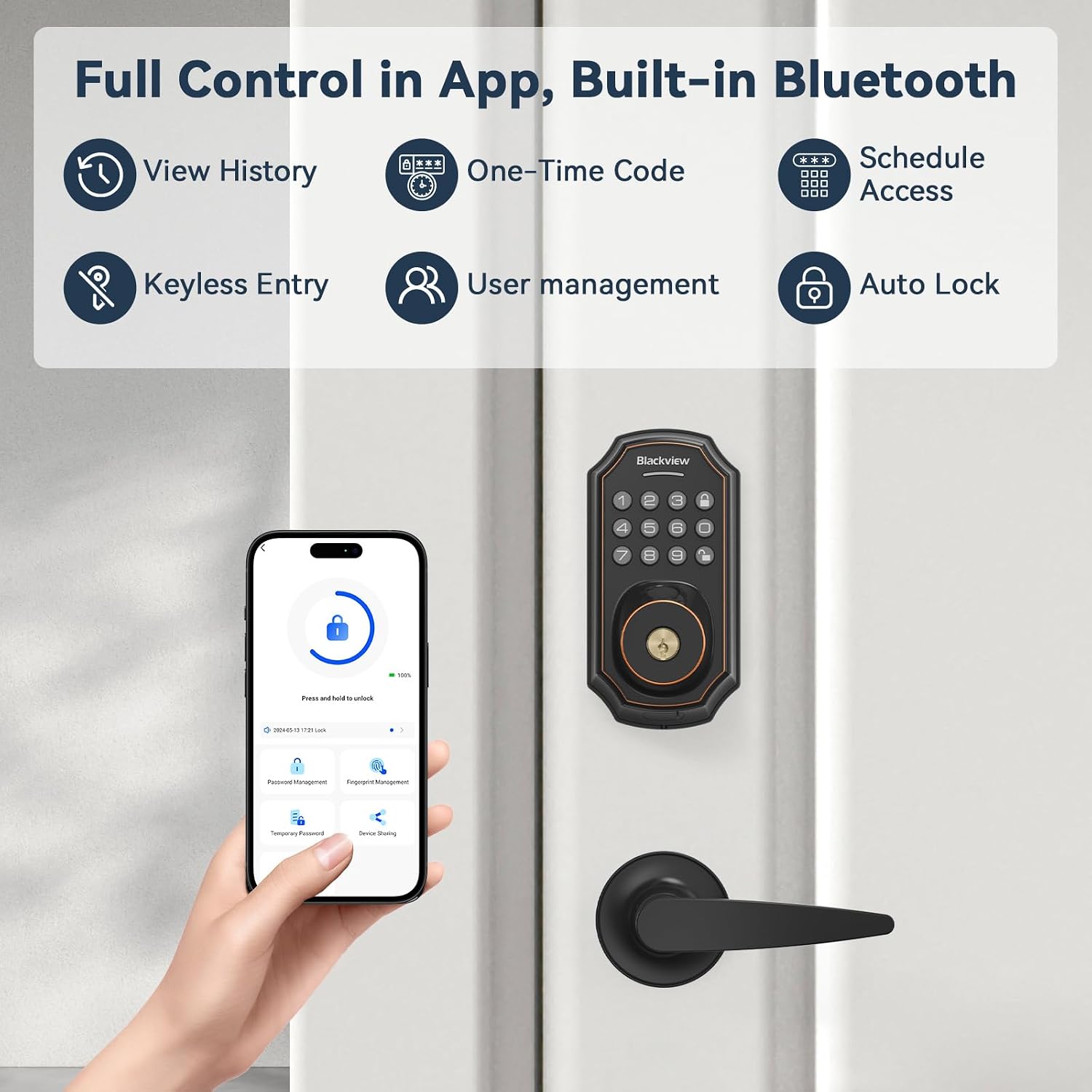
Figure 6.2: Full Control via App
6.3 Anti-Peeping Function
To prevent others from guessing your passcode, you can enter random digits before or after your actual code. The lock will still recognize the correct sequence within the longer string of numbers.

Figure 6.3: Anti-Peeping Passcode Entry
7. Údržba
7.1 Výměna baterie
Černýview SE60L requires batteries for operation. When the battery level is low, the lock will provide an alert. Replace batteries promptly to ensure continuous functionality.
7.2 nouzové napájení
In case of complete battery depletion, the lock features an emergency USB charging port. You can connect a power bank to temporarily power the lock and gain access.

Obrázek 7.1: Nouzový zdroj napájení
Video 7.1: Černáview Smart Lock Emergency Power. This video demonstrates how to use an external power source to operate the lock when batteries are depleted.
8. Řešení problémů
8.1 Wrong Code Entry Limit
If 10 invalid entry codes are entered consecutively, the lock will shut down for 60 seconds and sound an alarm to prevent unauthorized access.

Figure 8.1: Wrong Code Entry Limit Notification
8.2 Deleting Fingerprints/Passcodes
If a fingerprint or passcode is no longer needed or is causing issues, it can be easily deleted via the app.
Video 8.1: Černáview SE60 Smart Lock - How to Delete Fingerprint. This video demonstrates the process of removing registered fingerprints from the lock.
9. Záruka a podpora
Černýview offers an 18-month warranty for the SE60L smart lock, ensuring coverage against manufacturing defects and malfunctions under normal use.
Additionally, lifetime technical support is provided. If you encounter any issues or have questions regarding your smart lock, please do not hesitate to contact our dedicated support team. We offer 24/7 after-sales email service to assist you promptly.
For support, please refer to the contact information provided in your product packaging or visit the official Blackview webmísto.


