1. Úvod a konecview
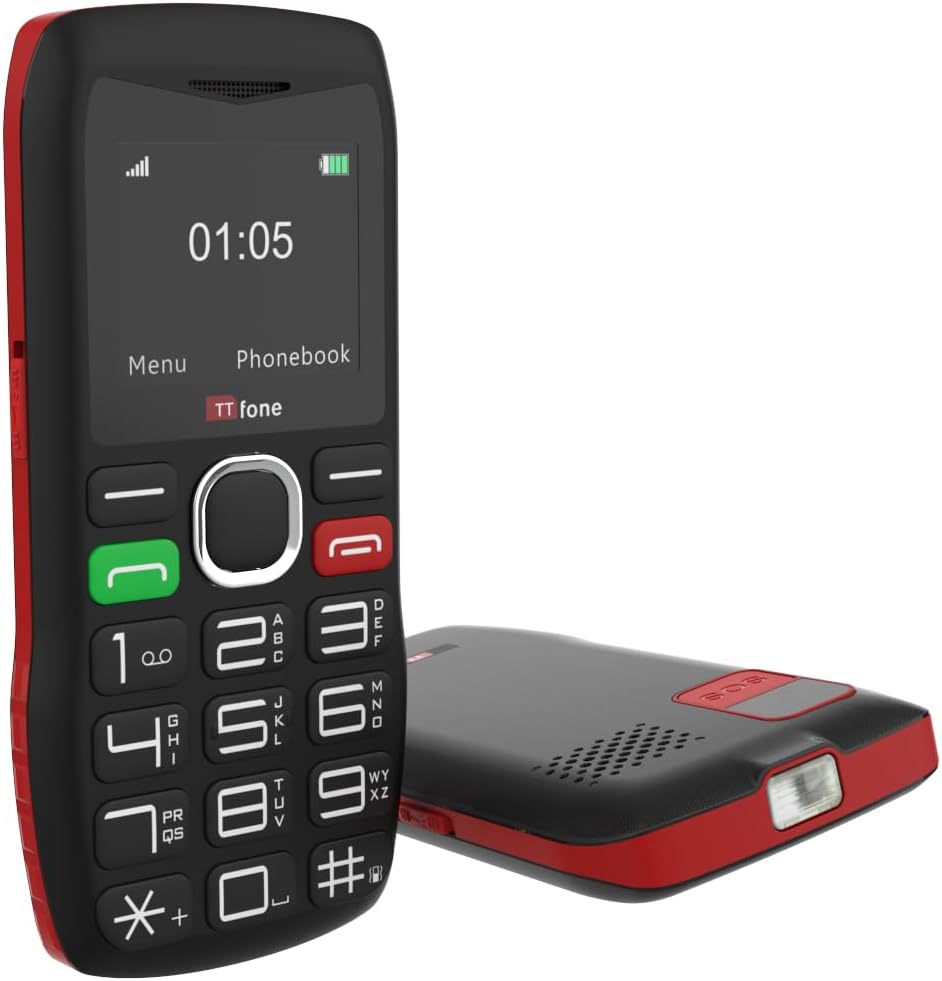
The TTfone TT880 is a mobile phone designed for simplicity and ease of use, particularly for seniors. It features large, well-separated buttons, a clear display, and essential functions for reliable communication. Key features include an SOS emergency button, a loud speaker, and an integrated flashlight.

The TTfone TT880 mobile phone shown alongside its included mains charger, ready for initial setup.
2. Nastavení
2.1. Obsah balení
Ověřte, zda váš balíček obsahuje následující položky:
- Mobilní telefon TTfone TT880
- Nabíjecí baterie
- Nabíjecí kabel USB typu C.
- Mains Charger (if included with your specific model)
- Uživatelská příručka
2.2. Instalace baterie a SIM karty
- Sejměte zadní kryt: Jemně posuňte nebo vypačte zadní kryt telefonu.
- Vložte SIM kartu: Locate the SIM card slot. Insert your activated 2G SIM card into the designated slot, ensuring the gold contacts face downwards and the cut corner aligns correctly.
- Vložte baterii: Place the rechargeable battery into the battery compartment, aligning the gold contacts on the battery with the contacts in the phone.
- Vyměňte zadní kryt: Carefully reattach the back cover until it clicks securely into place.
2.3. Nabíjení telefonu
Before first use, fully charge the phone battery. A full charge typically takes approximately 3 hours.
- Connect the USB Type-C charging cable to the charging port at the bottom of the phone.
- Connect the other end of the USB cable to the included mains charger or a compatible USB power adapter.
- Plug the charger into a wall outlet. The battery indicator on the phone screen will show charging status.
- Po úplném nabití odpojte nabíječku.

The TTfone TT880 connected via its USB-C port for charging, with the screen indicating battery percentage.
2.4. Zapnutí/vypnutí
- Zapnutí: Stiskněte a podržte Green Call button dokud se obrazovka nerozsvítí.
- Vypnutí: Stiskněte a podržte Red End Call button until the phone powers down.
3. Ovládání telefonu
3.1. Klávesnice a navigace
The TT880 features a large, easy-to-use keypad with speaking keys for enhanced accessibility.

The TTfone TT880 features a simplified keypad with large, well-separated buttons for easy dialing and navigation.
- Číselné klávesy (0-9, *, #): Používá se pro vytáčení čísel a zadávání textu.
- Zelené tlačítko pro volání: Zahájí hovor nebo přijme příchozí hovor.
- Červené tlačítko pro ukončení hovoru: Ends a call or returns to the idle screen.
- Navigační klávesy: The central circular button with up/down/left/right arrows is used to navigate menus. The center button within the circle typically acts as a 'Select' or 'OK' button.
- Tlačítko nabídky: Accesses the main menu of the phone.
- Phonebook Button: Directly accesses your saved contacts.
3.2. Uskutečňování a přijímání hovorů
- Chcete-li zavolat: Zadejte telefonní číslo pomocí klávesnice a stiskněte Green Call button.
- Chcete-li přijmout hovor: Když telefon zvoní, stiskněte Green Call button.
- Ukončení hovoru: Stiskněte tlačítko Red End Call button.
3.3. Odesílání a přijímání SMS zpráv
- Odeslání SMS: Navigate to the 'Messages' menu, select 'Write Message', enter your text using the keypad, and then select 'Send' to a contact or entered number.
- Chcete-li si přečíst SMS: New messages will typically appear as a notification. Navigate to the 'Messages' menu and select 'Inbox' to view přijaté zprávy.
3.4. Funkce nouzového volání SOS
The TT880 features a dedicated SOS button for emergencies. This function allows you to quickly contact pre-defined numbers.

The dedicated SOS button on the back of the TTfone TT880 allows for quick activation of emergency calls and messages to pre-set contacts.
- Nastavení čísel SOS: Access the 'SOS Settings' in the phone's menu to add up to five emergency contact numbers. These contacts will receive an SMS and/or a call when the SOS button is pressed.
- Aktivace SOS: V případě nouze stiskněte a podržte SOS tlačítko on the back of the phone for a few seconds. The phone will automatically send an emergency SMS to the pre-set numbers and then begin dialing them in sequence until one is answered.
3.5. Svítilna
The TT880 includes a convenient built-in flashlight.
The TTfone TT880 includes a built-in flashlight, activated by a dedicated switch for convenience in low-light conditions.
- Zapnutí/vypnutí: Locate the dedicated flashlight switch on the side of the phone. Slide the switch to activate or deactivate the flashlight.
3.6. Ovládání hlasitosti
The phone features an extra loud speaker for clear audio during calls.
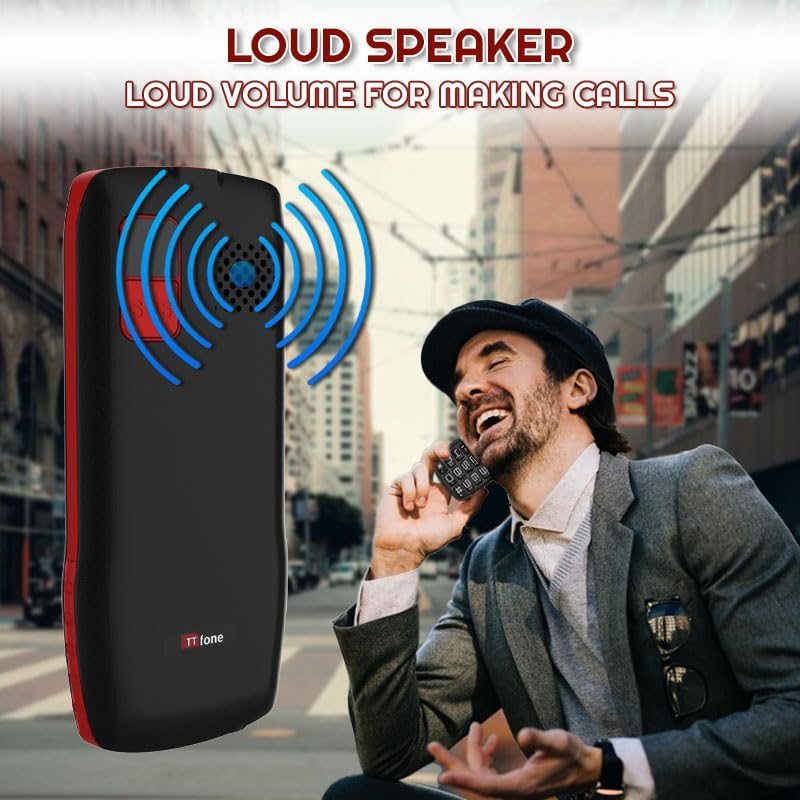
The TTfone TT880 is equipped with an extra loud speaker, designed to enhance call clarity and hands-free communication.
- During a call, use the volume up/down buttons (usually on the side of the phone) to adjust the earpiece or loudspeaker volume.
- Ringtone and notification volumes can be adjusted through the 'Settings' menu.
3.7. Telefonní seznam
Uložte si často volaná čísla do telefonního seznamu pro rychlý přístup.
- Přidání kontaktu: Go to 'Phonebook' from the main menu, select 'Add New Contact', enter the name and number, then save.
- Volání kontaktu: Access the 'Phonebook', select the desired contact, and press the Green Call button.
3.8. Připojení Bluetooth
The TT880 supports Bluetooth for connecting to compatible devices like headsets.
- To Enable Bluetooth: Navigate to 'Settings' > 'Bluetooth' and turn it 'On'.
- To Pair a Device: Vyberte 'Hledat devices' and choose your desired Bluetooth device from the list. Follow on-screen prompts to complete pairing.
4. Údržba
4.1. Čištění
To maintain the phone's condition, wipe it regularly with a soft, dry cloth. Avoid using harsh chemicals or abrasive cleaners.
4.2. Péče o baterie
- Nevystavujte baterii extrémním teplotám.
- Baterii nepropichujte ani nepoškozujte.
- If the phone will not be used for an extended period, charge it periodically to prevent deep discharge.
4.3. Ochrana životního prostředí
The TT880 has an IP54 rating, indicating some resistance to dust and splashing water. However, it is not waterproof. Avoid submerging the phone in water or exposing it to heavy rain.
5. Řešení problémů
If you encounter issues with your TTfone TT880, refer to the following common problems and solutions:
| Problém | Možné řešení |
|---|---|
| Telefon se nezapne | Ensure the battery is correctly installed and fully charged. Press and hold the Green Call button for several seconds. |
| Nelze uskutečňovat ani přijímat hovory | Check if the SIM card is properly inserted and activated. Verify that you have network signal. Ensure the phone is not in airplane mode. |
| Poor call quality or low volume | Adjust the call volume using the side buttons during a call. Ensure the speaker is not obstructed. Move to an area with better network coverage. |
| Tlačítko SOS nefunguje | Verify that emergency contact numbers are correctly set in the SOS settings. Ensure the phone has network signal. |
| Baterie se rychle vybíjí | Ujistěte se, že je telefon plně nabitý. Snižte jas obrazovky. Zavřete nepoužívané aplikace. Pokud problém přetrvává, může být nutné vyměnit baterii. |
| Telefon se nenabíjí | Check if the charging cable and adapter are securely connected and undamaged. Try a different power outlet or USB port. Ensure the charging port on the phone is clean. |
6. Specifikace
Below are the technical specifications for the TTfone TT880 mobile phone:
| Funkce | Detail |
|---|---|
| Značka | TTfone |
| Model | TT880 |
| Velikost displeje | 1.8 palce |
| Typ zobrazení | LCD |
| Rozlišení displeje | 128 x 160 pixelů |
| Kapacita baterie | 800 mAh Lithium-ion |
| Průměrná výdrž baterie (doba hovoru) | Až 6 hodin |
| Průměrná výdrž baterie (pohotovostní režim) | Up to 72 hours (3 days) / Up to 5 days (as per product description) |
| Doba nabíjení | Přibližně 3 hodiny |
| Mobilní technologie | 2G |
| Konektivita | Bluetooth, USB Type-C |
| Speciální funkce | Easy to operate, Long battery life, SOS emergency call button, USB Type-C, No camera, Loud speaker, Flashlight |
| Paměť RAM | 32 MB |
| Flash Memory Capacity | 32 MB |
| Rozměry (balení) | 26.2 x 18 x 3.4 cm |
| Hmotnost (balení) | 240 g |
| Hodnocení IP | IP54 (odolnost proti prachu a stříkající vodě) |
7. Záruka a podpora
7.1. Informace o záruce
The TTfone TT880 is manufactured by TTfone. For specific warranty terms and conditions, please refer to the warranty card included with your product or contact TTfone directly. Keep your proof of purchase for warranty claims.
7.2. Zákaznická podpora
If you require further assistance or encounter issues not covered in this manual, please contact TTfone customer support. Contact details can typically be found on the manufacturer's webmístě nebo na obalu produktu.


