Zavedení
This manual provides detailed instructions for the Lexon LR157P4 Flip Classic LCD Alarm Clock. Designed for simplicity and functionality, this alarm clock features an intuitive 'flip' mechanism for alarm control, a clear LCD display, and a rechargeable battery. Please read this manual thoroughly to ensure proper use and maintenance of your device.
The Lexon LR157P4 is a compact and portable alarm clock, ideal for both home and travel. It offers digital time and alarm display, selectable 12 or 24-hour format, a snooze function, and adjustable backlight brightness.

Image: The Lexon LR157P4 Flip Classic LCD Alarm Clock in Rubber Pink, displaying the current time, date, and set alarm time. The 'ON' side is facing upwards, indicating the alarm is active.
Nastavení
1. Vybalení a počáteční nabití
Upon unboxing, you will find the Lexon LR157P4 Flip Classic LCD Alarm Clock and a USB-C charging cable. It is recommended to fully charge the device before its first use.
- Connect the provided USB-C cable to the charging port on the back of the alarm clock.
- Připojte druhý konec kabelu USB-C ke kompatibilnímu napájecímu adaptéru USB (není součástí balení).
- The charging control display will indicate the charging status. A full charge provides up to 6 months of battery life.
2. Zapnutí/vypnutí
To power on or off the device, locate the power button on the back of the clock.
3. Nastavení času a data
The control buttons for time, alarm, and screen settings are located on the back of the device.

Obrázek: Zadní view of the Lexon LR157P4 Flip Classic LCD Alarm Clock, highlighting the power button, USB-C charging port, 'SET' button, and arrow buttons for adjustments.
- Stiskněte tlačítko „SET“ pro vstup do režimu nastavení času. Číslice hodin budou blikat.
- Use the up (▲) and down (▼) arrow buttons to adjust the hour.
- Press 'SET' again to move to minute adjustment, then use the arrow buttons.
- Continue pressing 'SET' to cycle through setting the date (month/day) and selecting 12-hour or 24-hour format.
- After making all adjustments, press 'SET' one last time or wait a few seconds for the settings to be saved automatically.
Provozní
1. Alarm Activation and Deactivation
The unique 'flip' design allows for easy alarm control:
- To activate the alarm, ensure the side of the clock marked 'ON' is facing upwards. The alarm icon will appear on the display.
- To deactivate the alarm, simply turn the clock over so the side marked 'OFF' is facing upwards. The alarm icon will disappear from the display.
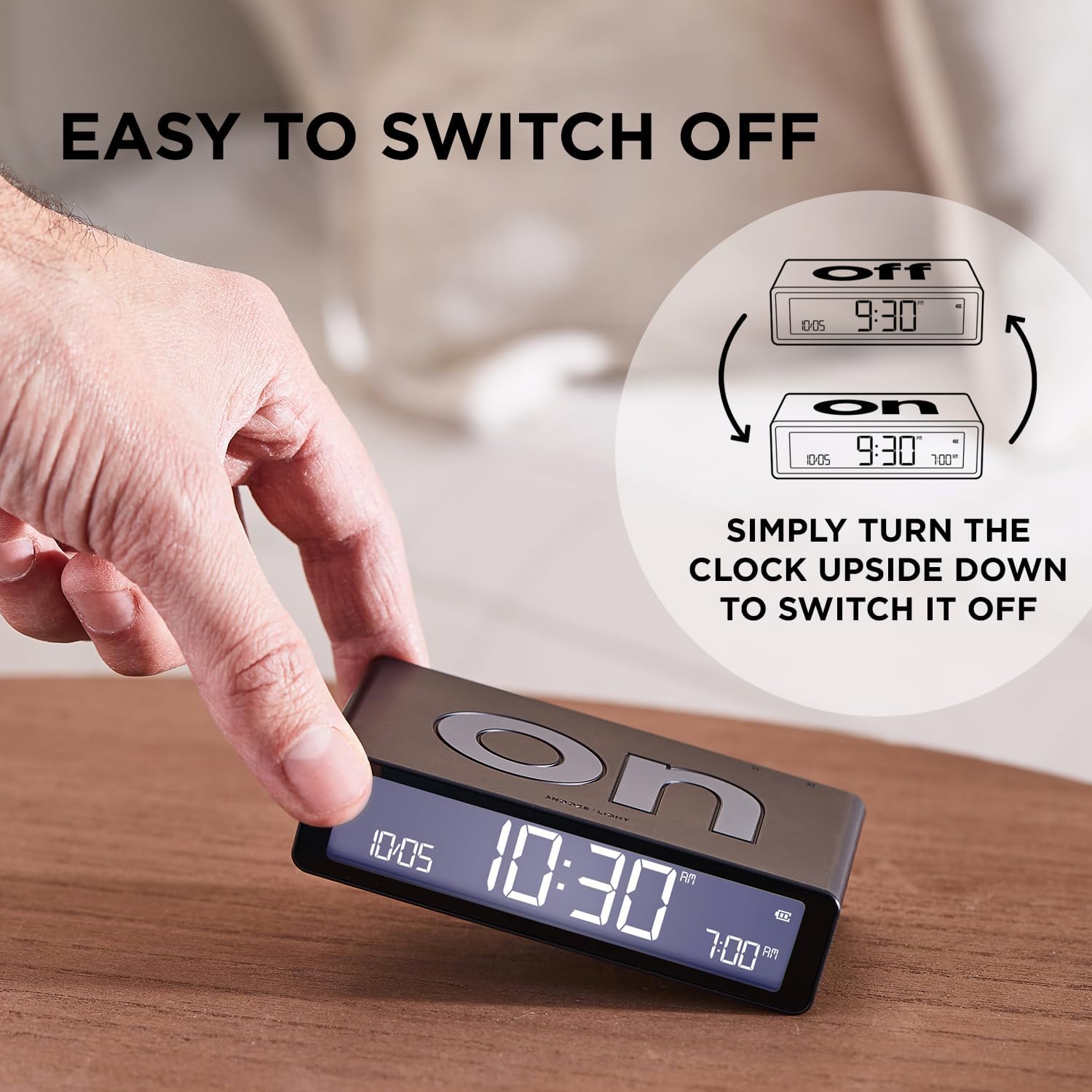
Image: Illustration of how to flip the alarm clock to switch the alarm function on or off.
2. Nastavení času budíku
To set the alarm time, use the 'SET' button and arrow buttons on the back of the clock:
- With the clock displaying the current time, press the 'SET' button until the alarm time digits begin to flash.
- Use the up (▲) and down (▼) arrow buttons to adjust the alarm hour.
- Press 'SET' again to move to alarm minute adjustment, then use the arrow buttons.
- Press 'SET' one last time or wait a few seconds to save the alarm time.
3. Alarm Sound and Snooze Function
- When the alarm sounds, it begins with a beep that accelerates every 10 seconds and continues for 30 seconds.
- To activate the snooze function, gently touch the top surface of the clock. The alarm will pause and repeat after 5 minutes.
- To completely stop the alarm, flip the clock to the 'OFF' side.
4. Backlight and Display Information
The clock features a touch sensor backlight and an intuitive display:
- Touch the top surface of the clock to activate the backlight for 4 seconds.
- The brightness of the display can be set to 3 different levels using the settings menu (accessed via the 'SET' button).
- The LCD display shows the current time, date, set alarm time, and battery percentage.

Image: The intuitive interface of the Lexon LR157P4 display, indicating the date, current time, alarm time, and battery percentage.
Údržba
1. Čištění
To maintain the appearance and functionality of your alarm clock:
- Povrch otřete měkkým, suchým hadříkem, který nepouští vlákna.
- Avoid using abrasive cleaners, solvents, or spray cleaners, as these may damage the finish or internal components.
2. Péče o baterie
The Lexon LR157P4 features a built-in rechargeable battery:
- Zařízení nabijte, když indikátor baterie ukazuje nízký stav nabití.
- Avoid exposing the device to extreme temperatures (hot or cold) for extended periods, as this can affect battery life.
- Pokud zařízení delší dobu nepoužíváte, skladujte jej na chladném a suchém místě.
Odstraňování problémů
- Alarm nezní: Ensure the clock is flipped to the 'ON' side. Check the battery level and recharge if necessary. Verify that the alarm time is correctly set.
- Display not working or dim: Recharge the battery. Adjust the display brightness settings. If the issue persists, try powering the device off and on again.
- Clock not charging: Ensure the USB-C cable is securely connected to both the clock and the power adapter. Try using a different USB-C cable or power adapter to rule out cable/adapter issues.
- Nesprávný čas/datum: Re-enter the time and date settings as described in the 'Setup' section.
Specifikace
| Funkce | Detail |
|---|---|
| Značka | Lexon |
| Model | LR157P4 |
| Barva | Rubber Pink |
| Typ zobrazení | Digitální LCD |
| Speciální funkce | Alarm, Snooze, Touch Sensor Backlight, Adjustable Brightness |
| Rozměry produktu | 10.4 Š x 2.6 V centimetrů |
| Hmotnost položky | 125 gramů |
| Zdroj napájení | Napájení z baterie (nabíjecí přes USB-C) |
| Životnost baterie | Up to 6 months (on a full charge) |
| Vnitřní/venkovní použití | Krytý |
Záruka a podpora
Specific warranty information for the Lexon LR157P4 Flip Classic LCD Alarm Clock is not provided in this document. For warranty details, product support, or service inquiries, please refer to the official Lexon webnebo kontaktujte svého prodejce.


