1. Konec produktuview
The Luoran M4S is an advanced MP3 player designed specifically for kids and teenagers, featuring robust parental controls and a user-friendly interface. It supports a wide range of audio formats and comes pre-installed with popular streaming applications like Spotify Kids, Spotify, Amazon Music, and Audible. With its expandable storage and versatile connectivity options, the M4S provides a comprehensive entertainment and learning platform.

The Luoran M4S Kids MP3 Player, displaying its main screen with various application icons including Spotify Kids, Gallery, Spotify, Music, Parental Man, Video, E-Book, HiByMusic, and FM Radio.
2. Co je v krabici
Upon unboxing your Luoran M4S MP3 Player, please ensure all the following items are present:
- Luoran M4S Kids MP3 Player
- USB-C kabel (pro nabíjení a přenos dat)
- Kabelová sluchátka
- Silicone Case (pre-installed or included separately)
- Návod k použití (tento dokument)
3. Průvodce nastavením
3.1 Počáteční nabíjení
Before first use, fully charge the device using the provided USB-C cable and a compatible USB power adapter (not included). A full charge typically takes approximately 2 hours.
3.2 Zapnutí/vypnutí
- Zapnutí: Stiskněte a podržte tlačítko napájení umístěné na boku zařízení, dokud se nerozsvítí obrazovka.
- Vypnutí: Stiskněte a podržte tlačítko napájení a poté z možností na obrazovce vyberte možnost „Vypnout“.
3.3 Vložení Micro SD karty
The device has 16GB of internal memory and supports external storage expansion up to 256GB via a micro SD card (compatible with SDXC, SDHC). Locate the micro SD card slot on the side of the player and gently insert the card until it clicks into place.

The Luoran M4S MP3 Player demonstrating the insertion of a micro SD card into its dedicated slot, highlighting its expandable memory feature.
3.4 Připojení k Wi-Fi
To access streaming services and download content, connect your device to a Wi-Fi network:
- Přejít na Nastavení.
- Vybrat Síť a internet.
- Klepněte Wi-Fi a zapněte jej.
- Vyberte ze seznamu požadovanou síť Wi-Fi a v případě potřeby zadejte heslo.
4. Návod k obsluze
4.1 Navigace a rozhraní
The Luoran M4S features a 4.0-inch IPS full touchscreen display for intuitive navigation. Swipe left or right to browse through app pages, tap icons to open applications, and use the on-screen navigation buttons (Back, Home, Recent Apps) at the bottom of the screen.
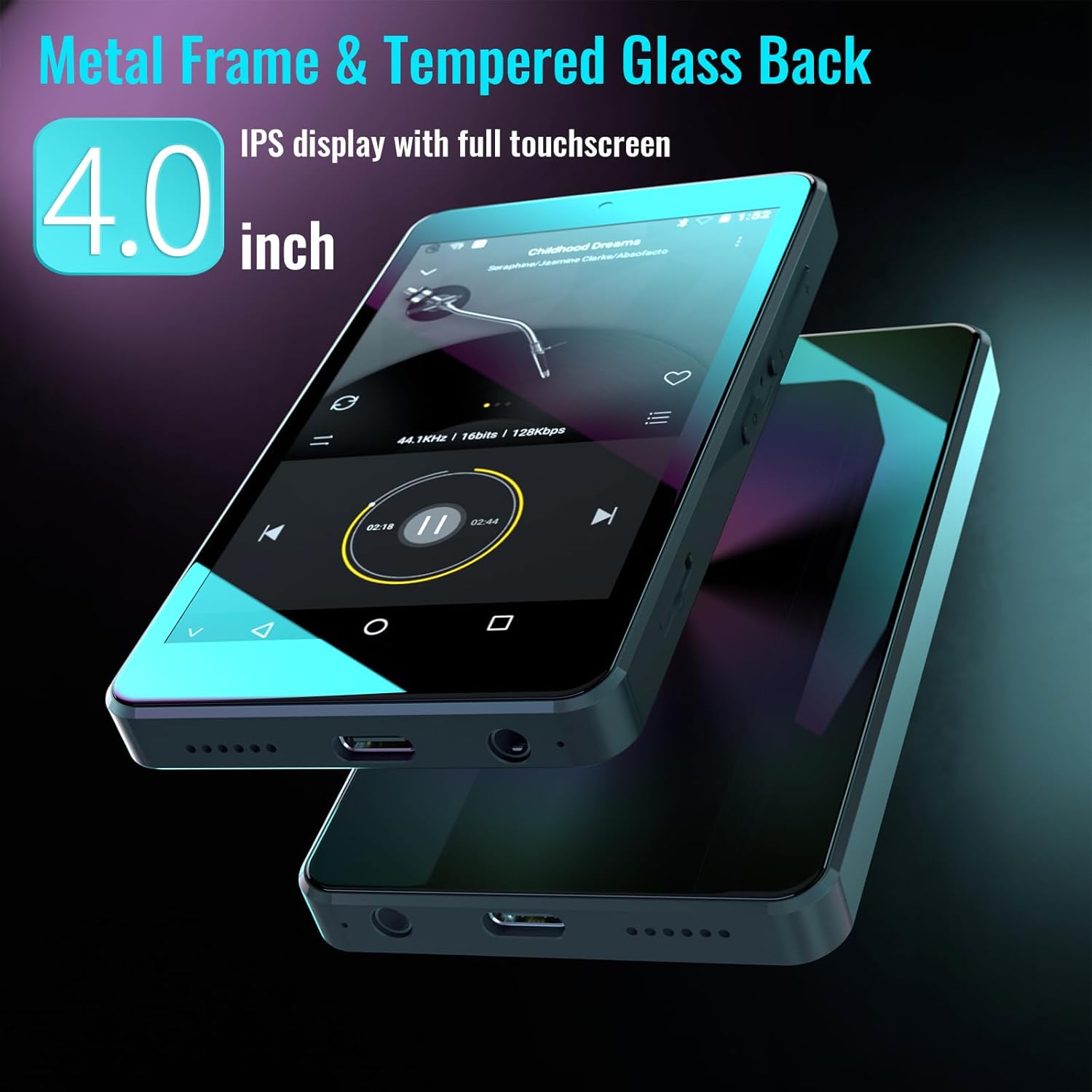
The Luoran M4S MP3 Player showcasing its 4.0-inch IPS display and durable metal frame with a tempered glass back.
4.2 Přehrávání hudby
The player supports various music formats including MP3, WAV, FLAC, APE, OGG, M4A, AAC, WMA, and MP2. You can organize and browse your music by Title, Folder, Artist, or Album. Use the pre-installed music player applications or streaming services.

The Luoran M4S MP3 Player's screen displaying a music playback interface, with text indicating support for various music formats like MP3, WAV, FLAC, APE, OGG, M4A, AAC, WMA, and MP2.
4.3 Připojení Bluetooth
The device features Bluetooth for connecting to wireless headphones, speakers, car stereos, and other compatible Bluetooth devices. Ensure Bluetooth is enabled in settings for fast and stable connections.

The Luoran M4S MP3 Player shown alongside wireless earbuds, illustrating its upgraded Bluetooth 5.0 capability for connecting to various audio devices.
4.4 Předinstalované aplikace
The M4S comes with several popular applications pre-installed for immediate use:
- Spotify Kids: A dedicated music experience for children.
- Spotify: Access to a vast library of music and podcasts.
- Amazon Music: Stream music from your Amazon Music library.
- Slyšitelné: Listen to audiobooks.
- HiBy Music: A high-resolution audio player.
4.5 File Převod
Connect the device to a computer using the USB-C cable to transfer music, videos, audiobooks, and other files to and from the player's internal storage or inserted micro SD card.
5. Parental Controls System
The M4S features a comprehensive parental control system to manage your child's usage and content access. It is crucial to remember any passwords or PIN codes you set, as you will not be able to access the device without them.

A close-up of the Luoran M4S MP3 Player's screen, highlighting the 'Parental Man' (Parental Management) application icon and the overall user interface.
5.1 Správa aplikací
You can block or unblock any application installed on the device. This allows you to control which apps your child can access.

Screenshot of the Luoran M4S 'Application Management' screen, displaying a list of applications with toggle switches to enable or disable them, including File Transfer, Browser, Audible, Amazon Music, Spotify, Spotify Kids, Pandora, and Video.
5.2 App Installation Control
New application installations require parental approval. This feature ensures that only approved apps can be added to the device.
5.3 Auto ON/OFF Timer
Set specific times for the device to automatically turn on and off, helping to manage screen time and ensure healthy usage habits.

Screenshot of the Luoran M4S 'Parental Manage' screen, showing options to configure 'Auto On & Off', 'APP Installation Control', and 'Change password'.
5.4 Changing Parental Control Password
To change the password for parental controls, navigate to the 'Parental Manage' section and select 'Change password'.

Screenshot of the Luoran M4S displaying the password entry interface for 'Parental Management', prompting the user to enter their password.
6. Údržba
6.1 Čištění
To clean the device, gently wipe the screen and body with a soft, dry, lint-free cloth. Avoid using abrasive cleaners or solvents, as they may damage the finish.
6.2 Péče o baterii
The built-in 1500mAh battery provides long playing time (up to 50 hours of music playback on a full charge). To prolong battery life, avoid extreme temperatures and fully charge the device regularly. The player also features a standby power-saving mode.
6.3 Správa úložiště
Pravidelně spravujte files on the internal 16GB storage and any inserted micro SD card to ensure optimal performance. Delete unnecessary filenebo je přeneste do počítače, abyste uvolnili místo.
7. Řešení problémů
7.1 Běžné problémy
- Zařízení se nezapne: Ensure the device is fully charged. If the issue persists, try performing a hard reset using the pinhole button (if available on your model) or by holding the power button for an extended period (e.g., 10-15 seconds).
- Screen is dark or unresponsive: Try restarting the device. If the screen slightly illuminates but shows no content, contact customer support.
- Missing or upgrading applications: If you encounter issues with pre-installed apps or need to upgrade them, please contact the Luoran Team for assistance and installation steps.
- Music cutting in/out or app performance issues: Ensure you have a stable Wi-Fi connection. If using streaming apps, check your internet speed. Close other background applications to free up system resources.
7.2 Password/PIN Code Issues
If you forget the password or PIN codes you have set for parental controls, you will not be able to access the device. It is critical to write down and remember these codes. For assistance with forgotten passwords, please contact Luoran support.
8. Specifikace
| Značka | Luoran |
| Název modelu | M4S |
| Rozměry produktu | 0.39 x 2.4 x 4.25 palce |
| Hmotnost položky | 4.9 unce |
| Kapacita paměti | 16 GB (rozšiřitelné až na 256 GB pomocí Micro SD karty) |
| Velikost obrazovky | 4 palce |
| Technologie připojení | Bluetooth, WiFi |
| Speciální funkce | Parental Controls, Bluetooth and WiFi |
| Baterie | Vyžaduje 1 lithium-polymerovou baterii (součástí balení) |
| Typ média | Memory card, SDXC, SDHC |
| Kompatibilní zařízení | Earphone, Headphone |
9. Záruka a podpora
Luoran stands behind its products. For any product-related inquiries, technical support, or warranty claims, please contact the Luoran Team. We aim to reply to all messages within 12 hours.
Please refer to the product packaging or the official Luoran webkonkrétní záruční podmínky naleznete na webových stránkách.


