1. Úvod
This manual provides detailed instructions for the Phomemo M834 Portable Thermal Printer. The M834 is a compact, wireless, and inkless printer designed for various printing needs, offering 300 dpi print clarity and support for multiple thermal paper sizes. Please read this manual thoroughly to ensure proper use and optimal performance of your device.
2. Obsah balení
Ověřte, zda jsou v balení přítomny všechny položky:
- 1 Phomemo M834 Portable Printer (Upgraded)
- Papír
- 1 kabel USB-C
- 1 USB-C to USB Adapter
- 1 Flannelette Storage Bag & 1 User Guide
3. Konec produktuview
The Phomemo M834 is a lightweight and portable thermal printer. Its design emphasizes ease of use and mobility, making it suitable for various environments.

The printer features a power button, paper input slot, and a USB-C port for charging and wired connection. Its compact size and light weight (approximately 1.5 lbs) allow for easy transport.
4. Nastavení
4.1 Nabíjení tiskárny
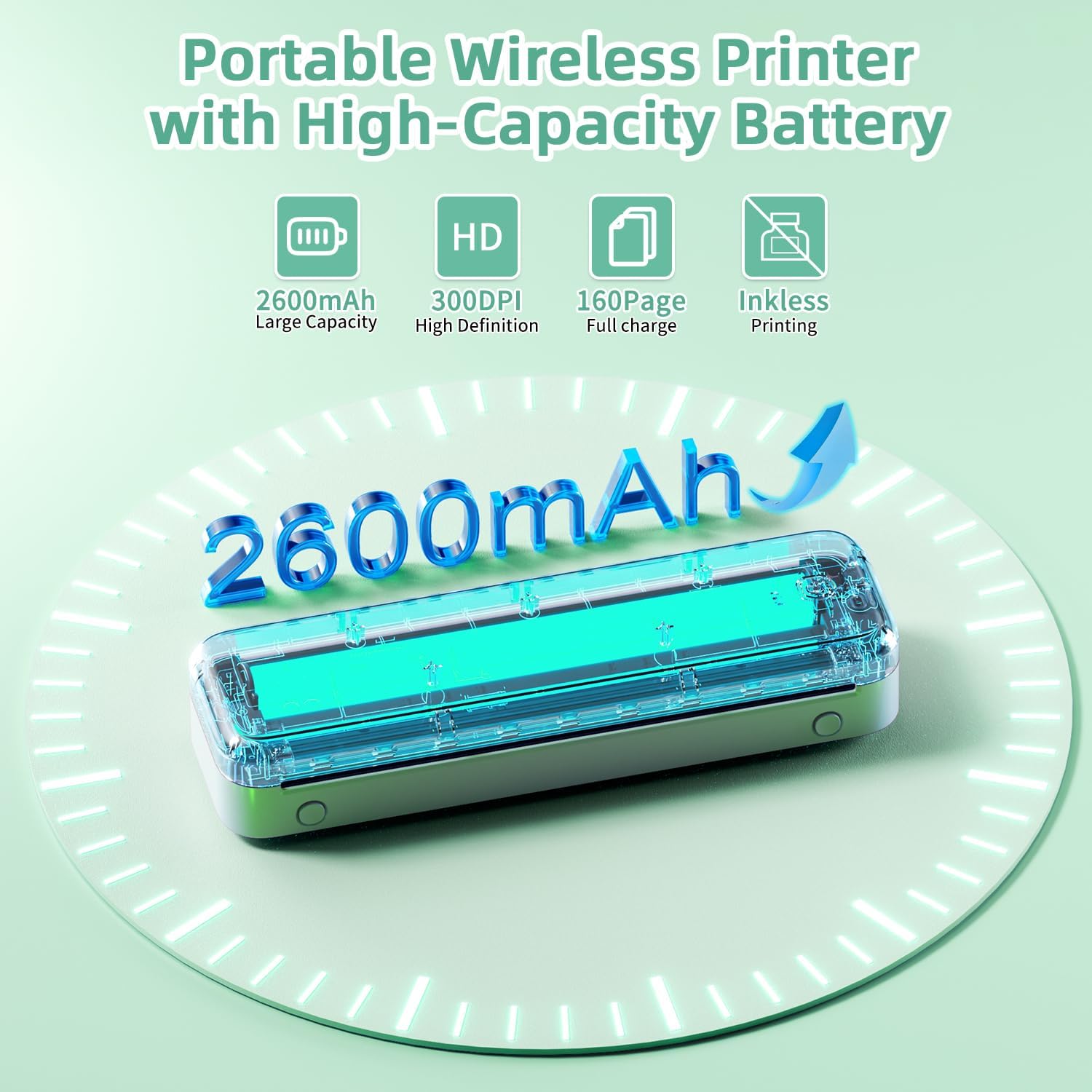
Before first use, fully charge the printer. Connect the provided USB-C cable to the printer's charging port and the other end to a compatible USB power adapter (not included) or a computer's USB port. The built-in 2600mAh rechargeable battery allows for extended use.
4.2 Vkládání termopapíru
The M834 supports various types and sizes of thermal paper, including flat paper, continuous paper, and roll paper. Ensure the thermal side of the paper is facing the print head.
- Open the paper input cover.
- Carefully insert the thermal paper into the input slot, ensuring it is aligned straight.
- Upravte vodítka papíru tak, aby těsně odpovídala šířce papíru.
- Close the paper input cover.

4.3 Instalace a připojení aplikací
For mobile printing, download the official Phomemo app from your device's app store (iOS or Android). For PC printing, drivers may be required.

Bluetooth Connection (for Smartphones/Tablets):
- Ujistěte se, že je tiskárna zapnutá.
- Povolte na svém mobilním zařízení Bluetooth.
- Open the Phomemo app and follow the in-app instructions to search for and connect to your M834 printer.
USB Connection (for PCs/Laptops):
- Connect the printer to your PC using the provided USB-C cable.
- Navštivte oficiální stránky Phomemo website to download and install the appropriate drivers for your operating system (Windows 10/11, Linux, macOS, Chrome OS).
- Once drivers are installed, the printer should be recognized by your computer.
5. Návod k obsluze
5.1 Zapnutí/vypnutí
Press and hold the power button located on the printer for approximately 3 seconds to turn it on or off. An indicator light will confirm the power status.
5.2 Tisk dokumentů
Once connected via Bluetooth (mobile) or USB (PC), you can initiate printing from your device. The M834 offers a print clarity of 300 dpi for clear results.

From Mobile Devices (via Phomemo App):
- Otevřete aplikaci Phomemo.
- Select the document or image you wish to print.
- Adjust print settings (e.g., size, density) as needed within the app.
- Klepnutím na tlačítko tisku odešlete úlohu do tiskárny.
From PC (via USB):
- Otevřete dokument nebo obrázek v počítači.
- V nabídce aplikace vyberte možnost „Tisk“.
- Choose the Phomemo M834 from the list of available printers.
- V případě potřeby upravte předvolby tisku a klikněte na tlačítko „Tisk“.
5.3 Supported Paper Sizes
The Phomemo M834 supports various thermal paper sizes, including:
- 8.5'' x 11'' US Letter
- A4 (8.26'' x 11.69'')
- 4.33'' (110mm)
- 3.15'' (80mm)
- 2.09'' (53mm)
6. Údržba
6.1 Čištění tiskárny
As a thermal printer, the M834 does not use ink cartridges. Regular maintenance primarily involves keeping the print head and paper path clean.
- Vypněte tiskárnu a odpojte ji od napájení.
- Jemně otřete tiskovou hlavu měkkým hadříkem, který nepouští vlákna, lehceampošetřeno isopropylalkoholem. Před použitím nechte zcela vyschnout.
- Odstraňte veškerý papírový prach nebo nečistoty z dráhy papíru pomocí měkkého kartáče nebo stlačeného vzduchu.
6.2 Skladování
Store the printer in a cool, dry place away from direct sunlight and extreme temperatures. When not in use for extended periods, ensure the battery is partially charged (around 50%) to prolong its lifespan. Store thermal paper in a dark, cool place to prevent premature fading.
7. Řešení problémů
Pokud se s tiskárnou Phomemo M834 setkáte s problémy, podívejte se na následující běžné problémy a jejich řešení:
| Problém | Možná příčina | Řešení |
|---|---|---|
| Tiskárna se nenabíjí | Faulty cable, power adapter, or internal battery issue. | Ensure USB-C cable and adapter are working. Try a different power source. If issue persists, contact customer support. |
| Nelze se připojit přes Bluetooth | Bluetooth off, printer not in pairing mode, app issue. | Ensure printer is on and Bluetooth is enabled on your device. Restart both devices. Reinstall the Phomemo app. |
| PC not recognizing printer via USB | Missing or incorrect drivers, faulty USB cable. | Install or update drivers from the official Phomemo website. Try a different USB-C cable or port. |
| Printouts are blurry or faint | Low battery, dirty print head, incorrect paper type/side. | Charge the printer. Clean the print head (see Maintenance). Ensure you are using thermal paper with the correct side facing up. |
| Paper jam or misfeed | Improper paper loading, damaged paper. | Turn off the printer. Carefully remove any jammed paper. Reload paper correctly, ensuring it is straight and aligned with guides. |
| Tiskárna se nezapíná | Slabá baterie, problém s tlačítkem napájení. | Ensure the printer is charged. Press and hold the power button firmly for 3 seconds. If unresponsive, contact support. |
8. Specifikace
| Funkce | Detail |
|---|---|
| Značka | Phomemo |
| Název modelu | M834 |
| Technologie tisku | Tepelný |
| Technologie připojení | Bluetooth, USB typu C |
| Maximální rozlišení černobílého tisku | 300 dpi |
| Maximální rychlost tisku černobíle | 6 ppm |
| Podporované velikosti médií | 8.5''x11.69'' US Letter, 8.26''x11.69'' A4, 2.09'', 3.15'', 4.33'' Inches |
| Tisková média | Termální papír |
| Kompatibilní zařízení | Laptops, PC, Smartphones, Tablets (Android, iOS, Windows 10/11, Linux, macOS) |
| Baterie | 2600 mAh (vyžaduje 1A baterie, jsou součástí balení) |
| Hmotnost položky | 1.54 libry (700 gramů) |
| Rozměry produktu | 10.39 x 3.07 x 1.77 palce |
| Maximální vstupní kapacita listu | 50 |
| Tiskový výstup | Monochromatický |
| Oboustranný tisk | Ne (jednostranný tisk) |
9. Záruka a podpora
9.1 Informace o záruce
The Phomemo M834 Portable Printer comes with a limited warranty. Please refer to the warranty card included in your package or visit the official Phomemo webstránky pro podrobné podmínky.
9.2 Zákaznická podpora
For technical assistance, troubleshooting not covered in this manual, or warranty claims, please contact Phomemo customer service. You can typically find contact information on the official Phomemo website or through the Phomemo app.
For additional resources, you may visit the official Phomemo Store: Obchod Phomemo na Amazonu.