Zavedení
The Baseus AeQur GH02 RGB Gaming Headset is designed to provide an immersive audio experience for gaming and multimedia. Featuring high-quality sound drivers, customizable RGB lighting, and versatile connectivity options, this headset offers comfort and performance for extended use. This manual provides detailed instructions on setting up, operating, maintaining, and troubleshooting your headset.

Image: The Baseus AeQur GH02 RGB Gaming Headset, showcasing its sleek black design and integrated microphone.
Konec produktuview a funkce
The AeQur GH02 headset combines advanced audio technology with user-friendly features:
- 40mm měniče: Delivers powerful and clear sound with a frequency range of 20-40,000Hz for an immersive audio experience.
- RGB osvětlení: Customizable RGB illumination to enhance your gaming setup.
- Všestranná konektivita: Supports Bluetooth, 3.5mm wired connection, and 2.4GHz wireless via a USB dongle for broad compatibility.
- Odnímatelný mikrofon: High-sensitivity microphone (-45dB) ensures clear communication and can be detached when not needed.
- Design přes uši: Provides acoustic isolation and prolonged comfort during long gaming sessions.
- Dlouhá výdrž baterie: Až 40 hodin přehrávání na jedno nabití.
- Aktivní potlačení hluku: Snižuje okolní hluk pro soustředěnější poslechový zážitek.

Image: Close-up of the headset's ear cup, highlighting the vibrant RGB lighting around the edge, which can be customized for different visual effects.
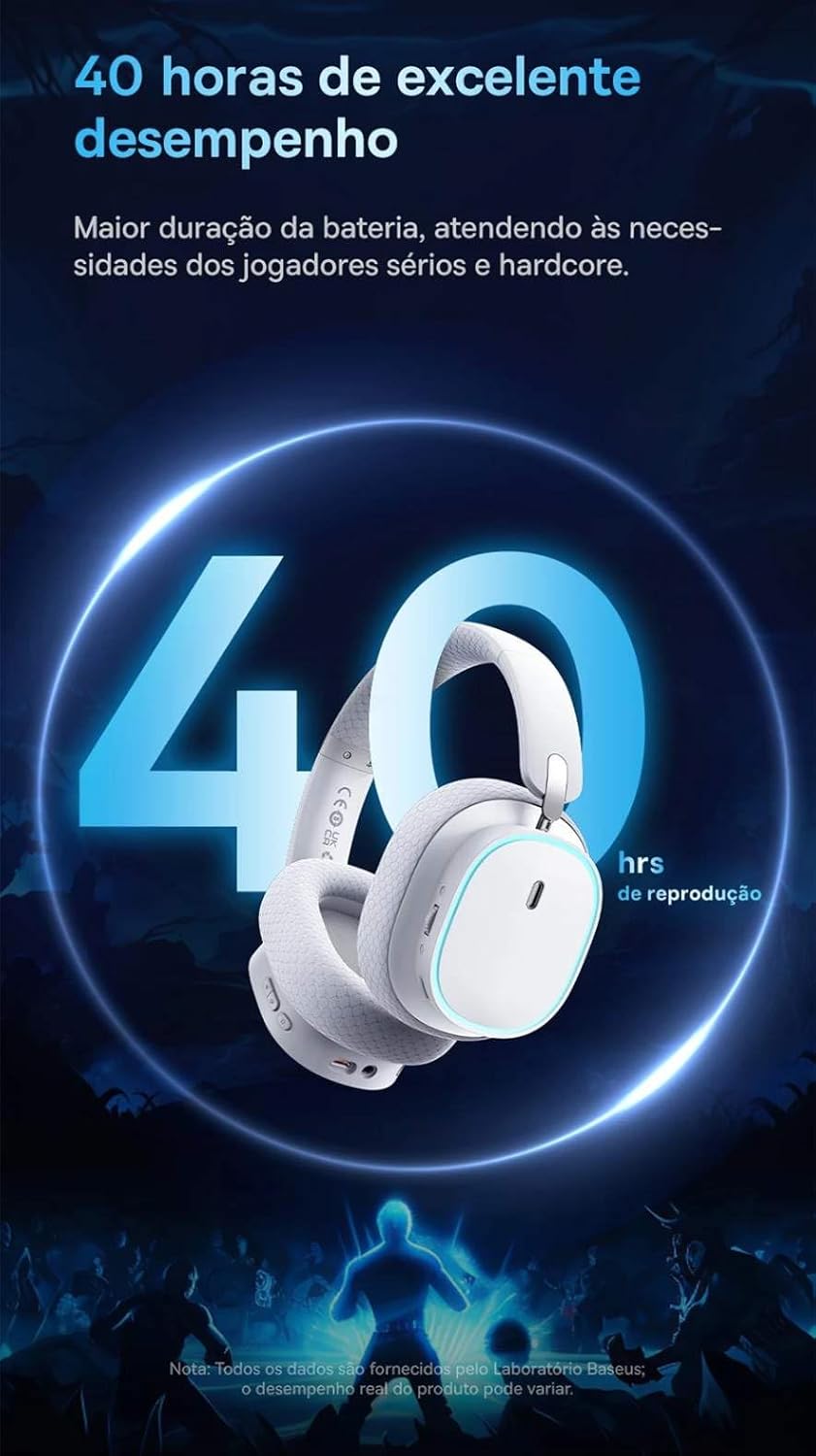
Image: A visual representation of the headset emphasizing its 40-hour battery life, indicating extended usage without frequent recharging.
Nastavení
1. Nabíjení náhlavní soupravy
Before first use, fully charge the headset. Connect the provided USB-C charging cable to the headset's charging port and the other end to a USB power source (e.g., computer USB port, wall adapter). The LED indicator will show charging status and turn off or change color when fully charged.
2. Connecting via 2.4GHz Wireless (Recommended for Gaming)
- Locate the 2.4GHz USB wireless dongle included with your headset.
- Plug the USB dongle into an available USB port on your PC, PlayStation (PS4/PS5), or other compatible gaming device.
- Power on the headset. It should automatically connect to the dongle. The LED indicator will confirm a successful connection.
- Ujistěte se, že v nastavení zvuku vašeho zařízení jsou jako vstupní a výstupní zvukové zařízení vybrána sluchátka.
3. Připojení přes Bluetooth
- With the headset powered on, activate Bluetooth pairing mode (refer to the operating section for specific button presses). The LED indicator will typically flash to indicate pairing mode.
- On your smartphone, tablet, or PC, go to Bluetooth settings and search for available devices.
- Select "Baseus AeQur GH02" from the list of found devices to pair.
- Po spárování bude LED indikátor svítit trvale.
4. Připojení pomocí 3.5mm audio kabelu
- Připojte jeden konec 3.5mm audio kabelu k 3.5mm audio konektoru na sluchátkách.
- Connect the other end to the 3.5mm audio output port on your device (e.g., PC, console controller, phone).
- When connected via 3.5mm cable, the headset operates in passive mode, and battery power is not required for audio, though some features like RGB lighting may be disabled.

Image: The Baseus AeQur GH02 headset displayed alongside various compatible gaming and mobile devices, including a PC, PlayStation console, Nintendo Switch, and smartphone, illustrating its broad connectivity.

Image: Icons representing compatibility with Android smartphones/tablets, PCs/notebooks, and gaming consoles like PS5/PS4/Switch/Steam Deck/VR, highlighting the headset's versatile use cases.
Ovládání náhlavní soupravy
Ovládací prvky
- Vypínač: Stisknutím a podržením zapnete/vypnete zařízení. Krátkým stisknutím spustíte přehrávání/pozastavení (v režimu Bluetooth).
- Kolečko hlasitosti: Roll up to increase volume, roll down to decrease volume.
- Tlačítko ztlumení mikrofonu: Stisknutím ztlumíte/zapnete mikrofon.
- Tlačítko RGB podsvícení: Short press to cycle through RGB lighting modes or turn off.
Použití mikrofonu
The microphone is removable. To attach, align the microphone jack with the port on the left ear cup and insert firmly. To remove, gently pull it out. Ensure the microphone is properly inserted for clear voice pickup.
Baseus App Integration
For advanced customization, download the official Baseus app on your smartphone. The app allows you to:
- Adjust EQ settings (Equalizer).
- Přizpůsobte si efekty a barvy RGB osvětlení.
- Switch between audio modes (e.g., Normal Mode, Music Mode, Game Mode for spatial acoustics).
- View stav baterie.

Image: Screenshots of the Baseus mobile application interface, demonstrating options for spatial acoustics, EQ mode, and lamp effects, allowing users to customize their headset's performance and lighting.
Údržba
- Čištění: K čištění sluchátek používejte měkký, suchý hadřík. U náušníků použijte mírněamp Lze použít hadřík, ale před použitím se ujistěte, že je zcela suchý. Nepoužívejte agresivní chemikálie ani abrazivní materiály.
- Skladování: Store the headset in a cool, dry place away from direct sunlight and extreme temperatures. If storing for extended periods, ensure it is partially charged (around 50%) to preserve battery health.
- Zacházení: Avoid dropping the headset or subjecting it to strong impacts. Do not twist or bend the headband excessively.
Odstraňování problémů
| Problém | Možná příčina | Řešení |
|---|---|---|
| Z sluchátek se nehlásí žádný zvuk | Headset not powered on; Low battery; Not properly connected (Bluetooth/2.4GHz/3.5mm); Incorrect audio output selected on device. | Ensure headset is powered on and charged. Re-pair Bluetooth or re-plug 2.4GHz dongle/3.5mm cable. Check device's sound settings to ensure "Baseus AeQur GH02" is selected as output. |
| Mikrofon nefunguje | Microphone muted; Not properly inserted; Incorrect input device selected; Software issues. | Ensure microphone is not muted (check mute button). Re-insert the removable microphone firmly. Check device's sound settings to ensure "Baseus AeQur GH02" is selected as input. Restart application/game. |
| Headset not pairing/connecting | Out of range; Interference; Headset not in pairing mode; Device's Bluetooth/USB port issue. | Ensure headset is in pairing mode and within range. Turn off other Bluetooth devices. Try connecting to a different USB port or device. Restart headset and device. |
| Krátká výdrž baterie | Not fully charged; High volume usage; RGB lighting always on. | Ensure headset is fully charged. Reduce volume. Turn off RGB lighting when not needed. |
| Cannot use while charging | Omezení designu produktu. | The Baseus AeQur GH02 headset is designed not to be used while charging. Please allow the headset to fully charge before resuming use. |
Specifikace
| Funkce | Detail |
|---|---|
| Název modelu | AeQur GH02 |
| Technologie připojení | Wireless (Bluetooth, Wi-Fi 2.4GHz), Wired (3.5mm) |
| Průměr ovladače | 40 mm |
| Headphone Frequency | 20 - 40000Hz |
| Citlivost mikrofonu | -45 dB |
| Kontrola hluku | Aktivní potlačení hluku |
| Výdrž baterie (průměrná) | 40 hodiny |
| Kompatibilní zařízení | Mobile Phones, Gaming Consoles (PC, PS5, PS4), Desktops, Laptops |
| Materiál | Kov, Plast |
| Speciální funkce | Fast charging, Volume control, Noise isolation, Lightweight, Built-in microphone |
| Barva | Černý |
| Impedance | 35 Ohmy |
| Osvědčení | Anatel: 004842514894 |
Záruka a podpora
The Baseus AeQur GH02 RGB Gaming Headset comes with a 12měsíční záruka výrobce od data nákupu, která se vztahuje na vady materiálu a zpracování při běžném používání. Uschovejte si prosím doklad o koupi pro případné reklamace.
For further support, technical assistance, or warranty inquiries, please visit the official Baseus store or contact their customer service through the details provided on their official webwebu nebo obalu produktu.
Můžete také navštívit Oficiální obchod Baseus na Amazonu další informace a zdroje podpory.


