1. Důležité bezpečnostní pokyny
Before using this treadmill, please read all instructions carefully to ensure safe operation and prevent injury. Keep this manual for future reference.
- Běžecký pás vždy umístěte na rovný a stabilní povrch.
- Během používání zajistěte dostatečný volný prostor (alespoň 2 metry za běžeckým pásem a 0.6 metru po každé straně) kolem něj.
- Během provozu udržujte děti a domácí zvířata mimo běžecký pás.
- Noste vhodnou sportovní obuv a oblečení.
- Use the safety key at all times. Attach the clip to your clothing. If you fall or move too far back, the safety key will detach, stopping the treadmill.
- Nepoužívejte běžecký pás, pokud má poškozený kabel nebo zástrčku, nebo pokud nefunguje správně.
- Před zahájením jakéhokoli cvičebního programu se poraďte s lékařem, zejména pokud máte již existující zdravotní problémy.
- Nepoužívejte běžecký pás venku ani vamp prostředí.
- Maximální nosnost uživatele: 130 kg.
2. Konec produktuview
The Toputure 2-in-1 Walking Pad Treadmill offers versatile exercise options, functioning as both a walking pad and a traditional treadmill. Its compact, foldable design makes it ideal for home use, allowing for easy storage.
Klíčové vlastnosti:
- Funkce 2 v 1: Easily switch between walking pad mode (1-6 km/h) and treadmill mode (1-12 km/h).
- Výkonný a tichý motor: Equipped with a 2.5 HP motor for smooth and quiet operation.
- Nastavitelný sklon: Features a manual incline adjustment up to 7% for varied workout intensity.
- Široký běžecký pás: An extra-wide 40cm running surface (1000x400mm) for comfort and safety.
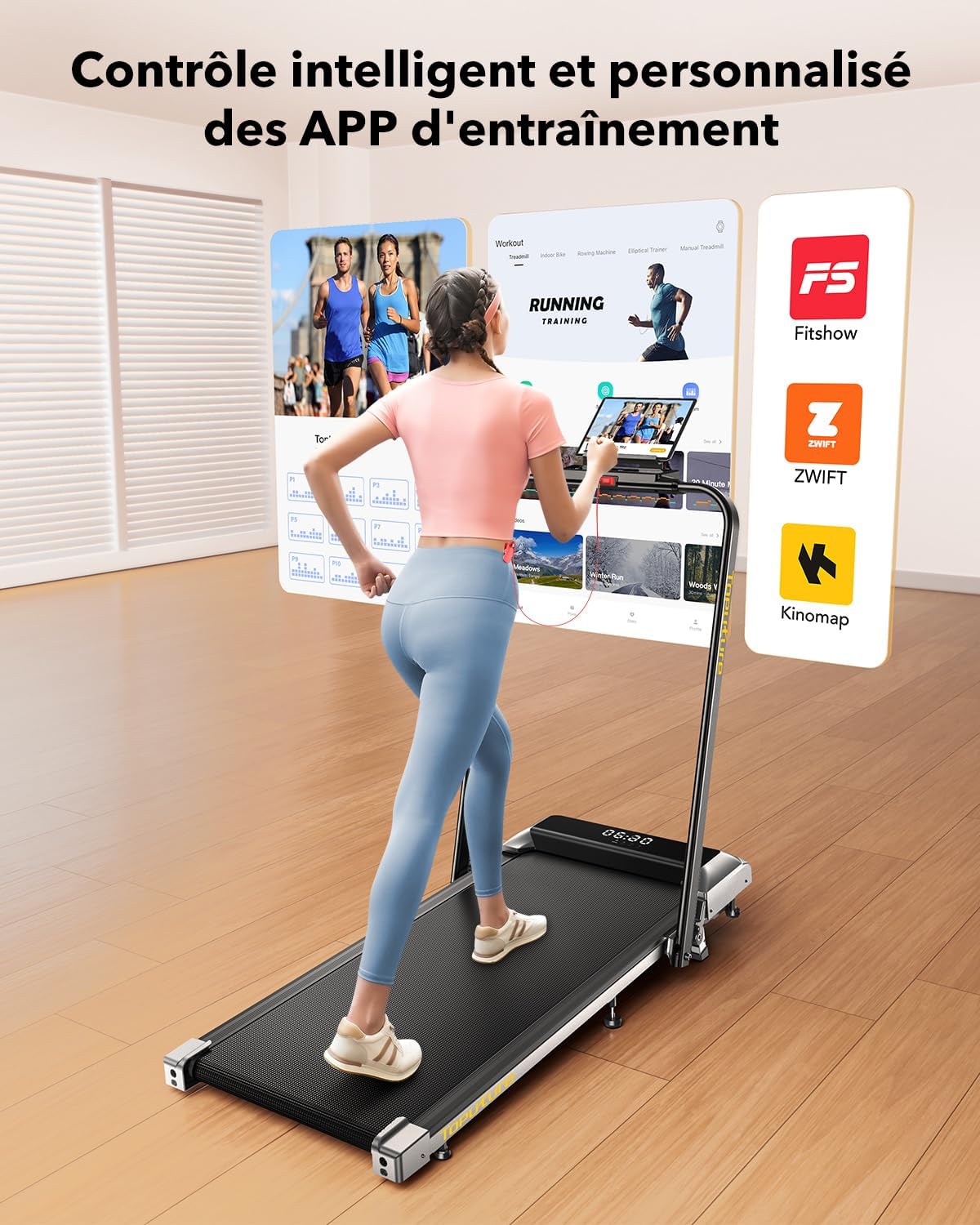
- LED Display & APP Control: Monitor speed, distance, time, and calories on the integrated LED screen. Connect to apps like Fitshow for smart control and training programs.
- Prostorově úsporný design: Foldable with transport wheels for easy storage under furniture.
- Systém tlumení nárazů: 7-layer anti-slip running belt with internal silicone columns to reduce impact on joints.
Obsah balení:
- Toputure 2-in-1 Walking Pad Treadmill
- Dálkové ovládání
- Bezpečnostní klíč
- Uživatelská příručka (tento dokument)
- Napájecí kabel

3. Nastavení
The Toputure 2-in-1 Walking Pad Treadmill comes pre-assembled, requiring minimal setup before first use.
3.1 Vybalení
- Opatrně vyjměte běžecký pás z obalu.
- Place the treadmill on a flat, level surface in your desired exercise area. Ensure sufficient clearance around the unit as described in the safety instructions.
- Odstraňte veškerý obalový materiál.
3.2 Unfolding for Treadmill Mode
- Locate the quick-release handle or buckle mechanism on the side of the treadmill.
- Release the mechanism to allow the handlebar to be raised.
- Gently lift the handlebar until it locks securely into the upright position. Ensure it is fully locked before use.
- Připojte napájecí kabel k běžeckému pásu a poté do uzemněné elektrické zásuvky.

3.3 Nastavení sklonu
The treadmill features a manual incline adjustment. The original incline is approximately 2.7°, which can be adjusted to 3.6° or up to a maximum of 7% by manipulating the front support feet. Refer to the specific mechanism on your unit for detailed instructions on how to engage and disengage the incline.

4. Návod k obsluze
4.1 Zapnutí/vypnutí
- Zapojte napájecí kabel do uzemněné zásuvky.
- Locate the main power switch, usually at the front base of the treadmill, and switch it to the 'ON' position.
- LED displej se rozsvítí.
- To power off, switch the main power switch to 'OFF' and unplug the unit.
4.2 Použití bezpečnostního klíče
The safety key is a crucial safety feature. Attach the magnetic end of the safety key to the designated area on the console. Clip the other end to your clothing. The treadmill will not operate without the safety key in place. If the key detaches during your workout, the treadmill will stop immediately.
4.3 Modes of Operation (2-in-1 Functionality)
The treadmill automatically detects its configuration:
- Walking Pad Mode (Handlebar Folded): When the handlebar is folded down, the treadmill operates as a walking pad with a speed range of 1 to 6 km/h. This mode is suitable for walking or light jogging, often used under a standing desk.
- Treadmill Mode (Handlebar Upright): When the handlebar is in the upright position, the treadmill functions as a traditional treadmill with a speed range of 1 to 12 km/h, suitable for running and more intense workouts.

4.4 Console and Remote Control
The treadmill can be controlled via the integrated LED touch screen or the remote control.
- LED displej: Shows real-time data including speed, distance, time, and calories burned.
- Nastavení rychlosti: Use the '+' and '-' buttons on the console or remote to adjust speed in increments.
- Start/Stop: Press the 'Start' button to begin your workout and 'Stop' or 'Pause' to end or temporarily halt it. The pause function retains your workout data.
- programy: Select from 12 preset programs for varied workout routines.

4.5 APP Connectivity (Fitshow)
Enhance your workout experience by connecting your treadmill to compatible fitness applications like 'FITSHOW'.
- Download the 'FITSHOW' app from your device's app store.
- Povolte Bluetooth na svém smartphonu nebo tabletu.
- Open the 'FITSHOW' app and follow the on-screen instructions to pair with your treadmill.
- Once connected, you can control the treadmill, track your progress, and access various training courses through the app.
5. Údržba
Pravidelná údržba zajistí dlouhou životnost a optimální výkon vašeho běžeckého pásu.
5.1 Mazání
The running belt requires regular lubrication with silicone oil to reduce friction and wear. A small hole is provided for easy application.
- Apply approximately 10 ml of silicone oil every 30-50 hours of use, or every 1-2 months depending on usage frequency.
- Turn off and unplug the treadmill before lubrication.
- Lift the edge of the running belt and apply the oil directly onto the center of the deck, beneath the belt.
- Run the treadmill at a low speed (e.g., 3 km/h) for 5 minutes to distribute the lubricant evenly.
5.2 Čištění
- Otřete povrch běžeckého pásuamp hadříkem po každém použití k odstranění potu a prachu.
- Nepoužívejte abrazivní čisticí prostředky nebo rozpouštědla.
- Periodically vacuum around and under the treadmill to prevent dust buildup from affecting motor performance.
5.3 Nastavení pásu
If the running belt feels loose, slips, or drifts to one side, it may need adjustment. Refer to the detailed instructions in the included user manual for specific belt tensioning and centering procedures using the provided Allen wrench.
6. Řešení problémů
Tato část se zabývá běžnými problémy, se kterými se můžete setkat při používání běžeckého pásu. V případě problémů, které zde nejsou uvedeny, kontaktujte zákaznickou podporu.
| Problém | Možná příčina | Řešení |
|---|---|---|
| Běžecký pás se nezapne. | Power cord not plugged in, main switch off, circuit breaker tripped. | Check power connections, ensure main switch is ON, reset circuit breaker if necessary. |
| Běžecký pás se nespustí. | Safety key not in place, emergency stop button pressed. | Ensure safety key is correctly attached, release emergency stop button. |
| Běžecký pás prokluzuje nebo váhá. | Příliš volný řemen, nedostatečné mazání. | Adjust belt tension (refer to manual), apply silicone lubricant. |
| Neobvyklý hluk během provozu. | Loose parts, belt rubbing, motor issue. | Check for loose screws, ensure belt is centered, contact support if noise persists. |
| Problémy s připojením k aplikaci. | Bluetooth off, app not updated, incorrect pairing. | Ensure Bluetooth is on, update app, re-pair device following app instructions. |
7. Specifikace
| Funkce | Specifikace |
|---|---|
| Značka | Toputure |
| Model | B0CNGKBCYF |
| Barva | Černý |
| Výkon motoru | 2.5 HP |
| Speed Range (Walking Pad Mode) | 1 - 6 km/h |
| Rozsah rychlosti (režim běžeckého pásu) | 1 - 12 km/h |
| Maximální sklon | 7% (Manual Adjustment) |
| Rozměry pojezdové plochy | 1000 x 400 mm (Length x Width) |
| Maximální hmotnost uživatele | 130 kg |
| Typ zobrazení | LCD |
| Zobrazovací metriky | Speed, Distance, Time, Calories Burned |
| Počet programů | 12 Přednastavené programy |
| Konektivita | APP (e.g., Fitshow) |
| Materiál rámu | Legovaná ocel |
| Rozměry produktu (D x Š x V) | 120 x 52 x 12 cm (rozložené) |
| Rozměry ve složeném stavu (D x Š x V) | 130 x 56 x 13.5 cm (přibližně) |
| Hmotnost produktu | 23 kg |
| Zdroj napájení | Elektrický kabel |
8. Záruka a podpora
Informace o záruce a zákaznické podpoře naleznete v dokumentaci dodané s vaším nákupem nebo se obraťte přímo na prodejce. Uschovejte si doklad o koupi pro případné reklamace.


