1. Úvod
Děkuji za nákupasing the MEGUO K38 Portable Bluetooth Karaoke Machine. This device is designed to provide an enjoyable audio experience with its powerful speaker, wireless microphones, and dynamic lighting. Please read this manual thoroughly before use to ensure proper operation and to maximize your enjoyment of the product.
2. Obsah balení
Ujistěte se, že v balení jsou přítomny všechny položky:
- 1 x bezdrátový reproduktor
- 2 x bezdrátové mikrofony
- 1 x USB nabíjecí kabel
- 1 x Uživatelská příručka
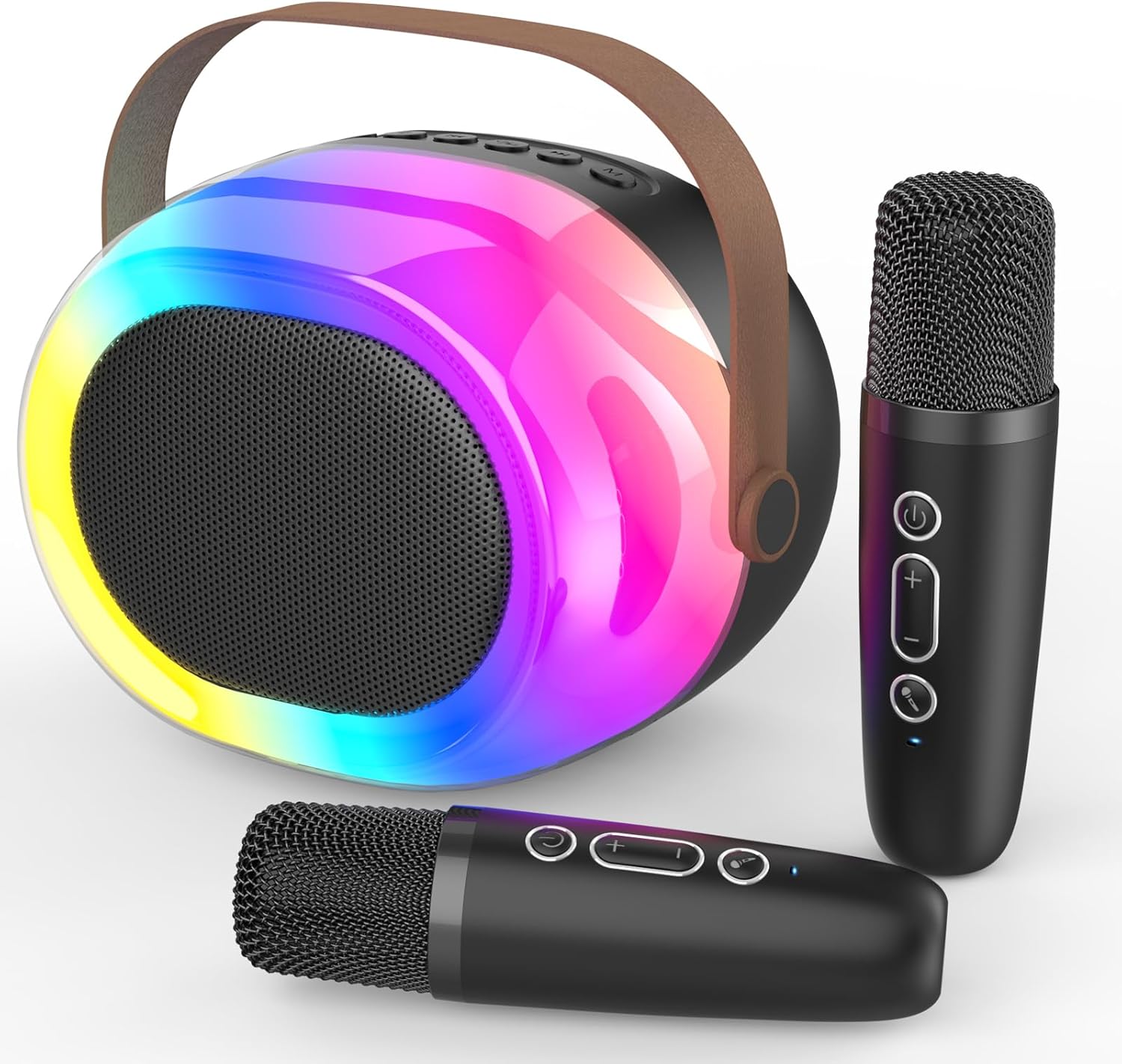
Image: The MEGUO K38 Portable Bluetooth Karaoke Machine, including the main speaker unit and two wireless microphones.
3. Konec produktuview
3.1 Reproduktorová jednotka
The main speaker unit features a 12W powerful driver and bass radiator for clear and balanced sound. It includes a convenient handle for portability.
- Ovládací tlačítka: Power, Volume Up/Down, Play/Pause, Mode Selection.
- Porty: USB-C charging port, TF card slot, USB-A port, AUX input.
- Dynamic Lights: Integrated colorful dynamic atmosphere lights with multiple modes.

Obrázek: Explodoval view of the speaker unit highlighting its 12W speaker and 4-inch bass radiator for enhanced sound.
3.2 bezdrátové mikrofony
The two wireless microphones are lightweight and designed for ease of use. Each microphone is rechargeable.
- Ovládací tlačítka: Power, Volume Up/Down, Voice Changer.
- Hlasové efekty: Baby, Female, Male, and Monster voice changing effects.

Image: A family enjoying the karaoke machine, illustrating the various voice changing effects available on the microphones.
4. Nastavení
4.1 Počáteční nabíjení
Before first use, fully charge both the speaker unit and the wireless microphones. Use the provided USB charging cable. A full charge typically takes 2-3 hours.
- Connect the USB-C end of the cable to the charging port on the speaker/microphone.
- Připojte konec USB-A ke kompatibilnímu napájecímu adaptéru USB (není součástí balení).
- Kontrolka bude ukazovat stav nabíjení a po plném nabití zhasne.
4.2 Zapnutí/vypnutí
- Reproduktor: Press and hold the Power button on the speaker unit until you hear a power-on prompt.
- Mikrofony: Press and hold the Power button on each microphone until you hear a power-on prompt.
- Pro vypnutí postup opakujte.
4.3 Párování Bluetooth
The speaker and microphones will automatically attempt to pair with each other upon powering on. For external device connection:
- Ensure the speaker is in Bluetooth mode (indicated by a voice prompt).
- On your smartphone or other Bluetooth-enabled device, search for "K38" in the Bluetooth settings.
- Select "K38" to connect. A voice prompt will confirm successful pairing.

Image: The speaker and microphones, illustrating the various playback modes including Bluetooth, TF card, USB, and AUX input.
5. Návod k obsluze
5.1 Režimy přehrávání
Reproduktor podporuje několik možností přehrávání:
- Režim Bluetooth: Connect wirelessly to your device to stream music.
- Režim karty TF: Insert a TF (MicroSD) card with MP3 filedo určeného slotu.
- Režim USB: Vložte USB flash disk s MP3 filedo portu USB-A.
- Vstup AUX: Connect an external audio device using a 3.5mm AUX cable (not included).
Press the 'M' (Mode) button on the speaker to switch between modes.
5.2 Ovládání hlasitosti
- Hlasitost reproduktoru: Use the Volume Up (+) and Volume Down (-) buttons on the speaker unit.
- Hlasitost mikrofonu: Use the Volume Up (+) and Volume Down (-) buttons on each microphone.
5.3 Voice Changing Effects
Each microphone features four magic voice changing effects:
- Původní hlas
- Dětský hlas
- Ženský hlas
- Mužský hlas
- hlas monstra
Press the dedicated Voice Changer button on the microphone to cycle through the effects.
5.4 Dynamic Lights
The speaker unit includes colorful dynamic atmosphere lights. These lights can be changed to different modes to enhance the ambiance. Refer to the speaker's control buttons for light mode selection (usually integrated with the 'M' button or a dedicated light button if available).
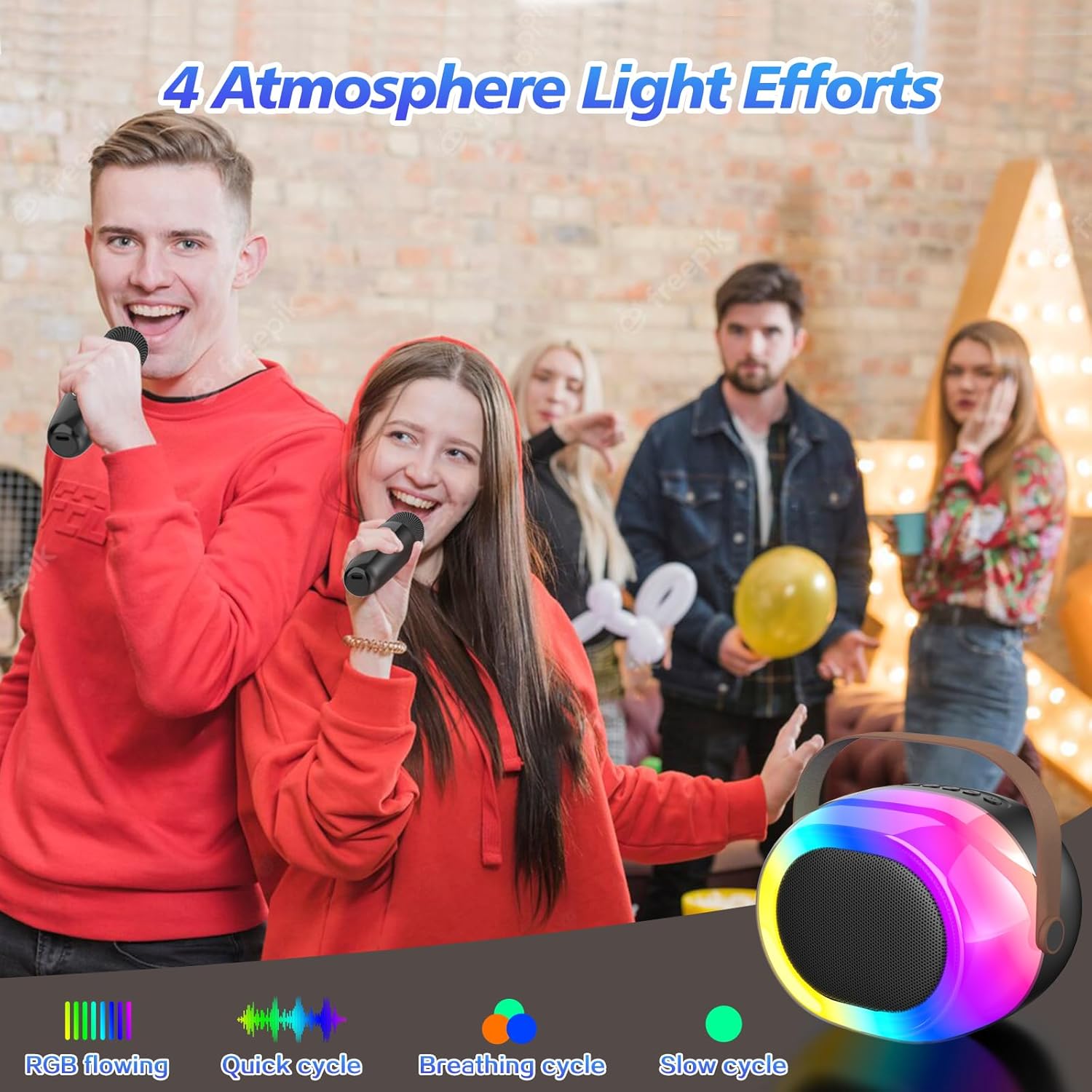
Image: The dynamic atmosphere lights of the karaoke machine creating a lively environment.
6. Nabíjení
Both the speaker and microphones are equipped with built-in rechargeable Lithium-Ion batteries. Use the provided USB-C cable for charging.
- Doba nabíjení: Plné nabití trvá přibližně 2–3 hodiny.
- Prázdno: Up to 5-10 hours on a full charge, depending on usage and volume levels.
- A red indicator light typically signifies charging, turning off or changing color when fully charged.

Image: The portable karaoke machine being used outdoors, emphasizing its built-in battery and extended playtime.
7. Údržba
- Udržujte zařízení mimo dosah vody, vlhkosti a extrémních teplot.
- Povrchy čistěte měkkým, suchým hadříkem. Nepoužívejte abrazivní čisticí prostředky ani rozpouštědla.
- Pokud se nepoužívá, skladujte na chladném a suchém místě.
- Zabraňte pádu zařízení nebo jeho vystavení silným nárazům.
8. Řešení problémů
| Problém | Možná příčina | Řešení |
|---|---|---|
| Žádná síla | Baterie je slabá nebo vybitá. | Charge the speaker/microphones fully. |
| Žádný zvuk z mikrofonu | Microphone is off or not paired. Volume is too low. | Ensure microphone is powered on and paired. Increase microphone volume. |
| Bluetooth se nepřipojuje | Speaker is not in Bluetooth mode. Device is too far. Interference. | Switch speaker to Bluetooth mode. Move device closer. Avoid obstacles. |
| Špatná kvalita zvuku | Low battery. Interference. Source audio quality. | Charge devices. Move away from other electronic devices. Use high-quality audio files. |
9. Specifikace
- Značka: MEGUO
- Model: K38
- Rozměry produktu: 3.9 x 6.2 x 4.8 palce
- Hmotnost položky: 2.29 libry
- Zdroj napájení: Napájení baterií (1 lithium-iontová baterie je součástí balení)
- Speciální funkce: Měnič hlasu
- Zahrnuté komponenty: 1 Wireless Speaker, 2 Microphones
10. Bezpečnostní informace
- Zařízení nerozebírejte ani neupravujte.
- Uchovávejte mimo dosah malých dětí, aby se zabránilo nebezpečí udušení malými částmi.
- Používejte pouze určený nabíjecí kabel a napájecí adaptér.
- Vyhněte se delšímu vystavení hlasitým zvukům, abyste předešli poškození sluchu.
11. Záruka a podpora
For warranty information or technical support, please refer to the product packaging or contact MEGUO customer service directly. Contact details are typically provided on the product box or on the official MEGUO webmísto.


