1. Úvod
Thank you for choosing the One For All WM6654 Full-Motion TV Wall Mount. This manual provides essential instructions for the safe and correct installation, operation, and maintenance of your TV wall mount. Please read this manual thoroughly before beginning installation and retain it for future reference.
2. Konec produktuview
The One For All WM6654 is a versatile TV wall mount designed to securely hold televisions between 32 and 90 inches. It offers full-motion capabilities, including 180-degree swivel and 6-degree tilt, allowing for optimal viewing angles and glare reduction. The mount features an ultra-slim design, positioning your TV close to the wall when retracted, and includes an integrated cable management system for a tidy appearance.
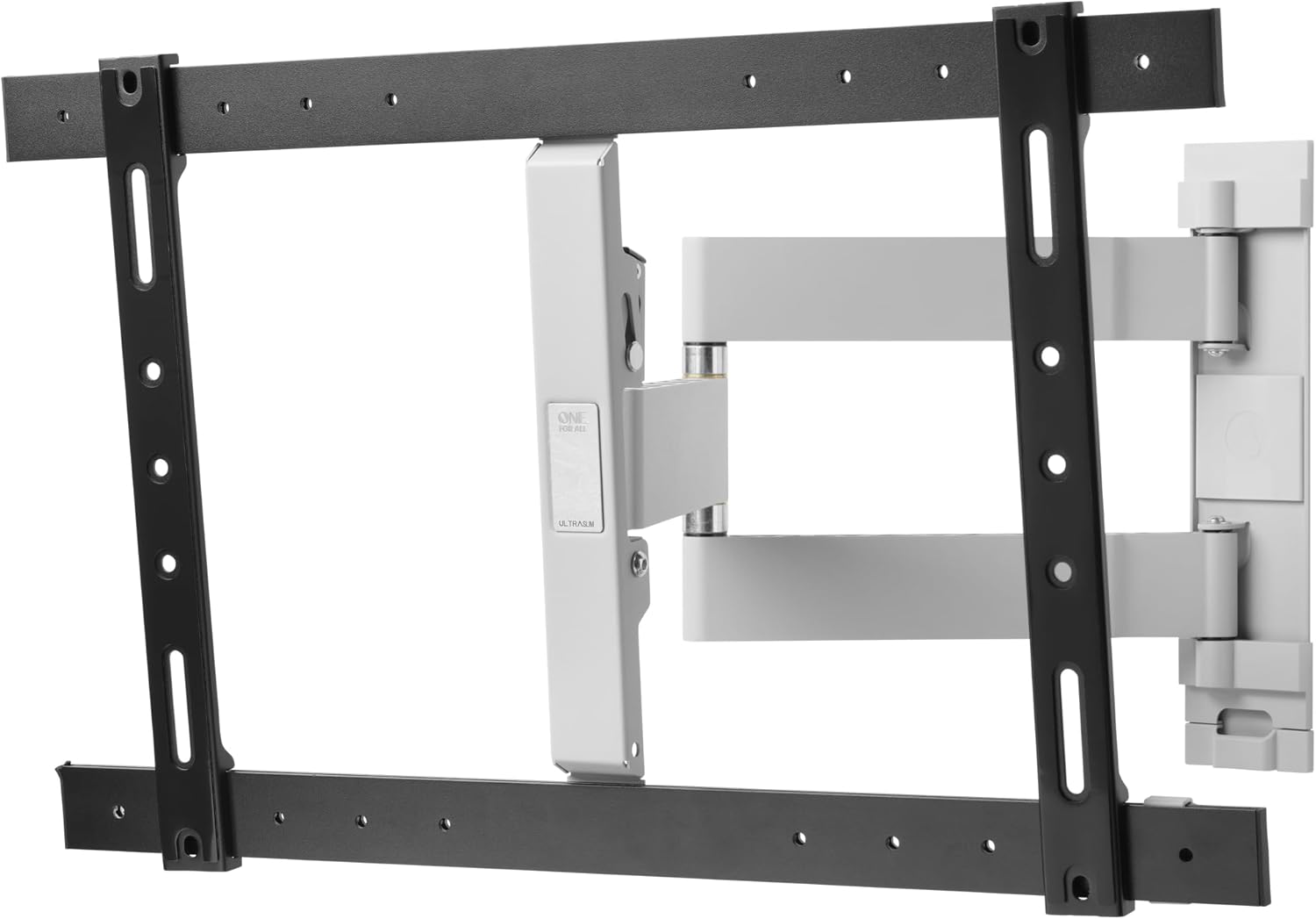
Image 1: The One For All WM6654 TV Wall Mount shown in its fully extended position, illustrating the articulating arms and TV mounting plate.
3. Klíčové vlastnosti
- Univerzální kompatibilita: Suitable for all LCD and LED TVs from 32 to 90 inches.
- Full-Motion Adjustment: Offers 180-degree swivel and 6-degree tilt for flexible viewIng.
- Ultra tenký design: Mounts TV only 35mm from the wall when retracted.
- Integrovaná správa kabelů: Conceals cables for a neat installation.
- Anti-Scratch Padding: Protects the TV from damage during mounting.
- Complete Installation Material: Includes all necessary screws, spirit level, and anchors.
- Kompatibilita VESA: Supports VESA sizes from 200x100 to 600x400.
Obrázek 2: Podrobný view of the integrated cable management system, designed to keep cables organized and out of sight.
4. Obsah balení
Before beginning installation, please verify that all components are present and undamaged. If any parts are missing or damaged, do not proceed with installation and contact customer support.
- TV Wall Mount Assembly (main unit with articulating arms)
- Držáky pro montáž televizoru (2 kusy)
- Nástěnná deska
- Hardware Kit (various screws, washers, spacers, concrete anchors)
- Vodováha
- Návod k použití
5. Nastavení a instalace
Důležité bezpečnostní informace:
- Ujistěte se, že konstrukce stěny unese celkovou hmotnost držáku a televizoru.
- Používejte vhodné nástroje a bezpečnostní vybavení.
- Pokud si nejste jisti některým krokem, poraďte se s kvalifikovaným odborníkem.
- Šrouby příliš neutahujte.
5.1 Kontroly před instalací
- Ověření kompatibility televizoru: Check your TV's VESA pattern (distance between mounting holes on the back of the TV) and weight. This mount supports VESA patterns from 200x100 to 600x400 and TVs up to 90 inches.
- Vyberte místo montáže: Select a suitable wall location, considering viewing angles, power outlets, and stud locations if mounting to wood studs.
- Sbírejte nástroje: You will need a drill, stud finder (if applicable), measuring tape, pencil, and screwdriver.
5.2 Instalace nástěnné desky
- Označení vrtaných otvorů: Position the wall plate on the desired location and use a pencil to mark the drilling holes. Use the included spirit level to ensure it is perfectly horizontal.
- Vrtací otvory: Drill pilot holes according to the marked positions and the type of wall (e.g., concrete, wood stud). Insert concrete anchors if required.
- Připevnění nástěnné desky: Secure the wall plate to the wall using the provided screws and washers. Ensure it is firmly attached.
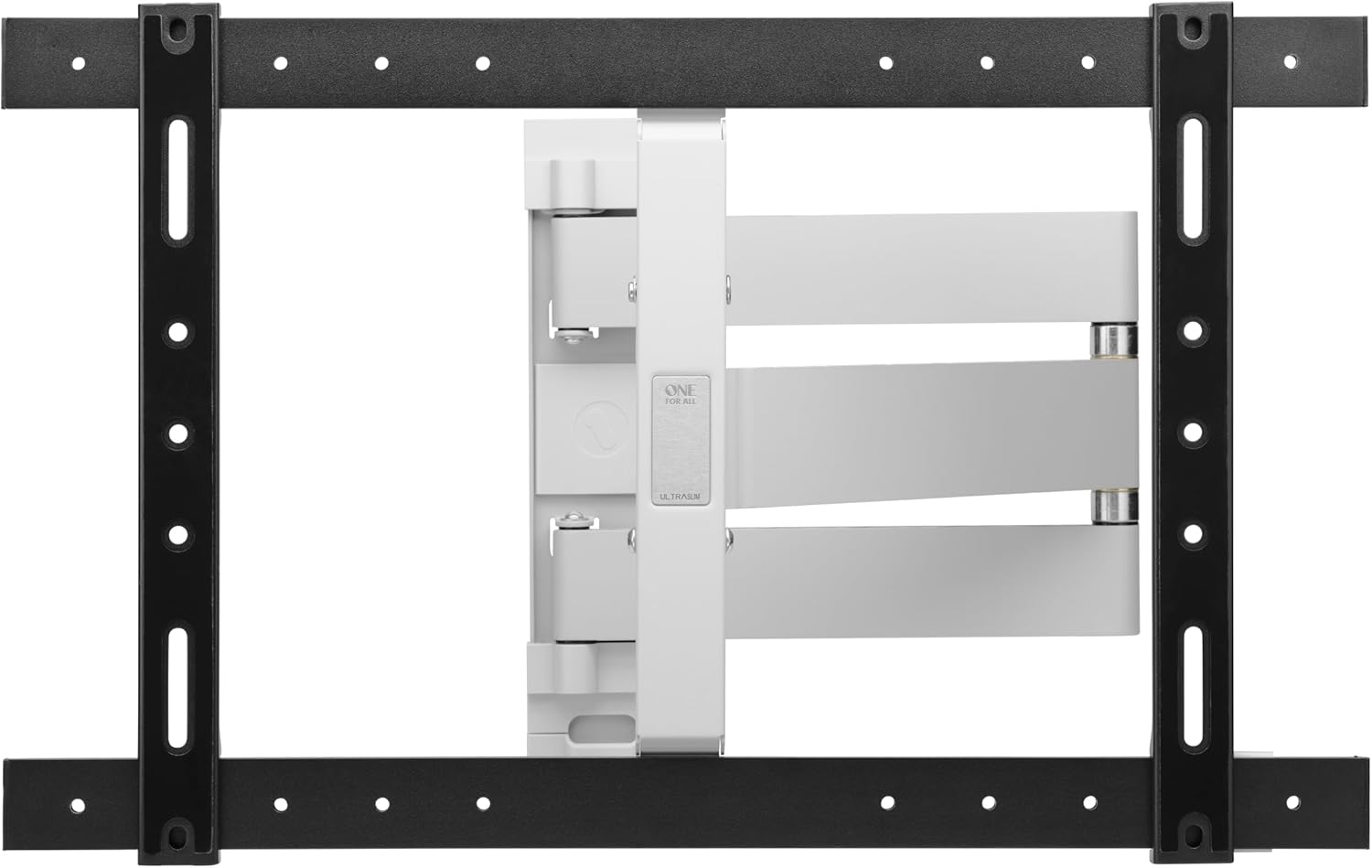
Image 3: The One For All WM6654 TV Wall Mount shown in its retracted position, demonstrating its minimal distance from the wall.
5.3 Attaching TV Brackets
- Select Screws: Choose the correct diameter and length of screws that fit your TV's VESA mounting holes. Use spacers if necessary to ensure proper fit and airflow.
- Připevněte držáky: Secure the TV mounting brackets to the back of your TV using the selected screws and washers. Ensure they are aligned and tightened securely. The anti-scratch padding on the arms will protect your TV.

Obrázek 4: Detailní záběr view illustrating how the TV mounting bracket attaches to the television, highlighting the secure connection points.
5.4 Montáž televizoru
- Zvednutí a hák: With assistance, carefully lift the TV and hook the brackets onto the wall plate.
- Zabezpečená televize: Engage any safety locks or screws on the brackets to prevent the TV from accidentally disengaging from the wall plate.
Tip: For additional guidance, download the free One For All app, which provides practical installation tools and instructions.
6. Návod k obsluze
Once your TV is securely mounted, you can adjust its position to achieve the best viewzkušenosti.
6.1 Nastavení natočení
The WM6654 mount allows for a 180-degree swivel. Gently pull the TV away from the wall and pivot it left or right to your desired viewing angle. Ensure the movement is smooth and does not strain any cables.

Image 5: A television mounted on the One For All WM6654, demonstrating its full-motion capabilities with the screen swiveled for optimal viewIng.
6.2 Nastavení sklonu
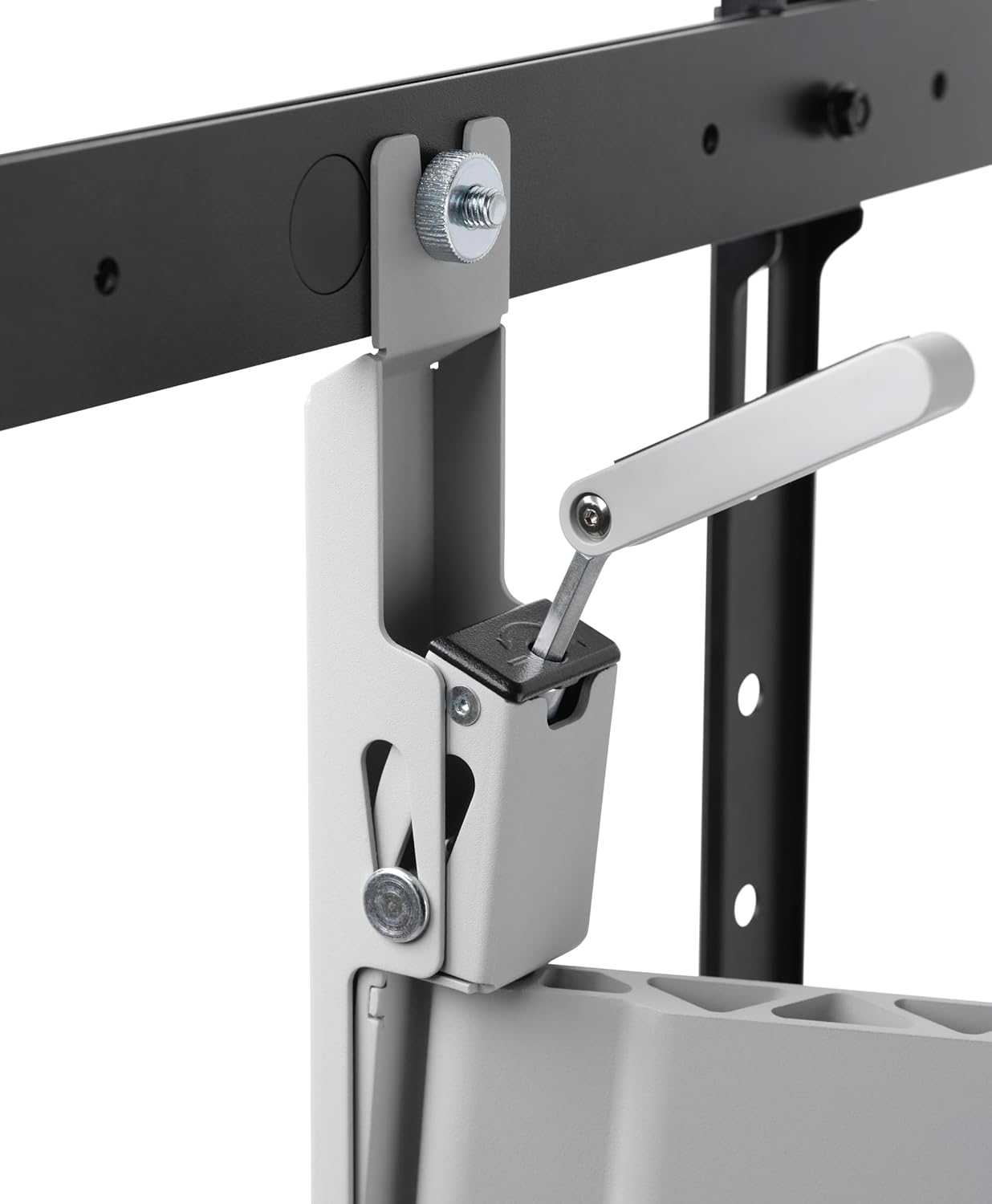
The mount supports a 6-degree tilt. This feature is useful for reducing glare from lights or windows. Locate the tilt adjustment mechanism (often a knob or lever) on the TV brackets or articulating arms. Loosen it slightly, adjust the TV to the desired tilt angle (forward or backward), and then re-tighten to secure the position.

Image 6: A close-up of the tilt adjustment mechanism, showing how to modify the vertical angle of the television.
6.3 Správa kabelů
Utilize the integrated cable management system to route and conceal your TV and accessory cables. This helps maintain a clean and organized appearance. Ensure cables have enough slack to accommodate full range of motion without tension.
7. Údržba
- Pravidelná kontrola: Pravidelně kontrolujte všechny šrouby a spoje, abyste se ujistili, že jsou pevně utažené a bezpečné.
- Čištění: Otřete držák měkkým, suchým hadříkem. Nepoužívejte abrazivní čisticí prostředky ani rozpouštědla.
- Mazání: The moving parts are designed for smooth operation and generally do not require lubrication. If movement becomes stiff, consult customer support.
8. Řešení problémů
| Problém | Možná příčina | Řešení |
|---|---|---|
| Televizor není v rovině. | Wall plate not installed level. | Remove TV, adjust wall plate using spirit level, re-mount TV. |
| Držák se zdá být uvolněný nebo nestabilní. | Screws are not fully tightened; incorrect wall anchors used. | Check and tighten all screws. Ensure appropriate anchors were used for your wall type. If problem persists, consult a professional. |
| Obtížné nastavení náklonu/otočení. | Adjustment mechanism is too tight or stiff. | Loosen the tilt/swivel locking mechanism slightly before adjusting. Do not force movement. |
| Cables are pinched or too tight. | Nesprávné vedení kabelu. | Re-route cables through the cable management system, ensuring sufficient slack for full range of motion. |
9. Specifikace
- Model: WM6654
- Značka: Jeden za všechny
- Materiál: Kov
- Kompatibilní velikosti televizorů: 32 - 90 palce
- Kompatibilita VESA: 200x100 až 600x400
- Typ pohybu: Otočení, naklonění
- Rozsah otáčení: 180 stupňů
- Rozsah náklonu: 6 degrees (forward/backward)
- Vzdálenost od zdi (zasunutá): 35 mm
- Maximum Wall Clearance (Extended): 700 mm
- Maximální nosnost: 40 kg (88 lb)
- Barva: Silver (Mount arms), Black (TV brackets, wall plate)
10. Záruka a podpora
One For All products are designed and manufactured to high quality standards. For detailed warranty information, please refer to the warranty card included with your product or visit the official One For All website. For technical support, troubleshooting assistance, or to inquire about replacement parts, please contact One For All customer service through their official channels.
Online zdroje:
- Oficiální Jeden pro všechny Webmísto: www.oneforall.com
- One For All Installation App (available on app stores)