1. Úvod
Thank you for choosing the Tellur PD202 Powerbank. This portable charger is designed to provide reliable power for your devices on the go. With a 5000 mAh capacity, Quick Charge 3.0 (18W), and Power Delivery (20W) capabilities, it ensures your devices are charged efficiently. Its compact design and integrated USB-C connector make it a convenient accessory for daily use.
2. Bezpečnostní upozornění
Please read all safety instructions before using this product to prevent injury or damage. Keep this manual for future reference.
- Nevystavujte powerbanku extrémním teplotám (nad 45 °C nebo pod -10 °C), přímému slunečnímu záření ani ohni.
- Zabraňte pádu, rozebírání nebo pokusu o vlastní opravu zařízení.
- Udržujte powerbanku mimo dosah vody a jiných tekutin.
- Do not use the power bank if it is damaged or swollen.
- Uchovávejte mimo dosah dětí.
- Powerbanku zlikvidujte zodpovědně v souladu s místními předpisy.
The product includes multiple safety features to protect both the power bank and your connected devices from overcharge, over-discharge, over-current, and short-circuit.
3. Konec produktuview
The Tellur PD202 Powerbank features a compact, red casing with an integrated USB-C connector for direct device charging. It includes LED indicators to display the remaining power level.
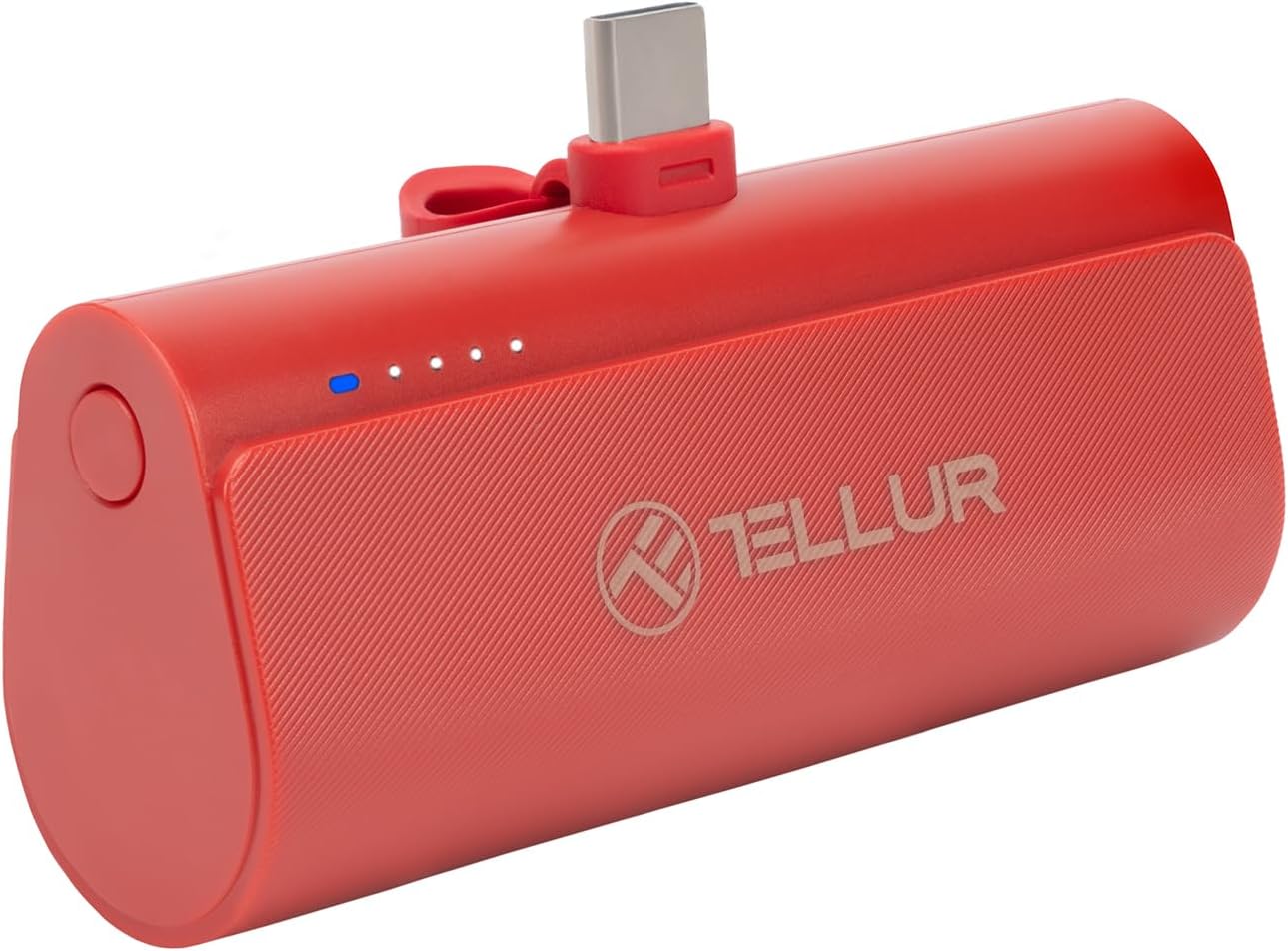
Obrázek 3.1: Přední view of the Tellur PD202 Powerbank, highlighting its compact design and LED power indicators.

Obrázek 3.2: Nahoru view of the power bank with the USB-C connector in its resting position.
4. Nastavení
4.1 První nabití powerbanky
Before first use, fully charge your Tellur PD202 Powerbank. This ensures optimal battery performance.
- Connect a USB-C charging cable (not included) to the power bank's USB-C input port.
- Connect the other end of the cable to a compatible USB wall adapter (5V/2A or higher recommended for faster charging).
- LED indikátory se rozsvítí, aby signalizovaly průběh nabíjení. Po úplném nabití budou všechny LED diody svítit nepřetržitě.

Obrázek 4.1: Charging the Tellur PD202 Powerbank using a USB-C cable.
5. Návod k obsluze
5.1 Nabíjení vašeho zařízení
The Tellur PD202 Powerbank features an integrated USB-C connector for direct charging of compatible devices.
- Extend the integrated USB-C connector from the power bank.
- Plug the USB-C connector directly into your device's USB-C charging port.
- The power bank will automatically begin charging your device. The LED indicators on the power bank will show its remaining battery level.
- Once your device is charged, or if you wish to stop charging, simply disconnect the power bank from your device.

Obrázek 5.1: Power bank directly charging a smartphone.

Obrázek 5.2: Example of the power bank in use, charging a phone on the go.
5.2 Kontrola stavu baterie
The LED indicators on the power bank show the remaining battery charge. Press the power button (if available) or observe the LEDs when a device is connected to check the level.
- 4 LED diody: 75-100% nabití
- 3 LED diody: 50-75% nabití
- 2 LED diody: 25-50% nabití
- 1 LED diod: Nabití 0–25 % (brzy dobití)

Obrázek 5.3: The PD202 Powerbank supports fast charging, significantly reducing charging time compared to normal charging.
6. Údržba
6.1 Čištění
To clean the power bank, gently wipe its surface with a soft, dry cloth. Do not use harsh chemicals, abrasive cleaners, or immerse the device in water.
6.2 Skladování
Store the power bank in a cool, dry place away from direct sunlight and extreme temperatures. If storing for an extended period, charge the power bank to approximately 50% every three months to maintain battery health.

Obrázek 6.1: Kompaktní design umožňuje snadné skladování a přenositelnost.
7. Řešení problémů
- Powerbanka se nenabíjí: Ensure the charging cable and wall adapter are functioning correctly. Check if the USB-C cable is securely connected to both the power bank and the power source.
- Zařízení se nenabíjí z powerbanky: Ensure the integrated USB-C connector is fully inserted into your device. Check if your device is compatible with USB-C charging. Verify the power bank has sufficient charge.
- Pomalé nabíjení: Ensure your device supports fast charging (PD/QC). Use a high-quality USB-C cable. Some devices may limit charging speed if they are in heavy use.
- Nefunkční LED indikátory: The power bank might be completely discharged. Try charging it for a few minutes. If the issue persists, contact support.
8. Specifikace
| Funkce | Specifikace |
|---|---|
| Model | PD202 |
| Kapacita | 5000 XNUMX mAh |
| Výstup | QC3.0 18W + PD20W |
| Vstup | USB-C |
| Rozměry (D x Š x V) | 2 x 2 x 2 cm |
| Hmotnost | 150 g |
| Barva | Červený |
| ASIN | B0CZF3Z7G5 |
9. Záruka a podpora
The Tellur PD202 Powerbank comes with a 2-letá záruka od data nákupu. Tato záruka se vztahuje na výrobní vady vzniklé při běžném používání.
For technical support, warranty claims, or further assistance, please refer to the contact information provided with your purchase or visit the official Tellur webmísto.


