1. Úvod
Thank you for choosing the Baseus Bowie E17 Wireless Earbuds. These in-ear headphones are designed to provide a superior audio experience with advanced features such as Bluetooth 5.3 connectivity, Environmental Noise Cancellation (ENC) for clear calls, and extended playtime. This manual will guide you through the setup, operation, and maintenance of your new earbuds.
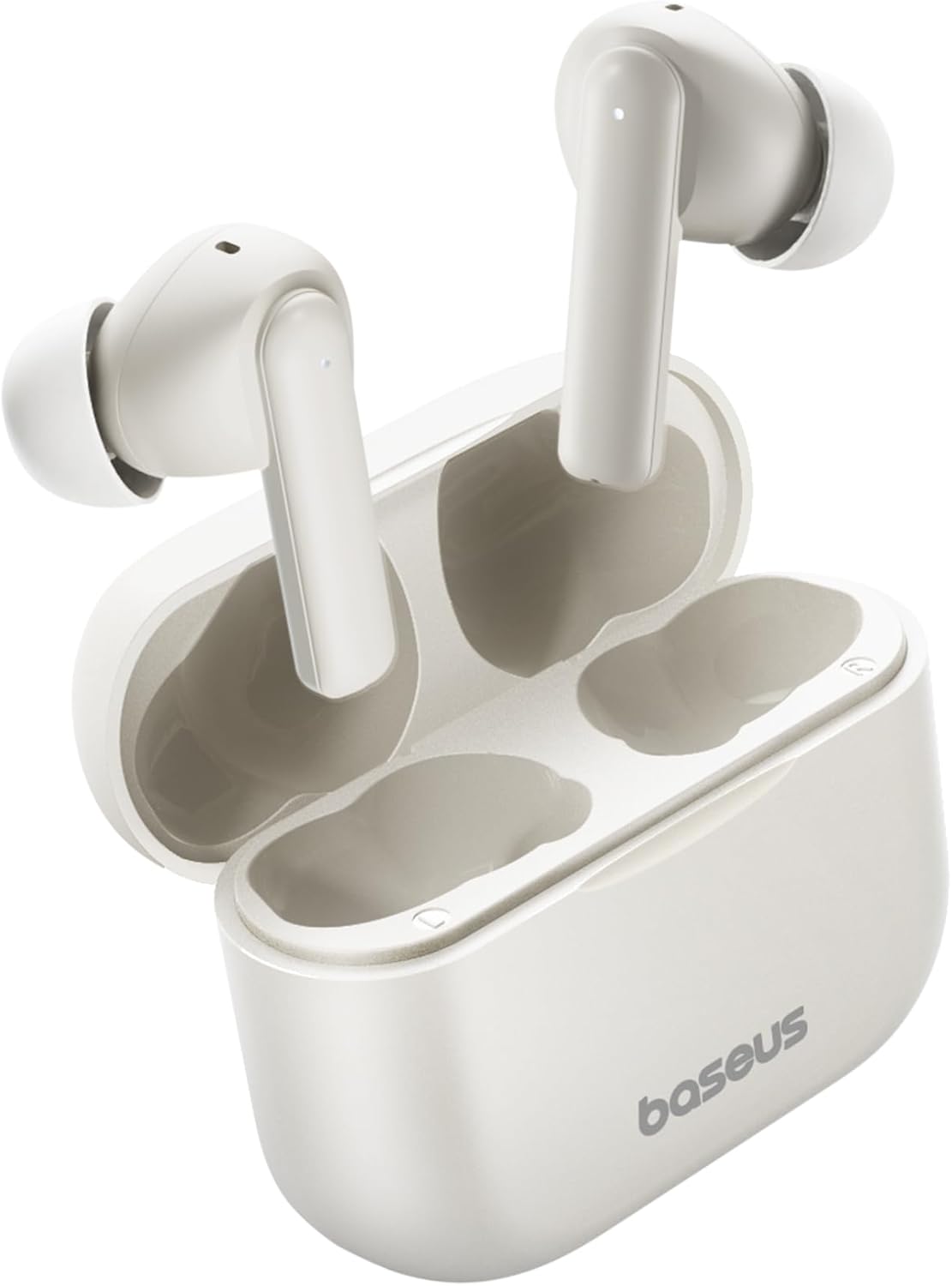
Image: Baseus Bowie E17 Wireless Earbuds in their charging case.
2. Co je v krabici
Zkontrolujte prosím obsah balení, abyste se ujistili, že jsou přítomny všechny položky:
- Baseus Bowie E17 Wireless Earbuds (Left and Right)
- Nabíjecí pouzdro
- Nabíjecí kabel USB-C
- Různé velikosti ušních nástavců
- Šňůrka
- Stručný průvodce / Uživatelská příručka
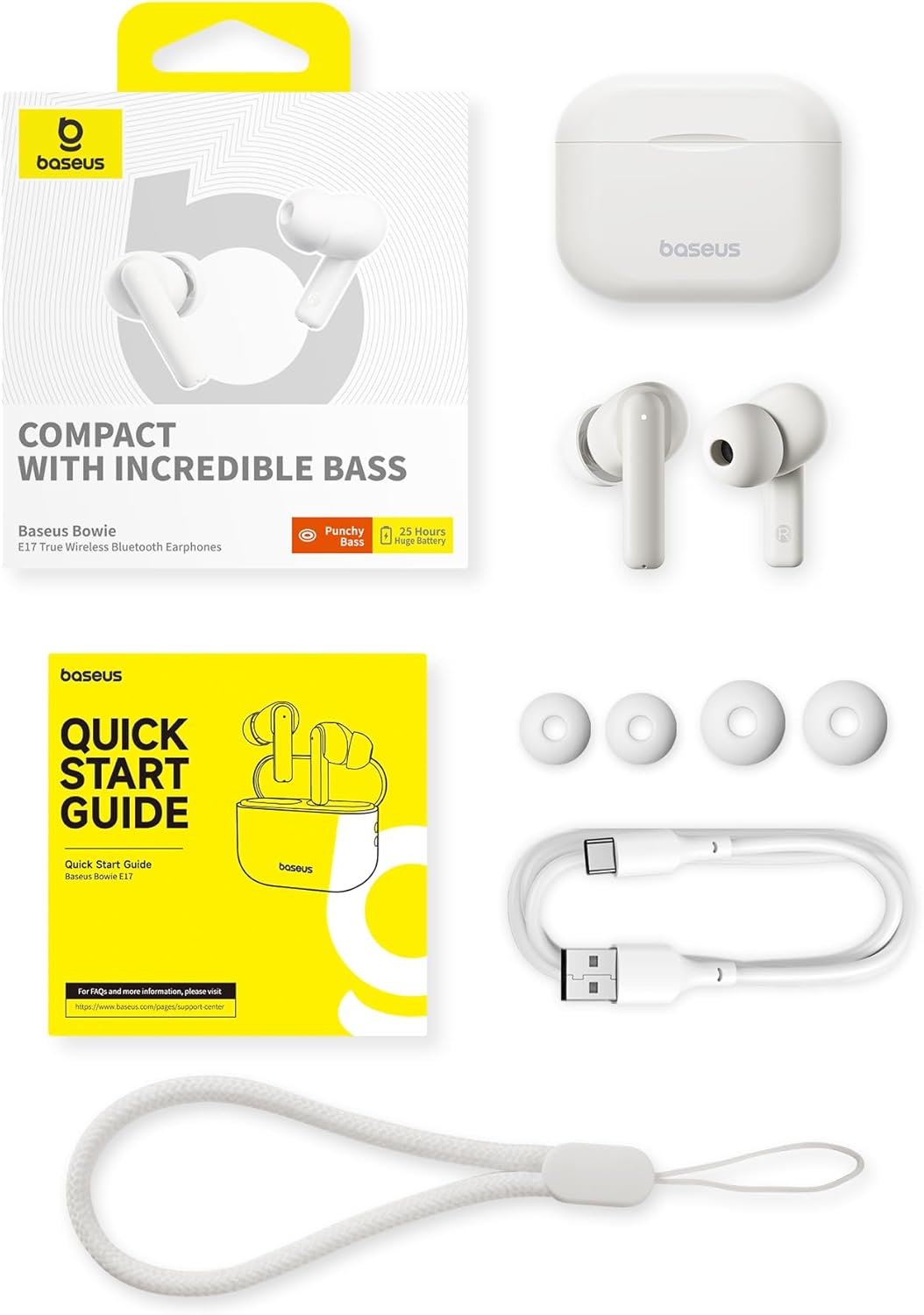
Image: All items included in the Baseus Bowie E17 product package.
3. Konec produktuview
The Baseus Bowie E17 earbuds are designed for comfort and performance. Each earbud features a touch-sensitive area for controls and a microphone for calls. The charging case protects the earbuds and provides additional battery life.
Součásti sluchátek:
- Oblast dotykového ovládání: Pro správu přehrávání, hovorů a hlasového asistenta.
- Mikrofon: Equipped with ENC for clear voice pickup.
- Ušní koncovka: Replaceable for optimal fit and sound isolation.
- Kontakty pro nabíjení: Nachází se ve spodní části držáku sluchátek.
Součásti nabíjecího pouzdra:
- Sloty pro sluchátka: Magnetic slots for secure earbud placement and charging.
- Nabíjecí port: Port USB-C pro nabíjení pouzdra.
- LED indikátor: Zobrazuje stav nabíjení a úroveň nabití baterie.
- Poutko na šňůrku: For attaching the included lanyard for easy carrying.

Image: The Baseus Bowie E17 charging case in black, showing the lanyard attachment point and the earbuds.
4. Nastavení
4.1. Nabíjení sluchátek a pouzdra
Before first use, fully charge the earbuds and the charging case. Place the earbuds into the charging case. Connect the USB-C charging cable to the case's charging port and plug the other end into a USB power source (e.g., wall adapter, computer USB port). The LED indicator on the case will show the charging status.
- A full charge provides up to 6 hours of playtime for the earbuds.
- The charging case extends the total playtime to approximately 25 hours.
- Fast charging capabilities allow for quick power-ups.

Image: Illustration highlighting the 25-hour total playtime with the charging case.
4.2. Párování s vaším zařízením
The Baseus Bowie E17 earbuds utilize Bluetooth 5.3 for a stable and efficient connection.
- Ujistěte se, že jsou sluchátka nabitá a vložená do nabíjecího pouzdra.
- Otevřete víko nabíjecího pouzdra. Sluchátka se automaticky přepnou do režimu párování, což bude signalizováno blikající LED kontrolkou na sluchátkách.
- Na svém zařízení (chytrý telefon, tablet, počítač) přejděte do nastavení Bluetooth.
- Hledat dostupná zařízení a ze seznamu vyberte „Baseus Bowie E17“.
- Once connected, the LED indicator on the earbuds will turn off or show a steady light, and your device will confirm the connection.
- Pokud se párování nezdaří, zavřete pouzdro, počkejte několik sekund a opakujte kroky.

Image: Visual representation of the enhanced Bluetooth 5.3 technology for faster and more stable connections.
5. Návod k obsluze
5.1. Stiskněte Ovládací prvky
The Baseus Bowie E17 earbuds feature intuitive touch controls on each earbud. The functions can be customized via the Baseus app (if available for your region).
| Akce | Funkce |
|---|---|
| Klepněte dvakrát (L/R) | Play/Pause, Answer Call, Hang Up |
| Tap thrice (L/R) | Aktivujte hlasového asistenta |
| Press-hold (L/R) 1.5s | Previous/Next Track, Reject Call |

Image: A visual guide to the touch controls available on the Baseus Bowie E17 earbuds.
5.2. Uskutečňování a přijímání hovorů
The earbuds are equipped with dual-mic Environmental Noise Cancellation (ENC) to ensure clear communication even in noisy environments.
- Přijetí hovoru: Dvakrát klepněte na kterékoli sluchátko.
- Ukončení hovoru: Dvakrát klepněte na kterékoli sluchátko.
- Odmítnutí hovoru: Stiskněte a podržte jedno ze sluchátek po dobu 1.5 sekund.

Image: Illustration of the ENC microphone system for crystal-clear call quality.
5.3. Přehrávání zvuku
Experience immersive sound with the 12mm large drivers, delivering deep bass and clear audio.
- Přehrát/pozastavit: Dvakrát klepněte na kterékoli sluchátko.
- Další skladba: Stiskněte a podržte pravé sluchátko po dobu 1.5 sekund.
- Předchozí skladba: Stiskněte a podržte levé sluchátko po dobu 1.5 sekund.

Obrázek: Podrobný view of the 12mm oversized PU composite driver, responsible for powerful bass.
6. Údržba
Proper maintenance ensures the longevity and optimal performance of your Baseus Bowie E17 earbuds.
- Čištění: Pravidelně čistěte sluchátka, nástavce do uší a nabíjecí kontakty měkkým, suchým hadříkem, který nepouští vlákna. Nepoužívejte agresivní chemikálie ani abrazivní materiály.
- Skladování: Pokud sluchátka nepoužíváte, vždy je ukládejte do nabíjecího pouzdra, abyste je chránili před prachem, nečistotami a poškozením.
- Voděodolnost: The earbuds are IPX5 waterproof, meaning they are resistant to sweat and light splashes. Do not submerge them in water or expose them to heavy rain. Dry them thoroughly before placing them back in the charging case if they get wet.
- Teplota: Nevystavujte sluchátka extrémním teplotám (horku nebo chladu) ani vysoké vlhkosti.
7. Řešení problémů
If you encounter any issues with your Baseus Bowie E17 earbuds, please refer to the following common solutions:
- Sluchátka se nespárují:
- Ujistěte se, že jsou obě sluchátka nabitá.
- Vložte sluchátka zpět do pouzdra, zavřete víko, počkejte 5 sekund a poté víko otevřete pro opětovný vstup do režimu párování.
- Vypněte a zapněte Bluetooth na vašem zařízení.
- Forget/delete "Baseus Bowie E17" from your device's Bluetooth list and try pairing again.
- Funguje pouze jedno sluchátko:
- Ujistěte se, že jsou obě sluchátka nabitá.
- Place both earbuds in the charging case, close the lid, and then open it again. This often re-syncs them.
- Vyčistěte nabíjecí kontakty na obou sluchátkách a uvnitř pouzdra.
- Nízká hlasitost nebo špatná kvalita zvuku:
- Upravte hlasitost na připojeném zařízení.
- Ujistěte se, že jsou ušní nástavce správně utěsněny ve zvukovodu. Vyzkoušejte ušní nástavce různých velikostí.
- Vyčistěte mřížku reproduktoru sluchátek od nečistot.
- Nabíjecí pouzdro se nenabíjí:
- Zkuste jiný kabel USB-C a napájecí adaptér.
- Ujistěte se, že je nabíjecí kabel bezpečně připojen k pouzdru i ke zdroji napájení.
If the issue persists after trying these steps, please contact Baseus customer support for further assistance.
8. Specifikace
| Funkce | Detail |
|---|---|
| Číslo modelu | A00072200223-Z1 (E17) |
| Značka | Baseus |
| Verze Bluetooth | 5.3 |
| Umístění uší | V uchu |
| Form Factor | Skutečné bezdrátové |
| Velikost ovladače | 12 mm |
| Kontrola hluku | Environmental Noise Cancellation (ENC) for Mics |
| Doba hraní (sluchátka) | Až 6 hodin (na jedno nabití) |
| Celková doba přehrávání (s pouzdrem) | Až 25 hodin |
| Nabíjecí port | USB-C |
| Voděodolnost | IPX5 |
| Typ baterie | Lithium Ion (součástí balení) |
| Barva | Bílý |
| Země původu | Čína |
9. Záruka a podpora
Baseus products are manufactured to high quality standards. For information regarding warranty coverage, please refer to the warranty card included in your product packaging or visit the official Baseus website. For technical support, troubleshooting assistance beyond this manual, or service inquiries, please contact Baseus customer support through their official channels.
You can often find additional support and FAQs on the Baseus official webwebu nebo prostřednictvím prodejce, u kterého jste produkt zakoupili.


