1. Úvod
This manual provides instructions for the Baseus 100W 5A USB-C Fast Charging Cable. This cable is designed for efficient power delivery and data transfer between compatible USB-C devices. Please read this manual thoroughly before use to ensure proper operation and longevity of the product.
2. Klíčové vlastnosti
- Vysoký výkon: Supports up to 100W (20V/5A) fast charging for laptops, tablets, and smartphones.
- Digitální displej spotřeby: Integrated display shows real-time charging wattage.
- Zvýšená odolnost: Features a double-layer anti-bend design, reinforced cable ends, and a long-lasting zinc alloy port for increased resilience.
- Embedded E-Marker Chip: Ensures safe and stable charging by regulating current and voltage.
- Přenos dat: Supports data transfer speeds up to 480 Mbps (USB 2.0 standard).
- Široká kompatibilita: Compatible with various USB-C devices including phones, tablets, and laptops.

Image 1: Baseus 100W USB-C Cable demonstrating full speed charging.

Image 2: Digital display on the USB-C connector showing real-time charging wattage.
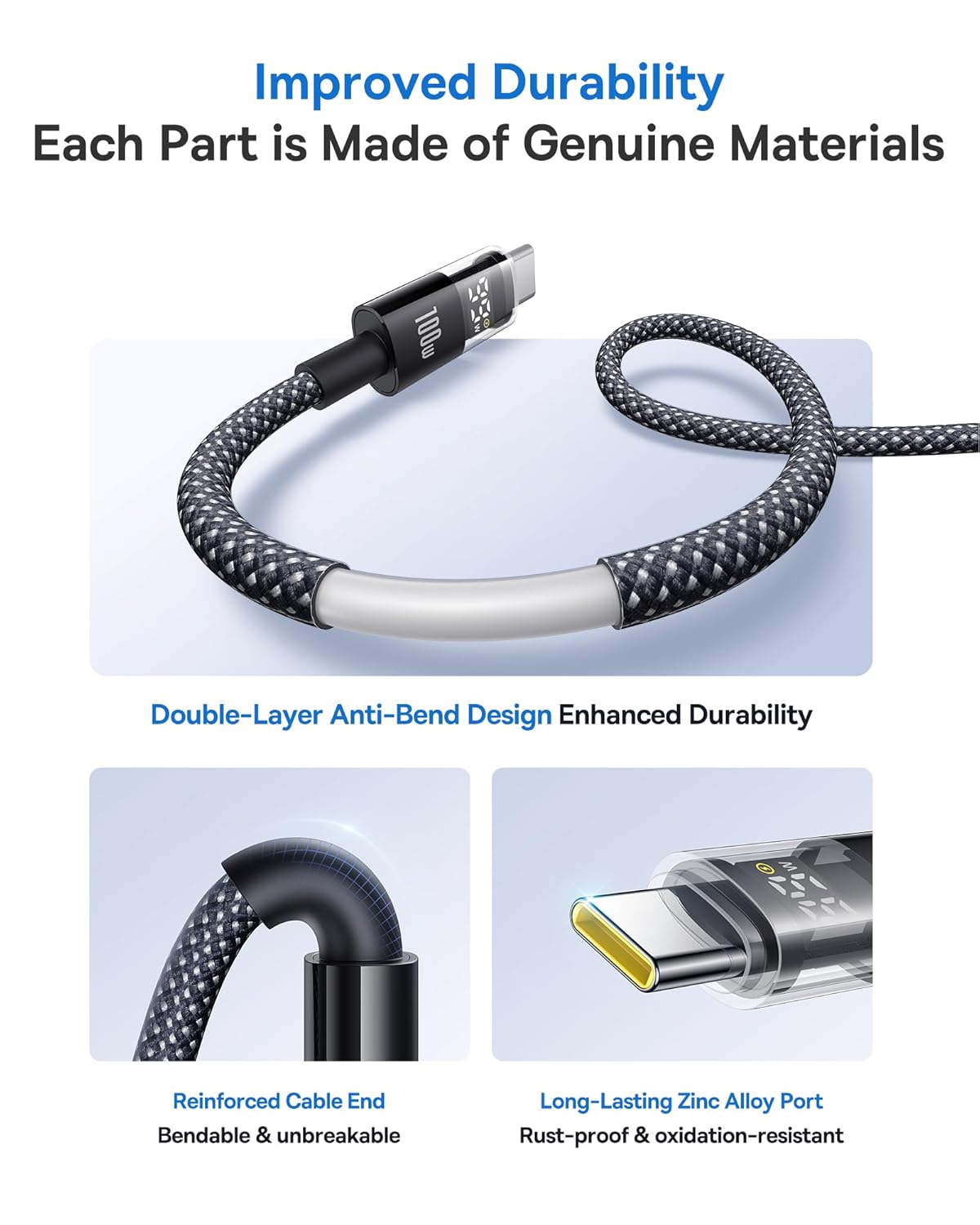
Image 3: Illustration of the cable's improved durability features.

Image 4: Explanation of the embedded E-Marker chip for reliable and safe charging.
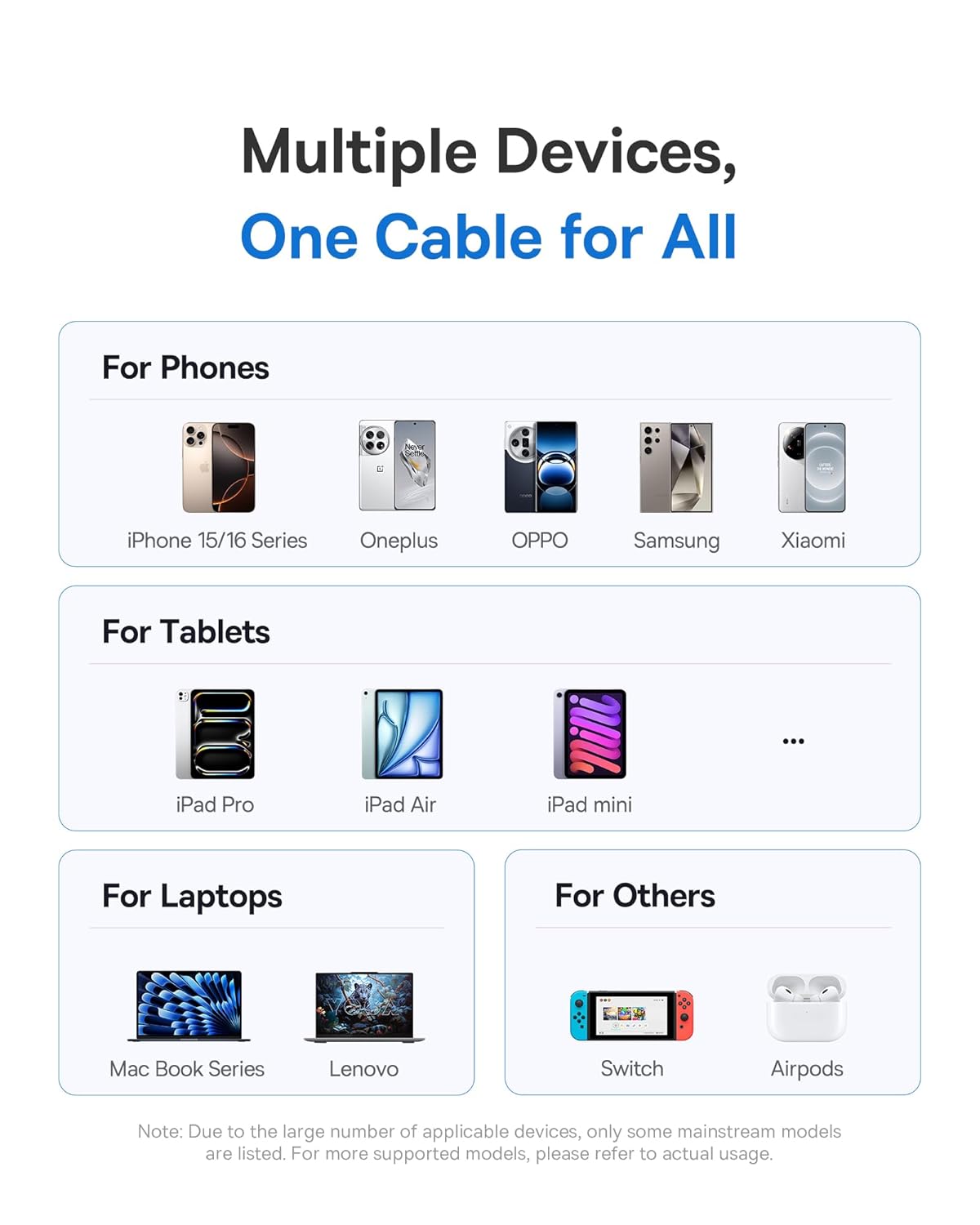
Obrázek 5: Konecview of the wide compatibility with multiple devices.
3. Nastavení
The Baseus USB-C Fast Charging Cable is designed for plug-and-play functionality. No specific software or driver installation is required.
- Identify the USB-C port on your charging adapter or host device (e.g., computer, power bank).
- Identify the USB-C port on your target device (e.g., smartphone, tablet, laptop).
- Insert one end of the Baseus USB-C cable into the charging adapter/host device.
- Insert the other end of the Baseus USB-C cable into your target device.
- Ensure both connections are firm.
4. Návod k obsluze
4.1. Nabíjecí zařízení
Nabíjení zařízení:
- Připojte kabel podle popisu v části „Nastavení“.
- Once connected, the digital display on the cable's connector will illuminate, showing the current charging wattage. This indicates that power is being delivered to your device.
- For optimal fast charging, ensure both your charging adapter and device support Power Delivery (PD) and the required wattage (až 100W).
4.2. Přenos dat
Pro přenos dat mezi zařízeními:
- Connect the cable between two compatible USB-C devices (e.g., computer and external hard drive).
- Your devices should recognize each other automatically.
- Initiate data transfer through your device's operating system or file software pro správu.
- The cable supports data transfer speeds up to 480 Mbps (USB 2.0).
5. Údržba
Proper care will extend the life of your Baseus USB-C cable.
- Skladování: Store the cable in a clean, dry place away from extreme temperatures. Avoid tightly coiling or kinking the cable.
- Čištění: K otření kabelu a konektorů použijte měkký, suchý hadřík. Nepoužívejte tekuté čisticí prostředky ani abrazivní materiály.
- Zacházení: Always grasp the connector head when plugging or unplugging the cable. Avoid pulling directly on the cable itself to prevent damage to the internal wires and connectors.
- Vyvarujte se ohýbání: While the cable features an anti-bend design, excessive or sharp bending, especially near the connectors, should be avoided.
6. Řešení problémů
| Problém | Možná příčina | Řešení |
|---|---|---|
| Zařízení se nenabíjí. |
|
|
| Pomalá rychlost nabíjení. |
|
|
| Digitální displej nefunguje. |
|
|
| Data transfer issues. |
|
|
7. Specifikace
| Značka | Baseus |
| Číslo modelu | 850060076763 |
| Typ konektoru | USB Type C (Male-to-Male) |
| Barva | Šedá |
| Wattage | Až 100 wattů |
| Proud | Až do 5 Amps |
| Rychlost přenosu dat | 480 Megabytes Per Second (USB 2.0) |
| Hmotnost položky | 91 g |
| Rozměry balení | 15.29 x 9.09 x 2.39 cm |
8. Záruka a podpora
Informace o záruce a zákaznické podpoře naleznete v dokumentaci dodané s vaším nákupem nebo se obraťte přímo na prodejce/výrobce. Uschovejte si doklad o koupi pro případné reklamace.
Manufacturer: Baseus


