1. Úvod
Welcome to the user manual for your VGN N75 Gaming Keyboard. This manual provides essential information on setting up, operating, maintaining, and troubleshooting your new keyboard. The VGN N75 is a compact, numeric keyless mechanical keyboard designed for an optimal gaming and typing experience.

Figure 1.1: VGN N75 Gaming Keyboard with RGB lighting enabled.

Obrázek 1.2: Úhlové view of the VGN N75 keyboard, highlighting its compact form factor.
2. Bezpečnostní informace
Please read the following safety guidelines carefully before using your VGN N75 keyboard:
- Chraňte klávesnici před tekutinami a nadměrnou vlhkostí, abyste předešli jejímu poškození.
- Nevystavujte klávesnici extrémním teplotám (horkým ani nízkým).
- Do not attempt to disassemble or modify the keyboard. This may void your warranty and cause damage.
- Use only the provided USB-C cable for connection.
- Zacházejte opatrně, abyste zabránili fyzickému poškození v důsledku pádů nebo nárazů.
3. Vlastnosti produktu
The VGN N75 keyboard is engineered with several features to enhance your typing and gaming experience:
- Kompaktní rozvržení 75 %: The US82 key numeric keyless design offers a space-saving solution compared to full-size keyboards, providing more desk space for mouse movement.
- Advanced Internal Construction: Features multiple buffer layers and specially tuned stabilizers for a smooth, quiet, and consistent typing experience.
- VGN "Dynamic Silver" Mechanical Switches: Equipped with VGN's original linear mechanical switches, offering a responsive feel and vibrant RGB illumination.
- Výrazný design: The "Caribbean Blue" model features striking keycap colors, adding a unique aesthetic to your setup.
- Integrated Metal Volume Knob: A conveniently located metal rotary knob allows for quick and precise volume adjustments, useful for both work and gaming.
- Přizpůsobitelné RGB osvětlení: Enjoy dynamic and customizable RGB backlight options to personalize your keyboard's appearance.

Figure 3.1: The compact 75% layout of the VGN N75, demonstrating its space-saving advantage over a traditional full-size keyboard.

Figure 3.2: Detail of the VGN N75's unique "Dynamic Silver" mechanical switches, known for their linear feel and RGB compatibility.

Figure 3.3: An exploded diagram illustrating the multiple buffer layers and components within the VGN N75 keyboard, contributing to its smooth and quiet operation.

Figure 3.4: Close-up of the metal volume knob, providing convenient audio control.
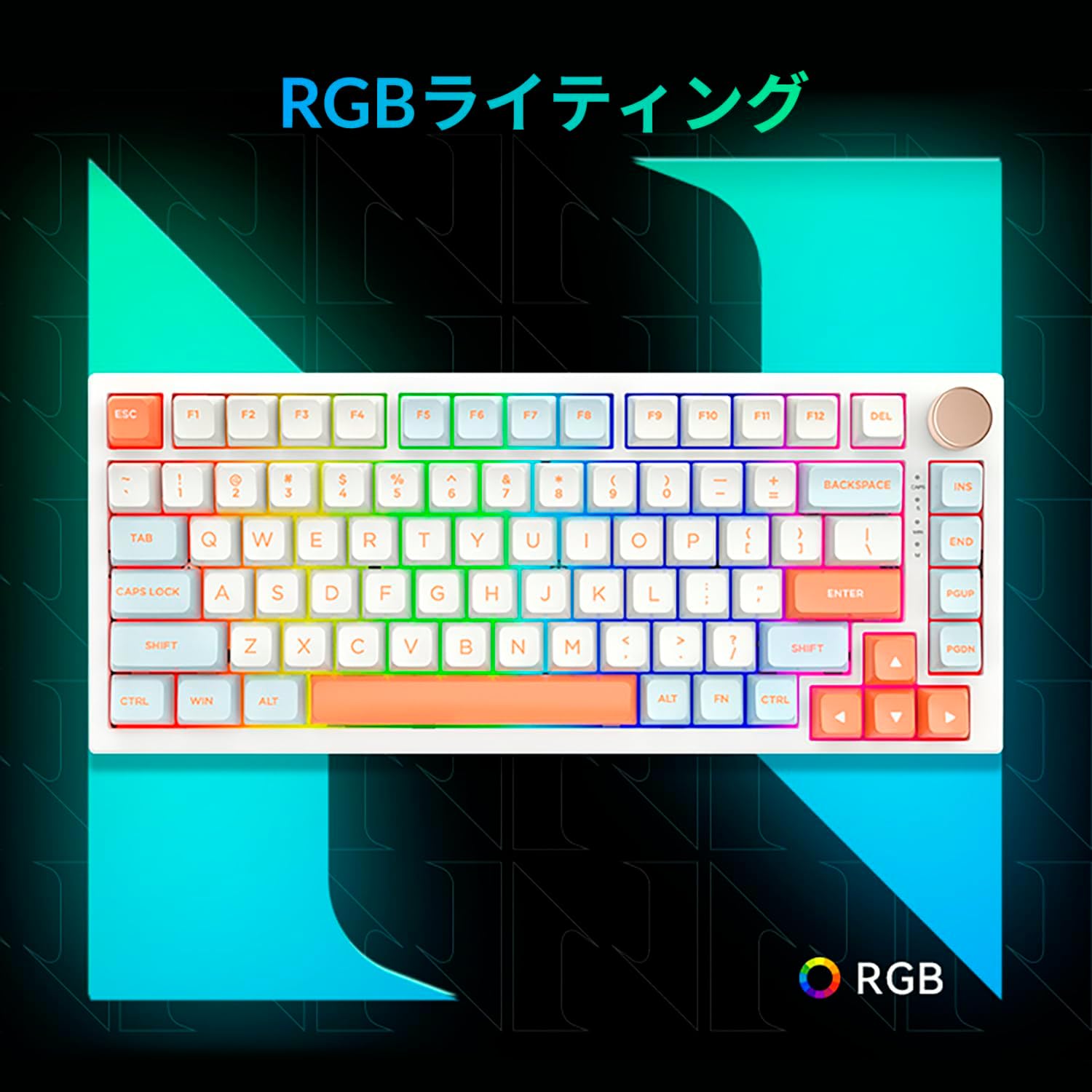
Figure 3.5: The VGN N75 keyboard displaying its customizable RGB lighting, enhancing the visual appeal.
4. Průvodce nastavením
Follow these steps to set up your VGN N75 keyboard:
- Rozbalte klávesnici: Carefully remove the keyboard and all included accessories (USB cable, keycap puller, replacement key) from the packaging.
- Připojení kabelu USB-C: Insert one end of the provided USB-C cable into the USB-C port on the keyboard.
- Připojte se k vašemu zařízení: Plug the other end of the USB-C cable into an available USB port on your computer or laptop.
- Instalace ovladače (automatická): The keyboard is plug-and-play. Your operating system should automatically detect and install the necessary drivers. No manual driver installation is typically required.
- Počáteční test: Open a text editor or any application to test the keys and ensure all functions are working correctly.
5. Návod k obsluze
This section details the basic operation of your VGN N75 keyboard:
5.1. Základní funkce kláves
The VGN N75 features a standard US82 key layout. All keys function as labeled. For specific key combinations or software-defined macros, refer to any accompanying software documentation (if applicable, not included in this manual).
5.2. Using the Rotary Knob
- Ovládání hlasitosti: Otáčením knoflíku ve směru hodinových ručiček hlasitost zvýšíte, otáčením proti směru hodinových ručiček hlasitost snížíte.
- Ztlumit/Zapnout: Press the knob to mute or unmute audio.
5.3. Ovládání RGB osvětlení
The VGN N75 supports RGB lighting. While specific key combinations for lighting modes are not provided in the product description, most RGB keyboards allow cycling through effects using function key combinations (e.g., Fn + F-keys or dedicated lighting keys). Experiment with the 'Fn' key in combination with other keys (like arrow keys or Ins/Del/Home/End/PgUp/PgDn) to discover lighting controls.
6. Údržba
Správná údržba prodlouží životnost vaší klávesnice:
- Čištění:
- Před čištěním odpojte klávesnici od počítače.
- Použijte měkký hadřík, který nepouští vlákna dampKlávesy a rámeček otřete vodou nebo jemným čisticím roztokem.
- Pro odstranění prachu a nečistot mezi klávesami použijte stlačený vzduch.
- Nestříkejte tekutinu přímo na klávesnici.
- Výměna kláves a spínačů:
- The keyboard comes with a keycap puller and a replacement key.
- To remove a keycap, gently use the keycap puller to grip the keycap and pull upwards.
- To replace a keycap, align it with the switch stem and press down firmly until it clicks into place.
- Poznámka: The VGN N75 features hot-swappable switches, allowing for easy replacement without soldering. To remove a switch, use a switch puller (not explicitly listed as included, but implied by "hot-swappable") to gently pry it out. Align the new switch's pins with the sockets and press firmly until it seats correctly.
7. Řešení problémů
If you encounter issues with your VGN N75 keyboard, try the following solutions:
- Klávesnice nereaguje:
- Ujistěte se, že je kabel USB-C bezpečně připojen ke klávesnici i k počítači.
- Zkuste zapojit klávesnici do jiného USB portu na počítači.
- Restartujte počítač.
- Otestujte klávesnici na jiném počítači, abyste vyloučili problém specifický pro systém.
- Klíče se neregistrují:
- Zkontrolujte, zda se pod klávesou nenacházejí nějaké fyzické překážky.
- If a specific key is not working, consider replacing its switch if you have a switch puller and replacement switches.
- Problémy s RGB osvětlením:
- Ujistěte se, že je klávesnice správně napájena.
- Try cycling through lighting modes using the keyboard's function key combinations.
- Rotary Knob Not Working:
- Zkontrolujte, zda se kolem knoflíku nenacházejí nějaké fyzické překážky.
- Ujistěte se, že je klávesnice správně připojena.
8. Specifikace
| Atribut | Detail |
|---|---|
| Značka | VGN |
| Číslo modelu | N75BLUE |
| Série | N75 |
| Barva | Modrý |
| Popis klávesnice | Mechanické |
| Počet klíčů | 82 |
| Technologie připojení | USB-C |
| Typ zdroje napájení | USB napájení |
| Kompatibilní zařízení | Přenosný počítač |
| Doporučené použití produktu | Hraní |
| Keyboard Backlight Colour Support | RGB |
| Materiál | Plast |
| Zahrnuté komponenty | Keycap Puller, Replacement Key, USB Cable |
| Rozměry balení | 42.1 x 18.8 x 6.5 cm; 1.1 kg |
| Datum první dostupnosti | 22. března 2024 |
9. Záruka a podpora
The VGN N75 Gaming Keyboard comes with a 1-year warranty from the date of purchase, as indicated in the product listing. This warranty covers manufacturing defects under normal use.
For warranty claims, technical support, or further inquiries, please contact your point of purchase or the official VGN support channels. Keep your proof of purchase for warranty validation.
Poznámka: Unauthorized disassembly or modification of the product may void the warranty.


