Zavedení
This manual provides comprehensive instructions for the PRITOM M10 Android Tablet. Please read this guide thoroughly before using your device to ensure proper operation and to maximize its features. Keep this manual for future reference.
1. Nastavení
1.1 Obsah balení
Ověřte, zda jsou v balení přítomny všechny položky:
- PRITOM M10 Android Tablet
- Klávesnice
- Bezdrátová myš
- Flat Protective Cover
- Napájecí adaptér
- Datový kabel (USB-C)
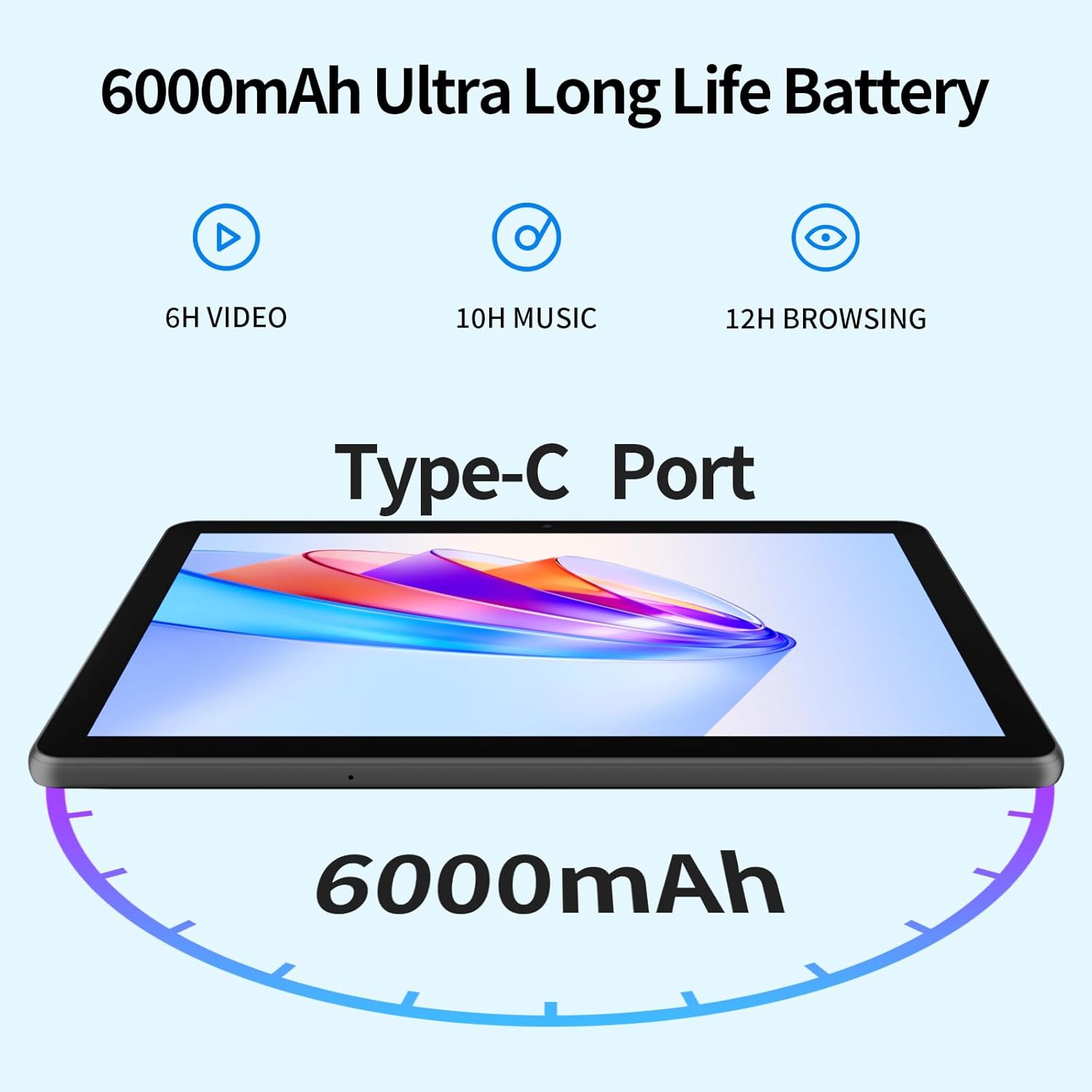
Image 1.1: Included accessories with the PRITOM M10 Tablet.
1.2 Počáteční nabíjení
Before first use, fully charge the tablet. Connect the provided USB-C data cable to the tablet's Type-C port and the power adapter. Plug the adapter into a wall outlet. The charging indicator will illuminate.
1.3 Zapnutí/vypnutí
- Zapnutí: Press and hold the Power Button located on the side of the tablet until the screen lights up.
- Vypnutí: Press and hold the Power Button, then select 'Power Off' from the options displayed on the screen.
- Restartovat: Stiskněte a podržte tlačítko napájení a poté z možností vyberte „Restartovat“.

Image 1.2: Hardware overview of the PRITOM M10 Tablet, indicating button and port locations.
1.4 Síťové připojení (Wi-Fi)
- Přejděte do sekce „Nastavení“ > „Síť a internet“ > „Wi-Fi“.
- Zapněte Wi-Fi.
- Vyberte ze seznamu požadovanou síť Wi-Fi.
- Enter the password if prompted, then tap 'Connect'.
2. Návod k obsluze
2.1 Uživatelské rozhraní a navigace
The PRITOM M10 Tablet runs on Android 13, providing an intuitive user experience. Navigate by tapping, swiping, and pinching on the 10-inch HD IPS display.

Image 2.1: The PRITOM M10 Tablet's 1280x800 HD IPS display in use.
2.2 Použití kamery
The tablet is equipped with a 2.0 MP front camera and an 8.0 MP rear camera.
- Otevřete aplikaci „Fotoaparát“.
- Klepnutím na ikonu fotoaparátu přepínáte mezi předním a zadním fotoaparátem.
- Klepnutím na tlačítko spouště můžete pořídit fotografie nebo spustit/zastavit nahrávání videa.
2.3 Zvukové funkce
The PRITOM M10 features dual speakers for enhanced audio output. A 3.5mm headphone jack is also available for private listening.
2.4 Správa úložiště
The tablet comes with 64GB of internal storage and supports Micro SD card expansion up to 1TB. To insert a Micro SD card, locate the dual card slot as shown in Image 1.2.

Image 2.2: Storage and RAM specifications of the PRITOM M10 Tablet.
2.5 Všestranné případy použití
The PRITOM M10 tablet is designed for various activities, including learning, reading, watching videos, listening to music, making video calls, and productivity tasks.

Obrázek 2.3: Příkladamples of how the PRITOM M10 Tablet can be utilized.
3. Údržba
3.1 Péče o baterii
The tablet is equipped with a 6000mAh lithium battery. To prolong battery life:
- Vyhněte se extrémním teplotám.
- Nenechávejte baterii často zcela vybíjet.
- Použijte originální nabíječku a kabel.

Image 3.1: PRITOM M10 Tablet 6000mAh battery performance estimates.
3.2 Čištění
K čištění obrazovky a těla tabletu používejte měkký hadřík, který nepouští vlákna. Nepoužívejte agresivní chemikálie ani abrazivní materiály.
3.3 Aktualizace softwaru
Pravidelně kontrolujte a instalujte aktualizace softwaru, abyste zajistili optimální výkon a zabezpečení. Přejděte do části „Nastavení“ > „Systém“ > „Aktualizace systému“.
4. Řešení problémů
4.1 Běžné problémy
- Tablet se nezapíná: Ujistěte se, že je baterie nabitá. Před zapnutím připojte zařízení k nabíječce alespoň na 30 minut.
- Obrazovka nereaguje: Try restarting the tablet. If unresponsive, press and hold the power button for 10-15 seconds to force a shutdown, then power on again.
- Problémy s připojením Wi-Fi: Zkontrolujte, zda je povoleno Wi-Fi. Restartujte router a tablet. Ujistěte se, že zadáváte správné heslo.
- Pomalý výkon: Close unused applications. Clear cache regularly. Consider uninstalling unnecessary apps.
4.2 Obnovení továrního nastavení
Obnovení továrního nastavení vymaže všechna data z tabletu a obnoví jeho původní tovární nastavení. Před pokračováním si zálohujte důležitá data.
- Přejděte do části „Nastavení“ > „Systém“ > „Možnosti resetu“.
- Vyberte možnost „Vymazat všechna data (obnovení továrního nastavení)“.
- Potvrďte svou volbu a postupujte podle pokynů na obrazovce.
5. Specifikace
| Funkce | Specifikace |
|---|---|
| Značka | PRITOM |
| Název modelu | M10 |
| Operační systém | Android 13 |
| Velikost obrazovky | 10 palce |
| Rozlišení displeje | 1280 x 800 pixelů (HD IPS) |
| Procesor | Octa-Core (Qualcomm) |
| BERAN | 8 GB (4 GB + 4 GB rozšíření) |
| Interní úložiště | 64 GB |
| Rozšiřitelné úložiště | Up to 1 TB (Micro SD, not included) |
| Zadní kamera | 8.0 MP |
| Přední kamera | 2.0 MP |
| Kapacita baterie | 6000 XNUMX mAh |
| Konektivita | Wi-Fi (802.11n) |
| Porty | Type-C, 3.5mm Headphone Jack, Dual Card Slot |
| Barva | Černý |
6. Záruka a podpora
Your PRITOM M10 Tablet is covered by a standard manufacturer's warranty. Please refer to the warranty card included in your package for specific terms and conditions. For technical support or warranty claims, please contact PRITOM customer service through their official webna webu nebo u prodejce, kde byl produkt zakoupen.