1. Úvod
This manual provides essential information for the safe and efficient operation of your JVC TiVo LT-40VF5355 40-inch Full HD Smart TV. Please read these instructions thoroughly before using the television and retain them for future reference.
The JVC TiVo LT-40VF5355 offers a vibrant Full HD display, HDR10 support for enhanced contrast, and an integrated triple tuner for versatile reception options (DVB-C, DVB-T2, DVB-S2). Powered by the TiVo Smart TV operating system, it provides access to a wide range of streaming services and smart features.
2. Bezpečnostní informace
Vždy dodržujte následující bezpečnostní opatření, abyste předešli úrazu elektrickým proudem, požáru nebo zranění:
- Nevystavujte televizor dešti ani vlhkosti.
- Neotevírejte dvířka televizoruasing; veškerý servis svěřte kvalifikovanému personálu.
- Zajistěte řádné větrání kolem televizoru.
- Neumísťujte televizor na nestabilní povrchy.
- Během bouřek nebo pokud televizor delší dobu nepoužíváte, odpojte jej ze zásuvky.
- Uchovávejte malé součástky a baterie mimo dosah dětí.
3. Obsah balení
Ověřte, zda jsou v balení přítomny všechny položky:
- JVC TiVo LT-40VF5355 40-inch Full HD Smart TV
- Dálkové ovládání (s 2 bateriemi AAA součástí balení)
- TV stolek (nožičky)
- Uživatelská příručka (tento dokument)
4. Nastavení
4.1 Fyzické nastavení
Připevnění stojanu: Carefully place the TV face down on a soft, flat surface. Align the stand feet with the screw holes on the bottom of the TV and secure them with the provided screws. Ensure the stand is firmly attached before placing the TV upright.
Montáž na stěnu (volitelné): This TV supports VESA wall mounts. Refer to the wall mount manufacturer's instructions for installation. The VESA mounting pattern for this model is M4 100x100.

Obrázek: Zadní view of the JVC TiVo LT-40VF5355 TV showing dimensions (Width 90.9 cm, Height with stand 57.9 cm, Depth with stand 23.5 cm, 40 inches / 102 cm diagonal) and VESA M4 100x100 mounting points.
4.2 Připojení
Connect external devices to your TV using the available ports:
- HDMI (x2): For high-definition audio and video from devices like Blu-ray players, game consoles, or set-top boxes. HDMI 1 supports ARC (Audio Return Channel) for simplified audio connections to soundbars or AV receivers.
- USB (1x): Pro připojení paměťových zařízení USB pro přehrávání médií files.
- Digitální audio výstup: Pro připojení k externím audio systémům.
- Anténa (RF/F): For connecting a terrestrial (DVB-T2) or cable (DVB-C) antenna.
- Satelit (LNB): Pro připojení satelitní antény (DVB-S2).
- Sluchátka: Pro připojení sluchátek.
- CI slot: Pro vložení modulu podmíněného přístupu (CAM) a čipové karty pro přístup k šifrovaným kanálům.
- LAN: Pro kabelové připojení k internetu.
- Wi-Fi: Pro bezdrátové připojení k internetu.

Obrázek: Detail view of the TV's rear panel showing various connection ports including 2x HDMI, 1x USB, Digital Audio Output, Antenna (RF/F), Headphones, Bluetooth, CI Slot, and LAN.
4.3 První instalace
After connecting the power cable and turning on the TV for the first time, follow the on-screen instructions to:
- Vyberte svůj jazyk.
- Připojte se k síti Wi-Fi nebo použijte kabelové připojení k místní síti LAN.
- Scan for available TV channels (DVB-C, DVB-T2, DVB-S2).
- Log in to your TiVo account or create a new one to access Smart TV features.
5. Provoz
5.1 Dálkové ovládání
The included remote control allows you to navigate the TV's functions. It features dedicated buttons for popular streaming services like Netflix, YouTube, Prime Video, and Disney+ for quick access.
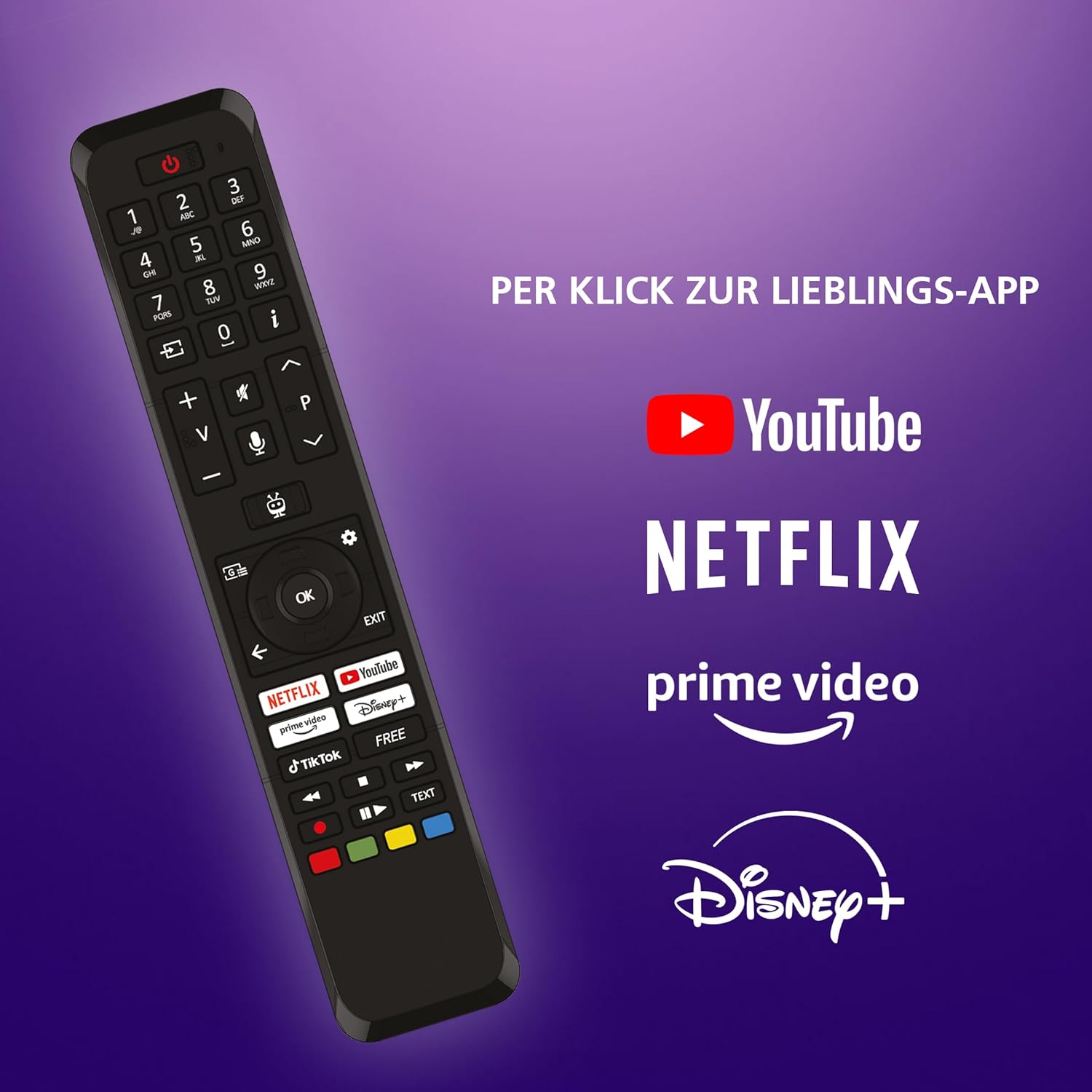
Image: The TV remote control, highlighting dedicated buttons for YouTube, Netflix, Prime Video, and Disney+.
5.2 TiVo Smart TV Features
Your JVC TV is powered by the TiVo Smart TV operating system, offering a personalized and intuitive user experience.
- Inteligentní navigace: Search across streaming apps and live TV to find content.
- Personalizovaná doporučení: TiVo learns your viewzvyky, abyste si mohli navrhnout obsah, který by se vám mohl líbit.
- Hlasové ovládání: Use voice commands to change channels, adjust volume, open apps, and more.
- Přístup k aplikaci: Enjoy a wide range of applications including Netflix, Prime Video, Disney+, YouTube, DAZN, and many others.
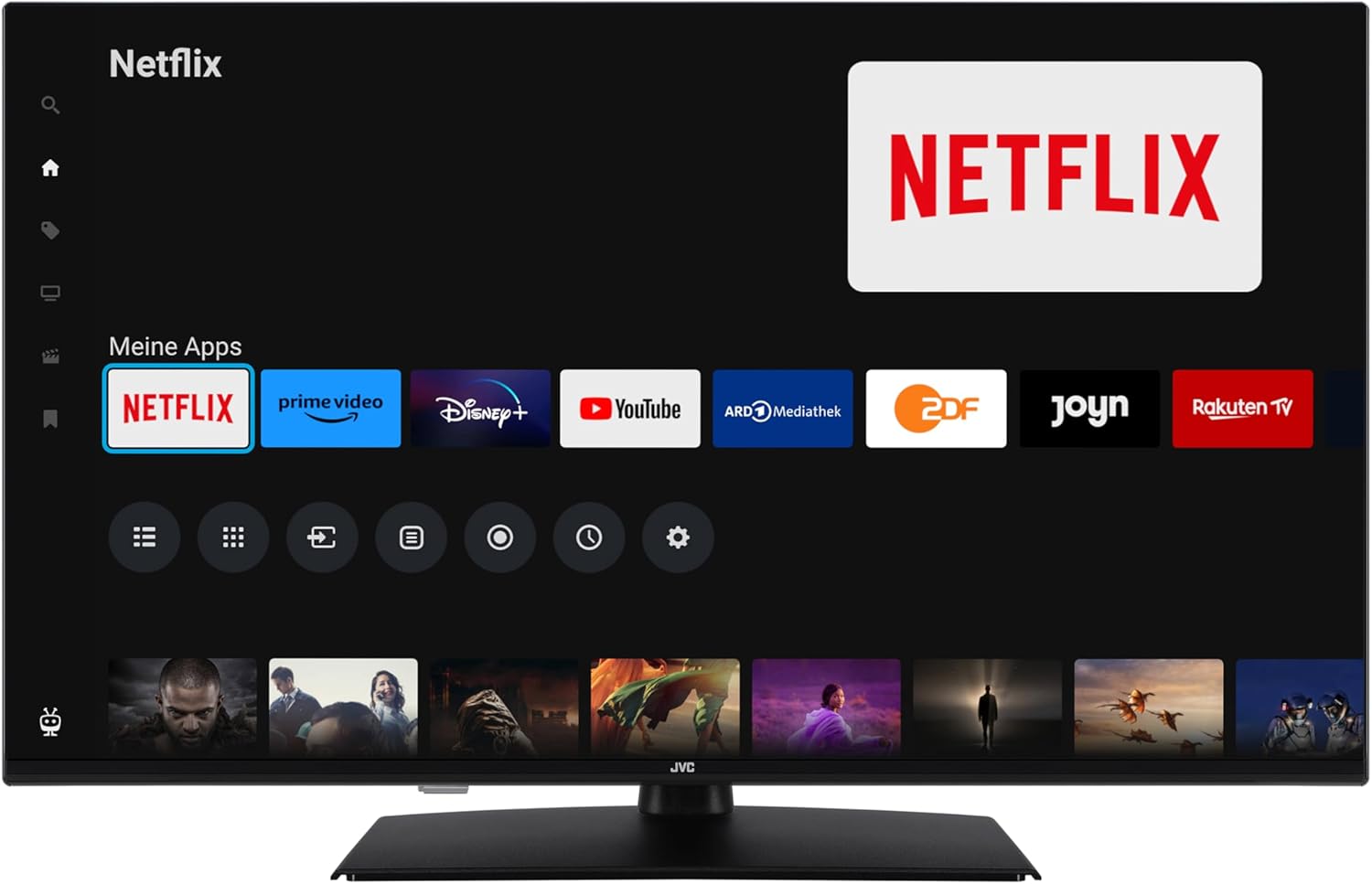
Image: The TiVo Smart TV home screen displaying various applications such as Netflix, Prime Video, Disney+, YouTube, ARD Mediathek, ZDF, Joyn, and Rakuten TV.

Image: Infographic explaining the benefits of TiVo Smart TVs, including intelligent navigation, simple user experience, intelligent recommendations, and continuous improvements.
5.3 Nastavení obrazu a zvuku
Your TV supports advanced picture technologies for an optimal viewzkušenosti:
- HDR10: High Dynamic Range provides greater contrast and a wider range of colors for more realistic images.
- Super rozlišení: Zvyšuje jasnost a detaily obrazu.
- Mikro stmívání: Improves contrast by analyzing and adjusting brightness in different areas of the screen.
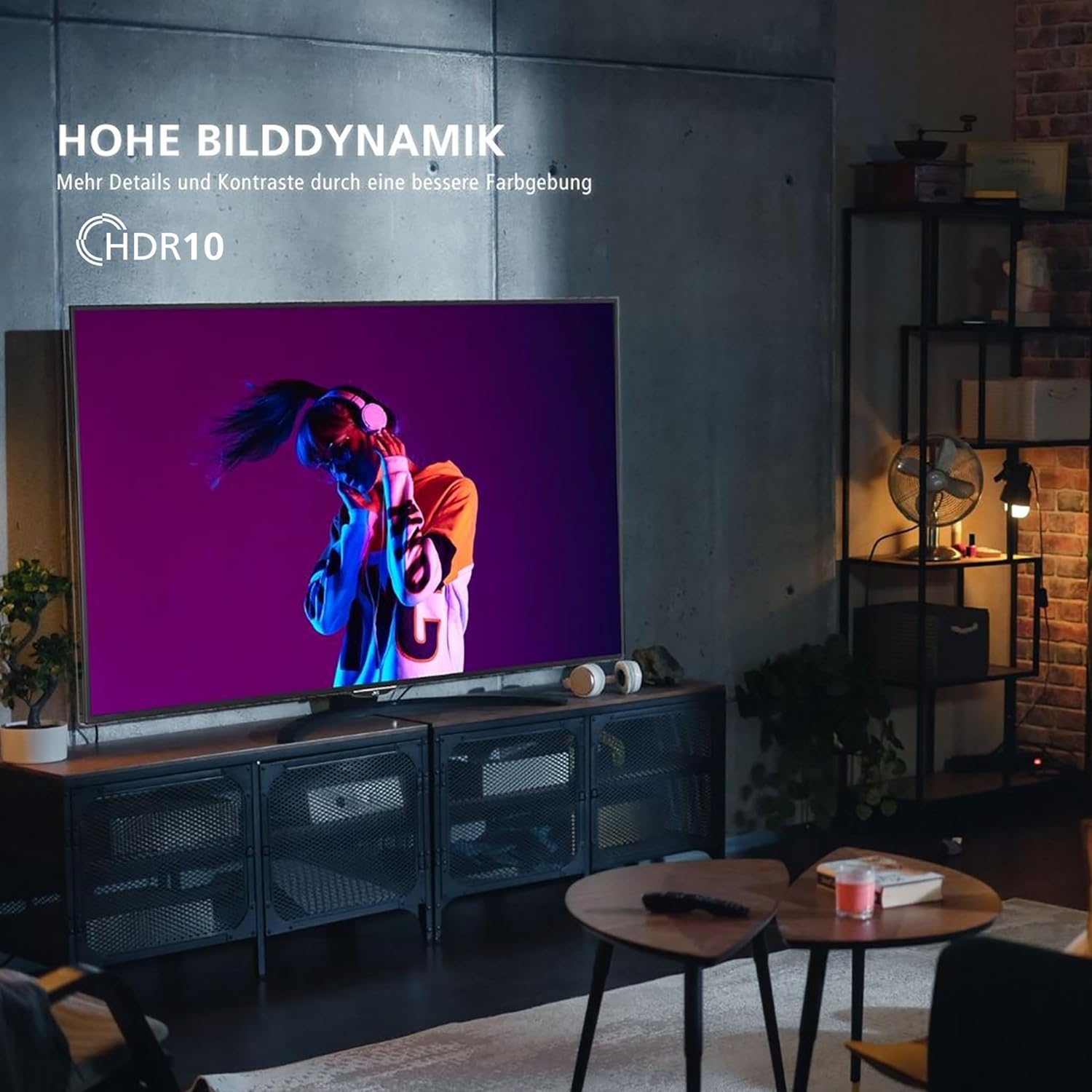
Image: A television screen displaying a vibrant image, illustrating the "High Dynamic Range" (HDR10) feature for more details and contrast.

Image: A television screen displaying a detailed underwater scene, highlighting "Super Resolution" and "Micro Dimming" for breathtaking picture quality.
You can select various picture modes to optimize the display for different content types:
- Kino: Optimized for movies.
- Sport: Enhanced for fast-paced sports.
- Hraní: Reduced input lag for gaming.
- Dynamický: Vivid and bright picture.

Image: A TV screen divided into four sections, each showing a different picture mode: Cinema, Sport, Gaming, and Dynamic.
5.4 Obsluha tuneru
The integrated triple tuner allows reception via antenna (DVB-T2), cable (DVB-C), or satellite (DVB-S2) without an additional receiver. Use the TV's menu to perform channel scans and manage your channel list.
The TV also supports the HD+ TV App, which may offer additional HD channels (availability depends on region and subscription).
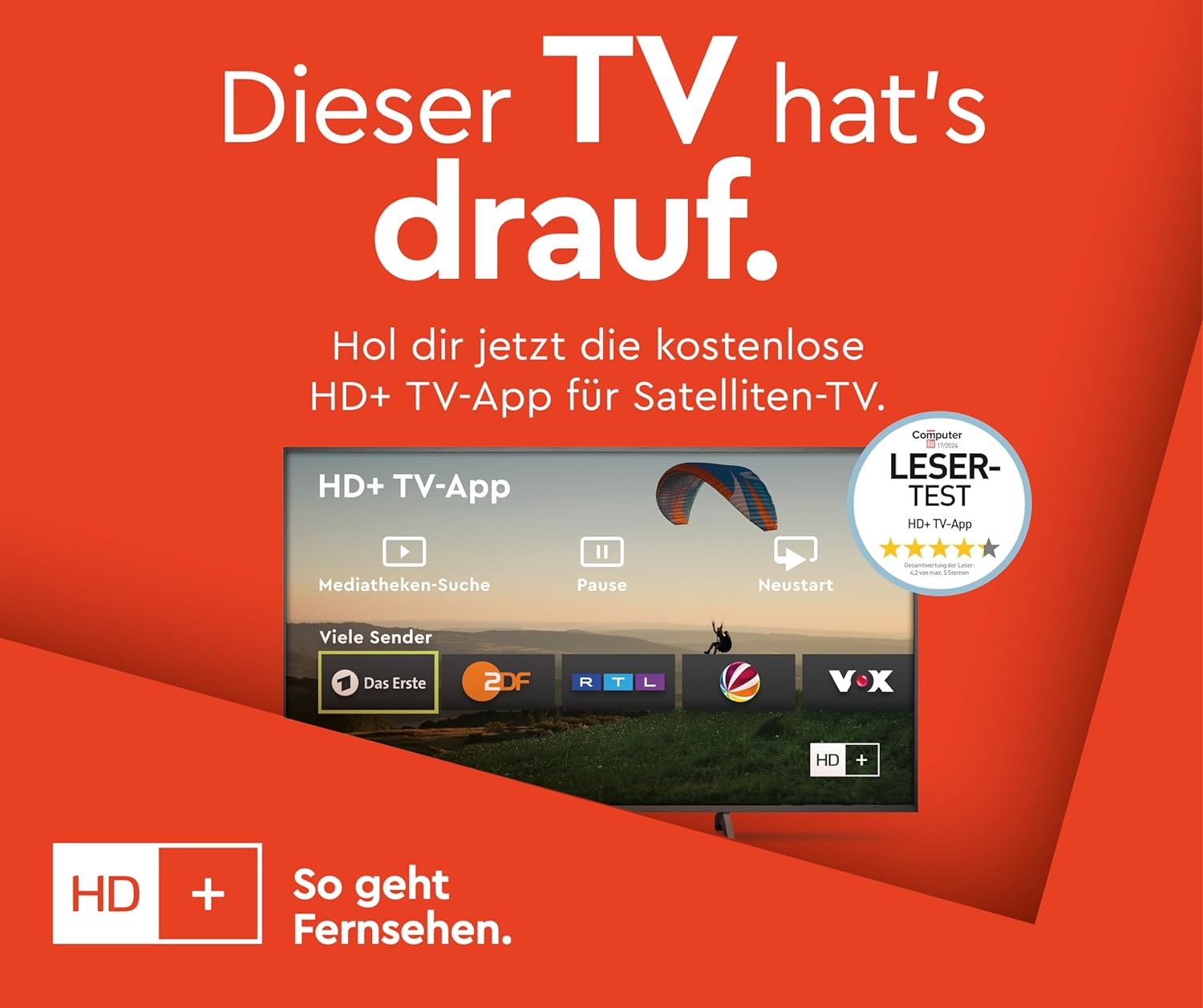
Image: Information about the HD+ TV App, showing features like private HD/UHD channels, restart, media libraries, and a 6-month test period.
5.5 Přehrávání médií
Connect a USB storage device to the USB port to play compatible media files (photos, music, videos) directly on your TV using the built-in media player.
6. Údržba
6.1 Čištění
Před čištěním vždy odpojte televizor ze zásuvky. K otření obrazovky a skříně použijte měkký, suchý hadřík. Nepoužívejte tekuté čisticí prostředky ani aerosolové spreje přímo na televizor.
6.2 Aktualizace softwaru
The TV may receive regular software updates to improve performance and add new features. Ensure your TV is connected to the internet to receive these updates. You can usually check for updates in the TV's settings menu.
7. Řešení problémů
Pokud narazíte na problémy s televizorem, podívejte se na následující běžná řešení:
- Bez napájení: Ensure the power cable is securely connected and the wall outlet is functioning.
- Žádný obraz/zvuk: Zkontrolujte všechna kabelová připojení (HDMI, anténa). Ujistěte se, že je vybrán správný vstupní zdroj.
- Dálkové ovládání nefunguje: Vyměňte baterie. Ujistěte se, že mezi dálkovým ovladačem a televizorem nejsou žádné překážky.
- TV Shuts Down Automatically: Check the power saving settings in the TV menu. Disable any automatic shutdown timers.
- App Issues (e.g., Netflix not loading): Try restarting the TV by unplugging it from the power outlet for a few minutes, then plugging it back in. Ensure your internet connection is stable.
- "Cannot find HD channels" error: This message may appear even after successful channel installation. Ensure your tuner settings are correct and try rescanning channels. If the message persists but channels are available, it might be a minor software notification.
V případě přetrvávajících problémů se obraťte na online zdroje podpory nebo na zákaznický servis.
8. Specifikace
| Značka | JVC |
| Číslo modelu | LT-40VF5355 |
| Velikost obrazovky | 40 palců (102 cm úhlopříčka) |
| Technologie displeje | LED-LCD |
| Rezoluce | 1080p (Full HD, 1920x1080 pixelů) |
| Obnovovací frekvence | 120 Hz |
| Operační systém | Chytrá televize TiVo |
| Speciální funkce | HDR10, Micro Dimming, Super Resolution, 6 months HD+ included (via SAT in Germany) |
| Konektivita | 2x HDMI (CEC + ARC), 1x USB, Wi-Fi, LAN, Digital Audio Output, Headphones, CI Slot |
| Rozměry (se stojanem) | 23.5 H x 90.9 Š x 57.9 V cm |
| Třída energetické účinnosti (SDR) | E |
| Třída energetické účinnosti (HDR) | G |
| Spotřeba energie (SDR) | 37.0 W |
| Spotřeba energie (HDR) | 67.0 W |
| Dostupnost náhradních dílů | 7 roky |

Image: Table illustrating recommended viewing distances for different TV sizes (24" to 70") and resolutions (4K, Full HD, HD).
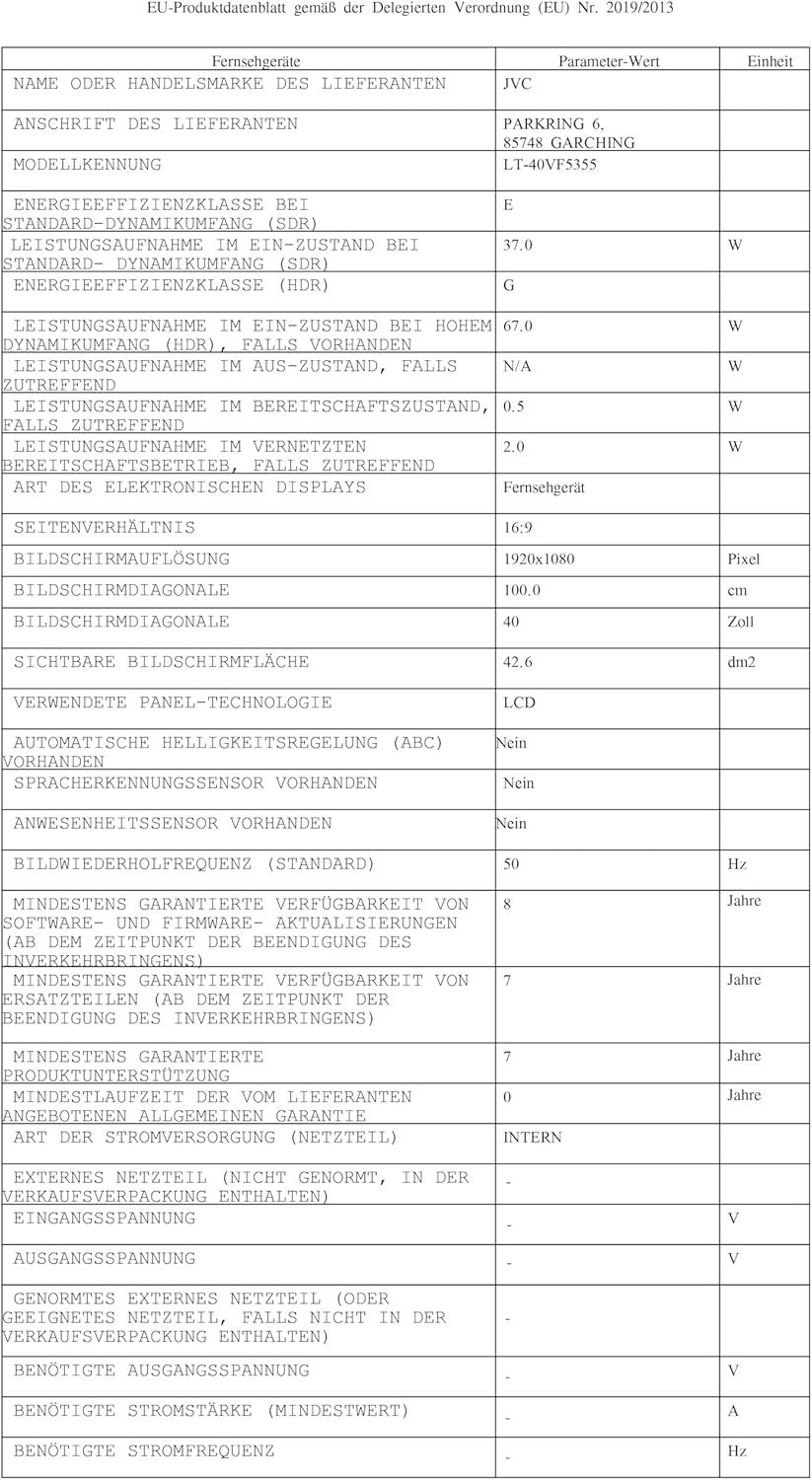
Image: EU Delegated Regulation product data sheet for the JVC LT-40VF5355, detailing technical specifications and energy consumption. For more details, visit eprel.ec.europa.eu/qr/1880376.

Image: EU Energy Label for the JVC LT-40VF5355, showing energy efficiency class E (SDR) and G (HDR), and power consumption values.
9. Záruka
JVC products are manufactured with high-quality components and are subject to rigorous quality control. For detailed warranty information, please refer to the warranty card included with your product or visit the official JVC website for your region. Spare parts are guaranteed to be available for 7 years from the date of placing the product on the market.
10. Podpora
For further assistance, technical support, or service inquiries, please visit the official JVC support website or contact your local JVC customer service center. Keep your model number (LT-40VF5355) and serial number ready when contacting support.
Online resources may include FAQs, software downloads, and additional troubleshooting guides.


