Zavedení
Welcome to your NIMO 15.6" IPS FHD Laptop, Model N157. This manual provides essential information to help you set up, operate, maintain, and troubleshoot your new device. Please read these instructions carefully to ensure optimal performance and longevity of your laptop.
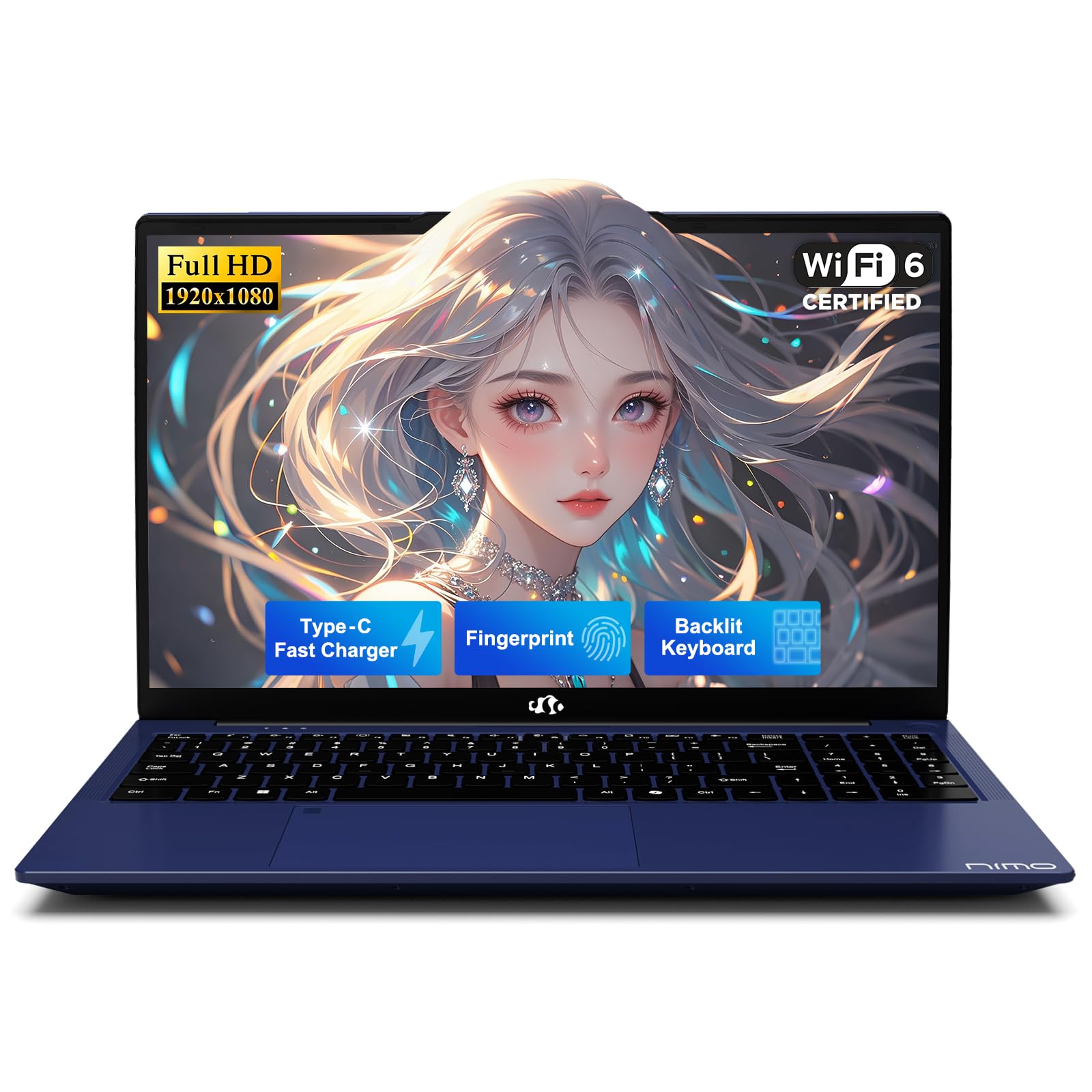
The NIMO 15.6-inch laptop in its closed state, highlighting its design.
Co je zahrnuto
Ověřte, zda jsou v balení přítomny všechny položky:
- 1 x NIMO N157 Laptop
- 1 x Type-C 65W PD Fast Charger
- 1 x Uživatelská příručka
- Windows 11 Home (předinstalovaný)
Začínáme (Nastavení)
1. Vybalování
Opatrně vyjměte notebook a veškeré příslušenství z obalu. Obal si uschovejte pro budoucí přepravu nebo servisní potřeby.
2. Nabíjení baterie
Before initial use, fully charge the laptop battery. Connect the included Type-C 65W PD Fast Charger to the laptop's Type-C charging port and then to a power outlet. The charging indicator light will confirm charging status.

The included Type-C 65W PD Fast Charger and cable. This charger can also power other compatible devices.
3. Počáteční zapnutí
Open the laptop lid and press the power button located on the keyboard. Follow the on-screen instructions to complete the Windows 11 operating system setup, including language, region, and network settings.
4. Nastavení snímače otisků prstů
For enhanced security and convenience, configure the fingerprint sensor. This can typically be done during the initial Windows setup or later via Settings > Accounts > Sign-in options > Fingerprint recognition (Windows Hello).

The fingerprint sensor allows for quick and secure one-touch login.
5. Připojení periferií
Utilize the various ports to connect external devices such as USB drives, external monitors, or headphones.

Diagram showing the laptop's various ports, including USB 3.0, USB 2.0, Type-C, HDMI, and headphone jack.
Ovládání notebooku
1. Klávesnice a touchpad
The laptop features a full-size keyboard and a responsive touchpad for navigation. Standard gestures are supported on the touchpad.
2. Backlit Keyboard Function
The keyboard includes a backlight feature for improved visibility in low-light environments. Use the designated function keys (e.g., Fn + F key combination) to toggle the backlight on/off or adjust its intensity.

The backlit keyboard provides visibility in low-light conditions.
3. Displej
The 15.6-inch Full HD (1920x1080) IPS anti-glare display provides clear and vibrant visuals. Adjust brightness via function keys or Windows display settings.

The 15.6-inch Full HD IPS display provides clear and vibrant visuals.
4. Bezdrátové připojení
The laptop supports Wi-Fi 6 for high-speed internet access and Bluetooth 5.2 for connecting wireless peripherals such as headphones or mice.

The laptop supports Wi-Fi 6 for fast internet and Bluetooth 5.2 for peripheral connections.
5. Soukromí Webvačka
Integrovaný webcam features a physical privacy switch. Slide the cover to block the camera lens when not in use to ensure your privacy.

Integrovaný webcam includes a physical slider for privacy.
Údržba a péče
1. Obecná manipulace
- Always hold the laptop by its base.
- Consider using a protective case for transport.
- Avoid placing heavy items on the laptop.
- Place the laptop on a hard, flat surface to ensure proper ventilation and prevent overheating.
- Keep the laptop away from extreme temperatures and moisture.
2. Péče o baterie
- Avoid constantly overcharging the battery.
- If the battery shows signs of swelling, discontinue use immediately and contact support.
3. Odvod tepla
The laptop is equipped with an efficient fan-based cooling system. Ensure that the ventilation openings are not obstructed to maintain optimal operating temperatures.

Vnitřní view of the cooling system, designed for efficient heat dissipation.
4. Software and Security
- Set strong, unique passwords for your accounts.
- Regularly update your operating system and software to ensure the latest security patches are applied.
- Install and maintain reputable antivirus software.
- Pravidelně zálohujte důležitá data na externí disk nebo cloudové úložiště.
Odstraňování problémů
1. Liquid Spills
In case of a liquid spill, immediately unplug the laptop from power and turn it off. Do not attempt to power it on until it has completely dried. Seek professional assistance if necessary.
2. Obecné otázky
For persistent issues such as system unresponsiveness, unexpected shutdowns, or hardware malfunctions, refer to the Warranty and Support section for contact information. Do not attempt to disassemble or repair the laptop yourself, as this may void your warranty.
3. Kvalita zvuku
If you experience unsatisfactory audio quality, consider connecting external speakers or headphones. You may also check the settings within the Realtek Audio Console, if installed, for sound adjustments.
Specifikace produktu
| Funkce | Specifikace |
|---|---|
| Značka | NIMO |
| Název modelu | NIMO N157 |
| Velikost obrazovky | 15.6 palce |
| Rozlišení obrazovky | 1920 x 1080 pixelů (FHD) |
| Procesor | Intel N150 (3.6 GHz, 4 Cores) |
| BERAN | 4 GB DDR4 (3200 MHz) |
| Pevný disk | 1 TB SSD (PCIe) |
| Grafický koprocesor | Integrovaná grafika |
| Operační systém | Windows 11 Home |
| Bezdrátový typ | Wi-Fi 6 (802.11ax), Bluetooth 5.2 |
| USB porty | 3 x USB 3.0, 1 x USB 2.0, 2 x Type-C (1 for PD Charge Only) |
| Jiné porty | HDMI, Headphone Jack, Micro SD Card Slot, Kensington Lock |
| Průměrná životnost baterie | Až 12.75 hodin |
| Hmotnost položky | 3.75 libry |
| Rozměry produktu | 14.07 x 8.98 x 0.76 palce |
| Speciální funkce | Backlit Keyboard, Fingerprint Reader, HD Audio, Numeric Keypad, Privacy Webvačka |
Záruka a podpora
1. Záruka výrobce
Your NIMO laptop includes a comprehensive 2letá záruka výrobce krytí vad materiálu a zpracování.

A technician performing repairs on a laptop, illustrating the 2-year support.
2. Zásady vrácení
A 90denní bezproblémová lhůta pro vrácení zboží is provided from the date of purchase.

A delivery person and customer, illustrating the 90-day return policy.
3. Kontaktujte podporu
For any questions, technical assistance, or warranty claims, please contact our dedicated support team:
- E-mail: service@nimopc.com

Customer service representatives available to provide professional assistance.
Bezpečnostní informace
Adhere to the following safety guidelines to prevent damage to your device and ensure personal safety:
- Use only original chargers and inspect cables regularly for damage.
- Avoid using non-approved chargers or counterfeit accessories.
- Keep the laptop away from water, excessive humidity, and extreme temperatures.
- Do not attempt to disassemble, modify, or repair the laptop yourself. Refer to qualified professionals for service.
- Pravidelně zálohujte svá data, abyste předešli jejich ztrátě.
- The manufacturer is not liable for damages resulting from misuse, physical damage, or failure to follow safety instructions.


