
1. Bezpečnostní pokyny
Read all instructions carefully before assembly and use. Failure to follow these instructions may result in injury or damage to the product.
- Hmotnostní limit: Nepřekračujte maximální doporučenou hmotnost 70 kg (154 lb) na ploše. Přetížení může způsobit nestabilitu a poškození.
- Stabilita: Ensure the desk is placed on a level surface and is properly assembled and secured to prevent tipping or instability.
- Odbavení: Maintain clear space around the desk during height adjustments to avoid obstructions and potential pinching hazards.
- Moc: Používejte pouze dodaný napájecí adaptér. Před čištěním nebo údržbou odpojte napájení.
- Děti a domácí mazlíčci: Keep children and pets away from the desk during operation. Utilize the child lock function for added safety.
- Rozlití kapaliny: Avoid spilling liquids on the control panel or electrical components. In case of a spill, immediately disconnect power and allow to dry completely before re-connecting.
- Profesionální oprava: Do not attempt to repair the desk yourself. Contact customer support for assistance.
2. Komponenty produktu
Before assembly, verify that all components are present and undamaged. Refer to the included parts list in your packaging for detailed identification.
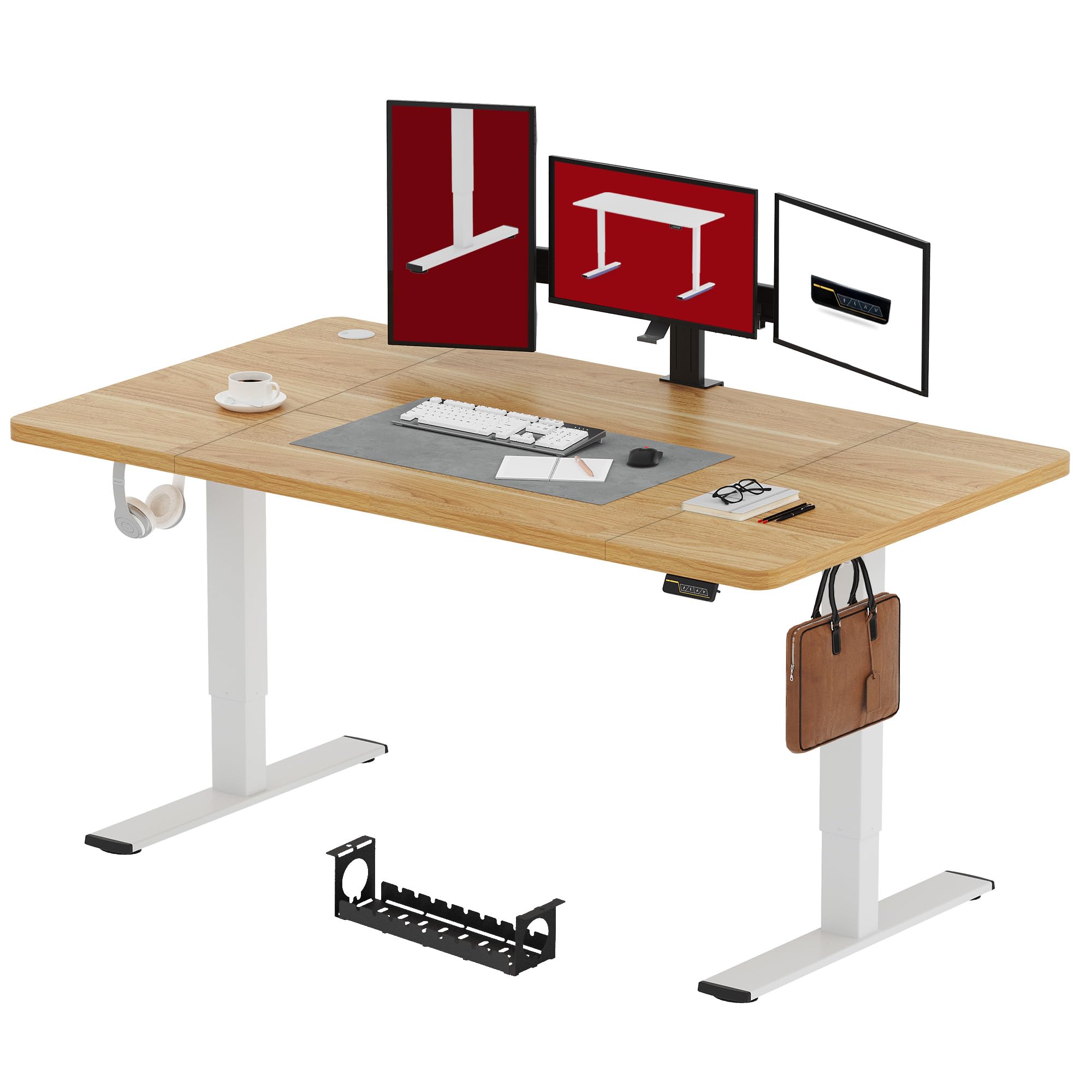
Obrázek 2.1: Přesview of the SANODESK Electric Standing Desk (Maple, 180x80cm).
- Desktop (Maple, 180x80 cm)
- Elektrické zvedací sloupky (nohy)
- Ovládací panel s LED displejem
- Napájecí adaptér a kabel
- Komponenty příčníku/rámu
- Feet/Base Supports
- Metal Hooks (2x)
- Úložný box
- Assembly Hardware (screws, Allen keys, etc.)
3. Nastavení a montáž
Assembly typically takes less than 30 minutes. It is recommended to have two people for assembly, especially when handling the desktop.
- Rozbalte komponenty: Opatrně vyjměte všechny díly z obalu a položte je na čistý, měkký povrch, abyste zabránili poškrábání.
- Sestavte rám: Attach the lifting columns to the crossbar and feet according to the detailed diagrams in your physical instruction manual. Ensure all screws are tightened securely.
- Připojit plochu: Carefully place the desktop upside down on a soft surface. Position the assembled frame onto the desktop, aligning the pre-drilled holes. Secure the desktop to the frame using the provided screws.
- Instalace ovládacího panelu: Mount the control panel to the underside of the desktop in the designated location. Connect the motor cables and power cable to the control box as indicated in the manual.
- Připojit příslušenství: Install the metal hooks and storage box to the desired locations on the desk frame.
- Správa kabelů: Route all cables neatly using the provided cable ties or clips to prevent tangling and ensure safe operation.
- Počáteční zapnutí: Connect the power adapter to the desk and then to a power outlet. The LED display on the control panel should illuminate.

Figure 3.1: Illustration of the desk frame assembly, highlighting the simple installation process.
4. Návod k obsluze
Your SANODESK electric standing desk offers smooth and quiet height adjustment with memory and safety features.
4.1 Nastavení výšky
- Zvedněte stůl: Stiskněte a podržte ▲ (Nahoru) tlačítko pro zvednutí stolu do požadované výšky pro stání.
- Spodní stůl: Stiskněte a podržte ▼ (Dolů) tlačítko pro snížení stolu do požadované výšky sezení.
- The desk height can be adjusted smoothly between 73 cm a 122 cm.

Figure 4.1: Visual representation of the desk's adjustable height range.
4.2 Předvolby paměti
The control panel allows you to save preferred sitting and standing heights for quick adjustments.
- Nastavení pozice v paměti:
- Nastavte stůl do požadované výšky pomocí tlačítek Nahoru/Dolů.
- Stiskněte tlačítko "M" (Memory) button. The LED display will show "S-".
- Within 3 seconds, press one of the numbered preset buttons (e.g., "1" or "2") to save the current height to that position. The display will show "S-1" or "S-2" to confirm.
- Vyvolání pozice z paměti: Simply press the desired numbered preset button (e.g., "1" or "2"). Stůl se automaticky přesune do uložené výšky.
4.3 Funkce dětského zámku
To prevent accidental adjustments, especially by children, activate the child lock.
- Aktivace dětského zámku: Stiskněte a podržte "Lock" button (often indicated by a padlock icon or a combination of buttons, refer to your specific control panel diagram) for 3 seconds until the display shows "LOC". All buttons will be disabled.
- Deaktivace dětské pojistky: Stiskněte a podržte "Lock" button again for 3 seconds until "LOC" disappears from the display. The desk is now operational.

Figure 4.2: Close-up of the intuitive control panel, showing LED display, memory, and child lock functions.
4.4 Tichý provoz
The desk operates with a motor noise level below 50 dB, ensuring a quiet working environment.
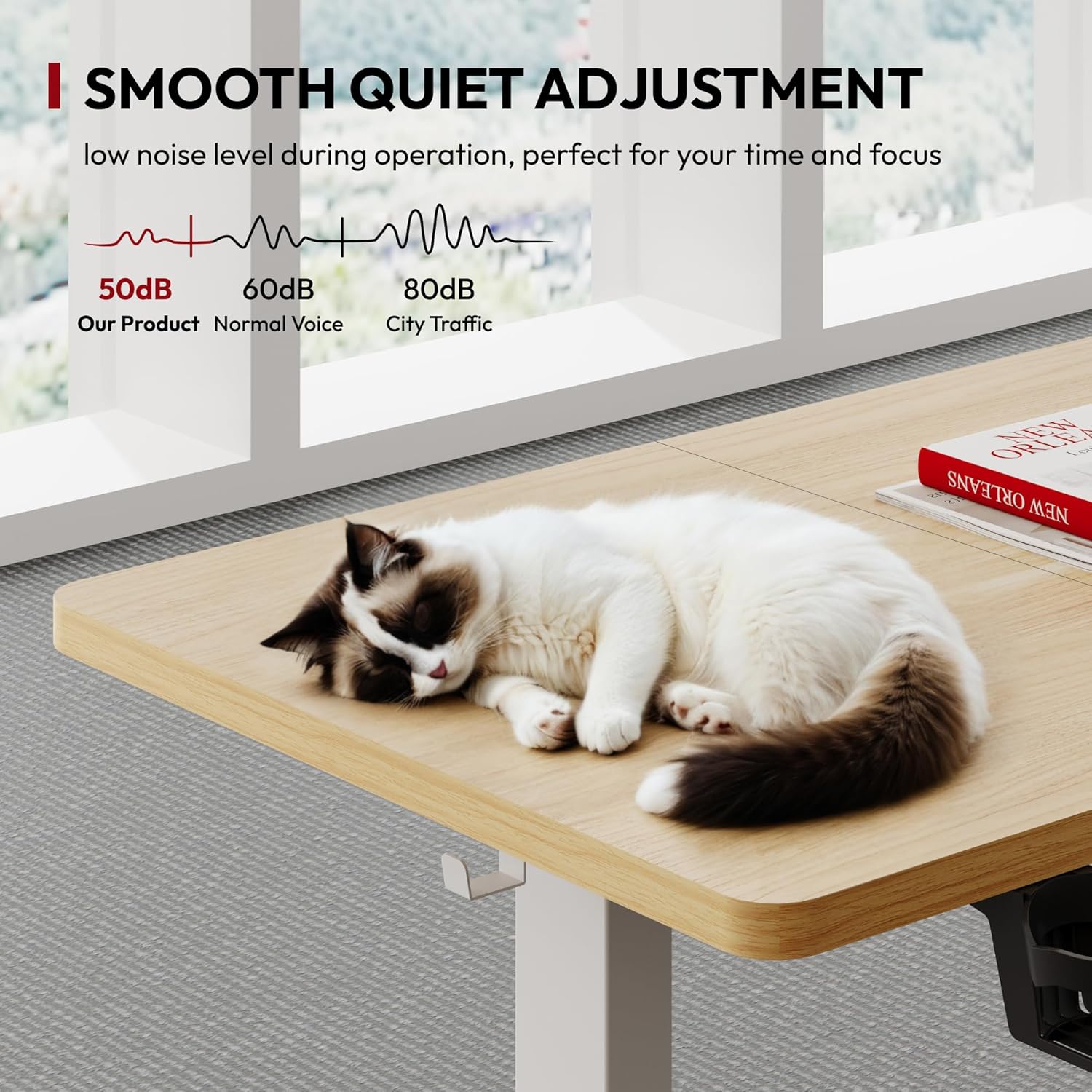
Figure 4.3: Noise level comparison, showing the desk's quiet operation.
5. Údržba
Regular maintenance ensures the longevity and optimal performance of your SANODESK.
- Čištění:
- Před čištěním odpojte napájecí kabel.
- Otřete pracovní plochu a rám měkkým hadříkemamp hadříkem. Nepoužívejte abrazivní čisticí prostředky ani agresivní chemikálie.
- Ensure no liquid enters the control panel or motor housing.
- Správa kabelů: Periodically check all cables for wear or damage. Re-secure any loose cables to prevent them from getting caught during height adjustments.
- Spojovací materiál: Occasionally check all screws and bolts to ensure they remain tight. Re-tighten if necessary.
- Rozložení hmotnosti: Rovnoměrně rozložte hmotnost po pracovní ploše, abyste zabránili namáhání zvedacího mechanismu.
6. Řešení problémů
Pokud narazíte na problémy se stolem, podívejte se na následující běžné problémy a jejich řešení.
| Problém | Možná příčina | Řešení |
|---|---|---|
| Stůl se nehýbe. |
|
|
| Stůl se pohybuje nerovnoměrně nebo vydává neobvyklé zvuky. |
|
|
| Error code on LED display. |
|
|
If the problem persists after attempting these solutions, please contact SANODESK customer support.
7. Specifikace produktu
| Funkce | Detail |
|---|---|
| Značka | SANODESK |
| Model | Elektrický stojící stůl |
| Rozměry pracovní desky (D x Š) | Rozměr 180 cm x 80 cm |
| Nastavitelný rozsah výšky | 73 cm - 122 cm |
| Materiál | Wood (Maple finish) |
| Maximální nosnost | 70 kg (154 lb) |
| Úroveň hluku | Méně než 50 dB |
| Vlastnosti | Electric height adjustment, Memory presets, Child lock, Metal hooks, Storage box |

Figure 7.1: Detailed product dimensions and height range.

Figure 7.2: Illustration of the desk's maximum weight capacity and overall dimensions.
8. Záruka a podpora
SANODESK products are designed for durability and performance. For specific warranty details, please refer to the warranty card included with your product or visit the official SANODESK webmísto.
8.1 Zákaznická podpora
If you have any questions, require assistance with assembly, or experience issues not covered in the troubleshooting section, please contact SANODESK customer support:
- Webmísto: www.sanodesk.com (Poznámka: Toto je zástupný symbol URL, prosím, podívejte se do dokumentace k produktu, kde najdete správné webmísto.)
- E-mail: support@sanodesk.com (Note: This is a placeholder email, please refer to your product documentation for the correct contact information.)
- Telefon: Regionální kontaktní čísla naleznete v dokumentaci k produktu.
When contacting support, please have your product model number (180x80cm Electric Standing Desk) and purchase date available.