1. Úvod
The DAREU EK75PRO is a versatile 75% layout mechanical gaming keyboard designed for both gaming and office use. It features a Gasket Mount design for enhanced typing comfort and sound, Tri-Mode connectivity (USB-C wired, 2.4GHz wireless, and Bluetooth 5.1), hot-swappable switches, and customizable RGB backlighting. This manual provides detailed instructions for setting up, operating, and maintaining your EK75PRO keyboard.
2. Co je v krabici
Zkontrolujte prosím obsah balení a ujistěte se, že jsou v něm přítomny všechny položky:
- Keyboard body (1)
- Add-on keycaps (6)
- Key/switch puller (1)
- USB-C Connection cable (1)
- English Instruction manual (1)
3. Nastavení
3.1 Režimy připojení
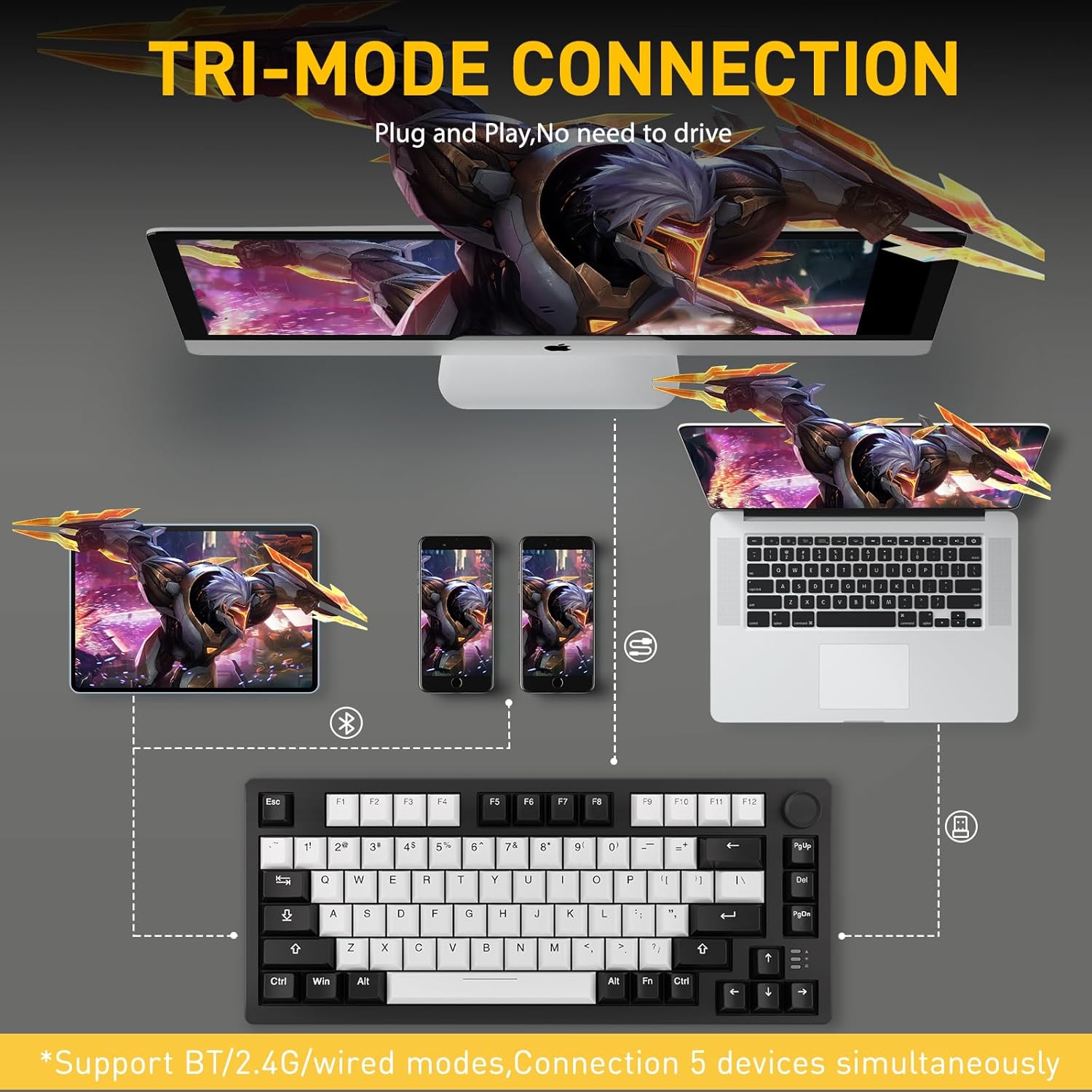
The DAREU EK75PRO supports three connection modes:
- Drátový režim USB-C: Connect the keyboard directly to your device using the provided USB-C cable. This mode offers the most stable connection and charges the keyboard.
- Bezdrátový režim 2.4 GHz: Insert the 2.4GHz USB receiver into your device's USB port. The keyboard will automatically connect. This mode provides a low-latency wireless experience.
- Režim Bluetooth 5.1: Pair the keyboard with up to 5 devices simultaneously. Refer to the specific pairing instructions in the included English Instruction Manual for detailed steps.
The keyboard is compatible with PCs, laptops, tablets, Macs, and mobile phones.
4. Návod k obsluze
4.1 Konstrukce upevnění těsnění
The EK75PRO features a Gasket Mount design, incorporating multiple layers of filling silencers between the PCB, positioning plate, and shaft. This design, combined with PCB single key slotting, optimizes resilience and stability, reduces keystroke noises, and provides a more comfortable and satisfying typing experience with a clean and crisp sound.

4.2 81-Key Layout & Multi-Function Knob
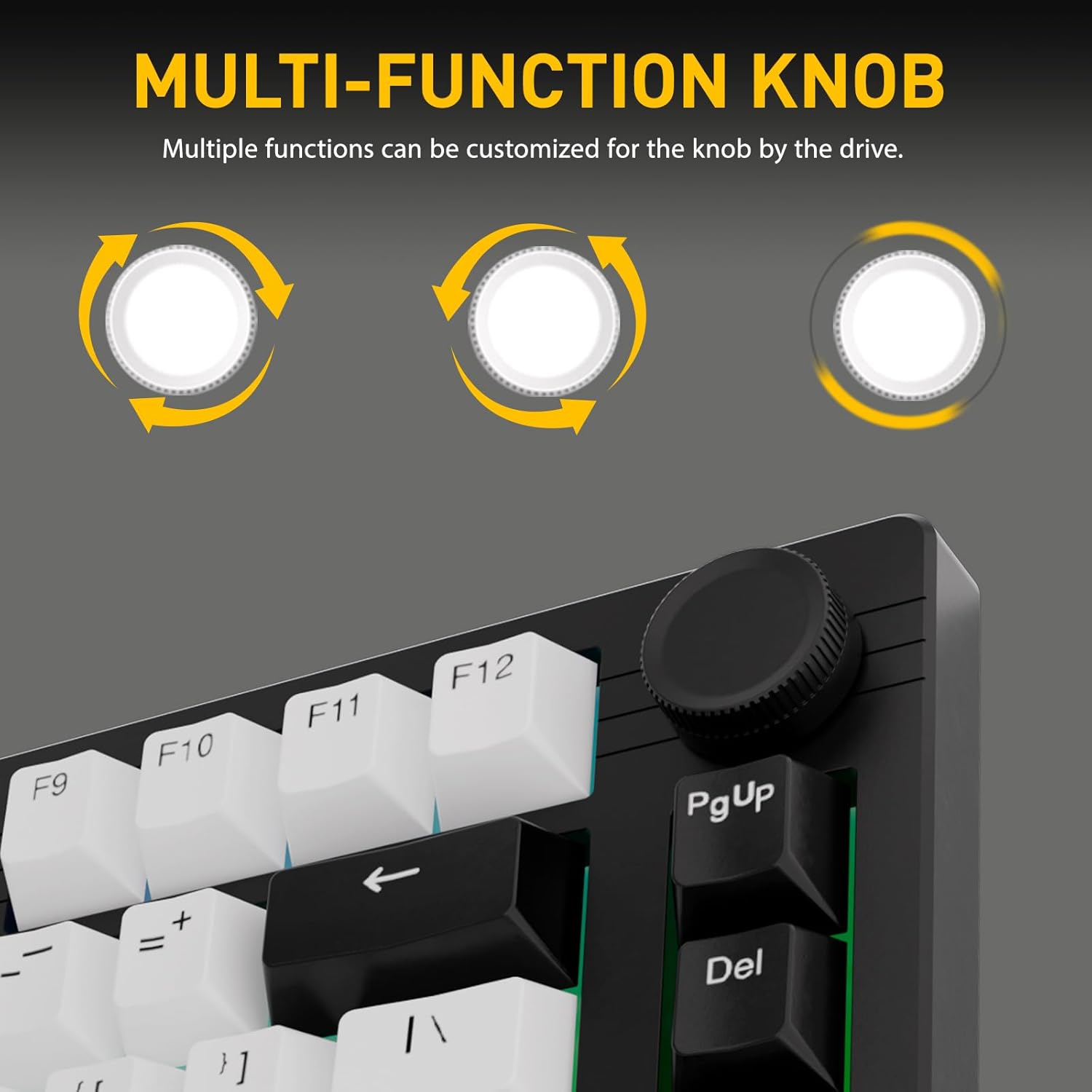
The 75% layout of the EK75PRO provides a compact form factor, making your desktop more concise while retaining essential keys. The keyboard includes a multi-function knob, which can be customized via the DAREU driver. By default, it allows for quick adjustment of volume, playback control, and brightness. It can also be programmed to call up common tools like a calculator, mail client, or media player.

4.3 Hot-Swappable Dream Switches
The EK75PRO features a hot-swap function, allowing you to easily change switches without soldering. It supports nearly all 3-pin and 5-pin switches available in the market, enabling you to customize your keyboard's feel. The keyboard comes pre-installed with DAREU's customized HIFI Dream switches, which offer a linear feel similar to red switches but are lighter and produce a cleaner sound.
- HIFI Dream Switch Specifications:
- Initial Force: 40±10gf
- Bottom Force: 55±10gf
- Pre Travel: 2.0±0.4mm
- Total Travel: 4.0±0.4mm

4.4 Customizable South-Facing RGB Backlight
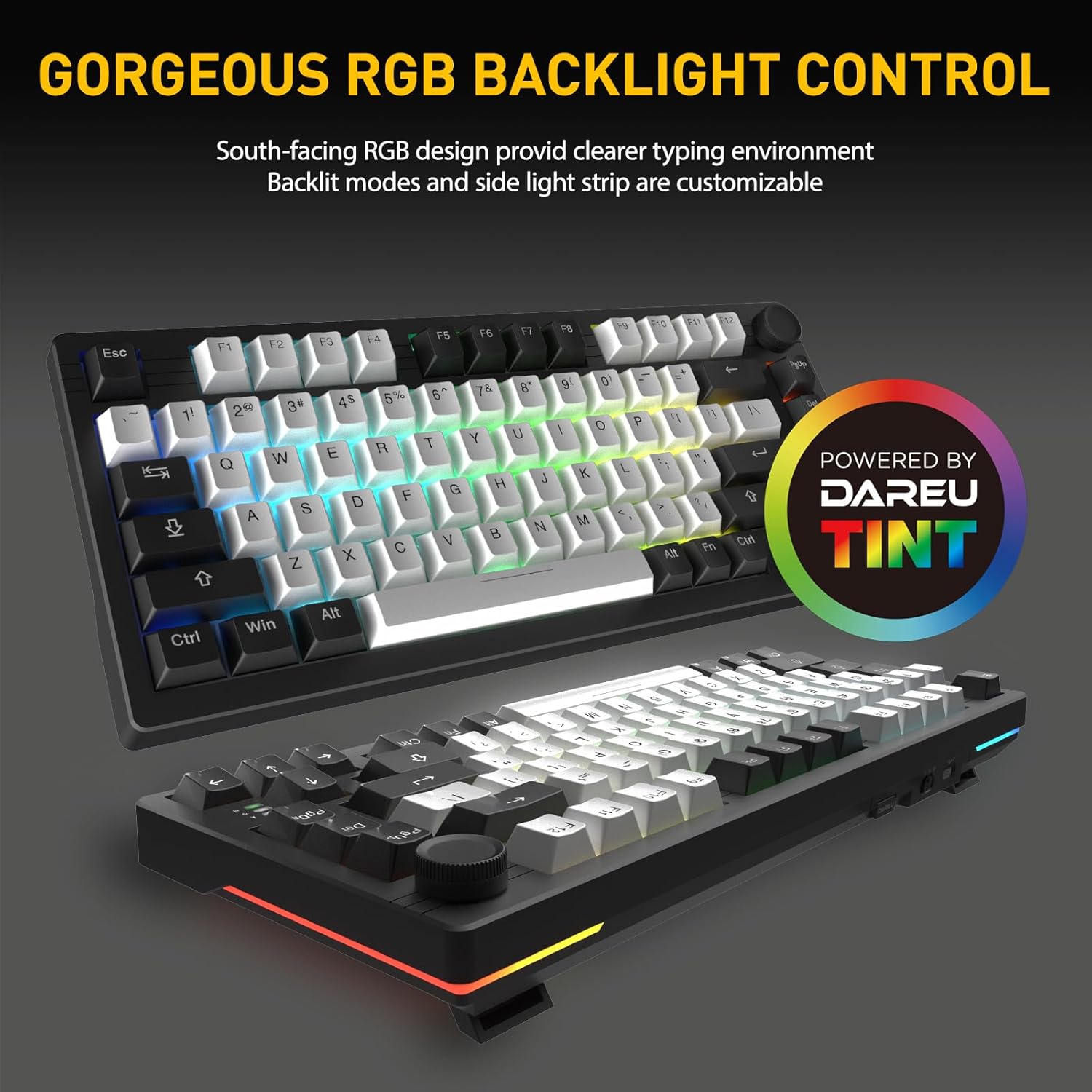
The EK75PRO features south-facing RGB lighting, providing a fuller and brighter illumination from the typist's perspective, creating a cleaner and more comfortable typing environment. You can customize up to 12 backlit modes, 5 lighting modes on the side light strips, and 16.8 million colors via the DAREU driver.
4.5 DAREU A+ Integrated Driver
The DAREU A+ driver enables unified and integrated management for both your keyboard and mouse. This software allows you to easily customize all keys, program macros, and adjust RGB lighting settings to personalize your experience.

5. Údržba
To ensure the longevity and optimal performance of your DAREU EK75PRO keyboard, follow these maintenance guidelines:
- Čištění kláves: Použijte měkký, damp cloth with mild soap and water to clean the keycaps. Ensure they are completely dry before reattaching. For deeper cleaning, remove keycaps using the provided puller.
- Čištění těla klávesnice: Otřete tělo klávesnice suchým nebo lehce navlhčeným hadříkemamp microfiber cloth. Avoid using harsh chemicals or abrasive materials.
- Odstranění prachu: Use compressed air to remove dust and debris from between the keycaps and switches regularly.
- Skladování: Klávesnici skladujte na chladném a suchém místě mimo dosah přímého slunečního záření a extrémních teplot.
- Péče o baterie: For optimal battery life, avoid fully discharging the keyboard frequently. Charge it when the battery indicator is low.
6. Řešení problémů
If you encounter any issues with your DAREU EK75PRO keyboard, refer to the following common troubleshooting steps:
- Klávesnice nereaguje:
- Ujistěte se, že je klávesnice nabitá.
- Check the connection mode (wired, 2.4GHz, Bluetooth) and ensure it's correctly selected.
- Pro frekvenci 2.4 GHz se ujistěte, že je USB přijímač bezpečně zapojený.
- For Bluetooth, ensure the keyboard is paired and selected as the active device on your host system. Try re-pairing if necessary.
- Zkuste se připojit pomocí kabelu USB-C, abyste vyloučili problémy s bezdrátovým připojením.
- RGB Lighting Not Working/Customizing:
- Ujistěte se, že je klávesnice zapnutá.
- Install or update the DAREU A+ driver software.
- Check lighting settings within the DAREU A+ driver.
- Klávesy se neregistrují nebo se píší dvakrát:
- Ensure the switch is properly seated in its socket. Gently press down on the keycap.
- If a specific key is problematic, try hot-swapping the switch with a known working one to determine if the issue is with the switch or the PCB socket.
- Vyčistěte okolí postiženého spínače, abyste odstranili veškeré nečistoty.
- Knob Functionality Issues:
- Ensure the DAREU A+ driver is installed and running.
- Check the knob's assigned functions within the driver software.
If these steps do not resolve your issue, please contact DAREU customer support for further assistance.
7. Specifikace
| Funkce | Detail |
|---|---|
| Rozměry produktu | 13.11 x 5.51 x 1.57 palce |
| Hmotnost položky | 1.56 libry |
| Výrobce | DAREU |
| Číslo modelu položky | EK75 PRO-WH-D |
| Baterie | Jsou vyžadovány 1 lithium-iontové baterie (součástí balení) |
| Technologie připojení | 2.4GHz, BT (Bluetooth), USB-C |
| Popis klávesnice | 81 Keys Gasket Tri-mode Mechanical Gaming Keyboard |
| Počet klíčů | 81 |
| Podpora barev podsvícení klávesnice | RGB |
| Speciální funkce | Backlit, Hot-Swappable, Programmable Keys, Volume Roller, Noise-Canceling |
| Kompatibilní zařízení | Notebook, PC, Smartphone, Tablet |
| Doporučená použití | Gaming/Office |
| Datum první dostupnosti | 28. února 2024 |
8. Záruka a podpora
For warranty information and customer support, please refer to the official DAREU website or contact DAREU customer service directly. You can also visit the DAREU Store on Amazon pro další zdroje a kontaktní údaje.


