1. Úvod
This manual provides essential information for the safe and efficient use of your Xgody A54 smartphone. Please read it thoroughly before operating the device to ensure proper functionality and to understand its features.
2. Zařízení skončiloview
The Xgody A54 is an Android 10 smartphone featuring a 6.52-inch HD display, dual SIM support, and a 4500mAh battery. It is designed for everyday communication and multimedia use.

Obrázek: Overview of the Xgody A54 smartphone's main features, including its Android 10 operating system, 4G connectivity, memory configuration, processor, navigation capabilities, face unlock, and card slot design.
3. Nastavení
3.1. Instalace SIM a SD karty
The Xgody A54 supports two SIM cards (1 Nano SIM, 1 Micro SIM) and one SD card for expandable storage. Ensure the phone is powered off before inserting or removing cards.
- Vyhledejte držák SIM karty na boku zařízení.
- K otevření zásuvky použijte dodaný nástroj pro vysunutí SIM karty.
- Carefully place your Nano SIM, Micro SIM, and SD card into their respective slots on the tray.
- Jemně zatlačte zásobník zpět do zařízení, dokud nebude v jedné rovině.

Image: Illustration of the dual SIM and SD card slot configuration, demonstrating how to insert the cards into the Xgody A54 smartphone. It also highlights the phone's 4G LTE network compatibility and supported frequency bands.
3.2. Počáteční nabíjení a zapnutí
- Connect the USB cable to the phone's Type-C port and the other end to a power adapter.
- Allow the phone to charge until the battery indicator shows a sufficient charge.
- Press and hold the Power button until the Xgody logo appears to turn on the device.
3.3. Nastavení odemykání obličejem
To set up Face Unlock for convenient access:
- Přejděte na Nastavení > Zabezpečení a umístění > Odemknutí obličejem.
- Postupujte podle pokynů na obrazovce a zaregistrujte svůj obličej. Zajistěte dobré osvětlení a držte telefon v úrovni očí.

Image: Visual guide to the Face Recognition feature on the Xgody A54, detailing the process of facial scanning for unlocking the device. It also highlights the specifications of the front (8MP) and rear (15MP with LED flash) cameras.
4. Návod k obsluze
4.1. Základní navigace
- Dotyková obrazovka: Klepnutím vyberete, přejetím prstem posouváte, přiblížením rozevřením prstů.
- Domovská obrazovka: Přístup k aplikacím, widgetům a oznámením.
- Stavový řádek: Displays notifications, time, battery status, and signal strength.
4.2. Volání a odesílání zpráv
- Volání: Otevřete aplikaci Telefon, zadejte číslo a klepněte na ikonu volání.
- Zprávy: Otevřete aplikaci Zprávy, klepněte na ikonu nové zprávy, zadejte příjemce a zprávu a poté ji odešlete.
4.3. Použití fotoaparátu
The Xgody A54 features a 15MP rear camera and an 8MP front camera.
- Otevřete aplikaci Fotoaparát.
- Select between front and rear cameras using the switch icon.
- Klepnutím na tlačítko spouště pořídíte fotografii.
- Explore various modes like Beauty Mode for enhanced photos.
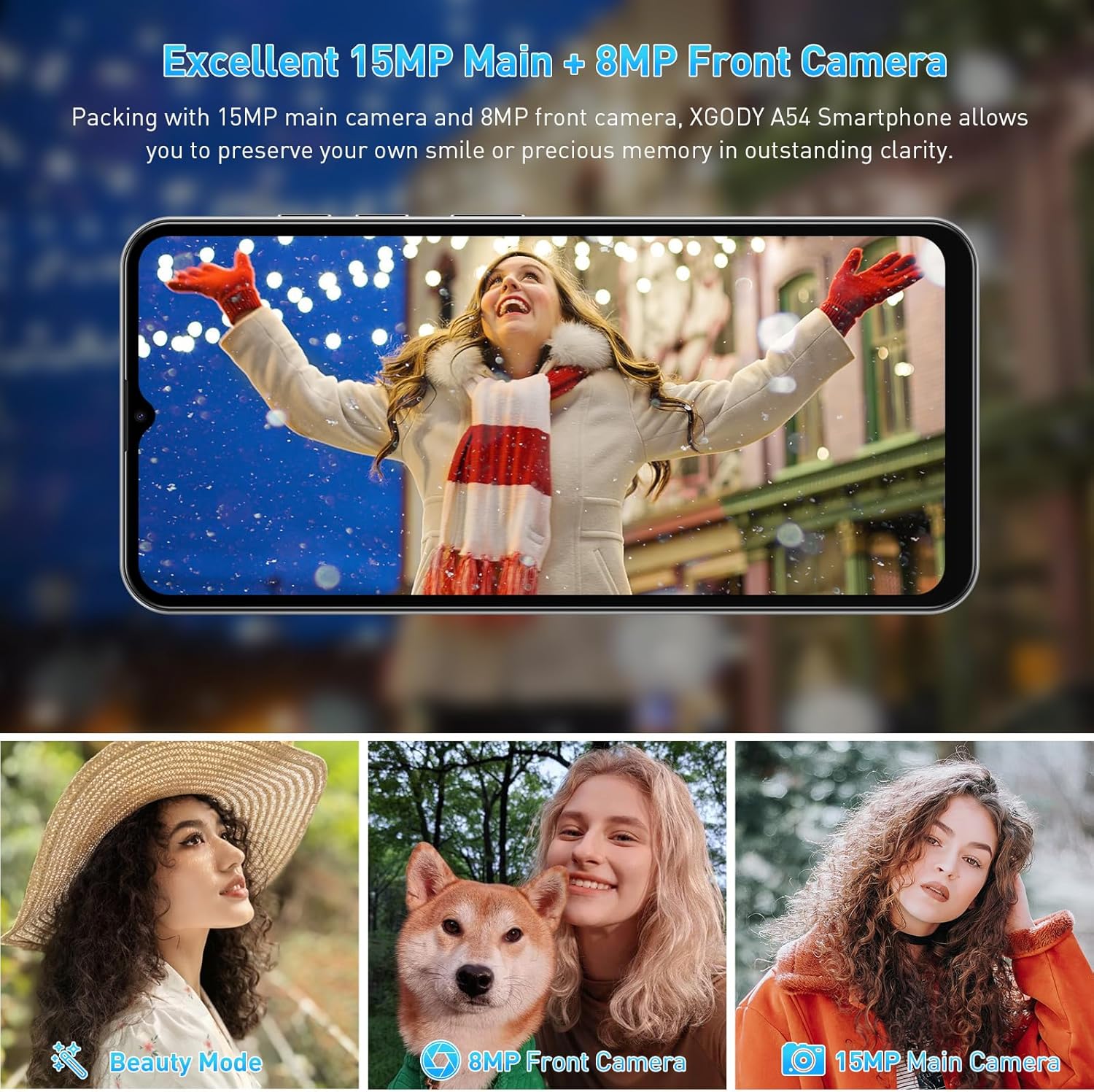
Obrázek: Přamples of photographs captured using the Xgody A54's 15MP main camera and 8MP front camera, demonstrating its photographic capabilities in various settings.
4.4. Správa úložiště
The device comes with 2GB RAM and 32GB ROM, expandable up to 256GB via an SD card. Regularly manage your storage to maintain optimal performance.
- Kontrola úložiště: Přejděte na Nastavení > Skladování.
- To free up space: Uninstall unused apps, delete old photos/videos, or move files na SD kartu.

Image: A visual representation of the Xgody A54's storage capabilities, highlighting the 2GB RAM and 32GB ROM, and the potential for significant expansion with an SD card for various media types.
4.5. Funkce OTG
The Xgody A54 supports On-The-Go (OTG) functionality, allowing you to connect USB devices like flash drives to your phone for data transfer.
5. Údržba
5.1. Péče o baterie
Baterie s kapacitou 4500 mAh umožňuje delší používání. Pro prodloužení výdrže baterie:
- Vyhněte se extrémním teplotám.
- Use the provided charger for fast charging.
- Zavřete nepoužívané aplikace běžící na pozadí.
- Upravte jas obrazovky na pohodlnou úroveň.

Image: A visual representation of the Xgody A54's 4500mAh battery performance, indicating approximate usage durations for various activities such as gaming, video playback, calls, and music listening.
5.2. Čištění zařízení
Wipe the screen and body with a soft, lint-free cloth. Avoid using harsh chemicals or abrasive materials.

Image: A close-up of the Xgody A54's rear panel, emphasizing its textured leather-like finish which is designed to be skin-friendly and resistant to fingerprints.
5.3. Aktualizace softwaru
Periodically check for system updates to ensure your device has the latest features and security patches. Go to Nastavení > Systém > Aktualizace systému.
6. Řešení problémů
If you encounter issues with your Xgody A54, refer to the following common solutions:
| Problém | Možné řešení |
|---|---|
| Phone is slow or lagging | Close background applications. Clear cache. Ensure sufficient storage space. Restart the device. |
| Camera flash is dim or poor photo quality | Ensure adequate lighting. Clean the camera lens. Adjust camera settings. |
| "System UI" message or freezing | Restart the phone. If persistent, consider a factory reset (back up data first). |
| Přehřívání zařízení | Close resource-intensive applications. Avoid direct sunlight. Disconnect from charger if charging. |
| Network data issues (4G/3G/2G) | Verify SIM card installation. Check APN settings (Access Point Names) with your carrier. Contact support for assistance with APN or IMEI number adjustments if necessary. |
| Face Unlock unreliable | Re-register your face in good lighting conditions. Ensure your face is fully visible to the front camera. |
7. Specifikace
| Funkce | Specifikace |
|---|---|
| Název modelu | A54 |
| Operační systém | Android 10.0 |
| Velikost obrazovky | 6.52 palce |
| Rezoluce | 720 x 1600 |
| Paměť RAM | 2 GB |
| Kapacita úložiště | 32 GB (Expandable up to 256GB via SD card) |
| Zadní kamera | 15 MP |
| Přední kamera | 8 MP |
| Kapacita baterie | 4500 XNUMX mAh |
| Konektivita | 4G Cellular, Bluetooth, GPS |
| Speciální funkce | Dual SIM, Expandable Memory, Face Unlock, OTG |
| Rozměry | 7.64 x 6.18 x 1.81 palce |
| Hmotnost položky | 1.17 libry |
| Barva | Porcelán |
8. Záruka a podpora
8.1. Informace o záruce
The Xgody A54 smartphone comes with a 12-month warranty service from the date of purchase. This warranty covers manufacturing defects under normal use. Please retain your proof of purchase for warranty claims.
8.2. Zákaznická podpora
For any questions, technical assistance, or warranty claims, please contact Xgody customer support. When contacting support, provide your order ID for efficient service.
Xgody is committed to continuously improving product quality and enhancing user experience. Your feedback is valuable.


