Zavedení
This manual provides comprehensive instructions for the Angrox RC813 Voice Replacement Remote Control, designed specifically for TCL Google TV models. It covers setup, operation, maintenance, and troubleshooting to ensure a seamless user experience. Please read this manual carefully before using your new remote control.
Note: This remote control is not applicable to Roku TVs.

Image: The Angrox RC813 Voice Replacement Remote Control, showcasinjeho ergonomický design a rozložení tlačítek.
Nastavení
1. Instalace baterie
Dálkový ovladač vyžaduje dvě (2) baterie typu AAA (nejsou součástí balení). Pro jejich instalaci postupujte takto:
- Najděte přihrádku na baterie na zadní straně dálkového ovladače.
- Posunutím otevřete kryt baterie.
- Vložte dvě baterie typu AAA a ujistěte se, že kladný (+) a záporný (-) pól shodují se značkami uvnitř přihrádky.
- Pevně zavřete kryt baterie.
2. Pairing the Remote Control with Your TCL Google TV
The Angrox RC813 remote uses Bluetooth for voice control and enhanced functionality. Follow these steps to pair it with your TCL Google TV:
- Ensure your TCL Google TV is powered on.
- On the remote, short press the "Google Assistant" button (ikona mikrofonu).
- Immediately after, press and hold the "HOME" button and the "OK" button simultaneously for approximately 5 seconds.
- Release the buttons when a pairing message appears on your TV screen, indicating that the pairing process has begun.
- Follow any on-screen prompts to complete the pairing. The TV screen will confirm when pairing is successful.

Image: Visual guide demonstrating the two-step pairing process: first short press the Google Assistant button, then press and hold the Home and OK buttons.

Image: A television screen displaying a 'Searching for accessories...' message with a Bluetooth icon, illustrating the pairing process for the remote control.
Návod k obsluze
Rozložení a funkce dálkového ovladače
The Angrox RC813 remote is designed for intuitive navigation and control of your TCL Google TV. Below is a description of its key buttons and their functions:

Image: A detailed diagram of the Angrox RC813 remote control with labels for each button, including Power, Input, Settings, Microphone, Voice Button, Profile Selector, Circular D-Pad, OK Button, Back, Home, Live Guide, Quick Menu, Mute, Volume Up/Down, Channel Up/Down, TV Plus, Info, Virtual Keyboard, and dedicated App buttons.
- Vypínač: Zapíná nebo vypíná televizor.
- Vstupní tlačítko: Vybere vstupní zdroj (HDMI, AV atd.).
- Tlačítko nastavení: Přístup k nabídce nastavení televizoru.
- Mikrofon: Integrovaný mikrofon pro hlasové příkazy.
- Hlasové tlačítko: Activates the voice search function. Hold to speak your command.
- Profile Volič: Switches between user profiles.
- Circular D-Pad (Up/Down/Left/Right): Prochází menu a obsahem.
- Tlačítko OK: Potvrzuje výběr.
- Tlačítko Zpět: Vrátí se na předchozí obrazovku.
- Tlačítko Domů: Návrat na domovskou obrazovku televizoru.
- Živý průvodce: Otevře elektronického programového průvodce (EPG).
- Rychlé menu: Accesses a quick settings menu.
- Zvýšení/Snížení hlasitosti: Nastavuje hlasitost TV.
- Kanál nahoru/dolů: Mění televizní kanály.
- TV Plus: Accesses network Live Channels.
- Info: Displays program information (in TV source).
- Virtuální klávesnice: Opens an on-screen virtual keyboard.
- Vyhrazená tlačítka aplikací: Direct access to popular streaming services like Netflix, Prime Video, YouTube, Channel, Home, and Apple TV+.
Funkce hlasového ovládání
The voice control feature allows you to easily find, launch, and control content using spoken commands. To use voice control:
- Stiskněte a podržte Hlasové tlačítko (ikona mikrofonu).
- Mluvte jasně do mikrofonu umístěného na dálkovém ovladači.
- Release the button once you have finished speaking your command.
Examples of voice commands include: "Play music," "Open YouTube," "Fast-forward to 30 minutes," or "Show me Popular Movies."

Image: A hand holding the Angrox RC813 remote, with an overlay illustrating various voice commands like "Play music" and "Open YouTube."

Image: A family watching television, with a thought bubble above one person saying "Hey, volume up," demonstrating the voice control feature of the remote.
Dedicated App Access
The remote features six dedicated buttons for quick access to popular applications:
- Netflix
- Prime Video
- Youtube
- Kanál
- Domov
- Apple TV+
Simply press the corresponding button to launch the desired application directly.

Image: The Angrox RC813 remote control shown next to a TV screen displaying various app icons, highlighting the six dedicated quick-access buttons for streaming services.
Údržba
Výměna baterie
Replace the AAA batteries when the remote control's response becomes sluggish or it stops functioning. Always replace both batteries at the same time with new ones. Do not mix old and new batteries, or different types of batteries.
Čištění
To clean the remote control, use a soft, dry cloth. Do not use abrasive cleaners, waxes, or solvents as these may damage the surface or internal components.
Odstraňování problémů
| Problém | Možná příčina | Řešení |
|---|---|---|
| Dálkový ovladač nereaguje. | Vybité nebo nesprávně vložené baterie. | Vyměňte baterie za nové baterie AAA a dbejte na správnou polaritu. |
| Hlasové ovládání nefunguje. | Remote not paired via Bluetooth. | Perform the pairing procedure described in the Setup section. |
| Remote not pairing. | Incorrect pairing steps or interference. | Ensure TV is on. Repeat pairing steps carefully. Move closer to the TV. Remove other Bluetooth devices temporarily. |
| Tlačítka nereagují. | Obstruction between remote and TV's IR receiver (for basic functions). | Ensure a clear line of sight between the remote and the TV. |
| Remote is for TCL Roku TV. | This remote is not compatible with Roku TVs. | Verify your TV is a TCL Google TV, not a TCL Roku TV. This remote is specifically for TCL Google TV models. |
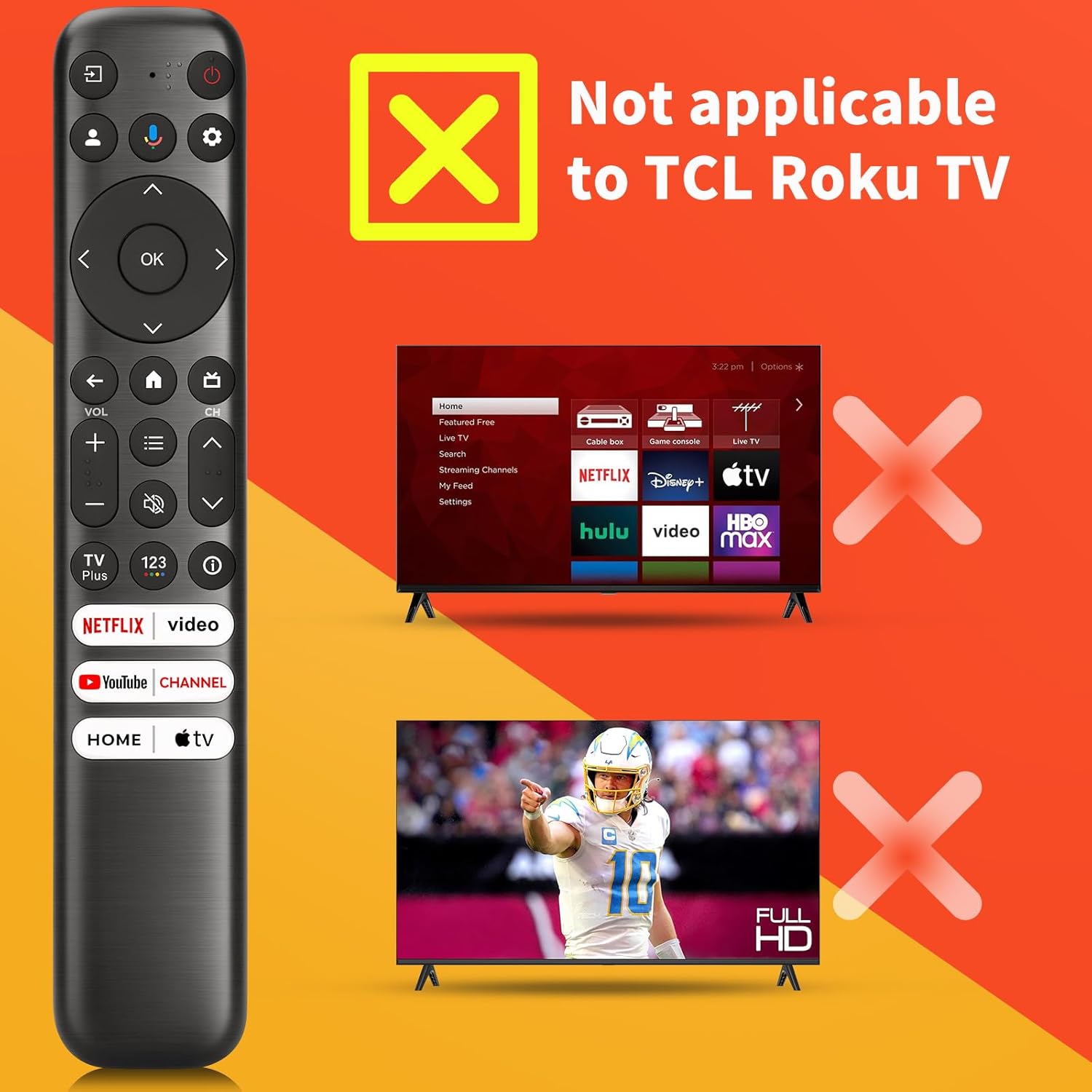
Image: A visual warning indicating that the remote control is not compatible with TCL Roku TVs, showing a remote next to a TV with a red 'X' over it.
Specifikace
- Číslo modelu: RC813
- Značka: Angrox
- Kompatibilní zařízení: TCL Google TV (Q6, Q7, QM8, S3, S4 series)
- Rozměry produktu: 8.18 x 1.45 x 0.59 palce
- Hmotnost položky: 2.39 unce
- Potřebné baterie: 2 x AAA baterie (nejsou součástí balení)
- Speciální vlastnosti: Ergonomic design, No programming required (after pairing), Universal (for specified TCL Google TV models), Voice Search
- Maximální počet podporovaných zařízení: 1

Image: A diagram showing the dimensions of the Angrox RC813 remote control: 8.18 inches in length, 1.45 inches in width, and 0.59 inches in thickness.

Image: A list of compatible TCL Google TV series and specific models for the Angrox RC813 remote, including S3, Q7, QM8, Q6, and S4 series.
Informace o záruce
Please refer to the product packaging or the official Angrox website for specific warranty details. General warranty terms typically cover manufacturing defects for a limited period from the date of purchase.
Podpora
For further assistance, troubleshooting, or product inquiries, please visit the official Angrox store or contact customer support through the retailer where the product was purchased.
Angrox Store: https://www.amazon.com/stores/Angrox/page/A1560020-463E-4EF3-992F-7A4C9B868B0F
Video o produktu
Video: An official product video demonstrating the features and compatibility of the Angrox Voice Replacement Remote for TCL Google TV.


