Zavedení
This manual provides comprehensive instructions for the setup, operation, maintenance, and troubleshooting of your LANCOM 1803VA VoIP SD-WAN Gateway. The LANCOM 1803VA is designed for reliable and secure site networking, featuring an integrated VDSL modem for high-performance internet connectivity and robust VPN capabilities. It integrates seamlessly with the LANCOM Management Cloud (LMC) for simplified network management and automated deployment.
Průvodce nastavením
Follow these steps to set up your LANCOM 1803VA Gateway.
1. Vybalení a první kontrola
Carefully remove all components from the packaging. Verify that all items listed in the packing contents are present and undamaged. If any items are missing or damaged, contact your vendor immediately.
2. Zařízení skončiloview
Familiarize yourself with the front and rear panels of the device.

Přední view of the LANCOM 1803VA Gateway, showing the LANCOM SYSTEMS logo on the left, LANCOM 1803VA on the right, and a row of LED indicators for Power, Online, WAN, SFP, DSL, Analog 1, Analog 2, ISDN 1, ISDN 2, ETH 1-4, VoIP, and VPN.
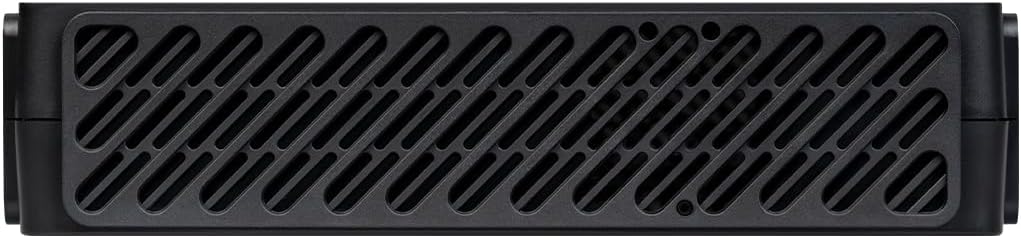
Nahoru view of the LANCOM 1803VA Gateway, featuring a large ventilation grille pattern across its surface for heat dissipation.
3. Připojení brány
- Připojení napájení: Connect the provided power adapter to the 'POWER' port on the rear of the gateway and then to a power outlet.
- VDSL/DSL Connection: Connect your VDSL/DSL line to the 'DSL' port.
- Ethernetová připojení: Connect your local network devices (computers, switches) to the 'ETH 1-4' ports using Ethernet cables.
- VoIP/Analog/ISDN Connections: If utilizing VoIP or traditional telephony features, connect your analog phones, fax machines, or ISDN devices to the respective 'ANALOG' or 'ISDN' ports.
- WAN/Fiber Optic (Optional): For external modems or fiber optic connections (with separate modules), use the 'WAN' or 'SFP' ports.
4. Počáteční konfigurace
Once powered on, the device will perform a self-test. Refer to the LANCOM Management Cloud (LMC) documentation for zero-touch deployment or access the device's web interface via a connected computer for manual configuration. The default IP address and login credentials can be found on the label at the bottom of the device.
Návod k obsluze
This section covers the basic operation and key features of your LANCOM 1803VA Gateway.
LED indikátory
Monitor the LED indicators on the front panel for device status:
- MOC: Indikuje stav napájení.
- ONLINE: Indikuje stav připojení k internetu.
- WAN/DSL: Indicates activity on WAN or DSL ports.
- ETH 1-4: Indicate link status and activity for Ethernet ports.
- VoIP/VPN: Indicate status of VoIP services and VPN connections.
Klíčové vlastnosti
- Integrated VDSL Supervectoring Modem: Supports speeds up to 300 Mbit/s for high-speed internet access.
- SD-WAN Capabilities: Facilitates zero-touch deployment and automatic VPN setup via the LANCOM Management Cloud.
- IPSec VPN: Includes 5 integrated IPSec VPN channels (expandable to 25) for secure site-to-site and remote access connections.
- Professional Telephony Functions: Features LANCOM VCM (Voice Call Manager) and SBC (Session Border Controller) for advanced VoIP services.
- Legacy Telephony Support: Provides 2 x ISDN S0 (NT) and 2 x analog ports for continuous operation of existing ISDN and analog components.
- Network Virtualization (ARF): Supports up to 16 virtual networks on a single device.
Údržba
Regular maintenance ensures optimal performance and longevity of your LANCOM 1803VA Gateway.
Čištění
Periodically clean the device's exterior with a soft, dry cloth. Ensure ventilation grilles are free from dust and debris to prevent overheating. Do not use liquid cleaners or aerosols.
Aktualizace firmwaru
It is recommended to keep your device's firmware updated to the latest version. Firmware updates often include performance improvements, security patches, and new features. You can manage firmware updates through the LANCOM Management Cloud or the device's web interface. Always back up your configuration before performing a firmware update.
Odstraňování problémů
Tato část se zabývá běžnými problémy, se kterými se můžete setkat, a nabízí řešení.
Žádná síla
- Ujistěte se, že je napájecí adaptér bezpečně připojen k zařízení a k funkční zásuvce.
- Ověřte funkčnost elektrické zásuvky zapojením jiného zařízení.
Žádné připojení k internetu
- Check the 'ONLINE' and 'DSL' LEDs. If they are off or blinking irregularly, verify your DSL line connection.
- Contact your Internet Service Provider (ISP) to confirm service status.
- Ensure the gateway's internet settings (VDSL/WAN configuration) are correct.
Nelze přistupovat Web Rozhraní
- Ensure your computer is connected to one of the 'ETH' ports and is configured to obtain an IP address automatically (DHCP).
- Verify you are using the correct IP address for the gateway (default is usually printed on the device label).
- Zkuste vymazat mezipaměť prohlížeče nebo použít jiný prohlížeč.
VoIP Issues
- Check the 'VoIP' LED indicator.
- Verify your VoIP account settings and ensure they are correctly configured in the gateway.
- Ensure sufficient bandwidth for voice traffic.
If problems persist, consult the detailed troubleshooting guide available on the LANCOM support website or contact LANCOM technical support.
Technické specifikace
| Funkce | Popis |
|---|---|
| Značka | Lancom |
| Název modelu | 1803 VA |
| Číslo modelu | 62153 |
| Barva | Černý |
| Operační systém | LCOS |
| Technologie připojení | Ethernet |
| Speciální funkce | Supervectoring VDSL, SD-WAN |
| Kompatibilní zařízení | Personal computer, laptop, tablet, smartphone, game console |
| Doporučená použití | Business, Home Office |
| Zahrnuté komponenty | Směrovač |
| Standard bezdrátové komunikace | 802.11ax |
| Třída frekvenčního pásma | Dual Band |
| ASIN | B0CV5JTD76 |
| Datum první dostupnosti | 7. února 2024 |
Informace o záruce
LANCOM products are engineered in Germany for maximum durability, reliability, and security. For specific warranty terms and conditions, please refer to the warranty card included with your product or visit the official LANCOM webUschovejte si doklad o koupi pro případ reklamace.
Podpora
For technical assistance, product documentation, and software updates, please visit the official LANCOM Systems support portal. You can find FAQs, downloads, and contact information for customer service there.
LANCOM Systems Official Webmísto: www.lancom-systems.com


