1. Úvod
This manual provides essential information for the safe and efficient operation of your DieHard Portable Power Station 500-Watt. Please read this manual thoroughly before using the product and keep it for future reference. This portable power station is designed to provide reliable power for various applications, including home backup, weather emergencies, outdoor recreation, and job site use.

Image 1.1: The DieHard Portable Power Station 500-Watt, a compact and powerful unit with a blue handle and multiple output ports.
2. Vlastnosti produktu
The DieHard Portable Power Station offers a range of features designed for versatility and reliability:
- DieHard Legacy: Over 50 years of providing dependable solutions for power needs, built on innovation, durability, and reliability.
- Schopnost napájení: Equipped with a 519.48Wh lithium-ion battery, providing 500 Watts of continuous AC power with up to 1000-Watt peak abilities. Capable of running computer equipment, TVs/monitors, lights, fans, game consoles, kitchen appliances, and more.
- Přenosnost: Designed to be compact, lightweight, and travel-friendly. Weighing 15 pounds and measuring 12.3" x 7.5" x 7.5", ideal for easy transport and most outdoor activities.
- Příkon: Supports charging via optional DieHard Portable Solar Panels (120-Watt or 200-Watt), standard AC wall outlet, or DC car charger.
- Výkon: Features a 10-Watt Wireless Charging Pad, 2 AC outlets, 3 USB ports, 1 USB-C port, 2 DC ports, and 1 Car Charger port.
- Výstupní vlnová délka: Pure Sine Wave optimized output, resulting in a stable and clean power supply ideal for powering sensitive electronics without interference or damage.
- Bezpečnost a odolnost: Weather-Resistant and built to last, incorporates overcharging, temperature, and low battery protection, safeguarding your devices and the power station itself.
- Ekologické: Embrace sustainable energy with solar panel's green charging capabilities, reducing reliance on the grid and minimizing your carbon footprint.
3. Komponenty přesview
Familiarize yourself with the various parts and ports of your DieHard Portable Power Station for optimal use.

Obrázek 3.1: Detailní view of the DieHard Portable Power Station's smart display and various input/output ports.
- LCD displej: Zobrazuje stav baterie, vstupní/výstupní proudtage a indikátory stavu.
- Tlačítko zapnutí/vypnutí napájení: Aktivuje nebo deaktivuje jednotku.
- Tlačítko ZAP/VYP světla: Controls the built-in LED light.
- Tlačítko AC ON/OFF: Activates or deactivates the AC output ports.
- DC vstup: Port for charging the power station via AC adapter or car charger.
- PV Input (10-28V): Port for connecting compatible solar panels for charging.
- Cigarette Lighter Socket Output (12V 10A): Standard 12V DC output.
- DC Output (12V 5A): Two dedicated 12V DC output ports.
- Výstup USB-A: Three standard USB ports for charging mobile devices.
- USB-C výstup: One USB-C port for faster charging of compatible devices.
- AC zásuvky: Dvě standardní zásuvky pro napájení domácích spotřebičů.
- Bezdrátová nabíjecí podložka: Located on top for compatible devices.
- Anti-collision Strip: Protective strips on the sides for durability.
4. Nastavení
Follow these steps for the initial setup of your DieHard Portable Power Station:
- Rozbalit: Opatrně vyjměte elektrárnu a veškeré příslušenství z obalu.
- Kontrolovat: Zkontrolujte jednotku, zda není viditelně poškozená. Pokud je poškozená, nepoužívejte ji a kontaktujte zákaznickou podporu.
- Počáteční poplatek: Before first use, fully charge the power station using the provided AC adapter. Connect the AC adapter to the DC Input port and plug it into a wall outlet. The LCD screen will indicate charging status.
- Umístění: Umístěte elektrárnu na stabilní, rovný povrch v dobře větraném prostoru, mimo dosah přímého slunečního záření, zdrojů tepla a vlhkosti.
5. Návod k obsluze
Operating your DieHard Portable Power Station is straightforward. Follow these guidelines to power your devices.

Image 5.1: The DieHard Power Station powering multiple devices for a family, demonstrating its versatility.
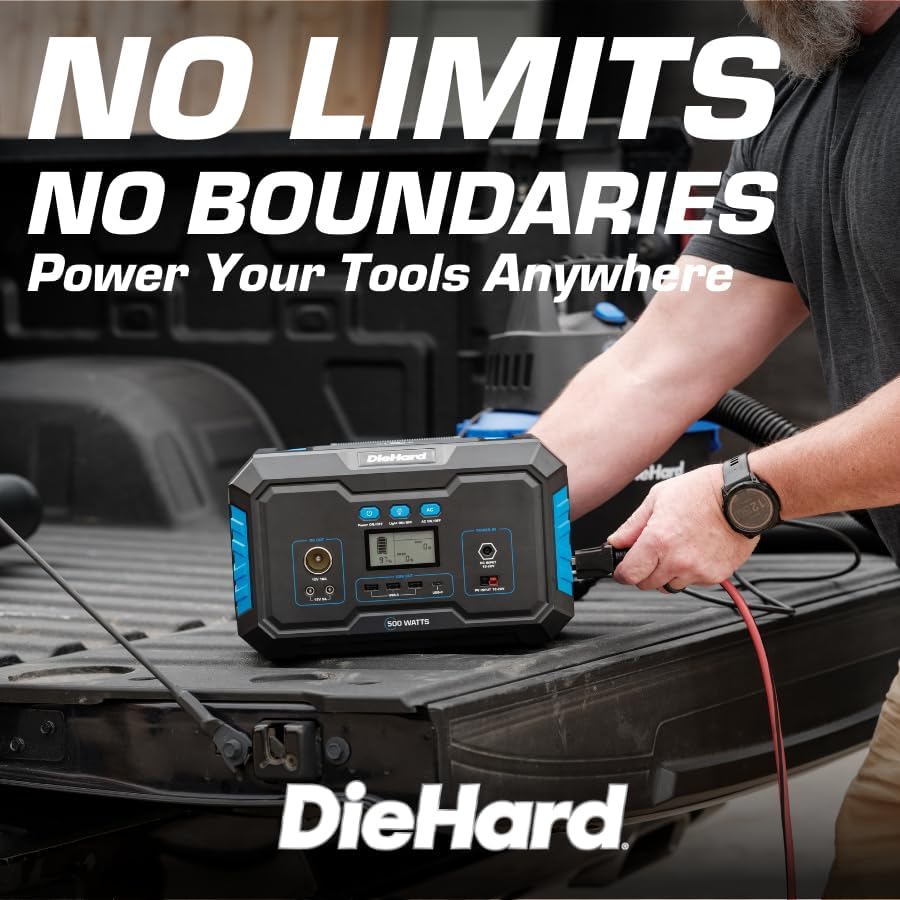
Image 5.2: A DieHard Power Station being used to power tools in a truck bed, highlighting its portability for job sites.

Obrázek 5.3: Příkladamples of device runtimes, showing the power station can run a 32" TV for 7 hours or a mini fridge for 5 hours.
- Zapnutí: Press and hold the 'Power ON/OFF' button for a few seconds until the LCD screen illuminates.
- Vyberte výstup:
- For AC devices, press the 'AC ON/OFF' button. The AC icon will appear on the display.
- For DC devices (including car charger and 12V DC ports), ensure the unit is powered on. The DC output is typically active by default.
- For USB devices, simply plug them into the USB-A or USB-C ports. These are usually active when the unit is on.
- Pro bezdrátové nabíjení umístěte kompatibilní zařízení na bezdrátovou nabíjecí podložku na horní straně jednotky.
- Připojit zařízení: Plug your devices into the appropriate output ports. Monitor the LCD screen to see the output wattage a zbývající výdrž baterie.
- Vypnout: When finished, disconnect all devices. Press and hold the 'Power ON/OFF' button until the LCD screen turns off. If AC output was used, press the 'AC ON/OFF' button to turn it off first.
6. Informace o nabíjení
Your DieHard Portable Power Station can be charged using multiple methods:

Image 6.1: The DieHard Power Station connected to solar panels, demonstrating its solar charging capability.

Image 6.2: Detailed chart showing estimated charging times for the 500W power station using different input methods.
- AC Adapter (Wall Outlet): Connect the provided AC adapter to the DC Input port.
- Solární panel (volitelné): Connect a compatible DieHard 120-Watt or 200-Watt Portable Solar Panel to the PV Input port. Charging time will vary based on sunlight intensity and panel wattage.
- Car Charger (12V): Use the car charger cable to connect the power station to your vehicle's 12V cigarette lighter socket. This method is most efficient when the car engine is running.
Estimated Charging Times (500-Watt Model):
- From AC Adapter: Approximately 6 - 7 hours
- From Solar Charging 120W: Approximately 6 - 9 hours (depending on solar conditions)
- From Solar Charging 200W: Approximately 5 - 6 hours (depending on solar conditions)
- From Car Charger 12V: Approximately 7 - 8 hours (when car running)
7. Bezpečnost a trvanlivost
Your DieHard Portable Power Station is built with multiple safety features. Please observe the following precautions:
- Nevystavujte jednotku extrémním teplotám, delšímu přímému slunečnímu záření ani vysoké vlhkosti.
- Během používání a nabíjení zajistěte dostatečné větrání, aby nedošlo k přehřátí.
- Avoid dropping or subjecting the unit to severe impacts.
- Do not disassemble, repair, or modify the unit yourself. Contact qualified service personnel for any repairs.
- Uchovávejte mimo dosah dětí a domácích zvířat.
- Používejte pouze originální nebo certifikované kompatibilní nabíjecí kabely a adaptéry.
- The unit incorporates overcharging, temperature, and low battery protection to safeguard both the power station and connected devices.
8. Údržba
Proper maintenance will extend the lifespan and ensure optimal performance of your power station:
- Čištění: K čištění vnější strany jednotky používejte měkký, suchý hadřík. Nepoužívejte abrazivní čisticí prostředky ani rozpouštědla.
- Skladování: If storing for an extended period, charge the unit to approximately 50-80% every 3-6 months to maintain battery health. Store in a cool, dry place.
- Péče o baterie: Avoid fully discharging the battery frequently. Recharge promptly after use.
- Větrání: Ujistěte se, že větrací otvory jsou zbavené prachu a nečistot.
9. Řešení problémů
If you encounter issues with your power station, refer to the table below for common problems and solutions:
| Problém | Možná příčina | Řešení |
|---|---|---|
| Jednotka se nezapne. | Baterie je zcela vybitá. | Nabijte napájecí stanici pomocí síťového adaptéru. |
| Výstup střídavého proudu nefunguje. | Výstup střídavého proudu není aktivován. | Press the 'AC ON/OFF' button to activate AC output. |
| Device not charging from USB/DC. | Unit not powered on; cable issue. | Ensure unit is on. Try a different cable or port. |
| Varování před přetížením na displeji. | Connected device exceeds power station's output limit. | Disconnect the device. Check device wattage and ensure it's within the power station's limits. |
| Přehřátí jednotky. | Poor ventilation; prolonged high load. | Ensure vents are clear. Reduce load or allow unit to cool down. |
10. Specifikace
Detailed technical specifications for the DieHard Portable Power Station 500-Watt:

Image 10.1: Dimensions of the DieHard 500-Watt Portable Power Station.
| Specifikace | Hodnota |
|---|---|
| Značka | Zpátečník |
| Číslo modelu | DH-20002-01 |
| Wattage (Continuous) | 500 wattů |
| Wattage (vrchol) | 1000 wattů |
| Kapacita baterie | 519.48 Wh |
| Typ baterie | Lithium-Ion |
| Hmotnost položky | 15.1 libry |
| Rozměry produktu (D x Š x V) | 12.3 cm x 7.5 cm x 7.5 cm |
| Výstupní napětí ACtage | 110 voltů |
| AC výstupní frekvence | 60 Hz |
| Výstupní průběh | Čistá sinusová vlna |
| Celkové elektrické zásuvky | 10 (2 AC, 3 USB-A, 1 USB-C, 2 DC, 1 Car Charger, 1 Wireless Charging Pad) |
| Charging Input Options | AC Adapter, Solar Panel (10-28V), Car Charger (12V) |
| Barva | Modrý |
| UPC | 810133980120 |
11. Záruka a podpora
For warranty information, product registration, and customer support, please refer to the official DieHard webnebo se obraťte na jejich zákaznický servis. Uschovejte si účtenku jako doklad o koupi pro případné reklamace.
Oficiální Webmísto: www.diehard.com
For further assistance, please reach out to DieHard customer support through the contact information provided on their official webmísto.


