1. Úvod
Děkuji za nákupasing the VTech XS1050 Cordless Phone. This manual provides essential information for setting up, operating, and maintaining your new phone. Please read it thoroughly to ensure proper use and to take full advantage jeho vlastností.

Figure 1: VTech XS1050 Cordless Phone and Base Unit
This image shows the VTech XS1050 cordless phone handset resting in its white base unit. The handset features a digital display and a numeric keypad. The base unit also has controls for the answering machine.
2. Nastavení
2.1 Obsah balení
Než začnete, ujistěte se, že máte k dispozici všechny položky:
- VTech XS1050 Handset
- VTech XS1050 Base Unit
- Napájecí adaptér pro základní jednotku
- Kabel telefonní linky
- 2 x Product-Specific Batteries (included)
- Uživatelská příručka (tento dokument)
2.2 Instalace baterie
- Otevřete kryt bateriového prostoru na zadní straně sluchátka.
- Insert the two supplied batteries, observing the correct polarity (+ and -).
- Bezpečně zavřete kryt bateriového prostoru.
2.3 Připojení základní jednotky
- Connect the power adapter to the base unit and plug it into a wall outlet.
- Připojte jeden konec telefonního kabelu k základní jednotce a druhý konec do telefonní zásuvky ve zdi.
2.4 Počáteční poplatek
Place the handset on the base unit. The battery indicator on the handset display will show charging. Allow the handset to charge for at least 16 hours before initial use to ensure optimal battery performance.
3. Návod k obsluze
3.1 Uskutečňování a přijímání hovorů
- Uskutečnění hovoru: Zvedněte sluchátko, vytočte číslo a stiskněte Volání tlačítko.
- Příjem hovoru: Když telefon zvoní, stiskněte Volání tlačítko.
- Ukončení hovoru: Stiskněte tlačítko Ukončit hovor tlačítko nebo položte sluchátko zpět na základnu.
3.2 Using the Answering Machine
The VTech XS1050 features a digital answering machine with up to 30 minutes of recording time.
- Přehrávání zpráv: Stiskněte tlačítko Hrát tlačítko na základní jednotce.
- Nahrávání pozdravu: Refer to the detailed instructions in the full manual for custom greeting setup.
3.3 Handsfree hlasitý odposlech
To activate the hands-free speakerphone during a call, press the Hlasitý telefon button on the handset. Press it again to switch back to handset mode.

Figure 2: Hands-Free Speakerphone Function
This image shows a person in a kitchen setting, using the VTech XS1050 handset on speakerphone mode while performing other tasks, indicating the convenience of the hands-free function.
3.4 Nastavení hlasitosti
Během hovoru použijte Zvýšení hlasitosti a Snížit hlasitost tlačítka na boku sluchátka pro nastavení hlasitosti sluchátka. Základna má také ovládání hlasitosti pro hlasitý odposlech a přehrávání ze záznamníku.
3.5 Phonebook and Speed Dial
- Telefonní seznam: Store up to 100 names and numbers. Access and manage entries via the handset menu.
- Rychlé vytáčení: Assign frequently called numbers to 8 dedicated speed dial keys for quick access.
3.6 Caller ID and Call History
The phone displays caller information (if available from your service provider) and stores a history of the last 20 incoming calls.

Figure 3: Caller ID and Call History Display
This image illustrates the handset's display showing multiple entries in the call history, including caller names and numbers, demonstrating the caller ID and call waiting features.
3.7 Conference Function
The intercom/hands-free function allows multiple users to participate in a conversation simultaneously, facilitating three-way conference calls.

Figure 4: Three-Way Conference Call
This image depicts three individuals engaged in separate phone conversations, symbolizing the three-way conference call capability of the VTech XS1050.
3.8 Alarm and Mute Function
The handset includes an alarm function for reminders and a mute function to temporarily silence your microphone during a call.

Figure 5: Alarm and Mute Function Icons
This image shows the VTech XS1050 handset on a table, with graphic overlays of an alarm clock and a muted speaker icon, illustrating the alarm and mute functionalities.
4. Klíčové vlastnosti
4.1 Svazek Ampdoživotní
The VTech XS1050 features an integrated volume amplifier that boosts incoming sound and voice for enhanced clarity and volume. This feature is particularly beneficial for users with hearing impairments or those who prefer a louder audio experience.

Figure 6: Volume Amplifier in Action
This image visually represents the volume amplification feature, showing sound waves emanating from the handset and an ear icon with a plus sign, indicating increased audio output for clearer conversations.
4.2 Digital Answering Machine
Record and store incoming calls when you are unavailable. The digital answering machine offers a maximum storage duration of 30 minutes, ensuring you don't miss important messages.
4.3 Backlit Screen and Keypad
The handset features a backlit screen and keypad, providing improved visibility in low-light conditions and enhancing ease of use.

Figure 7: Backlit Screen and Keypad
This image highlights the illuminated display and keys of the VTech XS1050 handset, demonstrating its backlit feature for better visibility in dim environments.
4.4 Dlouhá výdrž baterie
Enjoy extended conversations with up to 18 hours of talk time on a single charge, ensuring your phone is ready when you need it.

Obrázek 8: Výdrž baterie až 18 hodin
This image features a woman talking on the VTech XS1050 handset, with a graphic overlay indicating '18 hours' talk time, emphasizing the product's long battery endurance.
4.5 Adjustable Ringtone Volume and Melodies
Customize your phone experience by adjusting the ringtone volume and choosing from various melodies to suit your preference.

Figure 9: Adjustable Ringtone Settings
This image shows the VTech XS1050 handset with graphic icons representing a bell (ringtone) and musical notes, indicating the ability to adjust ringtone volume and select melodies.
4.6 Multilingual Help Messages
The phone supports multilingual help messages, providing assistance in various languages for user convenience.
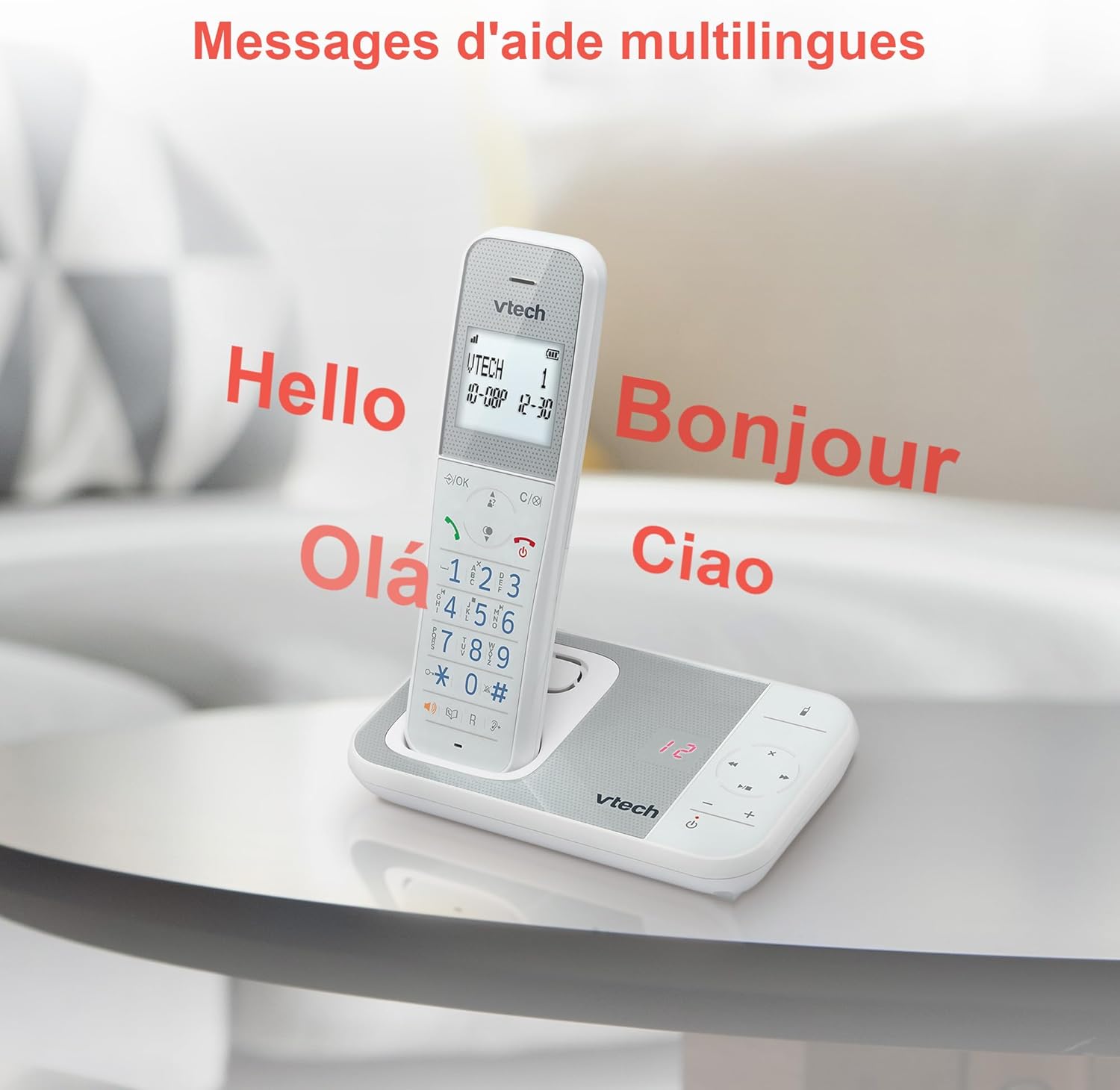
Figure 10: Multilingual Help Messages
This image displays the VTech XS1050 handset with various greetings like 'Hello', 'Bonjour', 'Olá', and 'Ciao' floating around it, illustrating the multilingual support feature.
5. Údržba
5.1 Čištění
Otřete telefon a základnovou jednotku měkkým hadříkemamp hadříkem. Nepoužívejte abrazivní čisticí prostředky ani rozpouštědla. Zajistěte, aby se do otvorů telefonu nedostala žádná tekutina.
5.2 Péče o baterii
- Always use the supplied batteries.
- Pokud telefon nebudete delší dobu používat, vyjměte baterie, abyste zabránili jejich vytečení.
- Staré baterie zlikvidujte zodpovědně v souladu s místními předpisy.
6. Řešení problémů
If you experience issues with your VTech XS1050, please refer to the following common problems and solutions:
| Problém | Možná příčina | Řešení |
|---|---|---|
| Žádný oznamovací tón | Telefonní kabel není správně připojen. | Ujistěte se, že je telefonní kabel bezpečně zapojený do základnové stanice a zásuvky ve zdi. |
| Telefon se nezapne | Batteries are not charged or incorrectly installed. | Check battery polarity and ensure the handset is properly seated on the base unit for charging. Verify power adapter connection. |
| Špatná kvalita zvuku | Rušení od jiných elektronických zařízení. | Move the base unit or handset away from other electronic devices such as TVs, computers, or microwaves. |
| Záznamník nenahrává | Memory full or answering machine is off. | Delete old messages to free up space. Ensure the answering machine function is activated. |
7. Specifikace
| Funkce | Detail |
|---|---|
| Značka | VTech |
| Model | XS1050 |
| Barva | Bílý |
| Typ telefonu | Bezdrátové (DECT) |
| Počet baterií | 2 (Product Specific - Included) |
| Materiál | Plast |
| Zdroj napájení | Napájení z baterie |
| Typ vytáčení | Jedna klávesnice |
| Rozměry položky (D x Š x V) | 18.5 x 15.1 x 6.6 centimetrů |
| Typ systému odpovědí | Digitální |
| Hmotnost položky | 400 gramů |
| Kapacita záznamníku | Až 30 minut |
| Kapacita telefonního seznamu | 100 jmen a čísel |
| Historie hovorů | 20 záznamů |
| Doba hovoru | Až 18 hodin |
8. Záruka a podpora
8.1 Informace o záruce
For detailed warranty information, please refer to the warranty card included with your product or visit the official VTech webwebu. Uschovejte si účtenku jako doklad o koupi.
8.2 Zákaznická podpora
If you require further assistance or have questions not covered in this manual, please contact VTech customer support. Contact details can typically be found on the VTech webmístě nebo na obalu produktu.


