Zavedení
Thank you for choosing the Moukey MPS3 Portable Karaoke Machine. This device is designed to provide high-quality audio and versatile connectivity for various entertainment needs, including karaoke, parties, and general music playback. This manual provides essential information for setting up, operating, and maintaining your MPS3 unit.

Image: The Moukey MPS3 Portable Karaoke Machine, featuring its main unit with integrated handle and two wireless microphones attached to the sides.
Co je v krabici
- Moukey MPS3 Karaoke Machine
- 2 x bezdrátové mikrofony
- Detachable Microphone Holders
- Nabíjecí kabel USB typu C.
- Uživatelská příručka
Note: AA batteries for microphones are not included.
Vlastnosti produktu
- Excellent Karaoke Sound: Equipped with a 6.5-inch woofer and 1-inch tweeter for full-range stereo sound. The system delivers strong, balanced bass without distortion, even at high volumes. Features shining owl-eye LED lighting effects, which can be turned off.
- Lightweight & Portability: Weighing approximately 2 KG (4.4 lbs), the MPS3 features a convenient handle for easy transport, making it suitable for various indoor and outdoor events.
- Dobíjecí baterie: The built-in rechargeable battery provides extended music playback, allowing for cordless operation. It can be charged via USB-C.
- All-In-One Karaoke System: Supports multiple audio input methods including Bluetooth 5.0 for wireless connection with mobile phones, laptops, and tablets; Micro TF card playback (up to 32GB); Flash USB playback (up to 32GB); and AUX IN via cable.
- Bezdrátové mikrofony: Includes two wireless microphones for duets or group performances. The unit also features a 6.35mm input for an additional wired microphone. Integrated microphone holders keep idle microphones secure.

Obrázek: Explodoval view diagram illustrating the 6.5-inch woofer and tweeter components, highlighting the powerful sound capabilities of the MPS3.
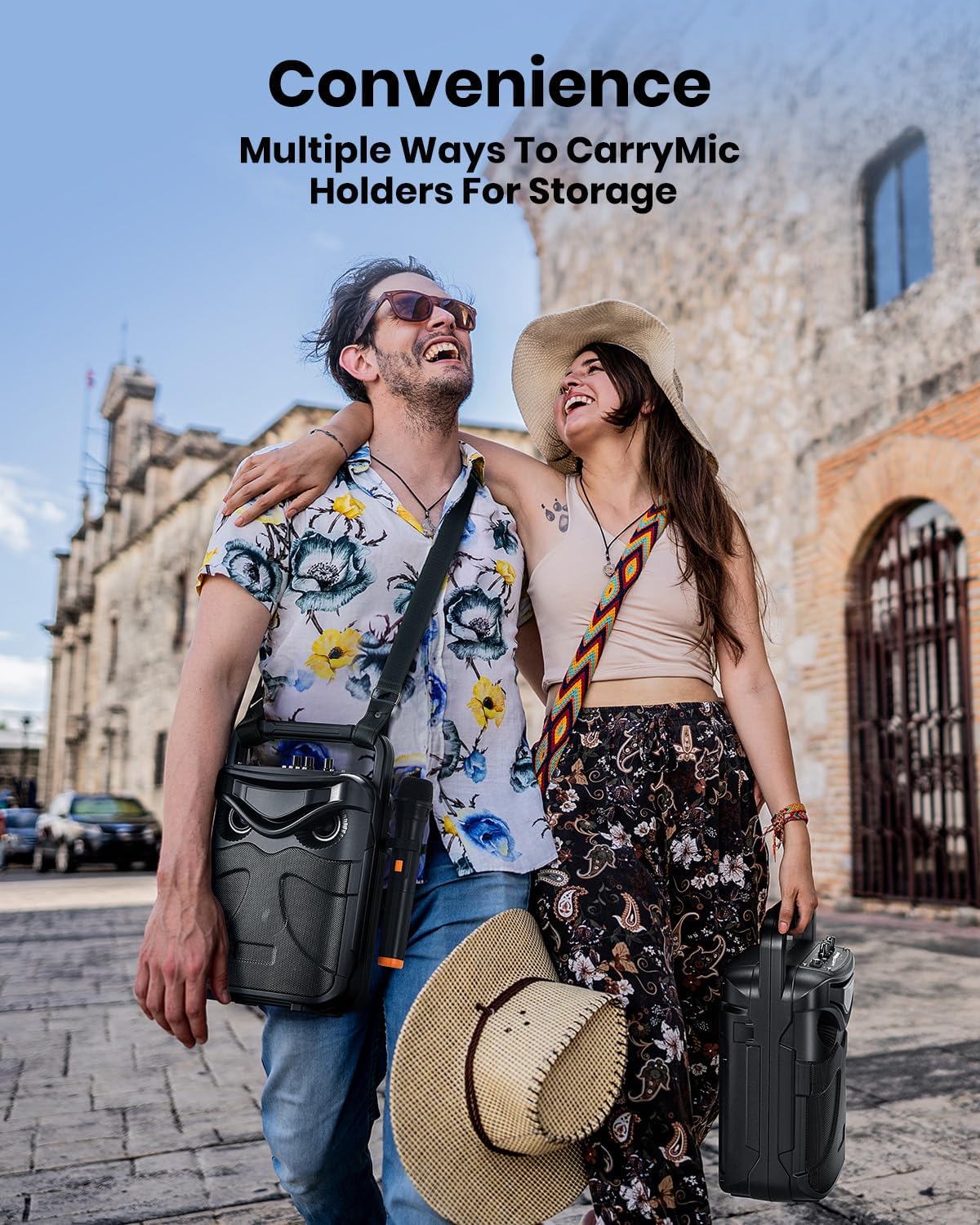
Image: Two individuals walking outdoors, one carrying the Moukey MPS3 using its shoulder strap, demonstrating its portability.

Image: A woman singing into a microphone next to the Moukey MPS3, with icons indicating 3-10 hours of battery life and Type-C charging.

Image: The Moukey MPS3 unit with visual representations of its multiple connection modes: Bluetooth, AUX In, USB, and TF Card.

Image: A close-up illustration of the two high-fidelity wireless microphones, highlighting features like 99% original voice reproduction and 30M connection range.
Konec produktuviewOvládací prvky a porty

Image: A detailed diagram of the Moukey MPS3's top control panel, with numbered labels indicating each function and port.
- 6.35mm Mic Input: For connecting a wired microphone.
- Aux In: Pro připojení externích audio zařízení pomocí AUX kabelu.
- TF Card In: Slot for Micro TF (SD) card playback.
- USB Flash Disk In: Port for USB drive playback.
- Knoflík hlasitosti mikrofonu: Upravuje hlasitost mikrofonů.
- Mic Echo Knob: Upravuje efekt ozvěny pro mikrofony.
- Type-C Charging Port (DC5V/1A): Pro nabíjení jednotky.
- Knoflík napájení/hlavní hlasitosti: Turns the unit on/off and controls the overall volume.
- Previous Song/FM Station: Navigates to the previous track or FM station.
- Play/FM Auto-scan/TWS (Long Press): Controls playback, initiates FM auto-scan, or activates TWS pairing.
- Next Song/LED Switch: Navigates to the next track or toggles the LED lights.
- Přepínač režimu: Cycles through input modes (Bluetooth, AUX, USB, TF Card, FM).
- Handheld Wireless Microphones (x2): Included microphones for karaoke.
Nastavení
1. Nabíjení jednotky
- Connect the provided USB Type-C charging cable to the Type-C Charging Port (7) on the unit.
- Connect the other end of the cable to a standard USB power adapter (DC5V/1A, not included).
- The charging indicator will illuminate. Allow the unit to fully charge before first use for optimal battery life.
2. Nastavení mikrofonu
- Each wireless microphone requires two AA batteries (not included). Open the battery compartment at the bottom of the microphone and insert the batteries, observing polarity.
- Turn on the microphones using their respective power switches. They will automatically pair with the MPS3 unit when it is powered on.
Návod k obsluze
1. Zapnutí/vypnutí a ovládání hlasitosti
- To power on the unit, rotate the Power/Master Volume Knob (8) clockwise. The display will light up.
- Continue rotating the knob clockwise to increase the master volume. Rotate counter-clockwise to decrease volume.
- Chcete-li vypnout napájení, otočte knoflíkem proti směru hodinových ručiček, dokud nezacvakne.
2. Výběr režimu
- Press the Mode Switch button (12) repeatedly to cycle through available input modes: Bluetooth, AUX, USB, TF Card, and FM Radio. The current mode will be displayed on the screen.
3. Připojení Bluetooth
- Switch the unit to Bluetooth mode. The display will show "BLUE" and a blinking Bluetooth icon, indicating it's ready for pairing.
- On your mobile device (smartphone, tablet, laptop), enable Bluetooth and search for "MPS3".
- Select "MPS3" from the list of available devices to pair. A confirmation sound will indicate successful connection.
4. Přehrávání z USB/TF karty
- Insert a USB flash drive into the USB Flash Disk In port (4) or a Micro TF card into the TF Card In slot (3).
- The unit will automatically switch to the corresponding mode and begin playing audio files (doporučuje se formát MP3).
- Use the Previous Song (9) and Next Song (11) buttons to navigate tracks.
5. Vstup AUX
- Connect an external audio device (e.g., TV, computer, CD player) to the Aux In port (2) using a 3.5mm AUX cable (not included).
- Switch the unit to AUX mode. Audio from the connected device will play through the speaker.
6. Použití mikrofonu
- Ensure microphones are powered on and paired.
- Adjust microphone volume using the Mic Volume Knob (5).
- Adjust the echo effect using the Mic Echo Knob (6) for desired vocal enhancement.
7. Funkce TWS (True Wireless Stereo)
- If you have two MPS3 units, you can pair them for a true wireless stereo experience.
- Power on both MPS3 units. Ensure they are not connected to any Bluetooth devices.
- On one unit (this will be the master), long-press the Play/FM Auto-scan/TWS button (10) until you hear a pairing tone.
- The two units will automatically connect to each other. Once connected, pair your mobile device to the master unit via Bluetooth. Audio will now play in stereo through both speakers.

Image: Two Moukey MPS3 units positioned to illustrate the True Wireless Stereo (TWS) function, showing how they can connect wirelessly for enhanced sound.
8. LED světelné efekty
- The unit features dynamic LED lights. To toggle the LED lights on or off, short-press the Next Song/LED Switch button (11).
Odstraňování problémů
| Problém | Možná příčina | Řešení |
|---|---|---|
| Žádné napájení/Jednotka se nezapne | Low battery; Power knob off | Charge the unit; Rotate Power/Master Volume Knob clockwise to turn on. |
| Žádný zvuk z reproduktoru | Příliš nízká hlasitost; Nesprávný režim; Zařízení není připojeno | Increase master volume; Select correct input mode; Ensure device is properly connected (Bluetooth paired, cable inserted). |
| Mikrofon nefunguje | Microphone off; Low microphone batteries; Mic volume too low | Turn on microphone; Replace AA batteries; Increase Mic Volume Knob. |
| Nestabilní připojení Bluetooth | Too far from unit; Interference | Move device closer to the unit (within 10 meters); Avoid obstacles or other strong wireless signals. |
| USB/TF karta nepřehrává | Nepodporováno file format; Card/drive corrupted; Capacity too large | Zajistit files are MP3; Try a different USB/TF card; Use cards/drives up to 32GB. |
Specifikace
| Funkce | Detail |
|---|---|
| Číslo modelu | MPS3 |
| Značka | Moukey |
| Typ montáže | Stolní držák |
| Zdroj napájení | Napájení z baterie |
| Typ konektoru | USB typ C |
| Hmotnost položky | 2 kilogramů (4.4 liber) |
| Počet kanálů | 2 |
| Doporučená použití | For Parties, For Karaoke |
| Rozměry produktu (D x Š x V) | 16.61 x 11.97 x 8.15 palce |
| Jsou vyžadovány baterie | 2 Lithium Ion batteries (built-in) |
| Technologie připojení | AUX, Bluetooth, USB |
| Barva | Černý |
| Kompatibilní zařízení | Smartphone, Tablet, Laptop, Smart TV, Bluetooth Player, Computer, CD Player |
Údržba a péče
- Čistěte přístroj měkkým, suchým hadříkem. Nepoužívejte abrazivní čisticí prostředky ani rozpouštědla.
- Chraňte jednotku před vodou, vlhkostí a přímým slunečním zářením.
- Pokud se nepoužívá, skladujte na chladném a suchém místě.
- Zabraňte pádu jednotky na zem nebo jejímu vystavení silným nárazům.
Bezpečnostní informace
- Nerozebírejte ani se nepokoušejte o opravu jednotky sami. Veškerý servis svěřte kvalifikovanému personálu.
- Uchovávejte mimo dosah dětí.
- Nevystavujte jednotku extrémním teplotám.
- Baterie a elektronické součástky zlikvidujte zodpovědně v souladu s místními předpisy.
Záruka a podpora
For warranty information and customer support, please refer to the documentation provided at the point of purchase or visit the official Moukey webUschovejte si účtenku jako doklad o koupi pro případné reklamace.


