Konec produktuview
This FunFlix 852WH Mini Outdoor Projector is designed for portable entertainment, supporting 1080P resolution and offering 9500 lumens brightness. Its compact design allows for easy setup and use in various environments, from home theaters to outdoor movie nights. It features multiple connectivity options including HDMI, USB, and AV, making it compatible with a wide range of devices.
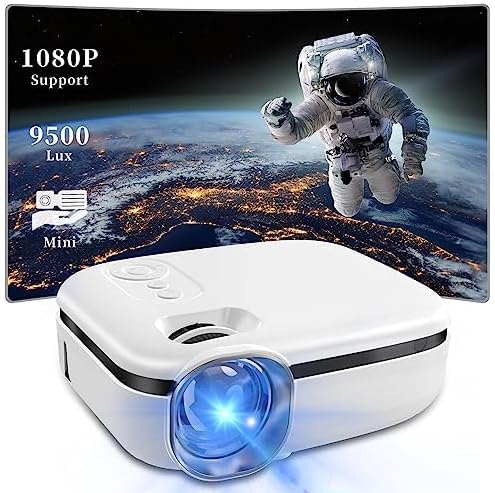
Image: The FunFlix Mini Outdoor Projector, showcasing its compact size and a vibrant projected image with 1080P support and 9500 Lux brightness.
Průvodce nastavením
1. Rozbalení a umístění
Carefully remove all components from the packaging. Place the projector on a stable, flat surface. Ensure there is adequate ventilation around the projector to prevent overheating.
2. Připojení napájení
- Připojte napájecí adaptér ke vstupnímu portu projektoru.
- Zapojte napájecí adaptér do standardní elektrické zásuvky.
3. Připojení vstupních zařízení
The projector supports multiple input sources. Choose the appropriate cable for your device (HDMI, USB, or AV).

Image: The projector highlighting its versatile connectivity options, including AV, USB, and HDMI ports, for connecting various devices like laptops, gaming consoles, and smartphones.
- HDMI: Connect your laptop, game console, TV stick, or other HDMI-enabled device to the projector's HDMI port.
- USB: Vložte USB disk do USB portu pro přehrávání médií files přímo.
- AV: Pro připojení starších zařízení, jako jsou DVD přehrávače, použijte dodaný AV kabel.
4. Počáteční zapnutí a nastavení zaostření
- Stisknutím tlačítka napájení na projektoru nebo dálkovém ovladači jej zapněte.
- Adjust the focus ring on the lens until the projected image appears clear and sharp.
5. Korekce lichoběžníkového zkreslení
If the projected image appears trapezoidal (wider at the top or bottom), use the keystone correction dial to adjust it to a rectangular shape.

Image: Illustration of the projector's ±15° vertical keystone correction feature, showing how to adjust the image shape using a dedicated dial for a perfectly rectangular display.
6. Úprava velikosti projekce
The projection size can be adjusted by moving the projector closer to or further from the screen/wall. The projector supports screen sizes from 35 to 270 inches.
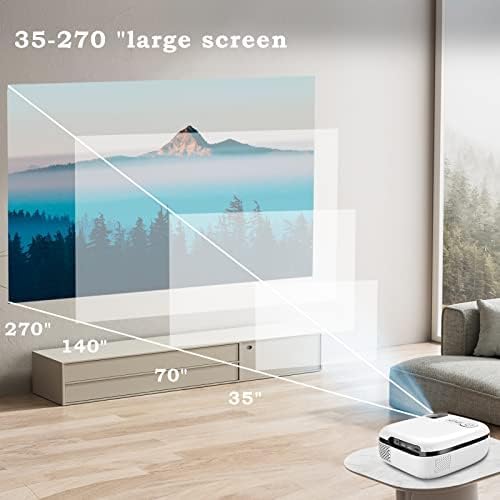
Image: A visual representation demonstrating the projector's capability to produce large screen sizes, ranging from 35 inches up to 270 inches, depending on the projection distance.
Návod k obsluze
1. Zapnutí/vypnutí
- Zapnutí: Stiskněte tlačítko napájení na projektoru nebo na dálkovém ovladači.
- Vypnout: Znovu stiskněte tlačítko napájení. V případě potřeby potvrďte vypnutí.
2. Výběr zdroje
Use the "Source" button on the projector or remote control to cycle through available input sources (HDMI, USB, AV).
3. Ovládání hlasitosti
Adjust the volume using the volume buttons on the remote control. The projector features a built-in Hi-Fi speaker for audio output.

Image: The projector positioned in a living room setting, illustrating its integrated Hi-Fi speaker system providing immersive audio for a home cinema experience.
4. Navigace v menu
Use the arrow keys and OK button on the remote control to navigate through the projector's on-screen menu for advanced settings like picture mode, aspect ratio, and sound settings.
Údržba
1. Čištění čočky
Jemně otřete čočku projektoru měkkým hadříkem bez žmolků, který je speciálně určen pro optické povrchy. Nepoužívejte abrazivní čisticí prostředky ani nadměrnou sílu, mohlo by dojít k poškrábání čočky.
2. Ochrana před prachem
The projector features an enclosed optical system designed to be super dustproof, minimizing dust accumulation on internal components. However, regularly clean the exterior of the projector with a soft, dry cloth to prevent dust from entering ventilation openings.
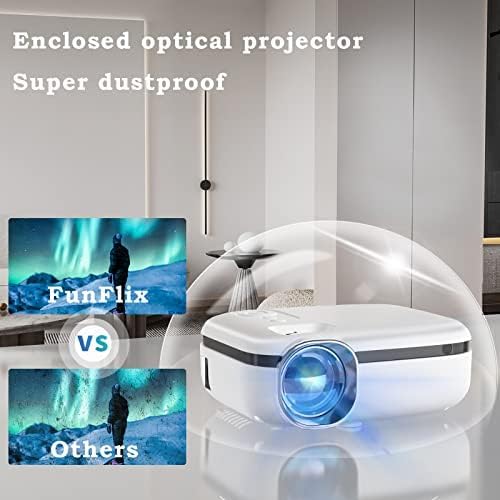
Image: The projector encased in a protective, transparent dome, visually representing its "Super dustproof" enclosed optical design, which helps maintain image clarity by preventing dust ingress.
3. Skladování
When not in use for extended periods, store the projector in a cool, dry place, away from direct sunlight and extreme temperatures. Consider using the original packaging or a protective case.
Průvodce řešením problémů
| Problém | Možná příčina | Řešení |
|---|---|---|
| Žádný promítaný obraz |
|
|
| Obraz je rozmazaný |
|
|
| Žádný zvuk |
|
|
| Projektor se nezapíná |
|
|
Specifikace produktu
| Funkce | Detail |
|---|---|
| Značka | FunFlix |
| Číslo modelu | 852 XNUMX WH |
| Jas | 9500 XNUMX lumenů |
| Podporované rozlišení | 1080p HD |
| Form Factor | Přenosný |
| Barva | Bílý |
| Rozměry produktu | 2.36 x 1.56 x 1.6 palce |
| Hmotnost položky | 2.2 libry |
| Kompatibilní zařízení | Laptop, Gaming Console, Smartphone, TV Stick |
| Konektivita | HDMI, USB, AV |
Informace o záruce
This product comes with a standard manufacturer's warranty. Please refer to the warranty card included in your product packaging for specific terms, conditions, and duration. Retain your proof of purchase for warranty claims.
Zákaznická podpora
For technical assistance, troubleshooting beyond this guide, or warranty inquiries, please contact FunFlix customer support. Contact details can typically be found on the product packaging, the official FunFlix webweb nebo nákupní platformu.

