1. Úvod
The EONON A501 Backup Camera Decoder Box is designed to facilitate the integration of your vehicle's existing factory-installed Volkswagen backup camera with compatible EONON car stereo head units. This decoder box ensures proper signal conversion, allowing the factory camera's video feed to display correctly on your EONON head unit.
This manual provides detailed instructions for installation, operation, and troubleshooting to ensure a seamless experience.
2. Kompatibilita
- EONON Head Units: Compatible with EONON VWA13, VWA12S, VWX7, VWX6S, Q53SE, and Q53PRO car stereo models.
- Factory Backup Camera: Only compatible with factory Volkswagen backup cameras equipped with a 26pinový konektor.
- Kompatibilita vozidla: Designed for various Volkswagen models that come with a factory backup camera.
Important: Verify your factory backup camera has a 26-pin connector before installation. Incompatibility may result in no video signal.
3. Obsah balení
The EONON A501 Backup Camera Decoder Box package includes:
- 1 x EONON A501 Backup Camera Decoder Box with integrated wiring harness (26-pin connector and RCA output).

Image 3.1: The EONON A501 Backup Camera Decoder Box, showing the main unit, the 26-pin connector for the factory camera, and the yellow RCA output cable.
4. Nastavení a instalace
Follow these steps to connect the A501 decoder box and integrate your factory backup camera with your EONON head unit.
- Prepare the Head Unit: Ensure your EONON head unit is powered off and safely disconnected from the vehicle's power supply before beginning installation.
- Locate Factory Camera Connector: Identify the 26-pin connector from your vehicle's factory backup camera wiring harness. This connector is typically located behind the head unit or in the trunk area, depending on your vehicle model.
- Connect Decoder Box to Factory Camera: Plug the 26-pin connector from the A501 decoder box into the corresponding 26-pin connector of your vehicle's factory backup camera wiring harness. Ensure a secure connection.
- Connect Decoder Box to EONON Head Unit: Connect the yellow RCA output cable from the A501 decoder box to the 'CAM IN' or 'REVERSE VIDEO IN' RCA input on the back of your EONON car stereo head unit.
- Připojení napájení (pokud je k dispozici): Some installations may require connecting a reverse trigger wire from the decoder box (if present) to the reverse trigger input on the EONON head unit. Refer to your EONON head unit's manual for specific wiring details.
- Bezpečné zapojení: Route and secure all cables to prevent interference or damage.
- Test funkčnosti: Reconnect power to your EONON head unit and vehicle. Engage reverse gear to test if the backup camera video feed appears on the head unit display.

Image 4.1: Illustration of the decoder box connected to the rear of an EONON head unit, showing the RCA video input connection.
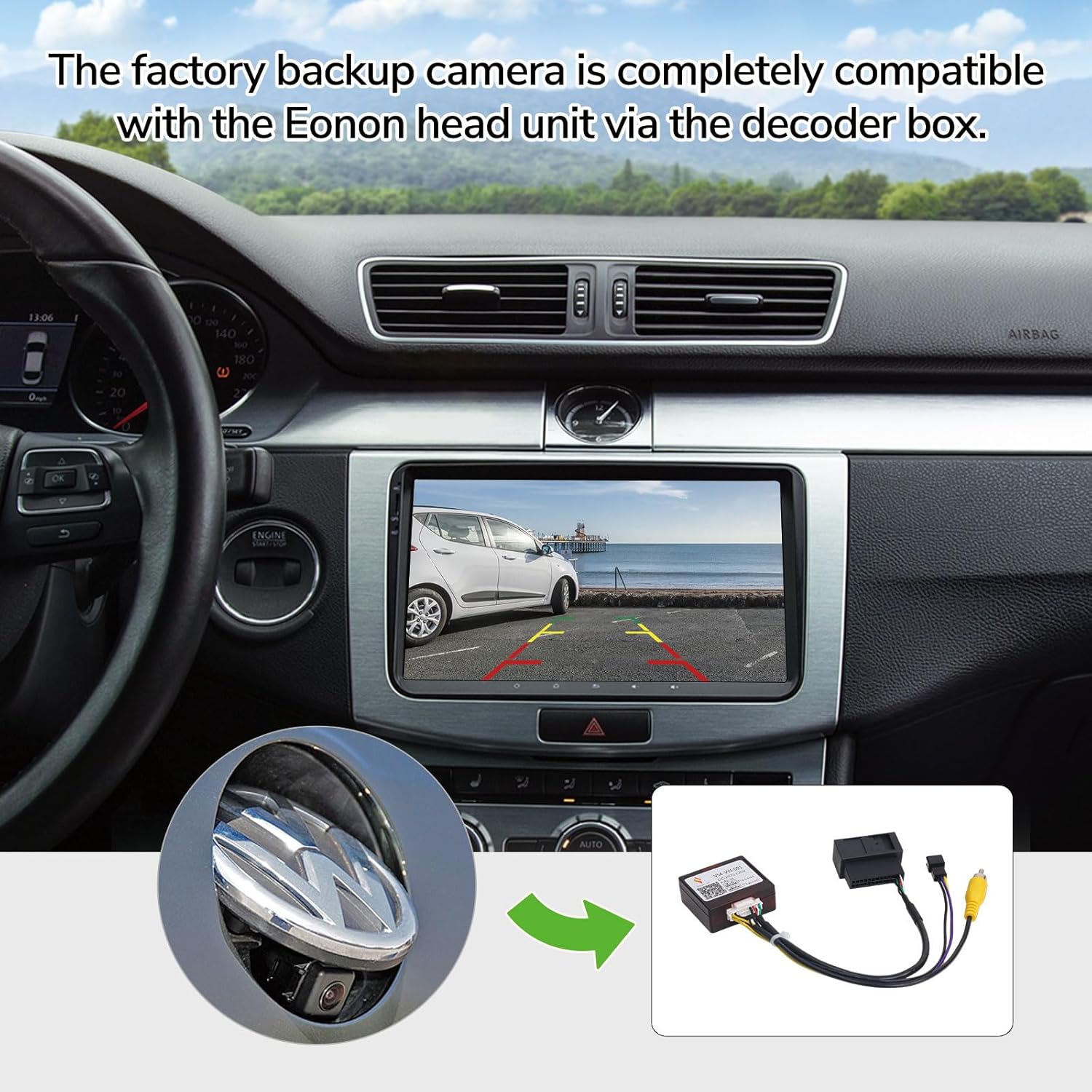
Image 4.2: An in-car view demonstrating the EONON head unit displaying the backup camera feed, enabled by the decoder box. An inset shows a Volkswagen emblem camera.
5. Provoz
Once correctly installed, the EONON A501 Backup Camera Decoder Box operates automatically. When the vehicle is shifted into reverse gear, the decoder box converts the signal from the factory Volkswagen backup camera, allowing its video feed to be displayed on your compatible EONON head unit.

Image 5.1: A visual representation of the EONON head unit displaying the live video feed from the factory backup camera after successful installation of the decoder box.

Image 5.2: A diagram illustrating how the decoder box enables the factory backup camera signal to be displayed on the EONON head unit, contrasting with a blank screen without the decoder.
6. Řešení problémů
If you encounter issues after installing the A501 decoder box, consider the following troubleshooting steps:
- Žádný video signál:
- Ensure all connections (26-pin, RCA) are securely seated.
- Verify that your factory backup camera indeed uses a 26-pin connector. This decoder is not compatible with other connector types.
- Confirm your EONON head unit is one of the compatible models listed in Section 2.
- Check the reverse trigger wire connection on your EONON head unit (if applicable) to ensure it is receiving a signal when reverse gear is engaged.
- Test the EONON head unit with a known working RCA video source to rule out issues with the head unit itself.
- Distorted or Flickering Video:
- Zkontrolujte uvolněné spoje.
- Ensure proper grounding for the head unit and any related components.
- Verify that the video input settings on your EONON head unit are correctly configured for the backup camera.
- Přerušovaný provoz:
- Inspect wiring for any signs of damage or wear.
- Ensure the decoder box is not exposed to excessive heat or moisture.
If issues persist after performing these checks, please contact EONON customer support for further assistance.
7. Specifikace
| Značka | EONON |
| Model | A501 |
| Rozměry produktu | 6.7 x 6 x 1 palce (17.02 x 15.24 x 2.54 cm) |
| Hmotnost položky | 1.76 unce (50 gramů) |
| Typ konektoru | RCA (Video Output) |
| Kompatibilní zařízení | EONON VWA13, VWA12S, VWX7, VWX6S, Q53SE, Q53PRO Car Radios |
| Typ instalace | Surface Mount (within vehicle dashboard/trunk area) |
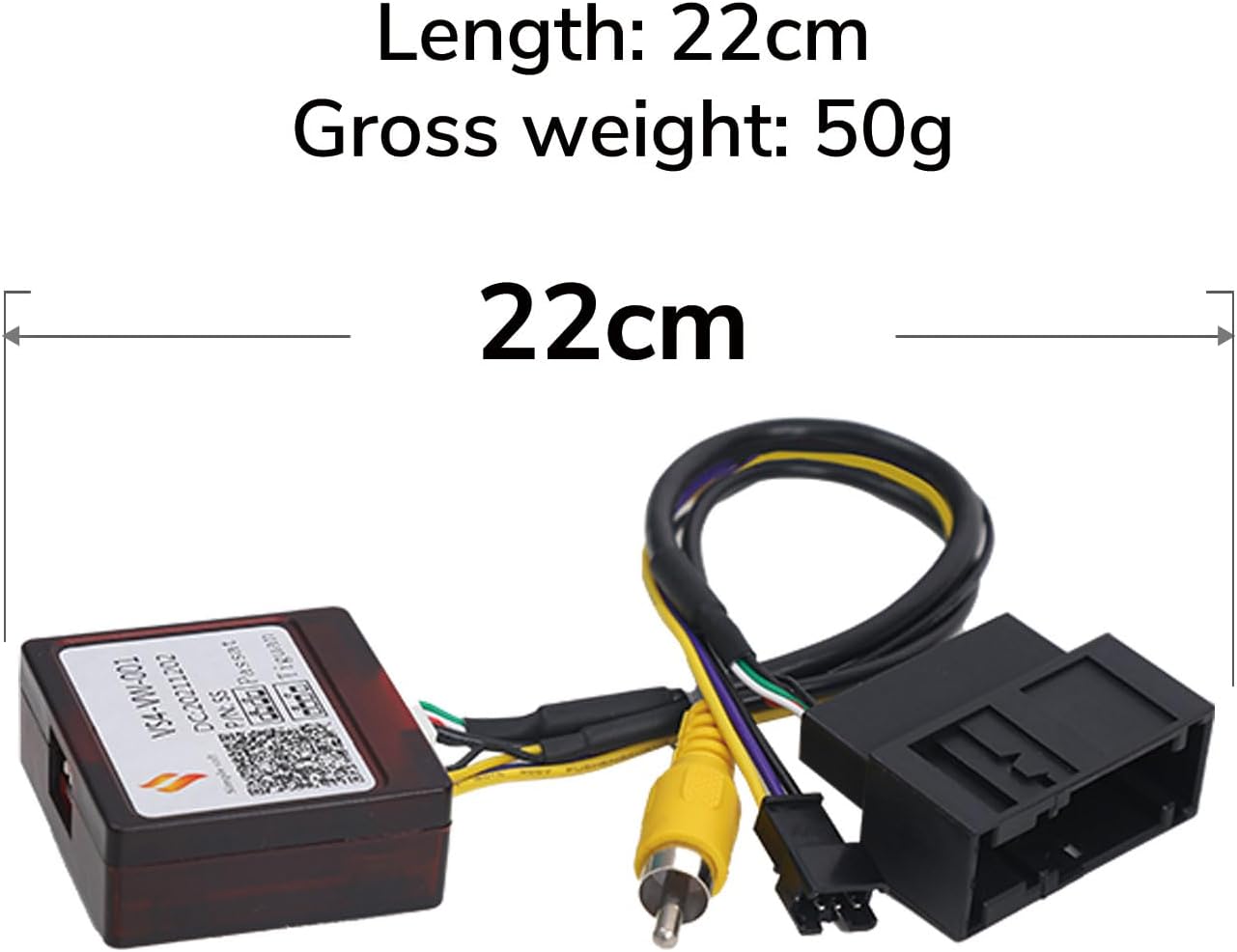
Image 7.1: Visual representation of the decoder box with its length indicated as 22cm.
8. Záruka a podpora
For information regarding the product warranty, technical support, or service, please refer to the official EONON website or contact EONON customer service directly. Keep your purchase receipt as proof of purchase for any warranty claims.
EONON Customer Service: Prosím navštivte www.eonon.com pro kontaktní údaje a zdroje podpory.


