Zavedení
This manual provides detailed instructions for the installation, operation, and maintenance of your ARES WING Desk Monitor Mount (Model GDT1003LWH). Please read this manual thoroughly before installation and use to ensure proper function and safety. This monitor mount is designed to support a single monitor, compatible with screens ranging from 17 to 49 inches and weighing between 4.4 to 44 lbs.
Bezpečnostní informace
- Před montáží se ujistěte, že jsou všechny součásti přítomny a nepoškozené. Nepoužívejte, pokud některé součásti chybí nebo jsou vadné.
- Verify that your monitor's weight and size are within the specified limits (4.4-44 lbs, 17-49 inches). Exceeding these limits can result in instability and damage.
- Confirm your monitor has compatible VESA mounting holes (75x75mm or 100x100mm). If not, a separate VESA adapter is required.
- Ensure your desk thickness is compatible with the chosen mounting method (C-clamp: 0.39-3.34 inches; Grommet: 0.39-1.8 inches).
- Adjust the gas spring tension according to your monitor's weight před attaching the monitor to prevent sudden drops or difficulty in adjustment.
- Během instalace držte děti a domácí zvířata mimo dosah.
- Nepřetahujte šrouby, mohlo by dojít k poškození.
- For any issues or concerns, contact ARES WING customer support.
Obsah balení
Please check the package to ensure all the following components are included:
- Sestava ramene monitoru
- Stůl Clamp (C-třamp)
- Grommet Mount Base
- Deska VESA
- Hardware Kit (screws, washers, spacers)
- Allen klíče
- Uživatelská příručka (tento dokument)
Nastavení a instalace
1. Check Monitor Compatibility
Before proceeding, ensure your monitor meets the following criteria:
- Vzor VESA: 75x75mm or 100x100mm.
- Velikost obrazovky: 17" to 49".
- Nosnost: 4.4 lbs to 44 lbs.

Figure 1: Monitor and Desktop Compatibility Check
For monitors without VESA holes, a separate VESA adapter is required. Some Samsung G9 monitors may come with a VESA adapter; please check your monitor's documentation.

Figure 2: VESA Hole Check and Adapter Preparation
2. Choose Mounting Method
The ARES WING monitor mount supports two installation methods: C-clamp and Grommet mount.
- C-Clamp: Suitable for desk thickness between 0.39 inches (10mm) and 3.34 inches (85mm).
- Grommet Mount: Suitable for desk thickness between 0.39 inches (10mm) and 1.8 inches (45mm). Requires an existing hole in your desk.
3. Install the Desk Mount
Follow the instructions provided with your mount to securely attach the base to your desk using either the C-clamp or grommet method. Ensure the mount is stable before proceeding.
4. Upravte napnutí plynové pružiny
It is crucial to adjust the gas spring tension to match your monitor's weight před attaching the monitor. This prevents the arm from springing up or sagging.
- Use the provided Allen wrench to adjust the tension screw on the arm.
- Otočte se proti směru hodinových ručiček for heavier monitors (to increase tension).
- Otočte se ve směru hodinových ručiček for lighter monitors (to decrease tension).
- Adjust until the arm can hold its position freely when moved without a monitor attached.

Figure 3: Gas Spring Tension Adjustment
5. Attach Monitor to VESA Plate
Secure the VESA plate to the back of your monitor using the appropriate screws and spacers from the hardware kit. Ensure the screws are tightened securely but do not overtighten.
6. Montáž monitoru na rameno
Carefully slide the VESA plate with the attached monitor onto the monitor arm's VESA head. Ensure it clicks into place or is secured with any locking mechanism provided.
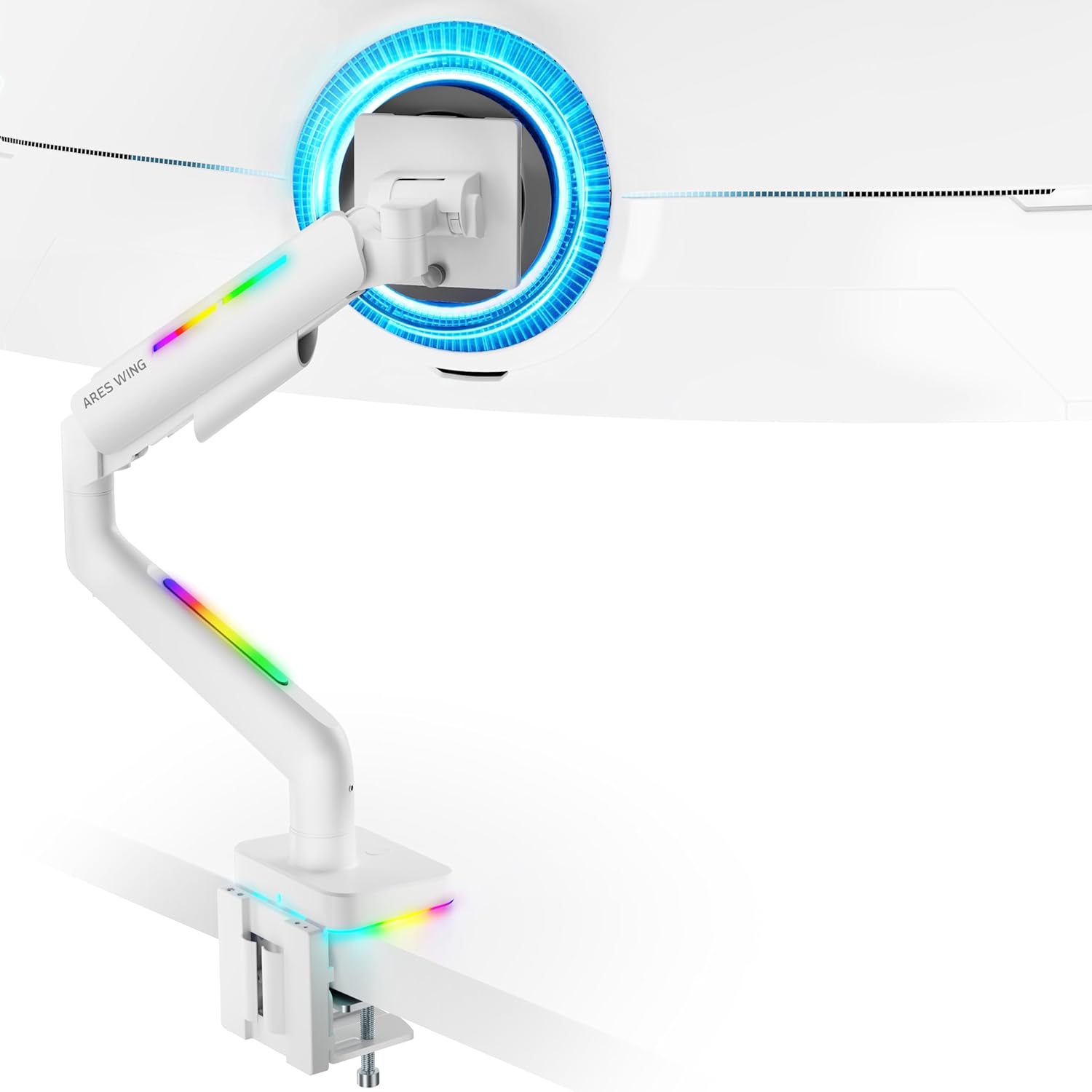
Figure 4: Monitor Mounted on ARES WING Arm
Návod k obsluze
1. Nastavení polohy monitoru
The ARES WING monitor arm offers full motion capabilities for optimal ergonomic positioning:
- Nastavení výšky: The arm allows vertical movement to raise or lower your monitor to the desired eye level. The height can be adjusted from 8.5 inches to 19.7 inches.
- Náklon: Tilt your monitor +50° upwards or -20° downwards to reduce glare and find the perfect viewúhel.
- Otočný: Swivel the monitor ±90° left or right to share your screen or adjust for different tasks.
- Otáčení: Otočte monitor o 360° pro přepínání mezi orientací na šířku a na výšku.

Figure 5: Full Motion Adjustment Capabilities
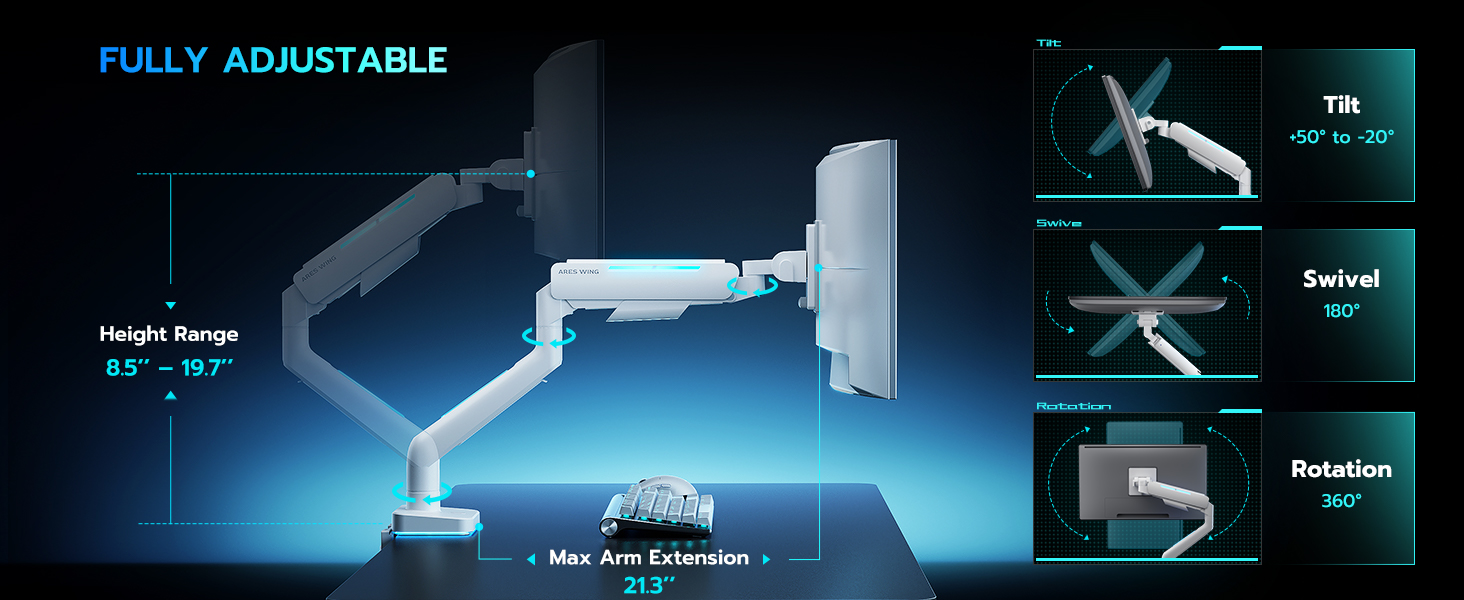
Figure 6: Tilting Ultrawide Monitors
2. Ovládání RGB osvětlení
The monitor arm features integrated RGB lighting with 20 dynamic lighting effects. To control the lighting:
- Connect the USB cable from the monitor arm to a USB port on your computer or a USB power adapter.
- Locate the light control button on the base of the monitor arm.
- Stiskněte a podržte the button for approximately 2-3 seconds to turn the RGB lighting ON or OFF.
- Krátce stiskněte to cycle through the 20 different lighting modes (Color Cycle, Chasing, Static, Wave, etc.).
- The lighting will remember the last mode used when turned back on.

Figure 7: RGB Lighting Control
3. Správa kabelů
Utilize the integrated cable management channels on the arm to route your monitor and power cables. This helps maintain a clean and organized workspace.
Údržba
- Čištění: Wipe the monitor arm with a soft, damp hadříkem. Nepoužívejte abrazivní čisticí prostředky ani rozpouštědla, která by mohla poškodit povrchovou úpravu.
- Pravidelné kontroly: Pravidelně kontrolujte všechny šrouby a spoje, zda jsou pevně utažené a bezpečné. V případě potřeby je dotáhněte.
- Plynová pružina: The internal gas spring is designed for long-term durability (fatigue tested 20,000+ times). No specific maintenance is required for the gas spring itself, but ensure its tension is correctly set for your monitor's weight.
Odstraňování problémů
| Problém | Možná příčina | Řešení |
|---|---|---|
| Monitor arm sags or won't stay up. | Napětí plynové pružiny je vzhledem k hmotnosti monitoru příliš nízké. | Increase gas spring tension by turning the adjustment screw counter-clockwise. Refer to "Adjust Gas Spring Tension" section. |
| Monitor arm is too stiff or won't move down. | Napětí plynové pružiny je vzhledem k hmotnosti monitoru příliš vysoké. | Decrease gas spring tension by turning the adjustment screw clockwise. Refer to "Adjust Gas Spring Tension" section. |
| RGB osvětlení se nezapíná. | USB cable not connected or button not pressed correctly. | Ensure USB cable is securely connected. Press and držet the light control button for 2-3 seconds to activate. |
| Monitor wobbles or is unstable. | Držák není bezpečně upevněn ke stolu nebo deska VESA není utažená. | Check desk clamp/grommet mount for tightness. Ensure VESA plate screws are securely fastened to the monitor and the plate is properly seated on the arm. |
| Monitor cannot tilt smoothly. | Tilt mechanism screw is too tight. | Loosen the tilt adjustment screw slightly until smooth tilting is achieved. Refer to Figure 6. |
Specifikace
| Číslo modelu | GDT1003LWH |
| Materiál | Hliník, železo |
| Kompatibilita VESA | 75x75mm, 100x100mm |
| Kompatibilita velikosti obrazovky | 17 - 49 inches (flat and curved monitors) |
| Hmotnostní kapacita | 4.4 - 44 liber (2 - 20 kg) |
| Rozsah nastavení výšky | 8.5 - 19.7 palce |
| Úhel náklonu | +50° / -20° |
| Úhel otočení | ±90° |
| Otáčení | 360° |
| Desktop Thickness (C-Clamp) | 0.39 - 3.34 palce (10 - 85 mm) |
| Desktop Thickness (Grommet) | 0.39 - 1.8 palce (10 - 45 mm) |
| RGB osvětlení | 20 dynamic lighting effects |
Záruka a podpora
ARES WING provides a 3-letá záruka výrobce for this product. For any questions, technical assistance, or warranty claims, please contact ARES WING customer support through the retailer where you purchased the product or visit the official ARES WING webstránky pro kontaktní informace.
Pro více informací a podporu můžete navštívit ARES WING Store on Amazon.


