Zavedení
Thank you for choosing the ROCAM Rechargeable Vibrating Alarm Clock. This compact and portable device is designed to provide a reliable wake-up experience through customizable sound and vibration, making it ideal for heavy sleepers, individuals with hearing impairments, students, and travelers. Please read this manual carefully to understand the features and ensure proper operation of your alarm clock.
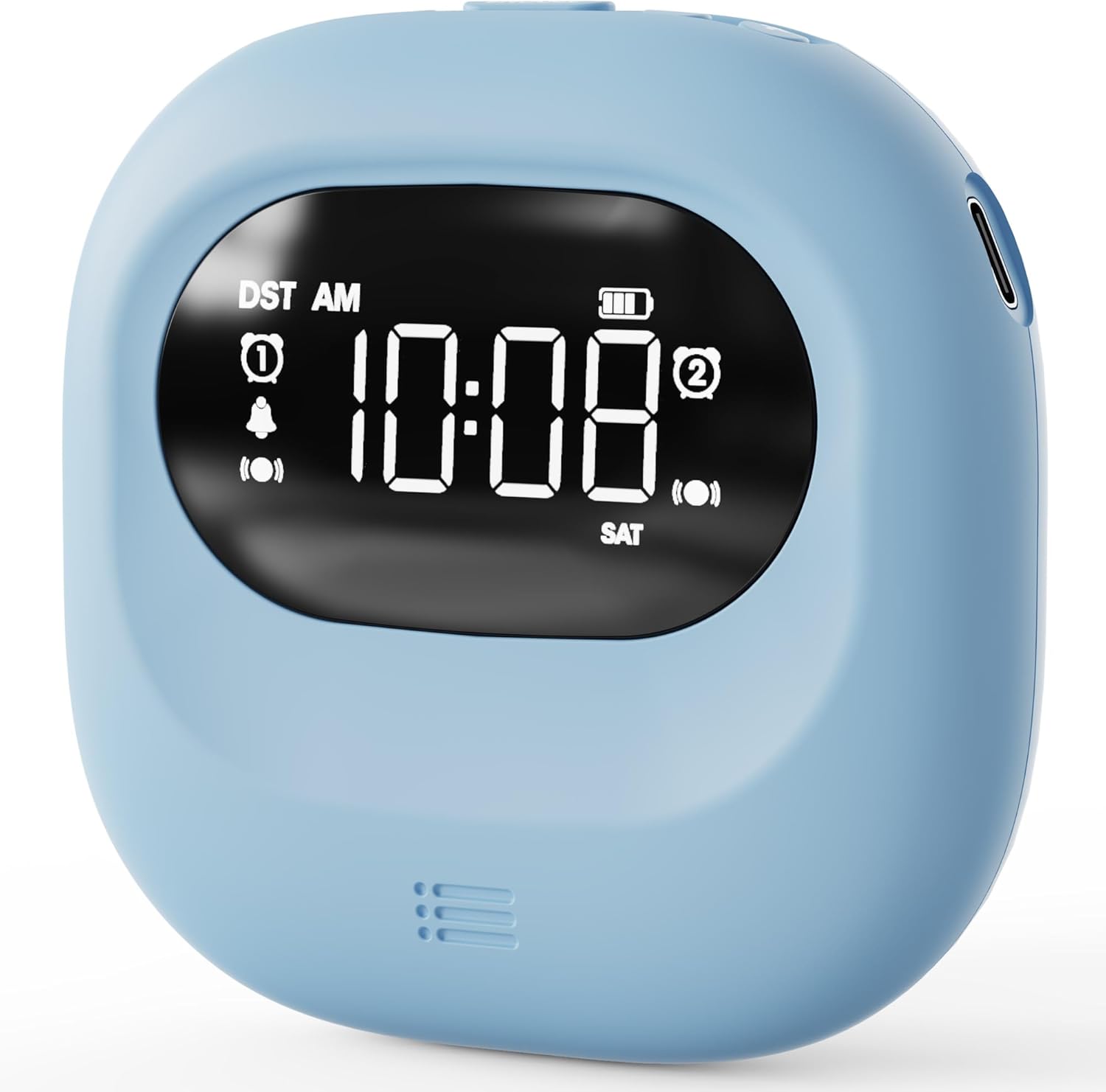
Obrázek: Přední strana view of the ROCAM Vibrating Alarm Clock, displaying the time and various icons.
Obsah balení
Po otevření balení se prosím ujistěte, že obsahuje všechny následující položky:
- ROCAM Rechargeable Vibrating Alarm Clock (Blue)
- Nabíjecí kabel USB-C
- Uživatelská příručka

Image: The ROCAM Vibrating Alarm Clock, USB-C charging cable, and user manual laid out next to the product box.
Vlastnosti produktu
- Customizable Wake-Up: Choose from 5 volume levels and 3 vibration strengths (High, Medium, Low) to suit your preferences.
- Baterie s dlouhou výdrží: Equipped with a 3000mAh rechargeable battery, offering up to 160 days of standby time on a single charge.
- Přenosný design: Compact and lightweight, making it easy to carry for travel or use in various settings. Dimensions: 3.35"W x 3.35"H.
- Duální budíky: Set two independent alarms for different schedules, with options for Weekday (Mon-Fri), Weekend (Sat-Sun), or All-7-day (Mon-Sun) modes.
- Čistý digitální displej: Easy-to-read screen with a 30-second backlight function that turns off to conserve energy. Press any button to activate.
- Jednoduchá obsluha: Intuitive buttons and a clean layout ensure ease of use without complicated menus or apps.
- 9minutové odložení: Allows for multiple snooze cycles, up to 9 times.
- Dětský zámek: Zabraňuje nechtěným změnám nastavení.

Image: The clock highlighting its 3000mAh battery and compact dimensions.

Image: Illustration of the dual alarm functionality and selectable working modes.

Image: Visual representation of the three wake-up modes and adjustable vibration levels.

Image: The clock illustrating its backlight and child lock features.
Nastavení
Nabíjení zařízení
Before first use, fully charge the alarm clock. Connect the provided USB-C cable to the charging port on the device and the other end to a standard USB power adapter (not included) or a computer USB port. The battery indicator on the display will show charging status. A full charge provides up to 160 days of standby time.
Nastavení času a data
- Stiskněte tlačítko ČAS/ODLOŽENÍ tlačítko pro vstup do režimu nastavení času.
- Použijte + a - tlačítka pro nastavení hodiny. Stiskněte ČAS/ODLOŽENÍ znovu pro potvrzení a přechod na minuty.
- Upravte minuty pomocí + a - tlačítka. lis ČAS/ODLOŽENÍ to confirm and move to year/month/day settings.
- Continue using + a - to set the year, month, and day, pressing ČAS/ODLOŽENÍ after each to confirm and proceed.
- Once all settings are confirmed, the clock will return to normal display mode.
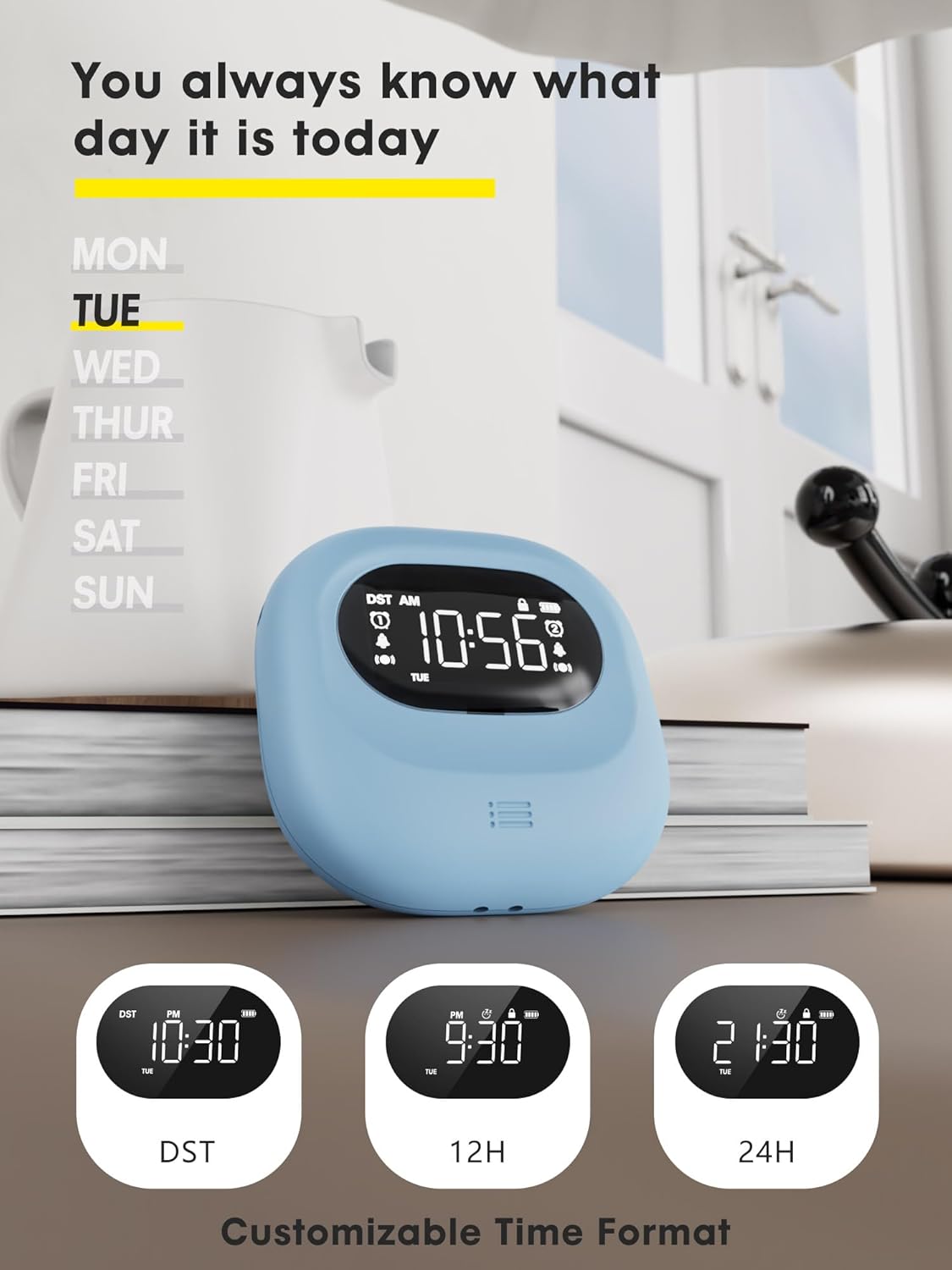
Image: The clock showing the day of the week and options for time format customization.
Návod k obsluze
Nastavení alarmů (Alarm 1 a Alarm 2)
The clock features two independent alarms. To set an alarm:
- Stiskněte tlačítko Poplach 1 or Poplach 2 button to select the alarm you wish to set. The alarm icon will flash.
- Použijte + a - buttons to adjust the hour. Press the alarm button again to confirm and move to minutes.
- Upravte minuty pomocí + a - buttons. Press the alarm button again to confirm.
- After setting the time, you can select the alarm mode: Weekday (MON-FRI), Weekend (SAT-SUN)nebo All-7-day (MON-SUN) using the corresponding switch on the back of the clock.
- To activate or deactivate an alarm, use the dedicated ON/OFF switch for Alarm 1 or Alarm 2 on the back of the clock.
Wake-Up Modes and Vibration Strength
You can choose from three wake-up modes and three vibration levels:
- Buzzer + Shaker: Activates both audible alarm and vibration.
- Single Buzzer: Aktivuje pouze zvukový alarm.
- Single Shaker: Activates only the vibration.
Adjust the vibration strength (High, Medium, Low) using the switch on the back of the clock. The audible alarm volume can be adjusted through 5 levels using the volume buttons.
Funkce Snooze
Když zazní alarm, stiskněte ČAS/ODLOŽENÍ tlačítko pro aktivaci funkce odložení. Budík se na 9 minut pozastaví a poté znovu zazvoní. Toto lze opakovat až 9krát.
Display Backlight Function
The digital screen lights up when in use and automatically turns off after 30 seconds of inactivity to conserve battery. To view the time or settings, simply press any button to wake the display.
Dětský zámek
To prevent accidental changes to settings, activate the child lock feature. Locate the child lock switch on the device and slide it to the locked position. This will disable button input until unlocked.
Údržba
Čištění
Chcete-li budík vyčistit, jemně otřete jeho povrch měkkým, suchým hadříkem. Nepoužívejte abrazivní čisticí prostředky, rozpouštědla ani jej neponořujte do vody.
Péče o baterie
The built-in 3000mAh lithium polymer battery is designed for long life. To maximize battery lifespan, avoid fully discharging the battery frequently. Recharge the device when the battery indicator shows low power. Store the device in a cool, dry place when not in use for extended periods.
Odstraňování problémů
| Problém | Možná příčina | Řešení |
|---|---|---|
| Budík nezvoní/nevibruje. | Alarm is not activated, volume is too low, vibration is off, or battery is low. | Ensure alarm is ON, check volume level, verify wake-up mode (buzzer/shaker), and charge the device. |
| Displej je prázdný. | Backlight timed out or battery is depleted. | Press any button to activate backlight. If still blank, charge the device. |
| Nelze změnit nastavení. | Je aktivován dětský zámek. | Deactivate the child lock switch. |
| Inaccurate time. | Time was not set correctly or DST setting is incorrect. | Re-set the time and date. Check DST setting if applicable. |
Specifikace
| Funkce | Detail |
|---|---|
| Značka | ROCAM |
| Číslo modelu | CR1027 |
| Barva | Modrý |
| Typ zobrazení | Digitální |
| Rozměry produktu | 3.35 cm Š x 3.35 cm V |
| Hmotnost položky | 0.14 kilogramů (4.9 uncí) |
| Zdroj napájení | Napájení z baterie (dobíjecí) |
| Typ baterie | 1 lithium-polymerová baterie (součástí balení) |
| Kapacita baterie | 3000 XNUMX mAh |
| Speciální funkce | Silent Clock, Cordless, Battery Indicator, Adjustable Volume, Dual Alarms, Vibration |
| Materiál | Plast |
| Typ montáže | Tabletop, Portable |
Záruka a podpora
ROCAM provides an Záruka 18 měsíců for this product. If you encounter any issues or have questions regarding the operation or maintenance of your alarm clock, please refer to the contact information provided in the original product packaging or contact ROCAM customer support. Our experts are available to assist you.


