1. Úvod
This manual provides detailed instructions for the safe and efficient use of your Baseus A2 Pro Cordless Vacuum Cleaner and Blower. Please read this manual thoroughly before operating the device and retain it for future reference.
2. Bezpečnostní pokyny
- Nepoužívejte zařízení v blízkosti hořlavých kapalin nebo plynů.
- Udržujte zařízení mimo dosah vody a vlhkosti.
- Nedovolte dětem obsluhovat zařízení.
- Ensure the filter is properly installed before use.
- Používejte pouze dodaný nabíjecí kabel.
- Během provozu neblokujte vstupy ani výstupy vzduchu.
- Před čištěním nebo údržbou zařízení vypněte.
3. Komponenty produktu
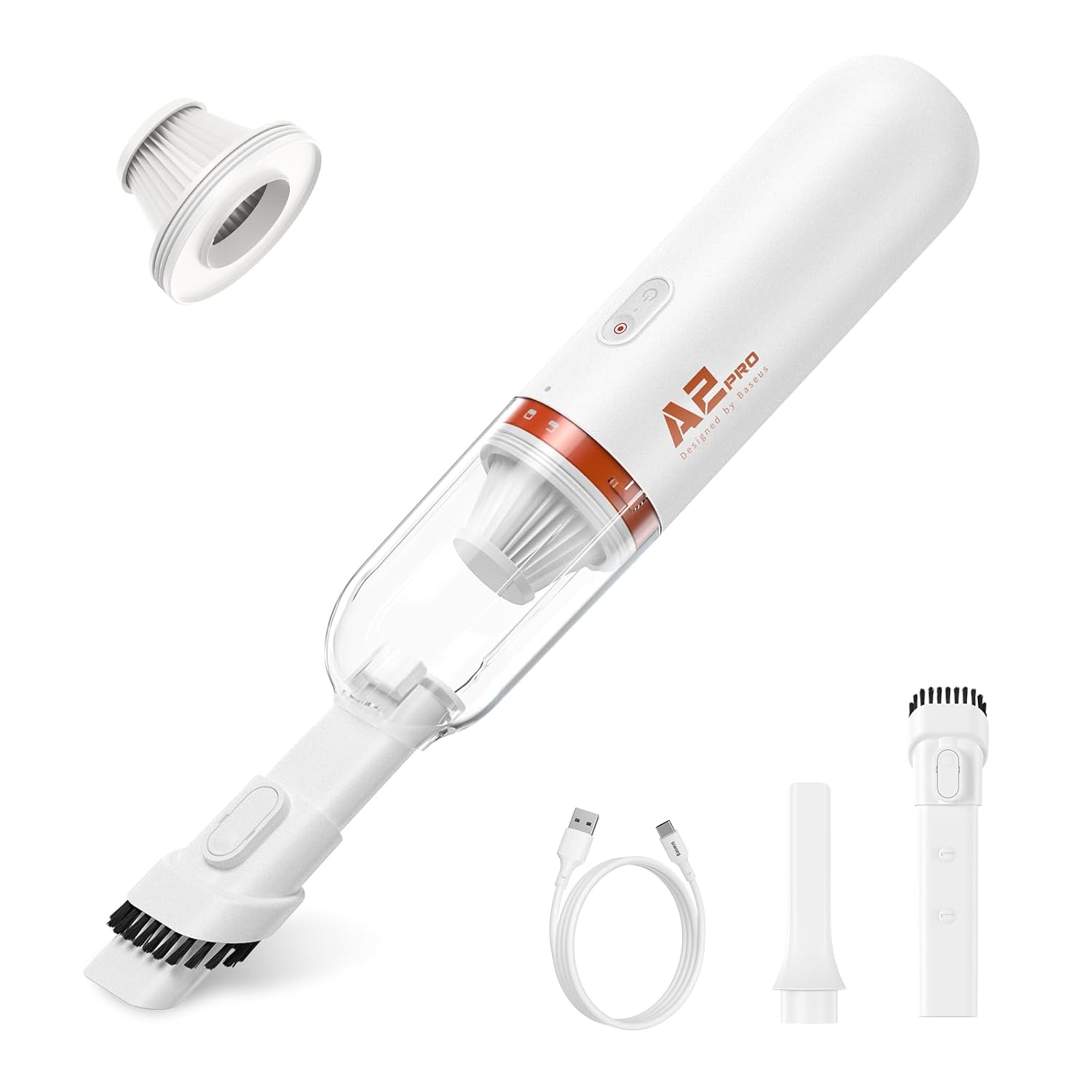
The Baseus A2 Pro includes the following components:
- Main Vacuum/Blower Unit
- Kartáčová tryska
- Štěrbinová tryska
- Ofukovací tryska
- Nabíjecí kabel USB-C
- HEPA filtr (předinstalovaný)

4. Nastavení a počáteční nabití
4.1. Montáž
- Ensure the HEPA filter is securely placed inside the dustbin.
- Attach the dustbin to the main unit by twisting it clockwise until it locks into place.
- Select the desired nozzle (brush, crevice, or blow) and firmly attach it to the suction/blower port.
4.2. Počáteční nabíjení
Před prvním použitím zařízení plně nabijte.
- Připojte nabíjecí kabel USB-C k nabíjecímu portu na zařízení.
- Zapojte druhý konec kabelu USB-C do kompatibilního napájecího adaptéru USB (není součástí balení).
- Rozsvítí se kontrolka nabíjení. Úplné nabití obvykle trvá přibližně 3 hodiny.
- Po úplném nabití odpojte nabíjecí kabel.

5. Návod k obsluze
5.1. Zapnutí/vypnutí
Stisknutím a podržením tlačítka napájení po dobu 2 sekund zařízení zapnete nebo vypnete.
5.2 Funkce vysávání
- Ensure the desired vacuum nozzle (brush or crevice) is attached to the front suction port.
- Zapněte zařízení.
- Direct the nozzle towards the area to be cleaned. The device provides 6,000 Pa suction power for effective cleaning.
- After use, turn off the device.


5.3. Funkce ventilátoru
- Attach the blow nozzle to the rear air outlet port.
- Zapněte zařízení.
- Direct the blow nozzle towards the area where air dusting or blowing is required.
- After use, turn off the device.
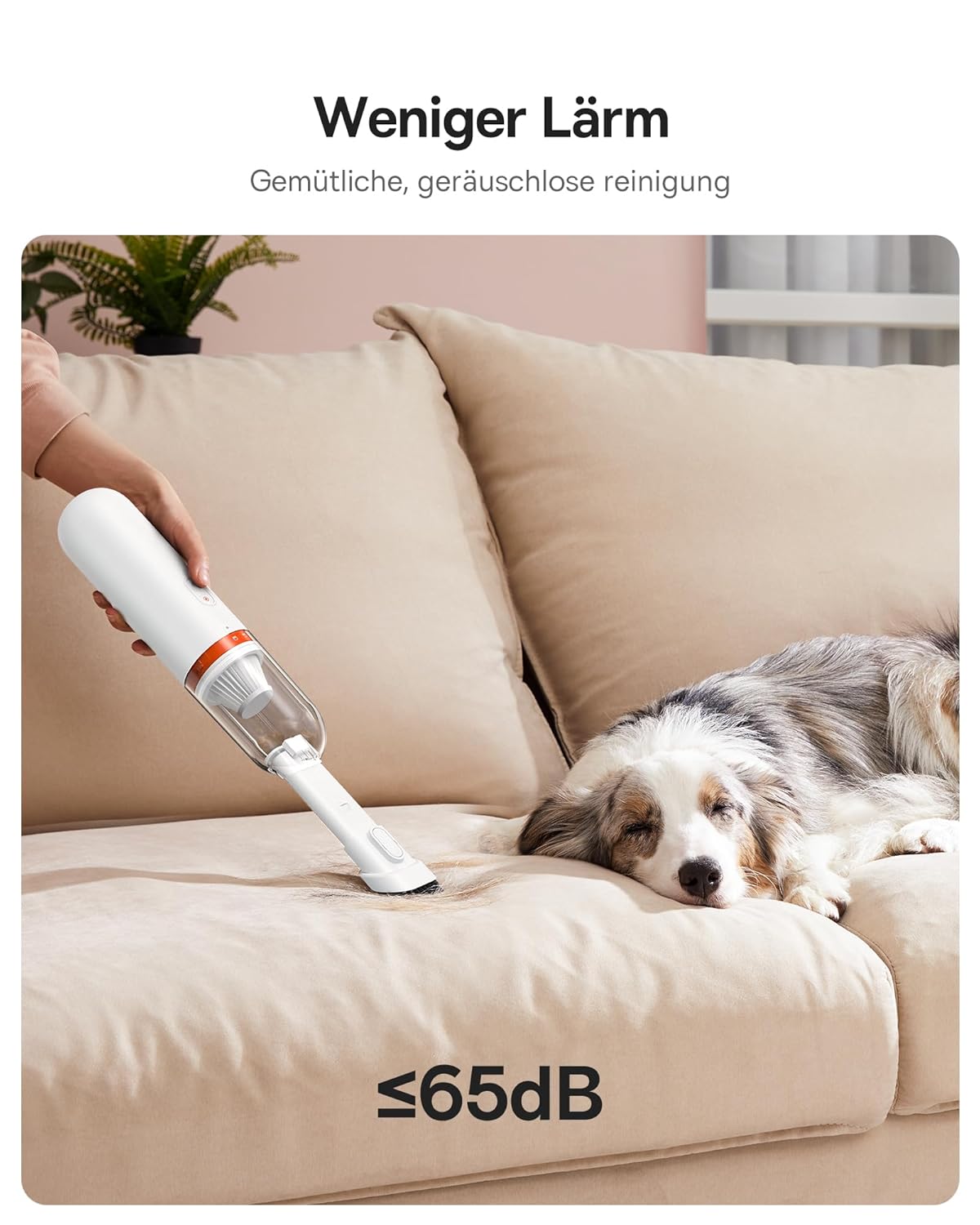
5.4. Tichý provoz
The device is designed for quiet operation, producing approximately 60 dB of noise during use.

6. Údržba
6.1. Vyprázdnění popelnice
- Ujistěte se, že je zařízení vypnuté.
- Twist the dustbin counter-clockwise to detach it from the main unit.
- Vysypte nasbírané nečistoty do odpadkového koše.
- Reattach the dustbin by twisting it clockwise until it locks.
6.2. Čištění HEPA filtru
The HEPA filter should be cleaned regularly to maintain optimal suction performance.
- Vyjměte nádobu na prach, jak je popsáno výše.
- Opatrně vyjměte HEPA filtr z nádoby na prach.
- Tap the filter gently to dislodge dust and debris. For thorough cleaning, rinse the filter under running water.
- Allow the filter to air dry completely before reinserting it. Do not use the device with a wet filter.
- Replace the filter if it shows signs of damage or significant wear.
6.3. Generální úklid
Otřete vnější část zařízení měkkým, damp tkanina. Nepoužívejte agresivní chemikálie nebo abrazivní čisticí prostředky.
7. Řešení problémů
| Problém | Možná příčina | Řešení |
|---|---|---|
| Zařízení se nezapne | Slabá baterie; Zařízení není nabité | Zařízení plně nabijte. |
| Slabý sací výkon | Dustbin full; Filter clogged; Nozzle blocked | Empty the dustbin. Clean or replace the HEPA filter. Check and clear any blockages in the nozzle or suction path. |
| Zařízení se během provozu zastaví | Low battery; Overheating protection activated | Charge the device. Allow the device to cool down before resuming use. |
| Nabíjení nefunguje | Vadný kabel nebo adaptér; uvolněné připojení | Ensure the USB-C cable is securely connected. Try a different USB power adapter or cable. |
8. Specifikace
- Značka: Baseus
- Model: A2 Pro (VCAQ040002)
- Sací výkon: 6,000 Pa
- Typ filtru: HEPA filtr
- Bezdrátové: Ano
- Kapacita popelnice: 120 mililitrů
- Wattage: 80 wattů
- Form Factor: Ruční
- Barva: Bílý
- Rozměry produktu: 28L x 10W x 28H centimetrů
- Hladina hluku: 60 dB
- Nabíjení: USB-C, approximately 3 hours for full charge
- Hmotnost položky: 454 g
9. Informace o záruce
The Baseus A2 Pro Cordless Vacuum Cleaner + Blower comes with an Záruka 18 měsíců from the date of purchase. This warranty covers manufacturing defects and malfunctions under normal use. Please retain your proof of purchase for warranty claims. The warranty does not cover damage caused by misuse, accidents, unauthorized repairs, or normal wear and tear.
10. Zákaznická podpora
For technical assistance, warranty claims, or any questions regarding your Baseus A2 Pro, please contact your retailer or visit the official Baseus support website. Please have your model number (VCAQ040002) and proof of purchase ready when contacting support.


