1. Úvod
COLBOR W100 je kompaktní, vysoce výkonné dvoubarevné COB LED video světlo určené pro různé potřeby tvorby obsahu. Tato příručka obsahuje základní informace pro bezpečný a efektivní provoz vašeho zařízení, včetně nastavení, použití, údržby a technických specifikací. Před použitím produktu si prosím pečlivě přečtěte tuto příručku.
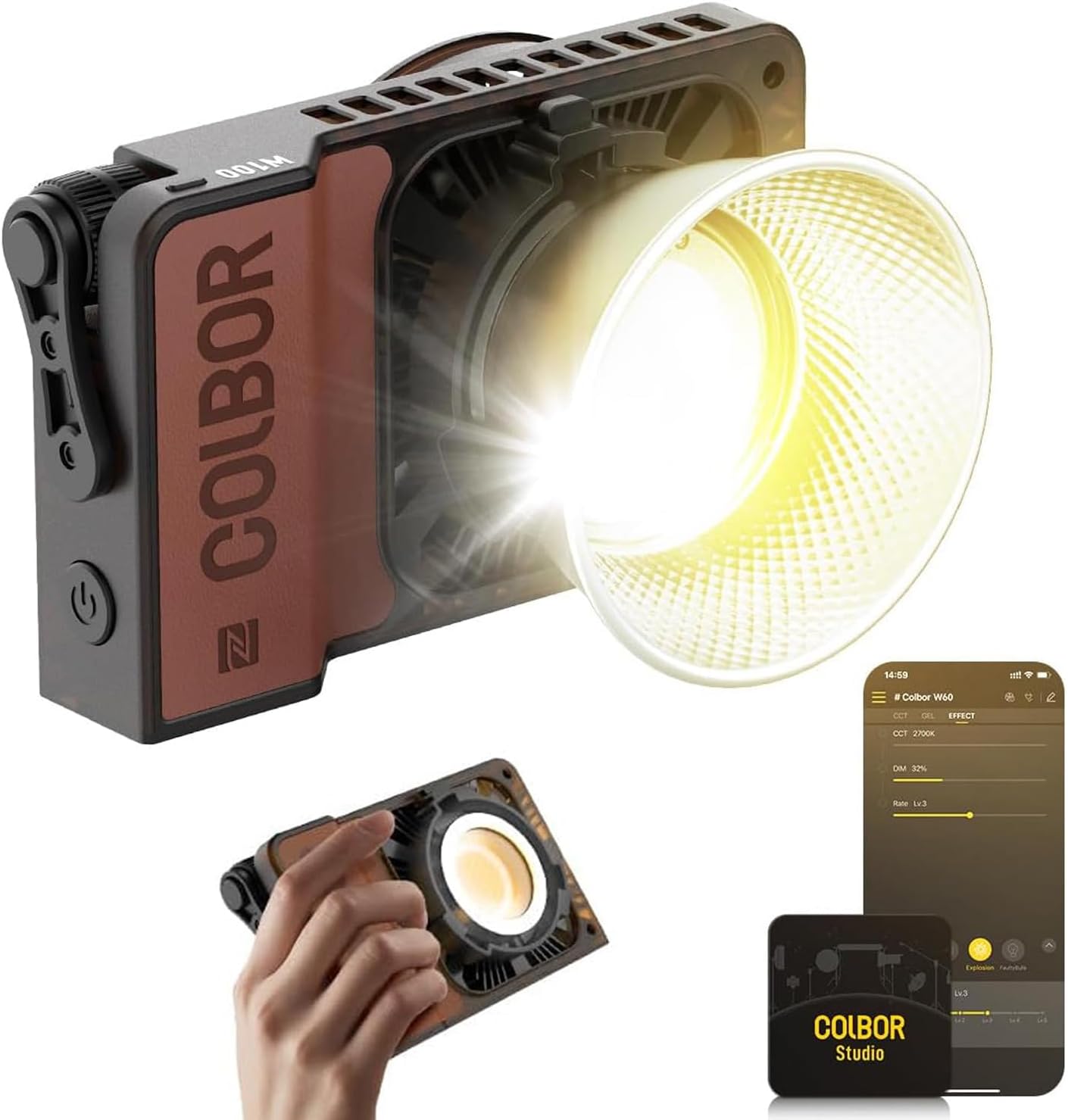
Obrázek 1.1: Kapesní COB videosvětlo COLBOR W100 Bi-Color
2. Obsah balení
Ověřte, zda jsou všechny níže uvedené položky součástí balení. Pokud některé položky chybí nebo jsou poškozené, kontaktujte zákaznickou podporu.
- 1x videosvětlo Wonder W100
- Reflektor (Mini Bowens Mount) x 1
- Měkká vazba x 1
- 100W stejnosměrný napájecí adaptér x 1
- 2m napájecí kabel x 1
- Drátěná šňůrka x 1
- Ochranný kryt x 1
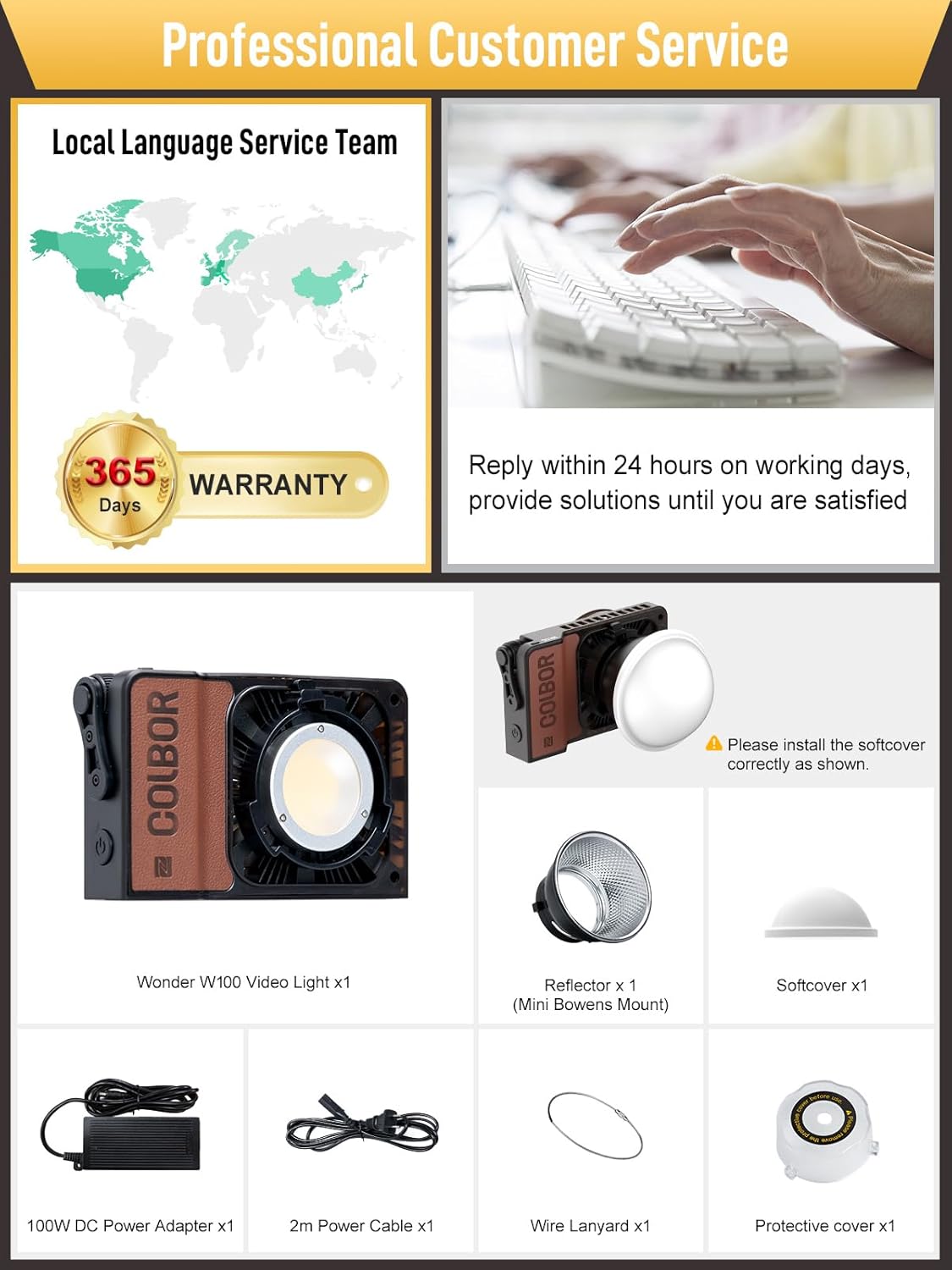
Obrázek 2.1: Dodávané příslušenství
3. Klíčové vlastnosti
- Vysoký výkon: Svítidlo W100 poskytuje výkon 100 W a dosahuje až 20 800 luxů ve vzdálenosti 0.5 m (s reflektorem) při teplotě 6500 K. Je vybaveno světelnou korálkou o průměru Φ31 mm a pokročilou technologií difúzního přenosu světla pro rovnoměrné rozložení světla.
- Nastavitelná teplota barev: Nabízí dvoubarevný rozsah od 2700K do 6500K, což umožňuje všestranné světelné scénáře.
- Kompaktní a přenosný design: S hmotností pouhých 345 g a rozměry 157 x 93 x 43 mm je W100 navržen pro snadnou přepravu a integraci do každodenní výbavy.
- Účinný chladicí systém: Je vybaven inteligentním chladicím systémem s vzduchovými kanály a tepelnými trubicemi, který zajišťuje stabilní výkon a odolnost s hladinou hluku pod 28 dB ve vzdálenosti 1 metru i v prostředí s vysokými teplotami (35 °C).
- Flexibilní možnosti napájení: Podporuje stejnosměrný adaptér, rychlé nabíjení PD typu C a baterii COLBOR (prodává se samostatně).
- Kontrola APP: Bezproblémové ovládání prostřednictvím aplikace COLBOR STUDIO s využitím sítě Mesh a kanálu 2.4 GHz pro vzdálené nastavení.

Obrázek 3.1: Jas a výstupní možnosti

Obrázek 3.2: Přenosný design
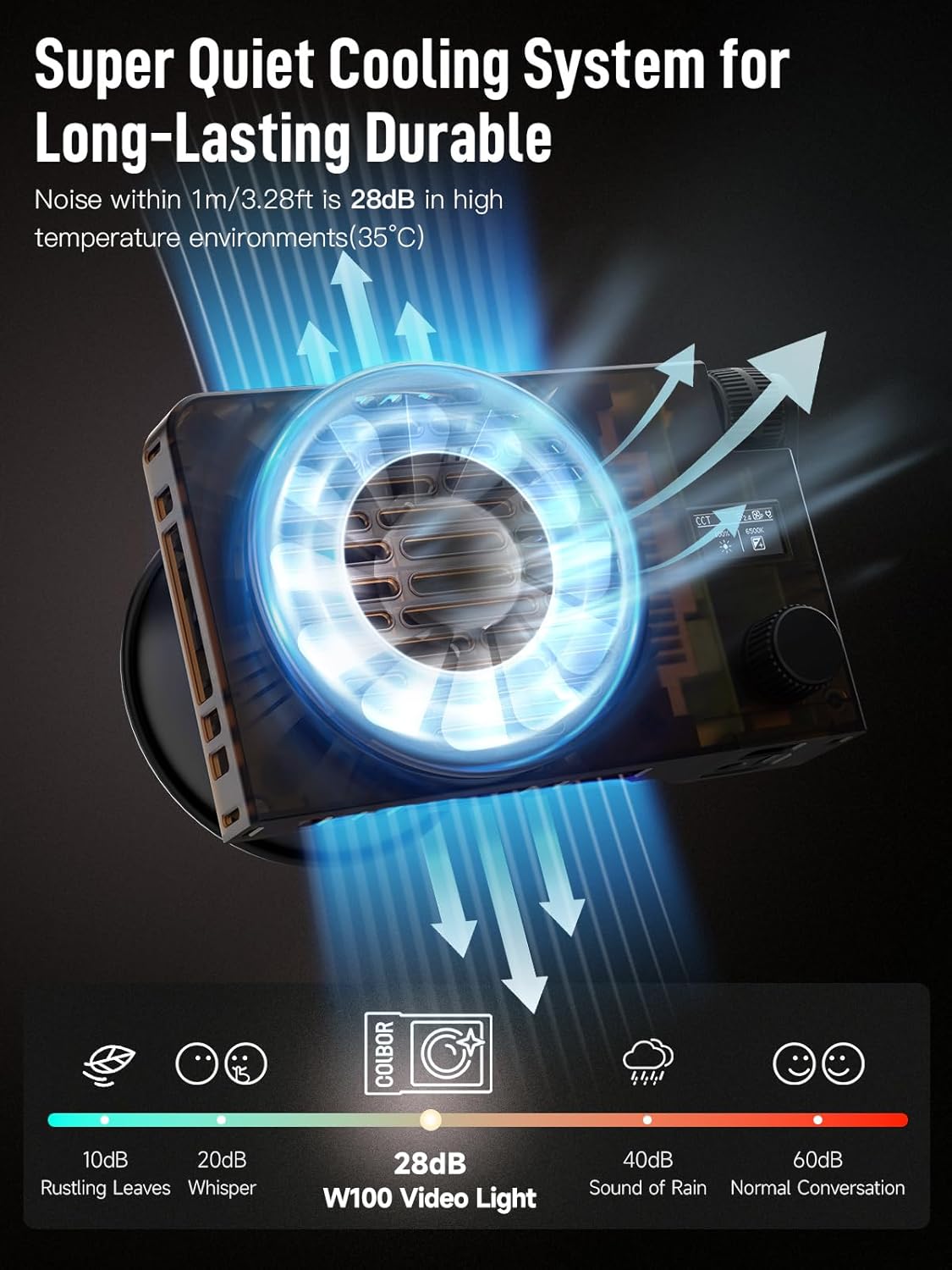
Obrázek 3.3: Chladicí systém nadview
4. Nastavení
4.1 Napájení zařízení
COLBOR W100 nabízí několik způsobů napájení:
- DC adaptér: Připojte dodaný 100W stejnosměrný napájecí adaptér k portu stejnosměrného proudu na svítilně a zapojte jej do elektrické zásuvky.
- Rychlé nabíjení PD typu C: Použijte kompatibilní zdroj napájení PD typu C (např. powerbanku s PD3.0, výkon >65 W) a připojte ji k portu typu C.
- Baterie COLBOR Grip: Pro přenosný provoz připevněte baterii COLBOR (prodává se samostatně) k určenému držáku.
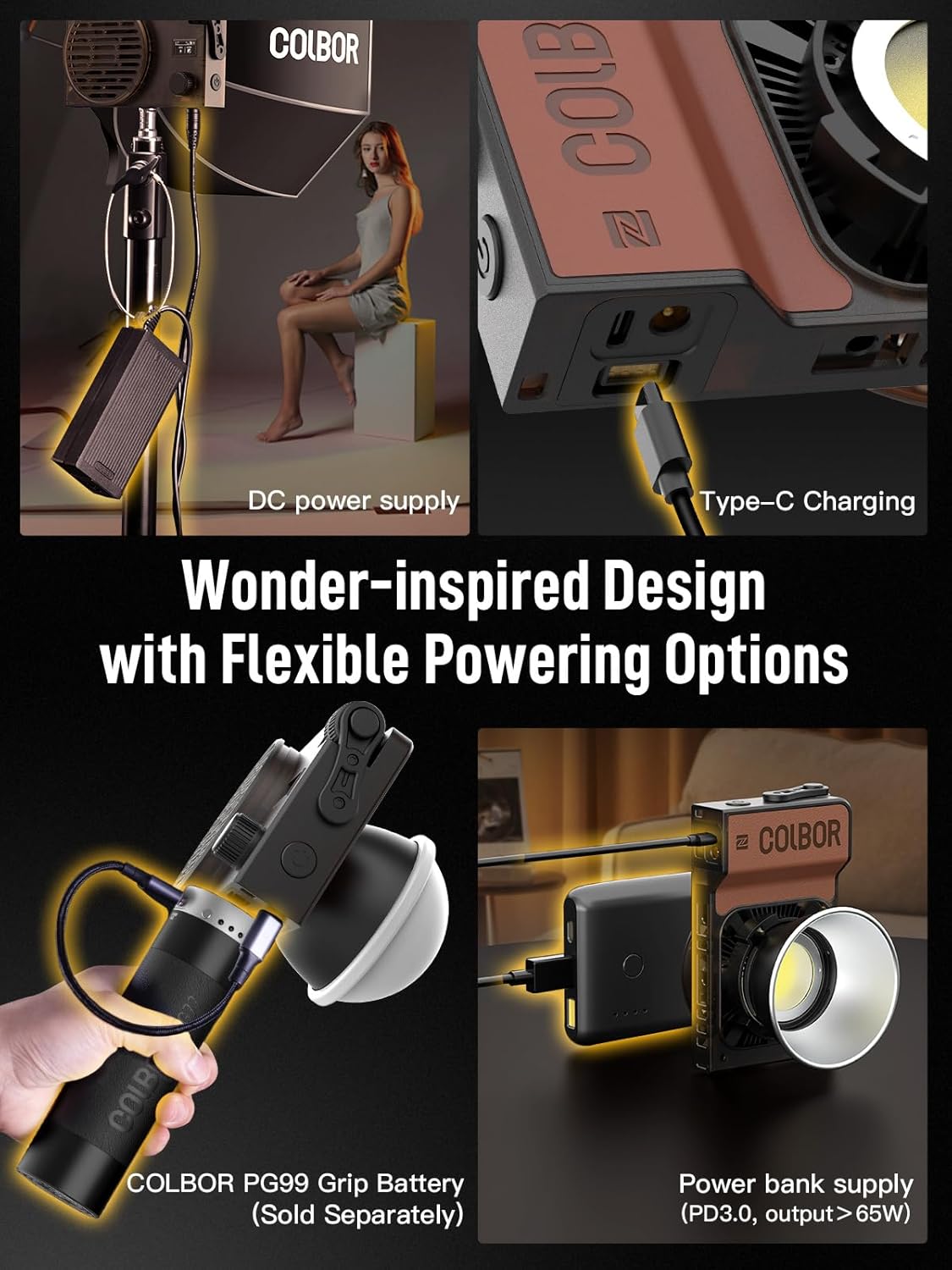
Obrázek 4.1: Možnosti napájení
4.2 Připevnění příslušenství
Chcete-li připevnit reflektor nebo měkký kryt, zarovnejte příslušenství s držákem Mini Bowens na přední straně světla a otáčejte jím, dokud se bezpečně nezajistí. Ujistěte se, že je měkký kryt správně nainstalován, jak je znázorněno na obrázku obsahu balení (obrázek 2.1).
5. Provoz
5.1 Ruční ovládání
COLBOR W100 je vybaven integrovanými ovládacími prvky pro přímé nastavení jasu a teploty barev. Konkrétní funkce tlačítek a voličů naleznete na fyzickém rozhraní zařízení.
5.2 Ovládání pomocí aplikace (COLBOR STUDIO)
Pro lepší ovládání a pokročilé funkce si stáhněte aplikaci COLBOR STUDIO do svého mobilního zařízení.
- Ujistěte se, že je váš COLBOR W100 zapnutý.
- Otevřete aplikaci COLBOR STUDIO na svém smartphonu.
- Aplikace detekuje zařízení COLBOR v okolí. Vyberte ze seznamu svůj W100 a navažte připojení přes síť Mesh a kanál 2.4 GHz.
- Po připojení můžete na dálku upravovat jas, teplotu barev a přistupovat k různým světelným efektům přímo z rozhraní aplikace.
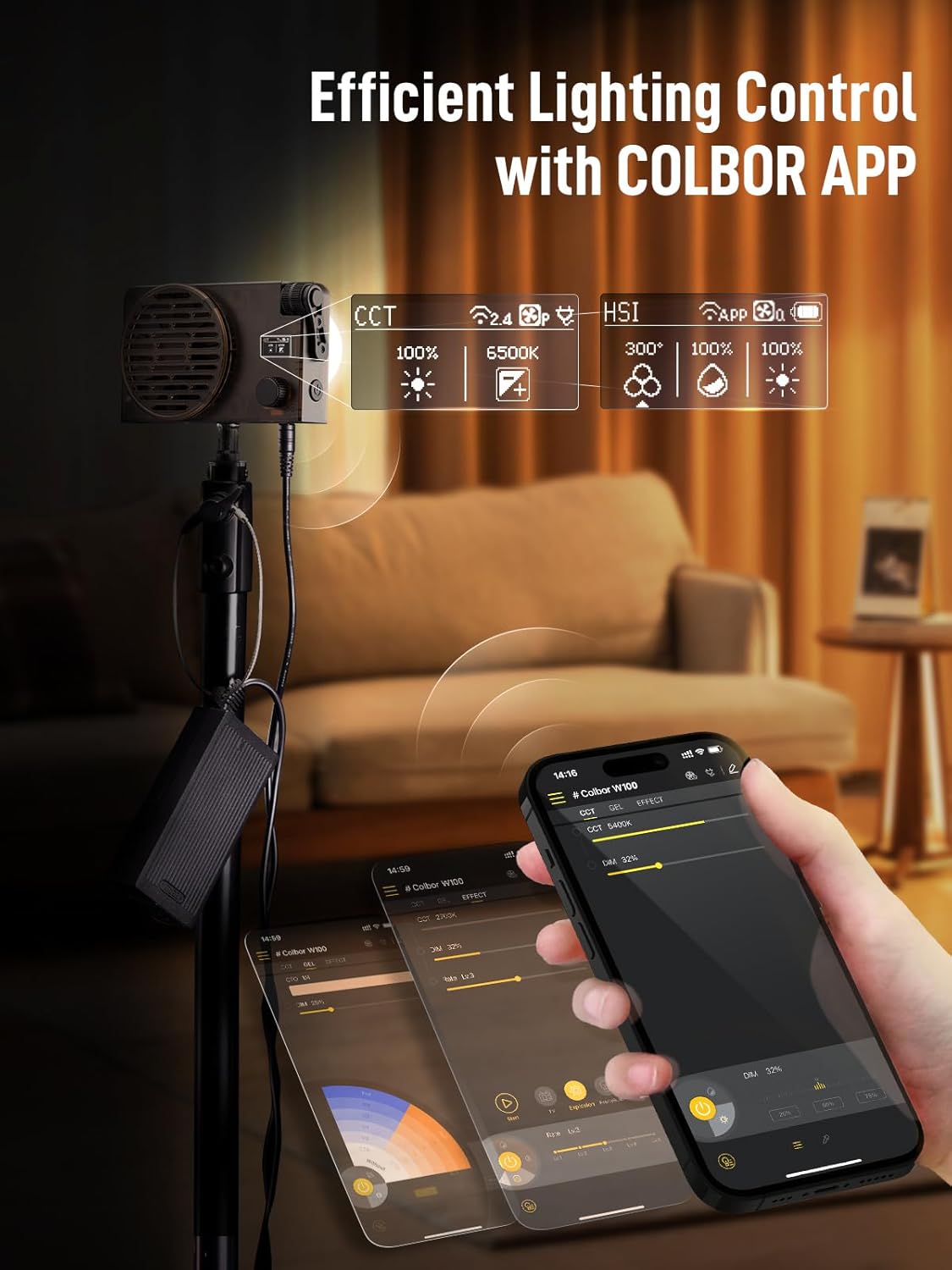
Obrázek 5.1: Rozhraní aplikace COLBOR STUDIO
6. Údržba
Pro zajištění dlouhé životnosti a optimálního výkonu vašeho COLBOR W100 dodržujte tyto pokyny pro údržbu:
- Čištění: K čištění vnější strany světla používejte měkký, suchý hadřík. Nepoužívejte tekuté čisticí prostředky, rozpouštědla ani abrazivní materiály, protože by mohly poškodit povrchovou úpravu nebo vnitřní součásti.
- Skladování: Pokud svítilnu nepoužíváte, skladujte ji na chladném a suchém místě mimo dosah přímého slunečního záření a extrémních teplot. Používejte ochranný kryt, abyste zabránili hromadění prachu.
- Větrání: Během provozu se ujistěte, že chladicí otvory nejsou zablokované, aby se zajistilo správné proudění vzduchu a zabránilo se přehřátí.
7. Řešení problémů
Pokud narazíte na problémy s vaším COLBOR W100, postupujte podle následujících běžných kroků pro řešení problémů:
- Světlo se nerozsvítí:
- Ověřte, zda je napájecí adaptér bezpečně připojen k světlu i k funkční zásuvce.
- Pokud používáte powerbanku nebo grip baterii, ujistěte se, že je dostatečně nabitá a správně připojená.
- Zkontrolujte tlačítko napájení na zařízení.
- Problémy s připojením aplikace:
- Ujistěte se, že je na vašem mobilním zařízení povoleno Bluetooth.
- Restartujte aplikaci COLBOR STUDIO a světlo W100.
- Ujistěte se, že je vaše mobilní zařízení v dosahu světla.
- Neobvyklý hluk nebo přehřátí:
- Zkontrolujte, zda nejsou chladicí otvory zablokované.
- Ujistěte se, že světlo pracuje v rámci stanoveného teplotního rozsahu.
- Pokud problém přetrvává, přestaňte jej používat a kontaktujte zákaznickou podporu.
8. Specifikace
| Funkce | Specifikace |
|---|---|
| Číslo modelu | W100 |
| Rozměry produktu | 6.18 x 1.69 x 3.66 palce (157 x 43 x 93 mm) |
| Hmotnost položky | 0.76 liber (345 g) |
| Výkon | 100W |
| Rozsah teploty barev | 2700K-6500K |
| Osvětlení (s reflektorem) | 20 800 luxů při 0.5 m (6500 K) |
| Technologie připojení | Vstup pro napájení, Bluetooth |
| Hardwarové rozhraní | Bluetooth |
| Výrobce | COLBOR |
9. Záruka a podpora
COLBOR poskytuje 365denní záruka pro W100 Bi-Color Pocket COB Video Light od data zakoupení. Tato záruka se vztahuje na výrobní vady a zajišťuje spolehlivý provoz za běžných podmínek používání.
Pro technickou pomoc, reklamace nebo jakékoli dotazy týkající se produktu se prosím obraťte na zákaznický servis COLBOR. Náš tým podpory se snaží odpovědět do 24 hodin v pracovní dny a nabídnout řešení k zajištění vaší spokojenosti.
Nejnovější informace o podpoře a kontaktní údaje naleznete na oficiálních stránkách COLBOR. webwebu nebo se podívejte na kontaktní informace uvedené na obalu produktu.


