Zavedení
Thank you for choosing the CORN Gaming Wired USB Mouse. This manual provides detailed instructions for setting up, operating, and maintaining your new mouse, ensuring optimal performance and longevity. Please read this manual thoroughly before using the product.
Průvodce nastavením
Obsah balení:
- 1 x CORN Gaming Wired USB Mouse (Model SB-186)
- 1 x Uživatelská příručka (tento dokument)
Systémové požadavky:
- Operating System: Windows 2000/2003/XP/Vista/Win7/Win8/Win10, Mac OS, Android
- Dostupný USB port
Instalace:
- Locate an available USB port on your computer (PC, Desktop, Laptop, Macbook, Tablet).
- Insert the USB connector of the CORN Gaming Wired USB Mouse into the USB port.
- Operační systém automaticky vyhledá a nainstaluje potřebné ovladače. Tento proces může chvíli trvat.
- Once the installation is complete, the mouse will be ready for use. No additional software installation is required.
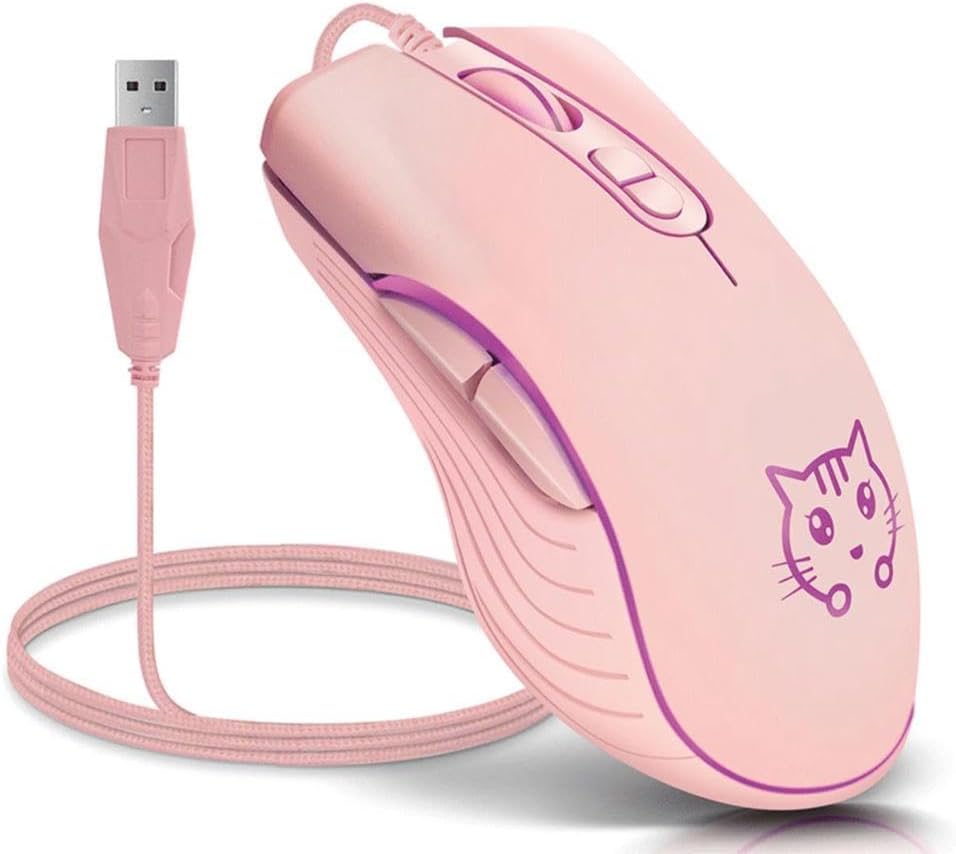
Image: The CORN Gaming Wired USB Mouse with its USB cable, illustrating the wired connection.
Návod k obsluze
Mouse Layout and Functions:
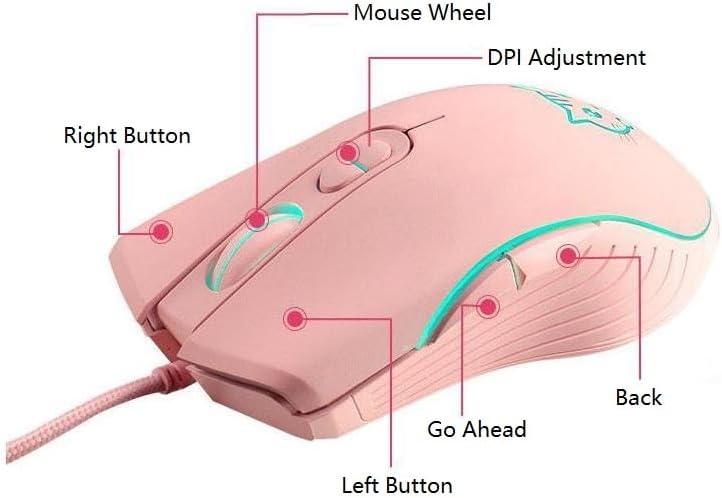
Image: Labeled diagram of the mouse showing the location and function of each button.
- Levé tlačítko: Standardní funkce levého kliknutí.
- Pravé tlačítko: Standardní funkce kliknutí pravým tlačítkem myši.
- Kolečko myši: Scroll up or down. Can also be pressed for middle-click functionality.
- Tlačítko pro nastavení DPI: Cykluje mezi nastaveními DPI.
- Go Ahead Button: Naviguje vpřed web prohlížeče popř file průzkumníci.
- Tlačítko Zpět: Naviguje zpět web prohlížeče popř file průzkumníci.
Adjusting DPI (Dots Per Inch):
The mouse features 4 adjustable DPI levels, allowing you to change cursor sensitivity on the fly. Press the DPI Adjustment Button located behind the scroll wheel to cycle through the following settings:
- 800 DPI (Lowest sensitivity, suitable for precise tasks)
- 1200 DPI (Standard sensitivity)
- 1600 DPI (Increased sensitivity)
- 2400 DPI (Highest sensitivity, ideal for fast-paced gaming)
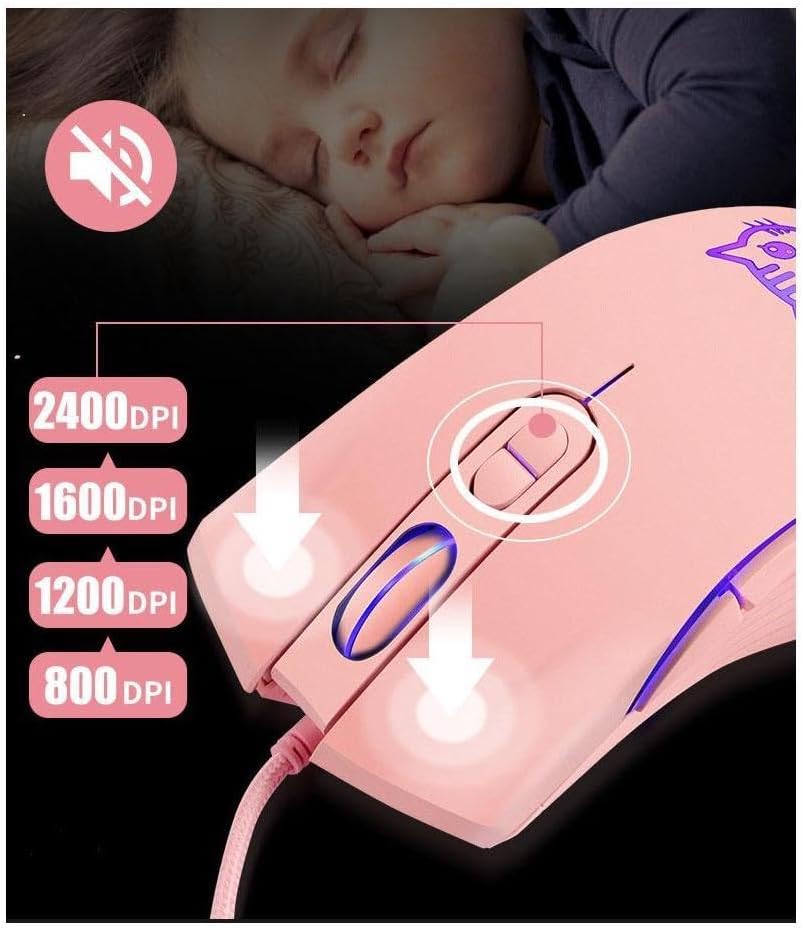
Image: Visual guide for DPI adjustment, highlighting the button and available sensitivity levels.
Silent Click Feature:
The CORN Gaming Mouse is designed with noiseless click buttons, reducing sound output during use. This feature is beneficial in quiet environments, preventing disturbance to others.

Image: Depiction of the mouse's silent click functionality, emphasizing its quiet operation.
7-Color Backlight Modes:
The mouse features a dynamic 7-color backlight system that changes automatically, adding to its aesthetic appeal. The cute kitten pattern on the mouse also illuminates with these changing colors.
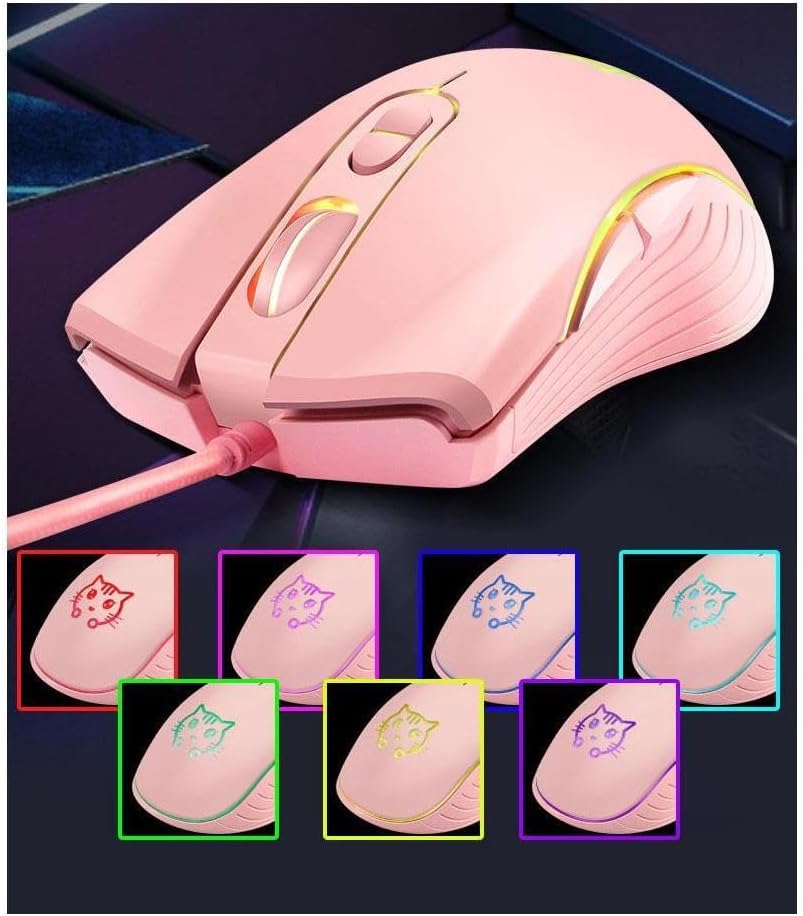
Image: The mouse showcasing its 7-color backlight modes, highlighting the visual effects.
Ergonomický design:
The mouse is designed to fit the natural curvature of your palm, providing a comfortable and breathable grip for extended use. Its anti-skid side wing design further enhances stability and prevents slipping.
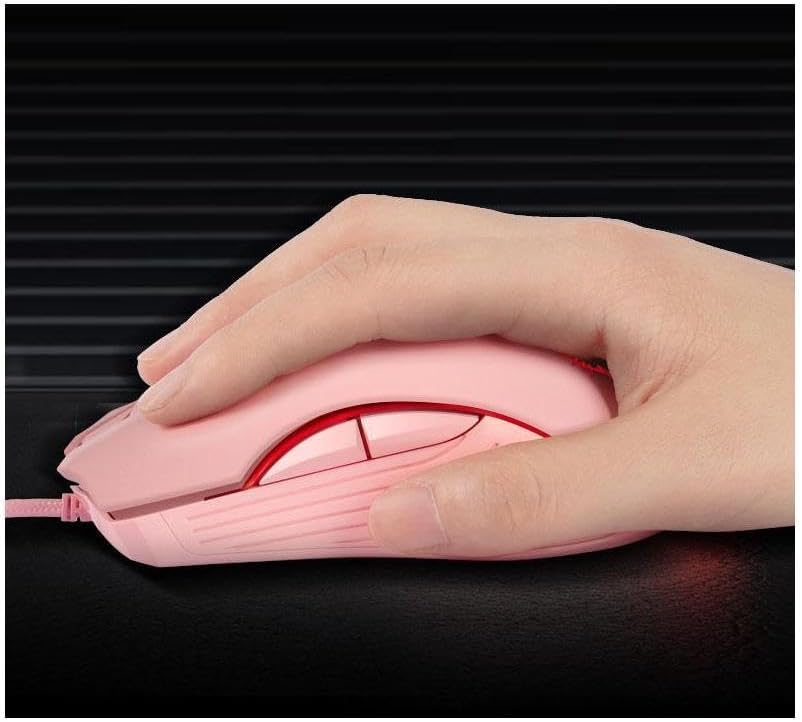
Image: A hand demonstrating the ergonomic grip of the mouse.
Údržba
To ensure the longevity and optimal performance of your CORN Gaming Wired USB Mouse, follow these simple maintenance guidelines:
- Čištění: K otření povrchu myši použijte měkký, suchý hadřík. V případě odolné nečistoty lehceampOtřete hadřík vodou nebo jemným čisticím roztokem. Nepoužívejte agresivní chemikálie ani abrazivní materiály.
- Péče o senzor: Keep the optical sensor on the bottom of the mouse clean and free from dust or debris. Use a cotton swab or compressed air to gently clean the sensor area.
- Správa kabelů: Avoid sharp bends or kinks in the USB cable. Store the mouse with the cable neatly coiled to prevent damage.
- Skladování: When not in use for extended periods, store the mouse in a clean, dry place away from extreme temperatures and direct sunlight.
- Vyhněte se kapkám: While built with solid construction, avoid dropping the mouse or subjecting it to strong impacts, as this can damage internal components.
Odstraňování problémů
If you encounter any issues with your CORN Gaming Wired USB Mouse, please refer to the following common problems and their solutions:
| Problém | Možná příčina | Řešení |
|---|---|---|
| Myš nereaguje. | USB cable not properly connected; faulty USB port; driver issue. |
|
| Pohyb kurzoru je nepravidelný nebo trhaný. | Dirty optical sensor; unsuitable mouse pad surface. |
|
| DPI adjustment button not changing sensitivity. | Software conflict; temporary glitch. |
|
| Back/Forward buttons not working. | Application specific; driver issue. |
|
Specifikace produktu
| Značka | KUKUŘICE |
| Číslo modelu | SB-186 |
| Technologie připojení | Kabel USB |
| Technologie detekce pohybu | Optický |
| Úrovně DPI | 800/1200/1600/2400 DPI |
| Počet tlačítek | 6 |
| Speciální funkce | Ergonomic Design, LED Lights, Silent Click |
| Barva | Růžový |
| Hmotnost položky | 9.9 unce (přibližně 280 g) |
| Rozměry balení | 5.59 x 4.02 x 2.05 palce |
| Provozní svtage | DC 5V |
| Provozní proud | 10 mA |
| Přepnout život | 5 milionůkrát |
| Roller Life | 10 milionůkrát |
| Kompatibilní systémy | Windows 2000/2003/XP/Vista/Win7/Win8/Win10, Mac OS, Android |

Image: Detailed product information including a labeled diagram and a table of technical specifications.
Informace o záruce
CORN products are manufactured to the highest quality standards. This product comes with a standard manufacturer's warranty against defects in materials and workmanship from the date of purchase. Please retain your proof of purchase for warranty claims. The warranty does not cover damage caused by misuse, accident, unauthorized modification, or normal wear and tear.
Zákaznická podpora
For further assistance, technical support, or warranty inquiries, please contact CORN customer service through the retailer's platform where you purchased the product or visit the official CORN webstránky pro kontaktní údaje.
We are committed to providing you with the best possible experience with your CORN product.


