1. Úvod
This manual provides instructions for the iTOMA Model CKS507 Clock Radio. This device combines an alarm clock with a large LED display, FM radio, dual alarms, two USB charging ports, a night light, and both automatic and manual dimmer functions. It also features APP control for enhanced functionality and ease of use.

Figure 1: iTOMA CKS507 Clock Radio overview.
2. Klíčové vlastnosti
- Ultra Clear 1.4-inch White LED Display: Large numbers for easy readability from any angle, with 4-level manual and auto brightness adjustment.
- Kontrola APP: Manage alarms, radio, and other settings via the dedicated iTOMA App for iOS and Android.
- Duální budíky: Set two independent alarms with customizable wake-up modes (radio or buzzer) and 4 alarm week modes (Every day, single day, weekdays, weekends).
- FM rádio: Digital tuning with memory storage for up to 20 programmable stations (87.5-108MHz). Features a sleep-to-music timer (10-90 minutes).
- Bluetooth připojení: Streamujte zvuk bezdrátově ze zařízení s podporou Bluetooth.
- Two USB Charging Ports: Includes one USB Type-A and one USB Type-C port (2.1A 5V) for charging mobile devices.
- Noční světlo: Two-level night light for ambient illumination.
- Funkce odložení: 9-minute snooze, up to 6 times.
- Crescendo Wake-up Control: Hlasitost alarmu se postupně zvyšuje.
3. Obsah balení
Ověřte, zda jsou v balení přítomny všechny položky:
- 1 x iTOMA CKS507 Clock Radio
- 1 x napájecí adaptér
- 1 x User Manual (Six languages)
4. Nastavení
4.1 Připojení napájení
- Unpack the iTOMA CKS507 Clock Radio and its power adapter.
- Connect the power adapter to the DC input port on the back of the clock radio.
- Plug the power adapter into a standard electrical outlet. The clock will automatically set itself to the correct year, month, date, day, and time upon initial power-up and after any power interruption.
4.2 Nastavení ovládání aplikací
The iTOMA App provides convenient control over various clock functions.
- Stáhněte si aplikaci: Hledat "iTOMA" in the App Store (iOS) or Google Play Store (Android) and download the application.
- Power On and Bluetooth Activation: Ensure the clock radio is powered on. Press the BT button on the clock. The Bluetooth indicator on the clock display should flash, indicating it is in pairing mode.
- Připojení přes aplikaci:
- Open the iTOMA App on your mobile device.
- Tap "Connect" within the App.
- In the pop-up interface, select "Settings" and then connect to the Bluetooth device named "507".
- Potvrzení: A successful connection will be indicated by an audible tone from the clock. The App and Bluetooth indicator lights on the clock will remain steadily on.
- Odstraňování problémů s připojením: If the App cannot connect, ensure your mobile device's Bluetooth is enabled and the clock's Bluetooth is active (indicator flashing or steady).

Figure 2: Steps for connecting the iTOMA App.
5. Návod k obsluze
5.1 Nastavení času a data
The clock automatically sets the time upon power-up. Manual adjustment is also possible.
- Manuální nastavení času: Použijte NASTAVENÍ ČASU button to adjust the year, date, day of the week, and time. Refer to the detailed instructions in the included multi-language manual for specific button sequences.
- Časové pásmo: Upravte časové pásmo podle vaší polohy.
- 12/24hodinový formát: Select your preferred time display format.
5.2 Funkce alarmu
The clock radio features two independent alarms.

Figure 3: Dual alarm clock functionality.
- Nastavení budíků: Use the dedicated alarm buttons or the iTOMA App to set Alarm 1 and Alarm 2.
- Wake-up Modes: Choose to wake up to the FM radio or a buzzer sound.
- Alarm Week Modes: Select from four options: Every day, single day only, weekdays only, or weekends only.
- Hlasitost budíku: Adjust the alarm volume (16 levels). The alarm sound will gradually increase (crescendo wake-up).
- Odložit: Když zazní alarm, stiskněte tlačítko PODŘIMOVAT button to temporarily silence it for 9 minutes. This can be repeated up to 6 times.
- Vypnutí alarmu: To turn off an alarm, use the physical alarm switch on the back of the unit or disable it via the App. Remember to re-enable it for the next day if needed.
5.3 FM rádio
Enjoy your favorite radio stations with digital tuning.

Figure 4: FM Radio tuning and presets via App.
- tuning: Use the tuning controls on the unit or the App to find FM stations (87.5-108MHz).
- Předvolby: Store up to 20 favorite radio stations for quick access.
- Objem: Adjust the radio volume from 0-16 levels.
- Anténa: Ensure the external cable antenna is properly extended for optimal reception.
- Časovač vypnutí: Set a programmable sleep-to-music timer (10-90 minutes) to fall asleep to your chosen radio station. The radio will automatically turn off after the set duration.
5.4 Streamování zvuku přes Bluetooth
Connect your mobile device to stream music wirelessly.

Figure 5: Bluetooth music streaming.
- Stiskněte tlačítko BT button on the clock radio to enter Bluetooth pairing mode. The Bluetooth indicator will flash.
- On your mobile device, go to Bluetooth settings and select "507" from the list of available devices to pair.
- Once paired, the Bluetooth indicator on the clock will stop flashing and remain steady. You can now stream audio from your device to the clock radio.
5.5 Stmívač displeje
Adjust the display brightness for comfort.

Figure 6: Display brightness levels and auto dimmer.
- Manuální stmívač: Použijte DIMMER button to cycle through 4 brightness levels (L-1, L-2, L-3, OFF).
- Automatické stmívání: The clock features an auto-dimmer function that adjusts the display brightness based on ambient light conditions, reducing brightness for uninterrupted sleep.
5.6 Noční světlo
Integrované noční světlo poskytuje jemné osvětlení.
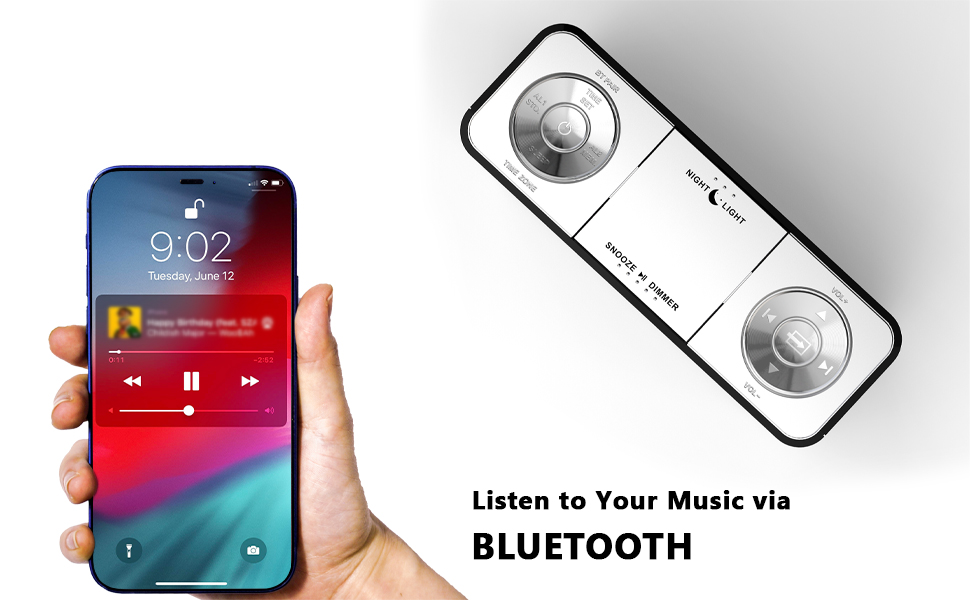
Figure 7: Night light feature.
- Stiskněte tlačítko NOČNÍ SVĚTLO button to activate or adjust the two-level night light.
5.7 nabíjecí porty USB
Charge your mobile devices conveniently.
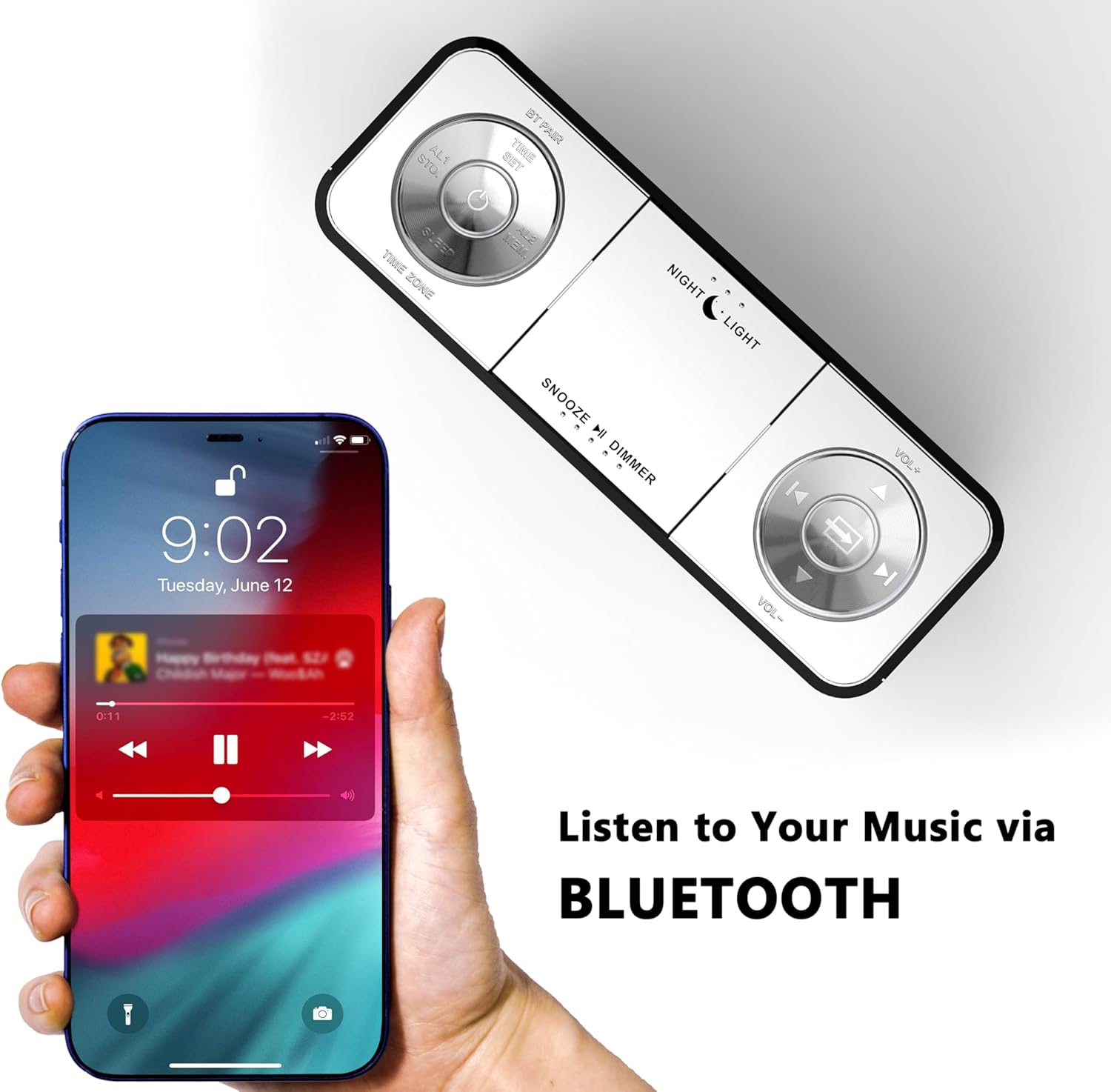
Figure 8: USB charging ports in use.
- The clock radio includes one USB Type-A and one USB Type-C charging port (2.1A 5V total output).
- Connect your mobile phone, tablet, or other USB-powered devices to these ports for charging.
6. Údržba
- Čištění: Otřete přístroj měkkým, suchým hadříkem. Nepoužívejte abrazivní čisticí prostředky ani rozpouštědla.
- Odpojení napájení: Pokud nebudete přístroj delší dobu používat, odpojte napájecí adaptér ze zásuvky.
- Umístění: Place the clock radio on a stable, flat surface away from direct sunlight, heat sources, and moisture.
7. Řešení problémů
| Problém | Možná příčina | Řešení |
|---|---|---|
| Displej hodin je prázdný nebo nefunguje. | Žádné napájení nebo přerušení napájení. | Ensure the power adapter is securely plugged into the clock and a working electrical outlet. |
| Time/Date is incorrect after power interruption. | No battery backup for settings. | The clock automatically resets time upon power restoration. If manual settings were lost, re-enter them using the TIME SET button or App. |
| Cannot connect to the iTOMA App. | Bluetooth is off on the clock or mobile device; incorrect pairing process. | Ensure Bluetooth is enabled on your mobile device. Press the BT button on the clock to activate pairing mode. Follow App connection steps carefully. |
| Špatný příjem FM rádia. | Anténa není vysunutá nebo je v oblasti slabý signál. | Fully extend the external cable antenna. Try repositioning the antenna or the clock radio for better signal. |
| Alarm se nespustí. | Alarm is not set, turned off, or volume is too low. | Verify alarm settings (time, mode, active days) via the clock or App. Ensure alarm volume is set to an audible level. Check the physical alarm switch on the back. |
| Nabíjení přes USB nefunguje. | Zařízení není kompatibilní nebo je kabel vadný. | Ensure your device is compatible with 5V USB charging. Try a different USB cable. Confirm the clock radio is powered on. |
8. Specifikace
| Značka | iTOMA |
| Číslo modelu | 507 CKS |
| Barva | Bílá LED |
| Typ zobrazení | Digitální LED |
| Rozměry produktu | 6.22"Š x 3.54"V (158 mm x 90 mm) |
| Zdroj napájení | Elektrický kabel |
| Materiál rámu | Plast |
| Hmotnost položky | 1.19 libry |
| Frekvenční rozsah FM | 87.5-108 MHz |
| USB nabíjecí výstup | 2.1A 5V (Type-A and Type-C ports) |

Obrázek 9: Rozměry produktu.
9. Zákaznická podpora
For further assistance, troubleshooting, or warranty information, please contact iTOMA customer support.
- Výrobce: iTOMA
- Online podpora: Refer to the official iTOMA webNejnovější kanály podpory naleznete na webových stránkách nebo na kontaktních informacích uvedených v obalu produktu.


