1. Úvod
Thank you for choosing the SHIDU Voice Amplifier Model 2023-308. This portable PA system is designed to amplify your voice clearly, making it ideal for teachers, tour guides, trainers, and public speakers. It supports various audio playback options including Bluetooth, TF card, and U-Disk. Please read this manual carefully to ensure proper use and optimal performance of your device.
2. Obsah balení
Zkontrolujte prosím balení, zda neobsahuje následující položky:
- Hlas SHIDU AmpLifikační jednotka
- Sluchátka s drátovým mikrofonem
- USB nabíjecí kabel
- Adjustable Waist/Shoulder Strap
3. Konec produktuview
The SHIDU 2023-308 Voice Amplifier is a compact and lightweight device designed for clear voice amplification and versatile audio playback.
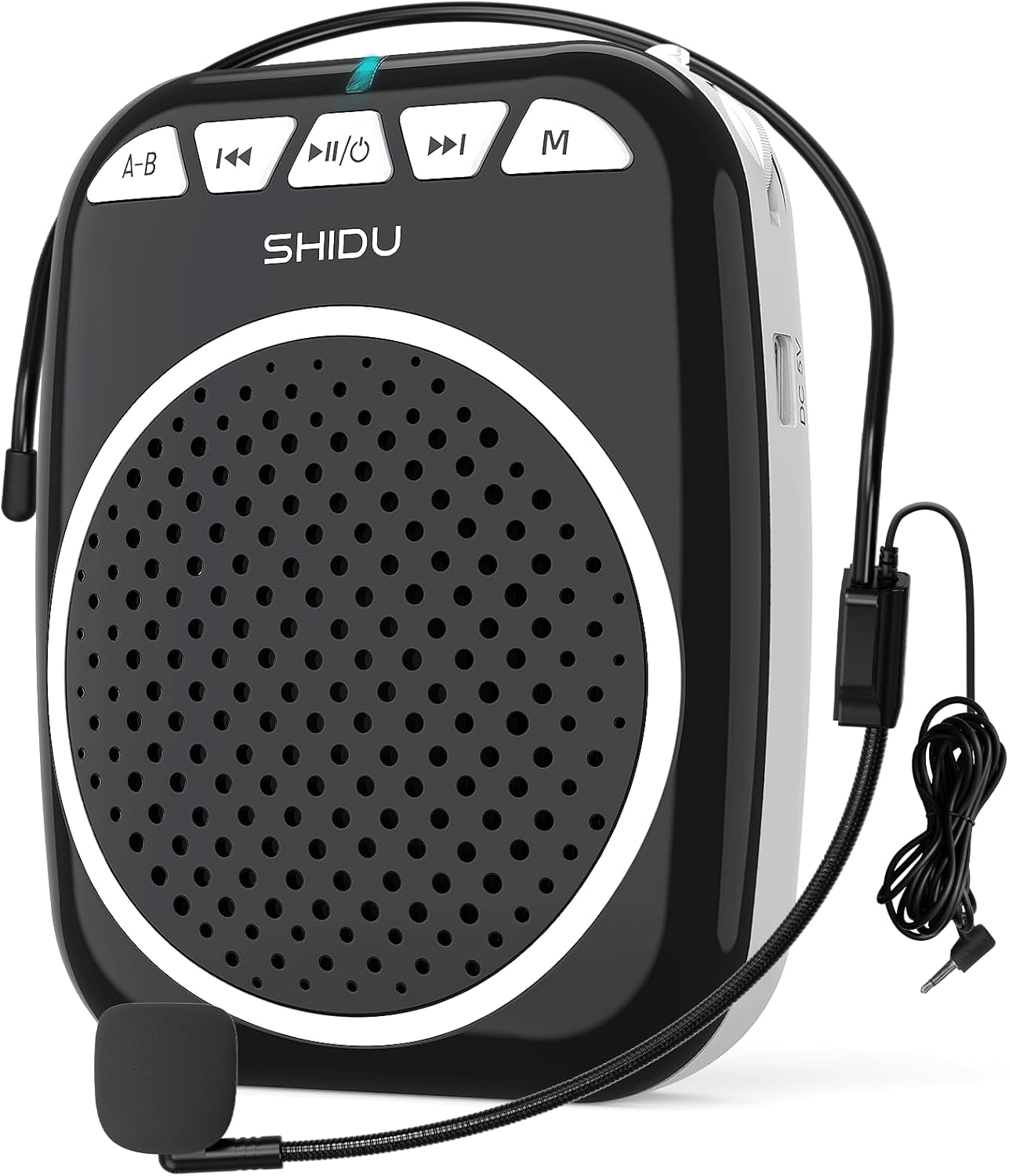
Figure 1: SHIDU Voice Amplifier Model 2023-308 with wired microphone headset.
Klíčové vlastnosti:
- Jasný hlas Ampzvedání: Projects voice clearly to audiences of up to 120 people.
- Lehký a přenosný: Weighs approximately 0.3 pounds (10.5 ounces) for easy transport.
- Multifunkční přehrávání: Supports Bluetooth, TF card, and U-Disk for music playback.
- Dlouhá výdrž baterie: Built-in rechargeable battery provides up to 7.5 hours of ampzvedání.
- Odolná konstrukce: Made from Acrylonitrile Butadiene Styrene (ABS).

Figure 2: Illustration of the voice amplifier's coverage area and audience capacity.
4. Identifikace součásti

Obrázek 3: Přední a boční views z amplifier with labeled ports and buttons.
- A-B / Repeat Key: Used for repeating sections in audio playback.
- Tlačítko předchozí stopy: Navigates to the previous audio track.
- Power On/Off & Play/Pause Button: Controls power and audio playback.
- Tlačítko Next Track: Navigates to the next audio track.
- Tlačítko režimu (M): Switches between Bluetooth, TF Card, U-Disk, and AUX modes.
- Kontrolka: Displays device status (e.g., charging, power on, Bluetooth pairing).
- Slot na kartu TF: Vložte kartu TF (Micro SD) pro přehrávání zvuku.
- USB slot: Insert a U-Disk (USB flash drive) for audio playback.
- Mic Slot: Connect the wired microphone headset.
- DC 5V nabíjecí port: Připojte nabíjecí kabel USB.
- Ovládání hlasitosti: Rotary knob for adjusting amplifikační objem.
- Zadní klip: Pro připevnění ampzáchranář na opasek nebo do kapsy.
5. Pokyny k nastavení
5.1. Nabíjení zařízení
- Connect the small end of the USB charging cable to the DC 5V Charging Port on the ampživější.
- Druhý konec kabelu USB připojte ke standardnímu napájecímu adaptéru USB (není součástí balení) nebo k portu USB počítače.
- Během nabíjení bude svítit kontrolka. Úplné nabití obvykle trvá 2–4 hodin.
- A full charge provides approximately 7.5 hours of amplification time.
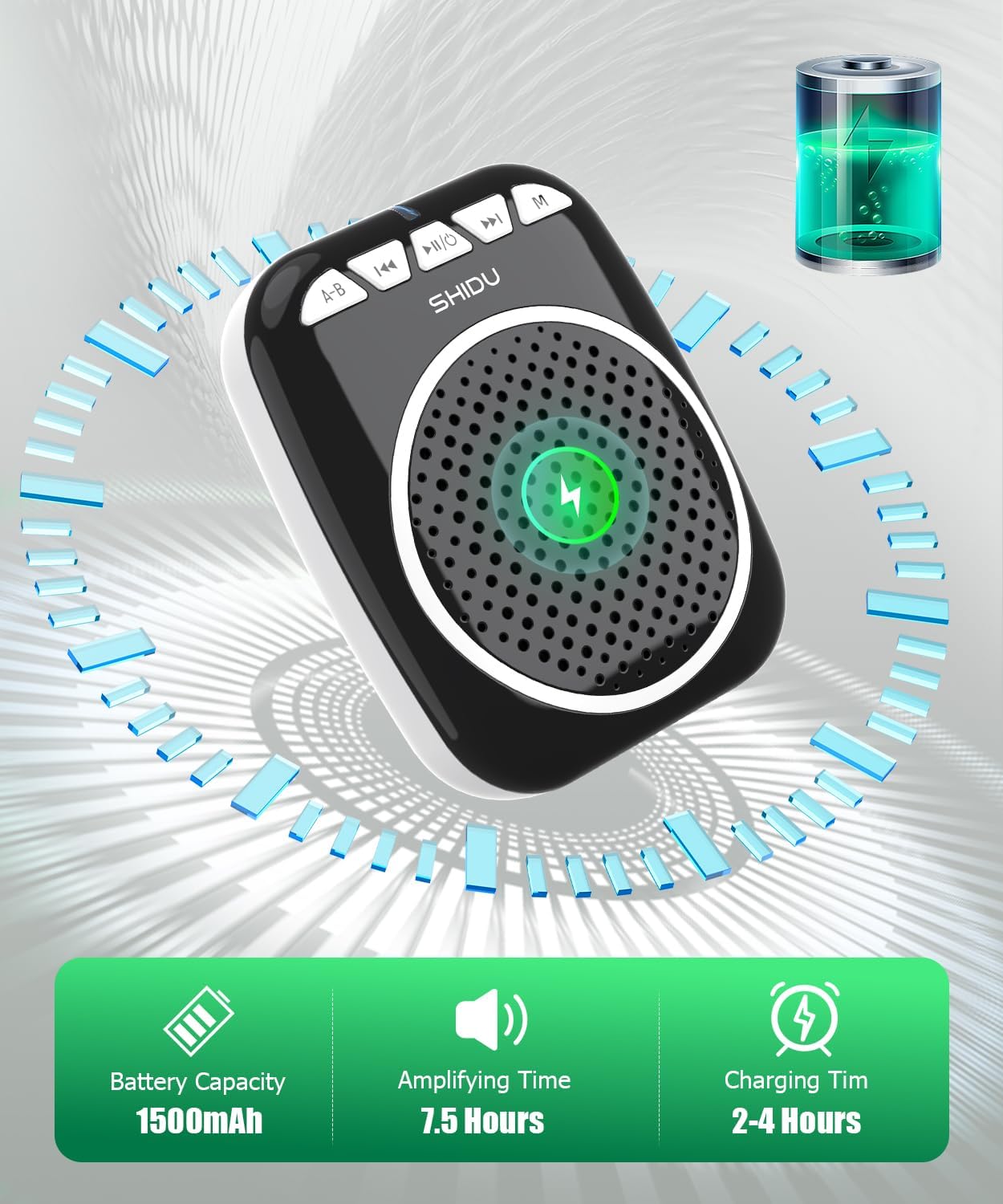
Figure 4: Battery capacity, amplifying time, and charging time information.
5.2. Připojení mikrofonu
- Insert the 3.5mm jack of the wired microphone headset into the Mic Slot on the ampživější.
- Position the microphone headset comfortably on your head, ensuring the microphone is close to your mouth for optimal voice pickup.
5.3. Wearing the Ampdoživotní
The amplifier can be carried in multiple ways:
- Zadní klip: Připojte amplifier to your belt or pocket using the integrated back clip.
- Bederní popruh: Use the adjustable strap to wear the amplifier around your waist.
- Shoulder/Neck Strap: Use the adjustable strap to hang the amplifier over your shoulder or neck.

Figure 5: Demonstrates various carrying options for the voice ampživější.
6. Návod k obsluze
6.1. Zapnutí/vypnutí
- Zapnutí: Stiskněte a podržte Power On/Off & Play/Pause button for a few seconds until the indicator light illuminates.
- Vypnutí: Stiskněte a podržte Power On/Off & Play/Pause button again for a few seconds until the indicator light turns off.
6.2. hlas Ampzvedání
- Ensure the microphone headset is securely connected to the Mic Slot.
- Zapněte ampživější.
- Pomalu otáčejte Ovládání hlasitosti knob to increase the volume to your desired level.
- Mluvte zřetelně do mikrofonu.
- Poznámka: To avoid feedback, keep the microphone away from the speaker and avoid pointing the microphone directly at the speaker.
6.3. Režim Bluetooth
- Zapněte ampživější.
- Stiskněte tlačítko režim (M) button until you hear a voice prompt indicating "Bluetooth Mode" or see the indicator light flashing blue.
- On your device (smartphone, tablet, computer), enable Bluetooth and search for "SHIDU" or "2023-308".
- Vyberte amplifier from the list to pair. Once paired, you will hear a confirmation sound, and the indicator light will turn solid blue.
- Nyní můžete přehrávat zvuk ze svého zařízení prostřednictvím ampživější. Použijte Předchozí stopa, Přehrát/Pozastavita Další stopa tlačítka pro ovládání přehrávání.

Figure 6: Seamless Bluetooth connectivity with various devices.
6.4. TF Card / U-Disk Playback
- Zapněte ampživější.
- Insert a TF (Micro SD) card into the TF Card Slot or a U-Disk into the USB Slot.
- The amplifier automaticky detekuje paměťové zařízení a začne přehrávat zvuk files. Pokud ne, stiskněte tlačítko režim (M) tlačítko pro přepnutí do správného režimu.
- Použijte Předchozí stopa, Přehrát/Pozastavita Další stopa tlačítka pro ovládání přehrávání.
- Stiskněte tlačítko A-B / Repeat Key to repeat the current track or a specific section.
7. Údržba
- Čištění: Zařízení otřete měkkým, suchým hadříkem. Nepoužívejte abrazivní čisticí prostředky ani rozpouštědla.
- Skladování: Uložte ampUchovávejte na chladném a suchém místě mimo dosah přímého slunečního záření a extrémních teplot.
- Péče o baterie: Pro prodloužení životnosti baterie zařízení pravidelně nabíjejte, i když jej nepoužíváte často. Vyhněte se delšímu úplnému vybíjení baterie.
- Péče o mikrofon: Handle the wired microphone headset gently. Avoid bending the cable sharply or exposing it to excessive moisture.
8. Řešení problémů
| Problém | Možná příčina | Řešení |
|---|---|---|
| Žádný zvuk od ampživější. | Device is off; volume is too low; microphone not connected properly; battery is low. | Ensure device is powered on. Increase volume. Check microphone connection. Charge the battery. |
| Zpětná vazba (pískavý zvuk). | Microphone too close to speaker; volume too high; microphone pointed at speaker. | Move microphone further from speaker. Reduce volume. Adjust microphone position. |
| Problémy s připojením Bluetooth. | Amplifier not in Bluetooth mode; device not discoverable; interference. | Press 'M' button to enter Bluetooth mode. Ensure Bluetooth is enabled on your device. Move closer to the amplifier. Try re-pairing. |
| TF card/U-Disk not playing. | Nesprávný file format; card/disk not inserted correctly; ampzáchranář v nesprávném režimu. | Zajistěte zvuk files are in a compatible format (e.g., MP3). Reinsert card/disk. Press 'M' button to switch to TF/USB mode. |
| Krátká výdrž baterie. | Not fully charged; aging battery. | Ensure full charge (2-4 hours). If battery life significantly degrades over time, contact support. |
9. Specifikace
| Funkce | Detail |
|---|---|
| Číslo modelu | 2023-308 |
| Značka | SHIDU |
| Typ montáže | Přenosný |
| Zdroj napájení | Napájení z baterie |
| Typ konektoru | Pomocný, USB |
| Materiál | Akrylonitrilbutadienstyren (ABS) |
| Hmotnost položky | 0.3 kilogramů (10.5 uncí) |
| Počet kanálů | 1 |
| Zvukový vstup | Mikrofon |
| Rozměry produktu (D x Š x V) | 1 x 12 x 4.3 palce |
| Technologie připojení | AUX, Bluetooth, USB |
| Barva | Černý |
| Kompatibilní zařízení | Headset, Smartphone |
| Kapacita baterie | 1500 XNUMX mAh |
| Amplifying Time | Až 7.5 hodin |
| Doba nabíjení | 2-4 hodin |
10. Záruka a podpora
SHIDU is committed to providing high-quality products. For any questions or issues regarding your SHIDU Voice Amplifier Model 2023-308, please contact SHIDU customer support. Refer to your purchase documentation for specific warranty details.
You can often find support information on the official SHIDU webwebu nebo prostřednictvím prodejce, u kterého jste produkt zakoupili.


