1. Úvod
Děkuji za nákupasing the MUSE M-15 Alarm Clock Radio. This manual provides essential information for the safe and efficient operation of your device. Please read it thoroughly before use and retain it for future reference.
2. Bezpečnostní informace
- Zdroj napájení: Use only the specified battery type (1 AA battery). Ensure correct polarity when inserting batteries.
- Voda a vlhkost: Do not expose the device to water, rain, or excessive moisture. Avoid placing it near liquids.
- Teplo: Uchovávejte zařízení mimo dosah zdrojů tepla, jako jsou radiátory, topná tělesa, sporáky nebo jiné přístroje (včetně amplifikátory), které produkují teplo.
- Čištění: Čistěte pouze suchým hadříkem. Nepoužívejte tekuté čističe nebo aerosolové čističe.
- Servis: Nepokoušejte se tento výrobek opravit sami. Veškerý servis svěřte kvalifikovanému servisnímu personálu.
- Likvidace: Dispose of batteries and the device according to local regulations. Do not dispose of batteries in fire.
3. Konec produktuview
Familiarize yourself with the components of your MUSE M-15 Alarm Clock Radio.
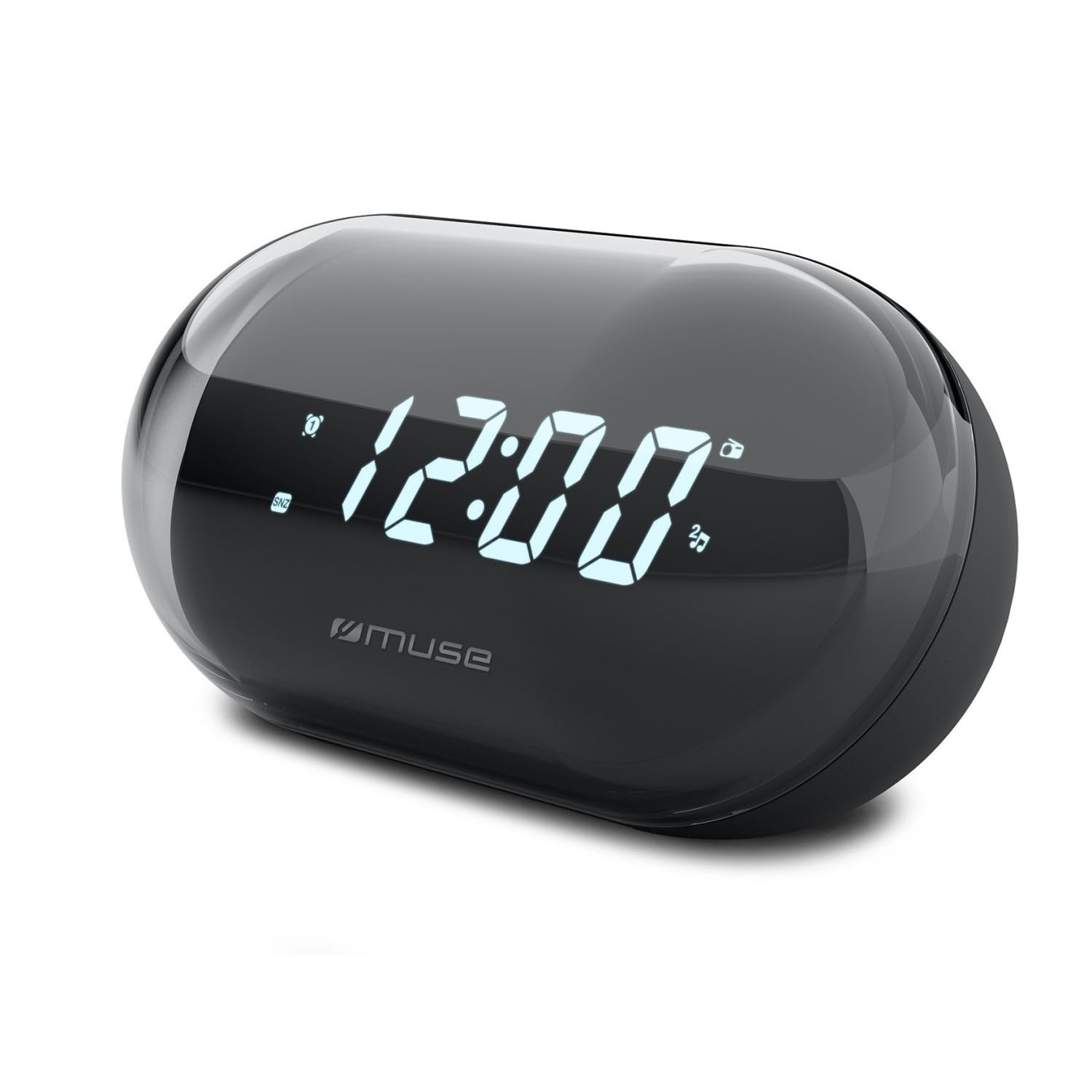
Obrázek: Přední strana view of the MUSE M-15 Alarm Clock Radio, showing the digital display and control buttons.
Ovládání a funkce:
- Digitální displej: Zobrazuje čas, stav budíku a rádiovou frekvenci.
- Tlačítko pro nastavení času: Používá se k nastavení aktuálního času.
- Tlačítko nastavení budíku: Používá se k nastavení a aktivaci/deaktivaci budíku.
- Tuning Buttons (+/-): Used to adjust radio frequency.
- Ovládání hlasitosti: Nastavuje výstupní úroveň zvuku.
- Tlačítko napájení / režimu: Turns the device on/off and switches between radio and clock modes.
- Tlačítko "Odložit: Dočasně ztiší alarm.
- Přihrádka na baterie: Located on the back, for 1 AA battery.
4. Nastavení
4.1 Instalace baterie
- Vyhledejte kryt přihrádky na baterie na zadní straně jednotky.
- Posuňte nebo zvedněte kryt pro otevření přihrádky.
- Insert one (1) AA battery, ensuring the correct polarity (+ and -) matches the diagram inside the compartment.
- Bezpečně nasaďte kryt prostoru pro baterie.
Note: The MUSE M-15 is battery-powered and does not require an external power adapter.
5. Návod k obsluze
5.1 Nastavení času
- V režimu hodin stiskněte a podržte Tlačítko nastavení času until the hour digits begin to flash.
- Použijte Tuning Buttons (+/-) pro nastavení hodiny. Stiskněte tlačítko Tlačítko nastavení času znovu pro potvrzení hodiny a přechod na minuty.
- Použijte Tuning Buttons (+/-) pro nastavení minut. Stiskněte tlačítko Tlačítko nastavení času ještě jednou pro uložení času a ukončení režimu nastavení času.
5.2 Nastavení alarmu
- Stiskněte a podržte Tlačítko nastavení alarmu until the alarm hour digits begin to flash.
- Použijte Tuning Buttons (+/-) to adjust the alarm hour. Press the Tlačítko nastavení alarmu znovu pro potvrzení a přechod na minuty.
- Použijte Tuning Buttons (+/-) to adjust the alarm minutes. Press the Tlačítko nastavení alarmu one more time to save the alarm time.
- Chcete-li alarm aktivovat nebo deaktivovat, krátce stiskněte Tlačítko nastavení alarmu. An alarm icon will appear on the display when activated.
5.3 Using the Radio
- Stiskněte tlačítko Tlačítko napájení/režimu to switch to radio mode. The display will show the radio frequency.
- Použijte Tuning Buttons (+/-) to manually tune to your desired radio station.
- Upravte hlasitost pomocí Ovládání hlasitosti.
- Chcete-li rádio vypnout, stiskněte Tlačítko napájení/režimu again to return to clock mode or turn off the device.
5.4 Funkce odložení
Když zazní alarm, stiskněte Tlačítko "Odložit to temporarily silence the alarm for a few minutes. The alarm will sound again after the snooze period ends.
6. Údržba
6.1 Čištění
Wipe the exterior of the device with a soft, dry cloth. Do not use abrasive cleaners, waxes, or solvents as they may damage the finish.
6.2 Výměna baterie
When the display dims or the device functions become erratic, it is time to replace the battery. Follow the battery installation steps in Section 4.1.
7. Řešení problémů
| Problém | Možná příčina | Řešení |
|---|---|---|
| Zařízení se nezapne. | Baterie je vybitá nebo nesprávně vložená. | Replace the AA battery or check its polarity. |
| Alarm se nespustí. | Budík není aktivován nebo je hlasitost příliš nízká. | Ensure the alarm icon is visible on the display. Increase the volume. |
| Špatný příjem rádia. | Slabý signál nebo rušení. | Reposition the device or extend the antenna (if applicable). Try tuning to a stronger station. |
| Time/Alarm settings reset. | Baterie je příliš slabá. | Vyměňte baterii AA. |
8. Specifikace
- Model: MUSE M-15
- Rozměry produktu (D x Š x V): 15 x 3.81 x 10 cm (5.9 x 1.5 x 3.9 palce)
- Hmotnost: 300 gramů (0.66 lb)
- Zdroj napájení: 1 x AA baterie (není součástí balení)
- Typ displeje: Digitální
- Vlastnosti: Alarm, Radio, Digital Time Display
- Typ montáže: Stolní držák
9. Záruka a podpora
This product is covered by a standard manufacturer's warranty. For detailed warranty information, please refer to the warranty card included with your purchase or visit the official MUSE webmísto.
For technical support, troubleshooting assistance, or spare parts inquiries, please contact MUSE customer service through their official webwebu nebo kontaktních informací uvedených na obalu produktu.
Please have your model number (M-15) and purchase date available when contacting support.