1. Úvod
The Pristar P15 Mini Bluetooth Label Printer is a compact, portable, and rechargeable thermal label maker designed to simplify your organization tasks. With its wireless Bluetooth connectivity, you can easily create and print custom labels directly from your iOS or Android smartphone using the intuitive 'Marklife' application. This manual provides detailed instructions on setting up, operating, maintaining, and troubleshooting your P15 label printer to ensure optimal performance and a seamless labeling experience.
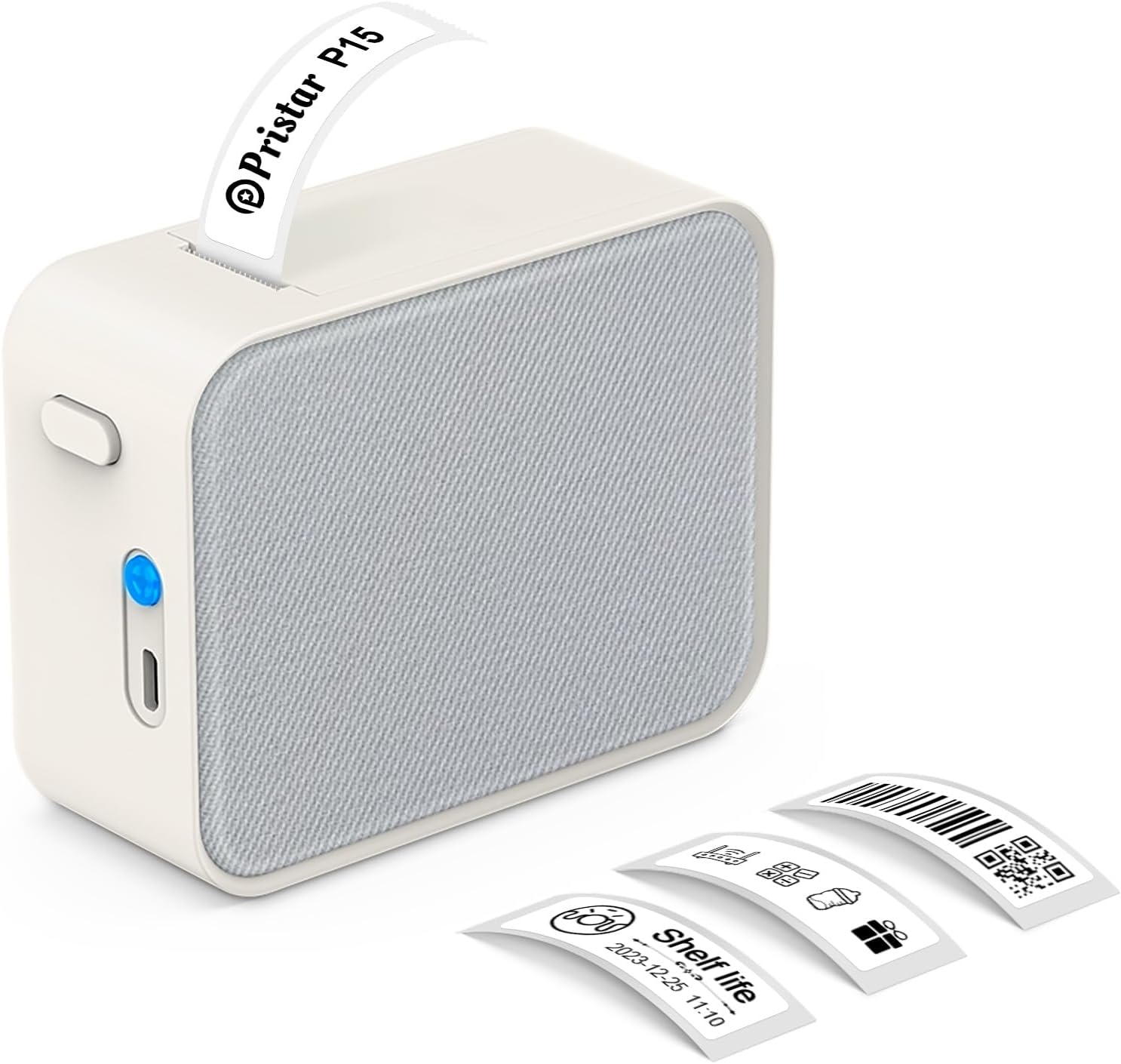
Figure 1.1: Pristar P15 Mini Bluetooth Label Printer
2. Bezpečnostní informace
Please read all safety instructions carefully before using the Pristar P15 label printer. Failure to follow these instructions may result in injury or damage to the device.
- Zařízení nerozebírejte, neopravujte ani neupravujte.
- Chraňte zařízení před vodou, vlhkostí a vysokými teplotami.
- Use only the specified USB-C cable for charging.
- Avoid exposing the print head to direct sunlight or strong light.
- Uchovávejte mimo dosah dětí.
3. Obsah balení
Ověřte, zda jsou v balení přítomny všechny položky:
- 1 x Pristar P15 Label Printer (with built-in 1200mAh rechargeable lithium battery)
- 1 x Roll of Label Paper (12x40mm, White)
- 1 x nabíjecí kabel USB-C (napájecí adaptér není součástí balení)
- 1 x Návod k použití
4. Průvodce nastavením
4.1 Nabíjení tiskárny
Before first use, fully charge the printer. Connect the provided USB-C cable to the charging port on the printer and plug the other end into a USB power source (e.g., computer, wall adapter). The indicator light will show charging status.
4.2 Vkládání štítků
Proper loading of the label paper is crucial for clear printing.
- Open the printer cover by sliding the release button.
- Insert the label roll with the label face down, ensuring the leading edge of the labels extends slightly out of the slot.
- Pevně zavřete kryt tiskárny, dokud nezacvakne na místo.

Figure 4.1: Label Paper Installation and App Connection Steps
4.3 Instalace aplikace
The Pristar P15 operates via the 'Marklife' application.
- Scan the QR code provided in the quick start guide or search for "Marklife" in your device's app store (App Store for iOS, Google Play Store for Android).
- Stáhněte a nainstalujte aplikaci.
4.4 Připojení Bluetooth
Connect your printer to the 'Marklife' app.
- Ujistěte se, že je na vašem smartphonu povoleno Bluetooth.
- Otevřete aplikaci „Marklife“.
- Within the app, search for and connect to your P15 printer. Do not connect via your phone's general Bluetooth settings.
5. Návod k obsluze
The 'Marklife' app provides extensive features for creating and customizing labels.
5.1 Basic Label Creation
- Open the 'Marklife' app and ensure your printer is connected.
- Select the desired label size (e.g., 12x40mm).
- Tap on the text box to enter your desired label content.
- Use the editing tools to customize fonts, sizes, and styles.
- Tap the 'Print' button to send the label to the printer.
5.2 Pokročilé funkce aplikace
The 'Marklife' app offers a wide range of customization options:
- Fonts & Languages: Access over 60 fonts and 8 languages for diverse labeling needs.
- Ikony a rámečky: Choose from 1000+ icons and various frames to enhance your labels.
- Čárové kódy a QR kódy: Generujte a tiskněte čárové kódy a QR kódy přímo z aplikace.
- Image & Text Import: Import pictures, or use features like Excel import, scanning, and voice input for text.
- Šablony: Utilize free templates for quick label creation. (Note: Some templates may require payment, and signing in allows saving customized templates.)

Obrázek 5.1: Rozhraní pro inteligentní ovládání pomocí aplikace
5.3 Thermal Printing Technology
The P15 uses thermal printing, eliminating the need for ink or toner, making it cost-effective and environmentally friendly. It supports 12-15mm label printing with a 203 DPI resolution for clear results.
5.4 Label Tape Features
Pristar label tapes are designed for durability and ease of use:
- Voděodolný a olejotěsný: Labels maintain integrity even when exposed to water or oil.
- Odolnost proti poškrábání: Resistant to fading or damage from rubbing.
- Odolnost proti roztržení: Durable and not easily torn by hand.
- Bez lepkavých zbytků: Designed for easy removal without leaving adhesive residue.

Obrázek 5.2: Vlastnosti termopapíru P15
5.5 Široké použití
The P15 is versatile for various organizational tasks:
- Home Storage: Label food containers, pantry items, and storage bins.
- Office Classification: Organizovat files, dokumenty a kancelářské potřeby.
- Cena Tags: Create clear and professional price labels.
- School Information Management: Label school supplies, books, and projects.
- Správa kabelů: Identify cables and wires for electronics.

Figure 5.3: Home Organization Examples

Figure 5.4: Work Organization Examples
6. Údržba
To ensure the longevity and optimal performance of your Pristar P15 label printer, follow these maintenance guidelines:
- Čištění tiskové hlavy: Pokud se kvalita tisku zhorší, jemně otřete termotiskovou hlavu vatovým tamponem a lehceampened with isopropyl alcohol. Ensure the printer is off and dry before use.
- Čištění exteriéru: K čištění vnější strany tiskárny používejte měkký, suchý hadřík. Nepoužívejte abrazivní čisticí prostředky ani rozpouštědla.
- Skladování: Tiskárnu skladujte na chladném a suchém místě mimo dosah přímého slunečního záření a extrémních teplot. Pokud ji skladujete delší dobu, vyjměte roli s etiketami.
7. Řešení problémů
If you encounter issues with your Pristar P15 label printer, refer to the following common problems and solutions:
| Problém | Možná příčina | Řešení |
|---|---|---|
| Tiskárna se nezapíná | Low battery; Power button not pressed firmly | Nabijte tiskárnu; Stiskněte a několik sekund podržte tlačítko napájení. |
| Nelze se připojit přes Bluetooth | Bluetooth off; Incorrect connection method; App issue | Ensure phone Bluetooth is on; Connect via 'Marklife' app, not phone settings; Restart app/phone. |
| Špatná kvalita tisku | Dirty print head; Incorrect label loading; Low battery | Clean the print head; Re-load label paper correctly (face down); Charge the printer. |
| Labels not feeding | Label roll empty; Paper jammed; Cover not closed properly | Replace label roll; Clear any paper jams; Ensure printer cover is securely closed. |
| Aplikace padá nebo zamrzá | Software glitch; Outdated app version | Restart the app; Check for app updates in your app store. |
8. Specifikace
Key technical specifications for the Pristar P15 Mini Bluetooth Label Printer:
| Funkce | Specifikace |
|---|---|
| Model | LPPR-P15-LM-GYF |
| Rozměry produktu | 4 H x 9.5 Š x 7.9 V centimetrů |
| Hmotnost položky | 150 gramů |
| Technologie připojení | Bluetooth 4.0 (Effective distance up to 10m) |
| Technologie tisku | Tepelný |
| Rozlišení tisku | 203 DPI |
| Maximální velikost média | 15 mm |
| Podporovaná šířka štítku | 12-15 mm |
| Baterie | 1200mAh dobíjecí lithiová baterie |
| Kompatibilní zařízení | Chytré telefony (iOS, Android) |
| Zahrnuté komponenty | USB-C Cable, Labels |
9. Záruka a podpora
Pristar products are manufactured to high-quality standards. For warranty information and technical support, please refer to the contact details provided on the product packaging or the official Pristar webUschovejte si účtenku jako doklad o koupi pro případné reklamace.
For further assistance, you may contact Pristar customer service at pristar_service@outlook.com.


