1. Úvod
Thank you for choosing the XTRARM Proton 100 Mobile TV Stand. This manual provides essential information for the safe and correct assembly, operation, and maintenance of your new TV stand. Please read these instructions thoroughly before installation and retain them for future reference.
The XTRARM Proton 100 is a versatile mobile TV stand designed for medium to large flat-screen televisions ranging from 32 to 75 inches and weighing up to 40 kg. It features height adjustment, 90-degree screen rotation, integrated power sockets, USB ports, and lockable casters for easy mobility.
2. Bezpečnostní informace
CAUTION: Failure to follow these instructions may result in property damage or personal injury.
- Always ensure the TV stand is assembled correctly and securely according to these instructions.
- Do not exceed the maximum weight capacity of 40 kg for the TV or 10 kg for the accessory shelf.
- Ensure the VESA mounting pattern of your TV is compatible with the stand (up to 600x400mm).
- When moving the stand, ensure the casters are unlocked, and move it slowly and carefully to prevent tipping. Lock the casters once the stand is in its desired position.
- Nedovolte dětem lézt na televizní stolek nebo si s ním hrát.
- Keep all cables organized and secured to prevent tripping hazards.
- Only use the provided hardware for assembly. If any parts are missing or damaged, contact customer support.
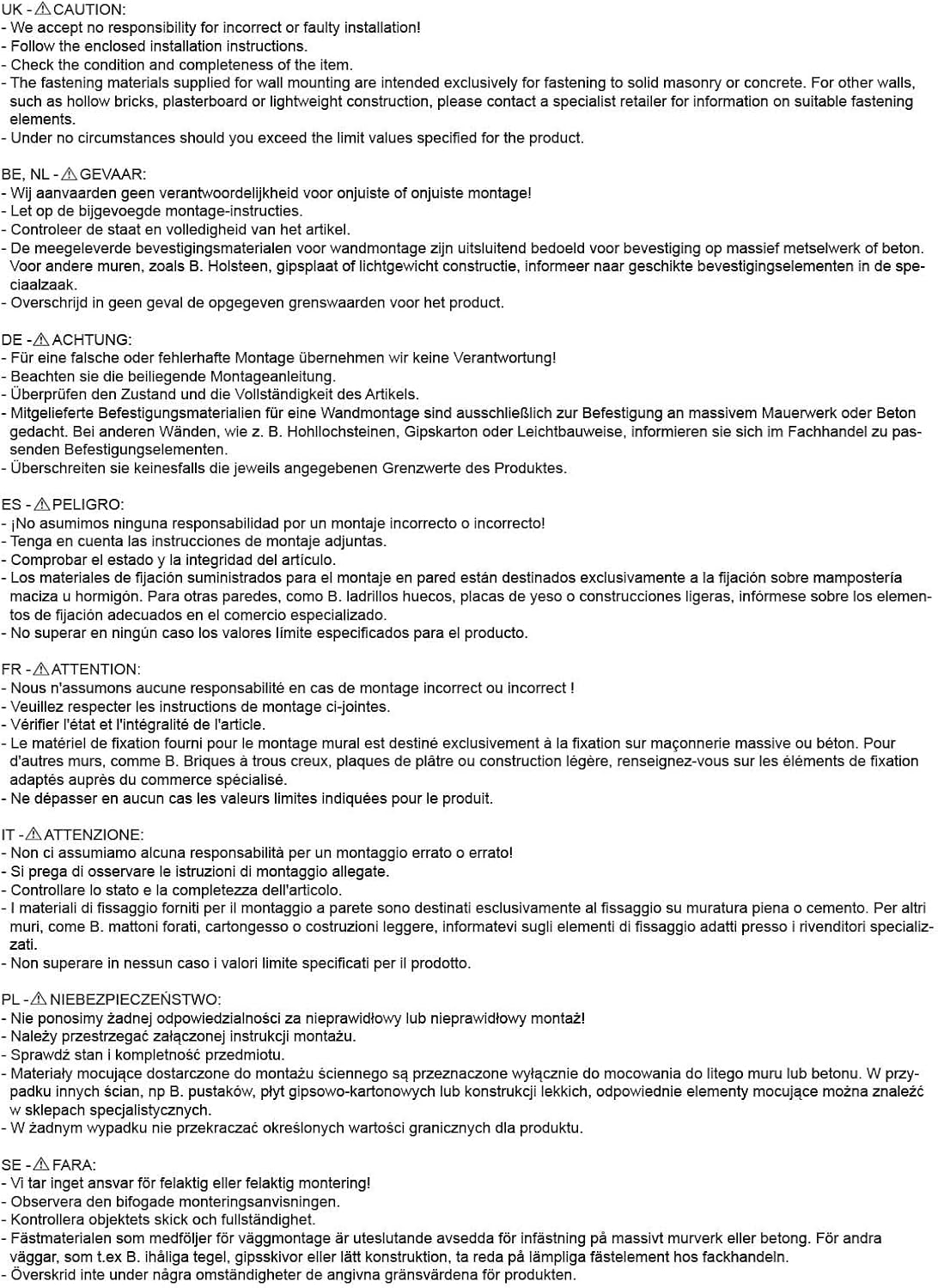
Image: Multi-language safety warnings. This image displays various caution statements in different languages regarding proper installation and the quality of mounting materials. It emphasizes the importance of using appropriate fasteners for solid masonry or concrete walls, and consulting a specialist for other wall types. It also warns against exceeding specified weight limits.
3. Konec produktuview
The XTRARM Proton 100 Mobile TV Stand offers a robust and flexible solution for displaying your television. Key features include:
- Univerzální kompatibilita: Supports TVs from 32 to 75 inches with VESA patterns up to 600x400mm.
- Nastavení výšky: Easily adjust the TV height to optimize viewing úhly.
- Otočení o 90 stupňů: Rotate your TV from landscape to portrait mode for diverse content display.
- Integrovaný výkon: Features a built-in power strip with two 220V sockets and two USB ports for convenient device charging and power.
- Mobilita: Equipped with sturdy, lockable casters for effortless movement and secure positioning.
- Správa kabelů: Integrated cable management system keeps wires organized and out of sight.
- Accessory Shelf: A glass base plate provides space for additional devices, with a maximum load of 10 kg.

Obrázek: Přední strana view of the XTRARM Proton 100 Mobile TV Stand with a large flat-screen TV mounted in landscape orientation. The stand features a black finish, a sturdy central column, and a triangular glass base with casters.

Obrázek: Zadní view of the XTRARM Proton 100 Mobile TV Stand without a TV attached. This view highlights the VESA mounting bracket, the central column, and the triangular glass base with casters. A power cord is visible extending from the base.
4. Specifikace
| Značka | XTRARM |
| Číslo modelu | XTR-FS2160 |
| Kompatibilní velikosti TV | 32 - 75 palce |
| Maximální hmotnost televizoru | 40 kg |
| Kompatibilita VESA | 200x200mm až 600x400mm |
| Nastavení výšky | Adjustable (Min 1165mm, Max 1355mm) |
| Otáčení | 90 degrees (Landscape to Portrait) |
| Elektrické zásuvky | 2 x EU Plug 230V/10A sockets |
| USB porty | 2 x 5V/2.4A |
| Délka napájecího kabelu | 2 metrů |
| Accessory Shelf Capacity | Max 10 kg |
| Materiál | Kov, sklo |
| Rozměry produktu (D x Š x V) | 70 x 50 x 135 cm |
| Hmotnost produktu | 15 kg |
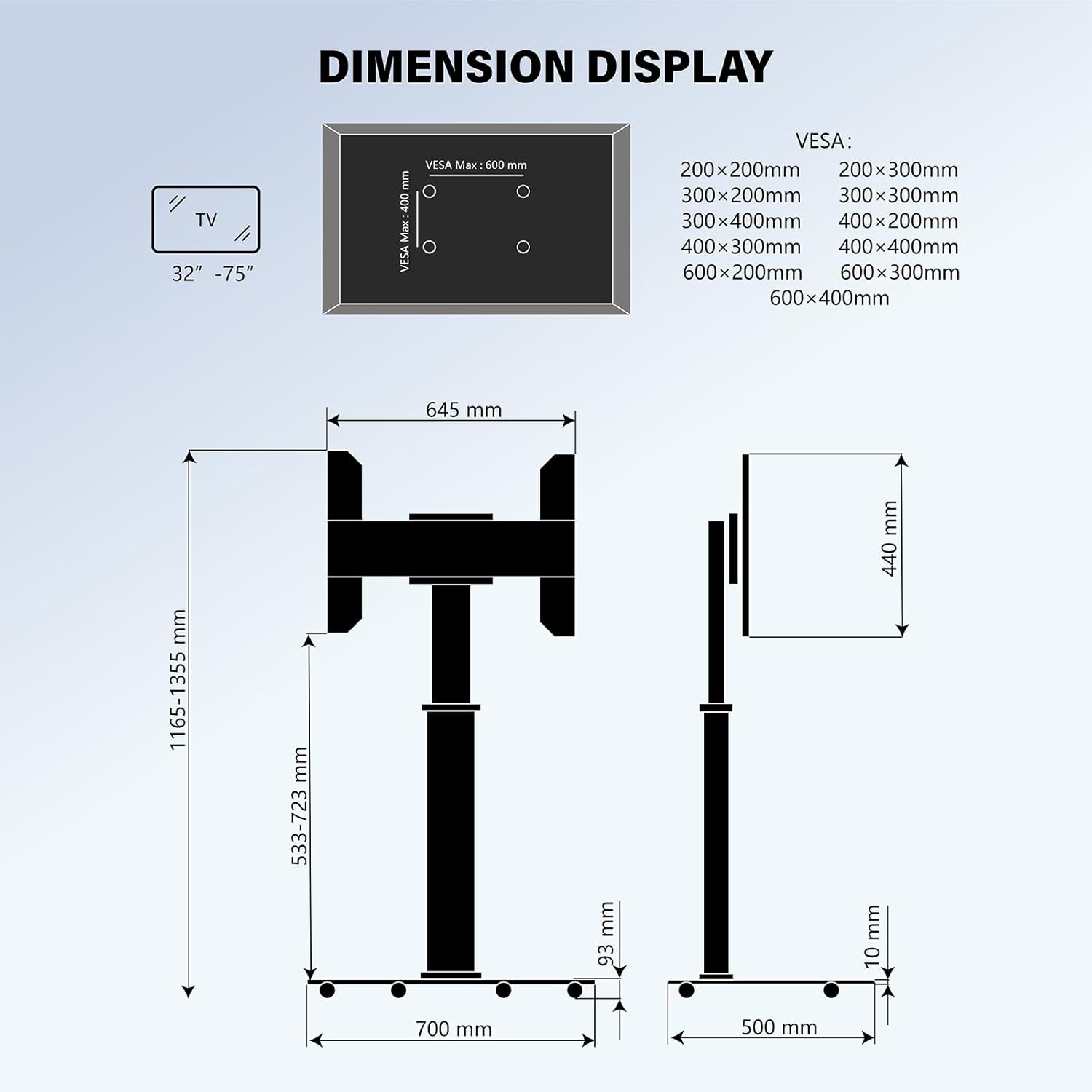
Image: Technical drawing displaying the dimensions of the XTRARM Proton 100 Mobile TV Stand. It shows the overall height (1165-1355mm), base width (700mm), base depth (500mm), and VESA mounting bracket dimensions (max 600x400mm).

Image: A chart illustrating various VESA mounting patterns supported by the TV stand, ranging from 200x200mm to 600x400mm. It also shows a diagram of a TV with VESA mounting holes.
5. Obsah balení
Please verify that all components are present and undamaged before beginning assembly. Refer to the packaging for a complete list of included parts and hardware. If any parts are missing or damaged, do not proceed with assembly and contact customer support.
6. Assembly and Setup Instructions
Montáž obvykle vyžaduje dvě osoby. Před zahájením se ujistěte, že máte dostatek prostoru a potřebné nářadí (např. šroubovák, klíč).
- Sestavte základnu: Attach the central column to the glass base plate using the provided screws and tools. Ensure all connections are tight and secure.
- Nainstalujte kolečka: Securely attach the lockable casters to the underside of the base plate.
- Attach VESA Bracket: Mount the VESA bracket to the top of the central column.
- Prepare TV: Attach the TV mounting arms to the back of your television using the appropriate screws and spacers that match your TV's VESA pattern. Ensure the screws are securely fastened but do not overtighten.
- Montáž TV: Carefully lift the TV and hook the mounting arms onto the VESA bracket on the stand. Secure the TV to the bracket using the safety screws or locking mechanisms provided.
- Připojte napájení: Plug the stand's power cord into a wall outlet.
- Správa kabelů: Route all TV and device cables through the integrated cable management channels in the central column for a tidy appearance.

Obrázek: Detail view illustrating the cable management system within the central column and the integrated power outlet module. The power module includes two standard sockets and two USB ports.
7. Návod k obsluze
- Přesun stojanu: To move the TV stand, unlock all casters by flipping their levers. Gently push the stand to its desired location. Once positioned, lock all casters to prevent accidental movement.
- Nastavení výšky: The TV stand allows for height adjustment. Loosen the locking mechanism on the central column, adjust the TV to the desired height, and then securely tighten the locking mechanism.

Image: A visual representation of the TV stand demonstrating three different height adjustment levels, with arrows indicating the upward and downward movement range (Min 1165mm to Max 1355mm).
- Rotating the TV: The stand supports 90-degree rotation, allowing you to switch between landscape and portrait orientations. Carefully rotate the TV until it clicks into the desired position.

Image: A graphic illustrating a TV rotating 90 degrees on the stand, transitioning from landscape to portrait mode, with green arrows indicating the rotational movement.
- Using Power Outlets and USB Ports: The integrated power strip provides two standard sockets and two USB ports. Plug your devices directly into these ports for power and charging.
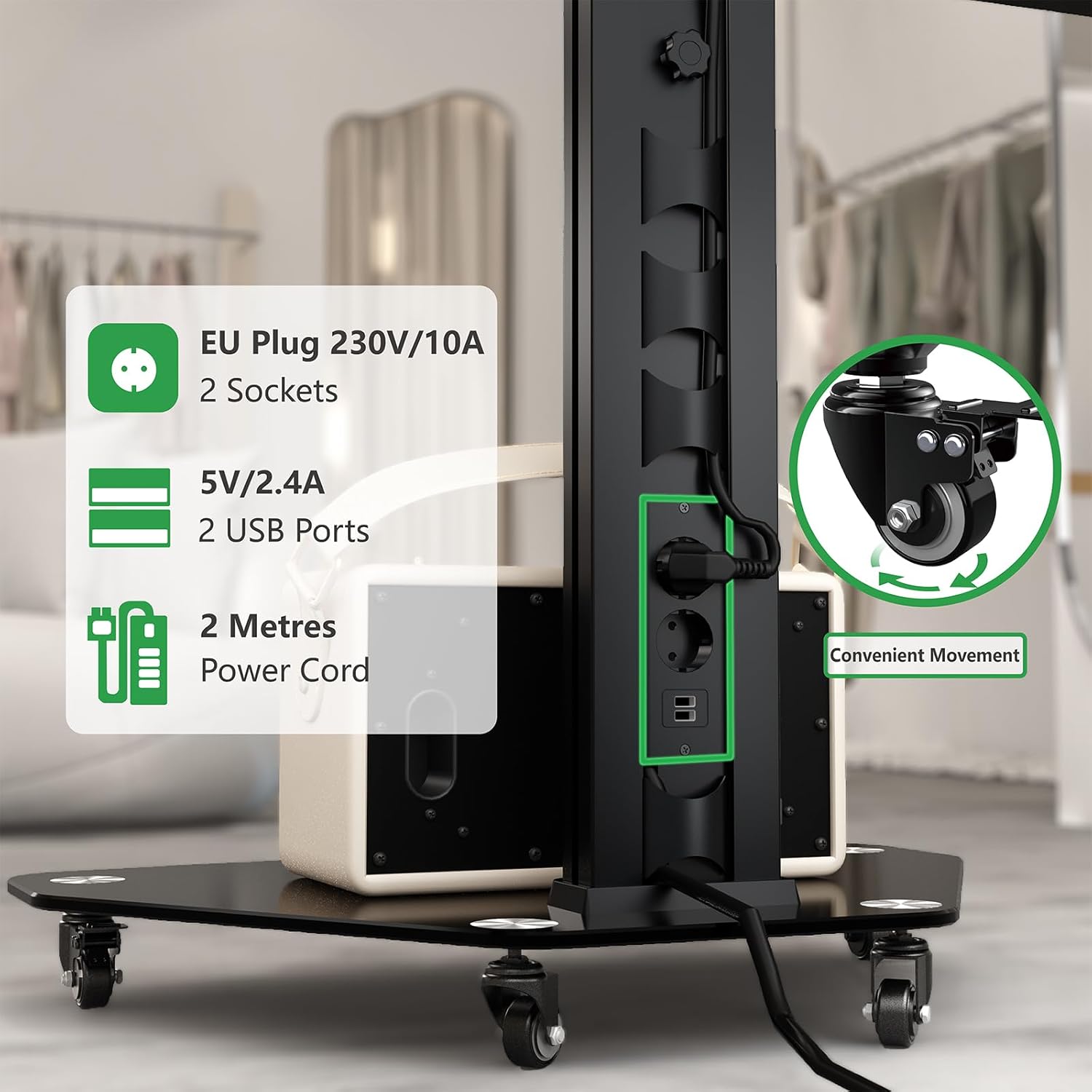
Obrázek: Podrobný view of the integrated power module, showing two EU-style 230V/10A sockets and two 5V/2.4A USB ports. The image also highlights a caster wheel with its locking mechanism, emphasizing convenient movement.
- Using the Accessory Shelf: The glass base plate can be used to place media players, soundbars, or other accessories, with a maximum weight limit of 10 kg.

Image: The glass base of the TV stand with a portable speaker placed on it, illustrating its use as an accessory shelf. Text overlays indicate "Space Saving" and "Max 10 kg" load capacity for the shelf.
8. Údržba
- Čištění: Use a soft, dry cloth to clean the stand. For stubborn marks, a slightly damp cloth with mild detergent can be used, followed by drying thoroughly. Avoid abrasive cleaners or solvents.
- Inspekce: Pravidelně kontrolujte všechny šrouby a spoje, abyste se ujistili, že jsou pevně utažené a bezpečné.
- Péče o kolečka: Pro zajištění plynulého pohybu udržujte kolečka bez nečistot.
9. Řešení problémů
- Stojan je nestabilní: Ensure all assembly screws are tightened. Verify the TV weight does not exceed the maximum capacity. Ensure the stand is on a flat, level surface.
- TV cannot be rotated: Check for any obstructions. Ensure the rotation mechanism is not jammed.
- Casters not moving smoothly: Check for debris (hair, dust) caught in the wheels. Clean the casters if necessary. Ensure casters are unlocked.
- Nefunkční zásuvky/USB porty: Ensure the stand's main power cord is securely plugged into a functional wall outlet. Check if the wall outlet itself is working.
10. Záruka a podpora
The XTRARM Proton 100 Mobile TV Stand comes with a 2-letá záruka from the date of purchase, covering manufacturing defects. This warranty does not cover damage caused by improper installation, misuse, neglect, or unauthorized modifications.
For technical support, warranty claims, or to report missing/damaged parts, please contact your retailer or the XTRARM customer service department. Please have your purchase receipt and model number (XTR-FS2160) available when contacting support.


