Zavedení
This user manual provides detailed instructions for the BENWIS Touch iPad Keyboard Case, designed for the iPad 10th Generation 10.9-inch (Models A2696/A2757/A2777). This versatile accessory transforms your iPad into a highly functional laptop-like device, offering enhanced productivity and protection. Please read this manual thoroughly before use to ensure proper operation and maintenance.
Vlastnosti produktu
- Kompatibilita: Specifically designed for iPad 10th Generation 10.9-inch (A2696/A2757/A2777).
- 360° Rotatable & 180° Flippable Design: Allows for multiple viewing angles and versatile usage modes (laptop, tablet, tent, stand, share).
- 7-Color RGB Backlit Keyboard: Adjustable backlight with 3 brightness levels for comfortable typing in various lighting conditions.
- Multi-Touch Trackpad: Supports iPadOS gestures for precise navigation and enhanced productivity, similar to a laptop.
- Odnímatelný design: The iPad can be easily detached from the keyboard for tablet-only use.
- Prémiová ochrana: Durable polycarbonate shell with impact-resistant corners and reinforced hinges provides 360-degree protection.
- Pencil Slot: Integrated slot for Apple Pencil storage and wireless charging support.
- Magnetic Adhesion: Ensures a secure connection between the case and the keyboard.
Obsah balení
- BENWIS Touch iPad Keyboard Case
- Nabíjecí kabel USB-C
- Uživatelská příručka
Note: iPad and Apple Pencil are not included.
Průvodce nastavením
1. Instalace iPadu
Follow these steps to correctly install your iPad into the BENWIS keyboard case:
- First, install the bottom part of the iPad into the case.
- Gently pull the button part of the case up with one hand and push the iPad into place. Ensure all corners are securely fitted.

Image: BENWIS Touch iPad Keyboard Case with iPad installed, showing the 360-degree rotation feature.

Image: Various usage modes of the BENWIS Touch iPad Keyboard Case, including Tent, Laptop, Tablet, Protect, Share, and Stand modes.

Image: Instructions on how to verify your iPad's model number (A2696/A2757/A2777) on the back of the iPad or through the iPad Settings app.

Image: Demonstrates the 2-direction 180-degree flip and 360-degree swivel capabilities of the case, allowing for flexible viewing úhly.
2. Připojení klávesnice přes Bluetooth
To connect the keyboard to your iPad:
- Turn on the side switch of the keyboard.
- Long press the "Pair" button on the keyboard until the Bluetooth indicator light starts blinking.
- Na iPadu přejděte na Nastavení > Bluetooth.
- Find and select "Keyboard case" from the list of available devices. The keyboard will connect automatically.
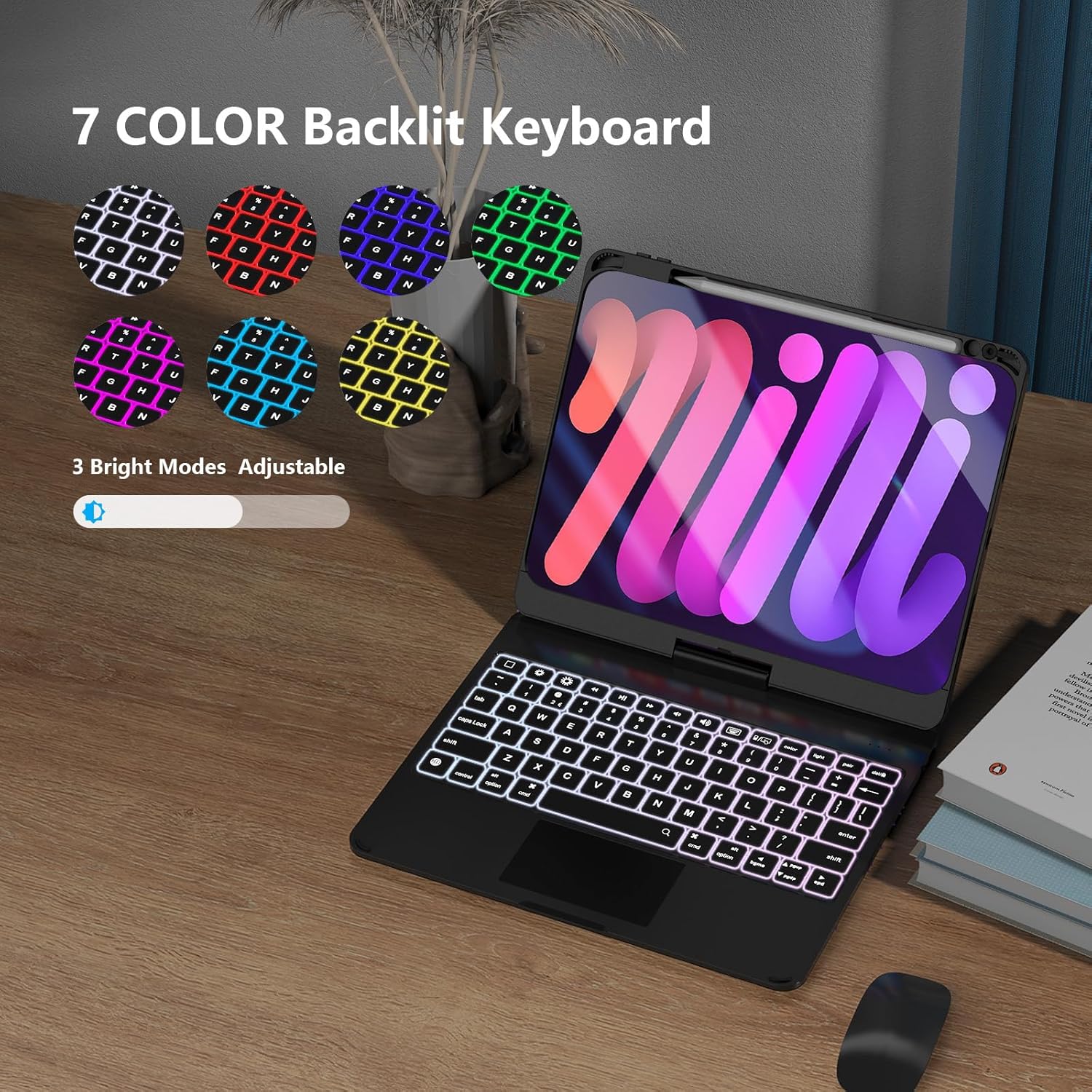
Image: The keyboard with its 7-color RGB backlighting and 3 adjustable brightness modes, enhancing visibility in low-light conditions.

Image: The detachable design of the keyboard, allowing the iPad to be used independently as a tablet.

Image: Different scenarios showcasing the versatility of the keyboard case, including typing, drawing, and media consumption.

Image: A detailed diagram highlighting key features such as the protective case, Apple Pencil slot, 2-way 180° flip, magnetic adhesion, 3-level brightness, 7-color backlight, iOS shortcuts, and multi-touch trackpad.
Návod k obsluze
Funkce klávesnice
- Ovládání podsvícení: Use the dedicated backlight keys to cycle through 7 colors and adjust 3 brightness levels.
- Zkratky iPadOS: The top row of keys provides immediate access to iPadOS shortcuts for increased productivity.
- Multi-Touch Trackpad: Utilize multi-touch gestures (swipe, pinch, scroll) for seamless navigation and control of the cursor.
Case Modes
The 360° rotatable and 180° flippable design allows for various modes:
- Režim notebooku: Traditional laptop setup for typing and trackpad use.
- Režim tabletu: Fold the keyboard back or detach the iPad for handheld tablet use.
- Režim stanu: Ideal for watching videos or presentations.
- Režim stojanu: Position the iPad upright for viewing content without the keyboard in the way.
- Režim sdílení: Rotate the screen to share content with others.
Nabíjení a baterie
The keyboard is equipped with a long-lasting battery. To charge:
- Connect the provided USB-C cable to the charging port on the keyboard and a power source.
- Plné nabití trvá přibližně 2.5 hodin.
- The keyboard offers up to 180 hours of working time and 90 days of standby time on a single charge.
- The keyboard features an auto-sleep function to conserve battery life.
Údržba a péče
- Chraňte kryt klávesnice před tekutinami a extrémními teplotami.
- Očistěte kryt a klávesnici měkkým hadříkemamp tkanina. Vyhněte se agresivním chemikáliím.
- Ensure the iPad is securely seated in the case to prevent accidental drops.
- When not in use, close the case to protect both the iPad screen and the keyboard.
Odstraňování problémů
- Klávesnice se nepřipojuje: Ensure Bluetooth is enabled on your iPad and the keyboard is in pairing mode. Recharge the keyboard if the battery is low.
- Trackpad nereaguje: Check Bluetooth connection. Ensure the trackpad is not disabled in iPadOS settings.
- Podsvícení nefunguje: Adjust brightness levels using the dedicated keys. Recharge the keyboard.
- iPad nedrží bezpečně: Double-check your iPad model number against the compatible models (A2696/A2757/A2777). Ensure proper installation as per the setup guide.
Specifikace
| Číslo modelu | ID-SKC-3-BK |
| Kompatibilita | iPad 10th Generation 10.9-inch (A2696/A2757/A2777) |
| Technologie připojení | Bluetooth |
| Podsvícení klávesnice | 7 Colors RGB, 3 Brightness Modes |
| Počet klíčů | 78 |
| Výdrž baterie (provozní) | Až 180 hodin |
| Životnost baterie (pohotovostní režim) | Až 90 dní |
| Doba nabíjení | Přibl. 2.5 hodin |
| Materiál | Akrylonitril-butadien-styren |
| Hmotnost položky | 2.18 libry |
| Rozměry balení | 10.71 x 9.92 x 1.22 palce |
Záruka a podpora
BENWIS offers a 1-year manufacturer warranty for this product. For any issues or support inquiries, please contact BENWIS customer service through their official channels or the retailer where the product was purchased.
For more information, you may refer to the official BENWIS store: BENWIS Store
Oficiální videa produktů
Watch these official videos from BENWIS Mobile Life for visual guides and demonstrations:
BENWIS Rotating iPad Keyboard Case
Description: This video demonstrates the rotating feature of the BENWIS iPad Keyboard Case, showcasing its flexibility and various viewing úhly.
BENWIS Touch iPad Keyboard Case
Description: A comprehensive overview of the BENWIS Touch iPad Keyboard Case, highlighting its features, installation, and usage.


