1. Úvod
Thank you for choosing the Baseus E13 TWS Bowie Headphones. This manual provides essential information for setting up, operating, and maintaining your new wireless earbuds. Please read it carefully before use to ensure optimal performance and longevity of your device.
2. Obsah balení
Ověřte, zda jsou v balení přítomny všechny položky:
- Baseus E13 TWS Bowie Headphones (Left and Right Earbuds)
- Nabíjecí pouzdro
- USB nabíjecí kabel
- Náušníky (různé velikosti)
- Uživatelská příručka (tento dokument)

Image: The Baseus E13 TWS Bowie Headphones, including the earbuds, charging case, and the included USB charging cable.
3. Konec produktuview
The Baseus E13 TWS Bowie Headphones feature a compact design with a charging case for portability and extended battery life.

Image: The Baseus E13 TWS Bowie Headphones, showing both earbuds resting in their open charging case.
4. Nastavení
4.1 Nabíjení sluchátek a pouzdra
- Počáteční poplatek: Před prvním použitím sluchátka a nabíjecí pouzdro plně nabijte.
- Nabíjení pouzdra: Connect the provided USB charging cable to the charging port on the case and a compatible USB power source. The indicator light on the case will show charging status.
- Nabíjení sluchátek: Place the earbuds into the charging case. Ensure they are correctly seated; the indicator lights on the earbuds will confirm charging.
Plné nabití s nabíjecím pouzdrem poskytuje až 30 hodin celkové doby přehrávání.
4.2 Párování Bluetooth
- Zapnutí: Otevřete nabíjecí pouzdro. Sluchátka se automaticky zapnou a přejdou do režimu párování.
- Aktivujte Bluetooth: Na svém zařízení (chytrém telefonu, tabletu atd.) povolte Bluetooth.
- Vyberte zařízení: Hledat "Baseus E13" in the list of available Bluetooth devices and select it to connect.
- Potvrzení: Hlasový pokyn potvrdí úspěšné spárování.
Sluchátka se po vyjmutí z pouzdra automaticky znovu připojí k poslednímu spárovanému zařízení, pokud je na zařízení povoleno Bluetooth.
4.3 Ovládání aplikace
Enhance your experience by downloading the official Baseus app. The app allows for customizable controls, EQ settings, and other features.
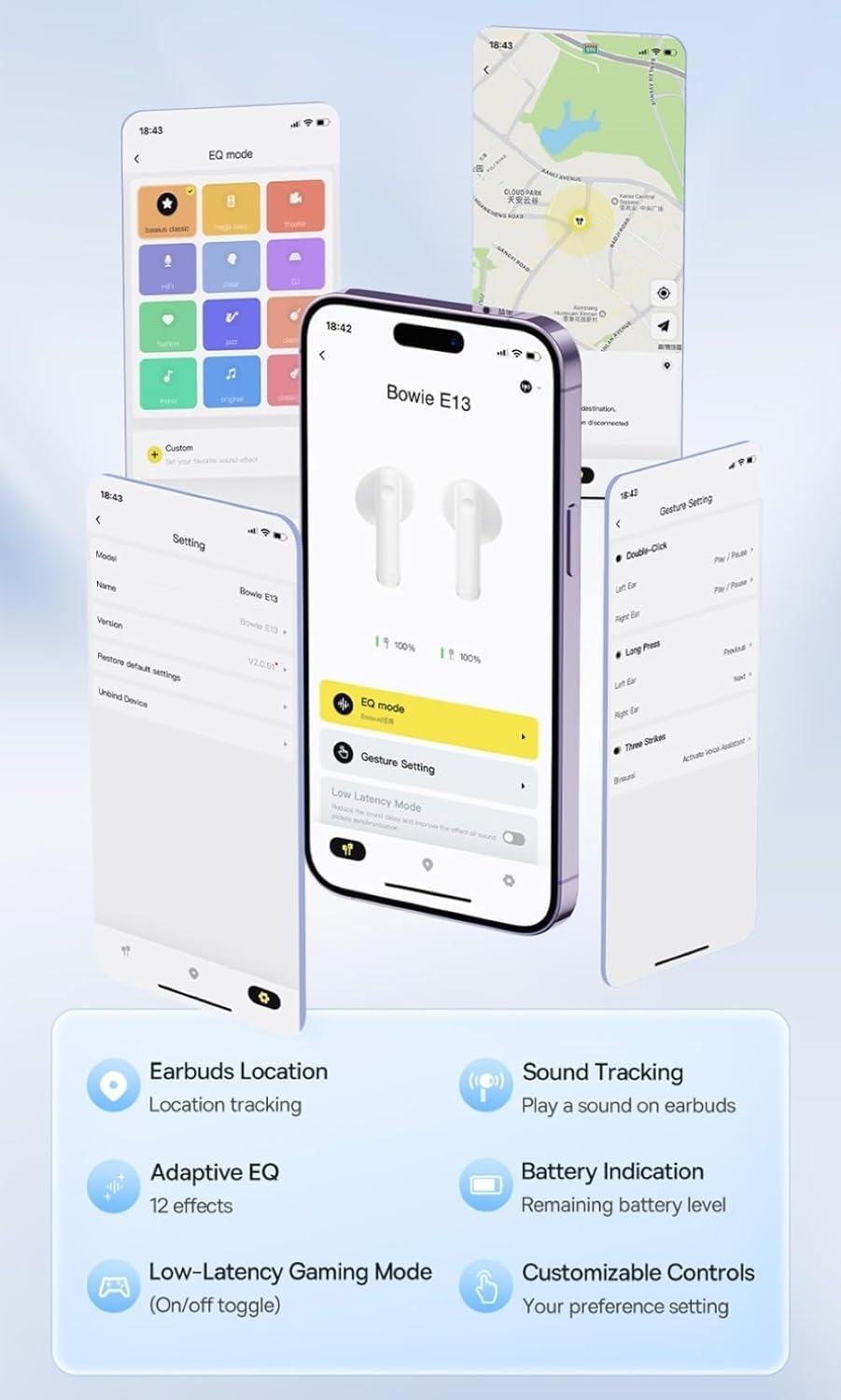
Image: Multiple smartphone screens displaying the Baseus app interface, highlighting features such as EQ mode, gesture settings, low-latency gaming mode, earbud location tracking, sound tracking, adaptive EQ with 12 effects, battery indication, and customizable controls.
5. Provoz
5.1 Základní ovládací prvky
The Baseus E13 TWS Bowie Headphones feature touch controls for easy management of audio and calls. Specific gestures can be customized via the Baseus app.
- Přehrát/pozastavit: Jediným klepnutím na jedno sluchátko.
- Další skladba: Dvakrát klepněte na pravé sluchátko.
- Předchozí skladba: Dvakrát klepněte na levé sluchátko.
- Přijmout/ukončit hovor: Jediným klepnutím na jedno sluchátko.
- Odmítnout hovor: Dlouze stiskněte libovolné sluchátko.
- Aktivovat Voice Assistant: Trojitě klepněte na kterékoli sluchátko.
5.2 Herní režim s nízkou latencí
For an optimized gaming experience, activate the 0.06s ultra-low latency gaming mode through the Baseus app. This reduces audio delay, providing faster response times.
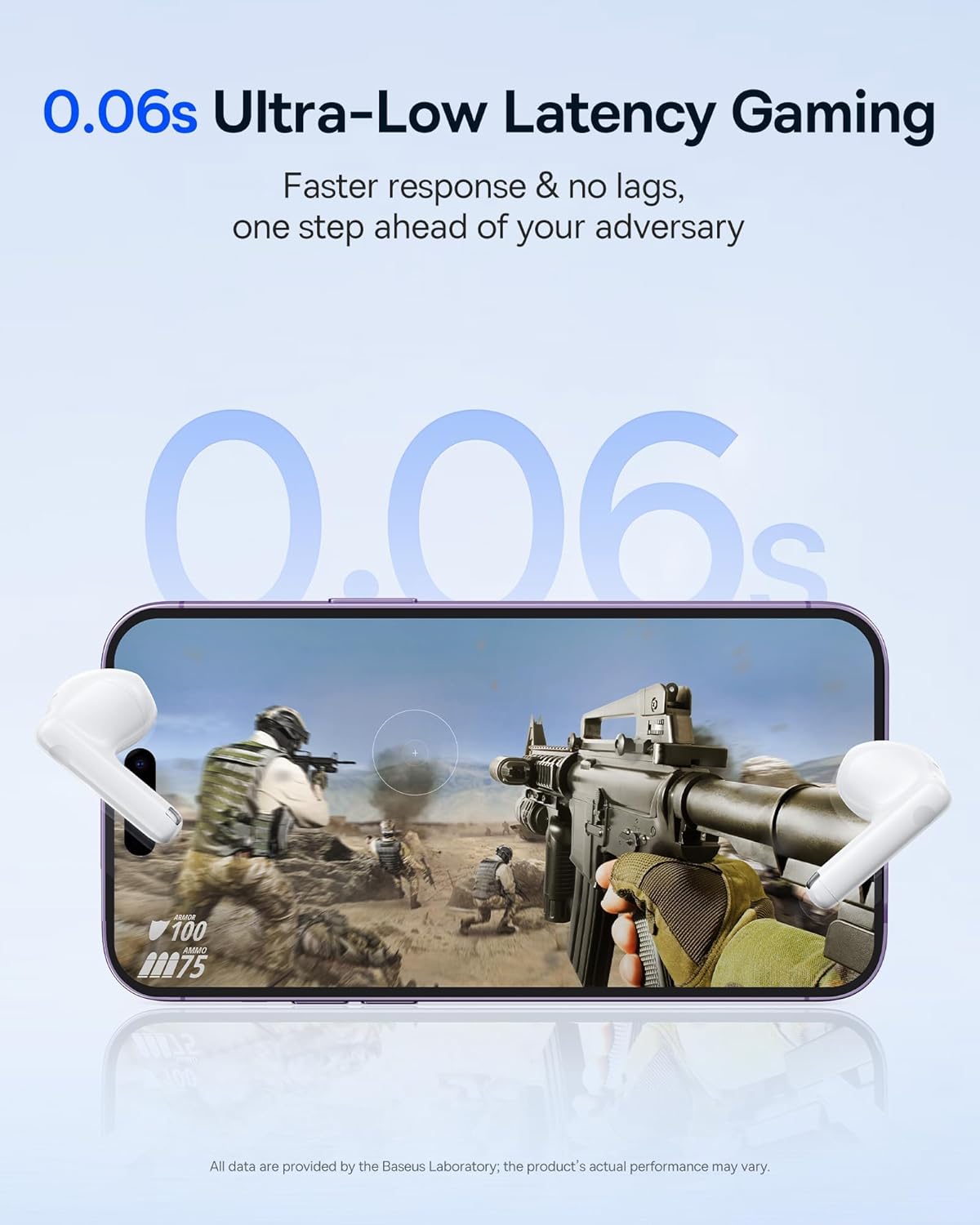
Image: The Baseus E13 TWS Bowie Headphones positioned near a smartphone screen displaying a fast-paced first-person shooter game, emphasizing the 0.06s ultra-low latency feature for gaming.
5.3 Přehrávání zvuku
Enjoy up to 30 hours of continuous audio playback with the assistance of the charging case. Each earbud provides several hours of playback on a single charge, with the case offering multiple recharges.

Image: The Baseus E13 TWS Bowie Headphones and their charging case, overlaid with a graphic prominently displaying '30H', signifying the total audio playback time achievable with the case.
5.4 Kvalita zvuku
The earbuds are equipped with a large 12mm diaphragm, designed to restore each note with remarkable depth and accuracy, providing a powerful low-frequency audio experience.

Image: A detailed cutaway diagram of a Baseus E13 TWS earbud, focusing on the internal structure of the large 12mm diaphragm and its contribution to sound quality.
5.5 Konektivita
Utilizing Bluetooth 5.3 technology, the headphones offer a faster and more stable wireless connection, ensuring smooth audio transmission and enhanced sound quality.

Obrázek: Průhledný view of a Baseus E13 TWS earbud, revealing its internal circuitry and specifically highlighting the integrated Bluetooth 5.3 chip for advanced wireless connectivity.
6. Nošení sluchátek do uší
The earbuds are designed with a mini stem and a lightweight profile, featuring a 45° wearing angle for a comfortable and secure fit.

Image: A woman wearing a Baseus E13 TWS earbud, illustrating the ergonomic design with a mini stem and lightweight construction for a comfortable user experience.
7. Údržba
- Čištění: Pravidelně čistěte sluchátka a nabíjecí pouzdro měkkým, suchým hadříkem, který nepouští vlákna. Nepoužívejte agresivní chemikálie ani abrazivní materiály.
- Voděodolnost: The earbuds are water resistant. Avoid submerging them in water or exposing them to excessive moisture. Dry thoroughly if they come into contact with liquids.
- Skladování: Pokud sluchátka nepoužíváte, uložte je do nabíjecího pouzdra, aby byla chráněna a nabitá. Skladujte na chladném a suchém místě mimo dosah extrémních teplot.
- Péče o baterie: Abyste prodloužili životnost baterie, vyvarujte se častého úplného vybíjení sluchátek a pouzdra. Pravidelně je nabíjejte, i když je nepoužíváte neustále.
8. Řešení problémů
If you encounter issues with your Baseus E13 TWS Bowie Headphones, refer to the following common solutions:
- Žádný zvuk:
- Ujistěte se, že jsou sluchátka nabitá.
- Zkontrolujte připojení Bluetooth k vašemu zařízení.
- Upravte hlasitost na sluchátkách i na připojeném zařízení.
- Sluchátka se nespárují:
- Vložte sluchátka zpět do pouzdra, zavřete ho a znovu jej otevřete, abyste znovu přešli do režimu párování.
- Forget "Baseus E13" from your device's Bluetooth list and attempt to pair again.
- Ujistěte se, že sluchátka jsou v dosahu vašeho zařízení.
- Problémy s nabíjením:
- Zkontrolujte, zda je nabíjecí kabel bezpečně připojen k pouzdru i ke zdroji napájení.
- Zkuste jiný port USB nebo napájecí adaptér.
- Ensure charging contacts on earbuds and in case are clean and free of debris.
- Jedno sluchátko nefunguje:
- Ujistěte se, že jsou obě sluchátka nabitá.
- Try resetting the earbuds (refer to app or Baseus support for specific instructions).
9. Specifikace
| Značka | Baseus |
| Název modelu | E13 TWS |
| Technologie připojení | Bezdrátové připojení (Bluetooth 5.3) |
| Umístění uší | V uchu |
| Form Factor | Skutečné bezdrátové |
| Impedance | 32 Ohmy |
| Typ ovládání | Touch controls, App |
| Materiál | Plast |
| Hmotnost položky | 0.07 kg |
| Úroveň odolnosti proti vodě | Vodě odolný |
| Maximální provozní vzdálenost | 10 metrů |
| Průměrná životnost baterie | Až 30 hodin (s nabíjecím pouzdrem) |
| Speciální funkce | 0.06s ultra-low latency, Faster and more stable 5.3 wireless chip, Lightweight and Mini Design, Powerful low frequency controller |
10. Záruka a podpora
Baseus products are designed for reliability and performance. For warranty information, please refer to the warranty card included with your purchase or visit the official Baseus website. For technical support or further assistance, please contact Baseus customer service or visit the Obchod Baseus na Amazonu.


