Zavedení
Thank you for choosing the Anykit USB Endoscope Camera. This device is designed for visual inspection in hard-to-reach areas, offering high-definition imaging and broad compatibility. This manual provides essential information for the safe and effective use of your endoscope camera, including setup, operation, maintenance, and troubleshooting.
Bezpečnostní informace
- Nepokoušejte se zařízení rozebírat ani upravovat. Mohlo by dojít ke zrušení záruky a poškození.
- Chraňte zařízení před extrémními teplotami, přímým slunečním zářením a korozivními kapalinami.
- Ensure the camera lens is clean before use for optimal image quality.
- The camera probe is IP67 waterproof, but the main connection unit is not. Do not immerse the connection unit in water.
- Používejte pouze dodané příslušenství.
Obsah balení
Zkontrolujte prosím balení, zda neobsahuje následující položky:
- 1 x Anykit USB Endoscope Camera (NTC30L-5m)
- 1 x kabel typu C
- 1 x Lightning Adapter Cable (referred to as 'Flash Cable' in some documentation)
- 1 x Uživatelská příručka
- Useful Accessories (Mirror, Magnet, Hook)
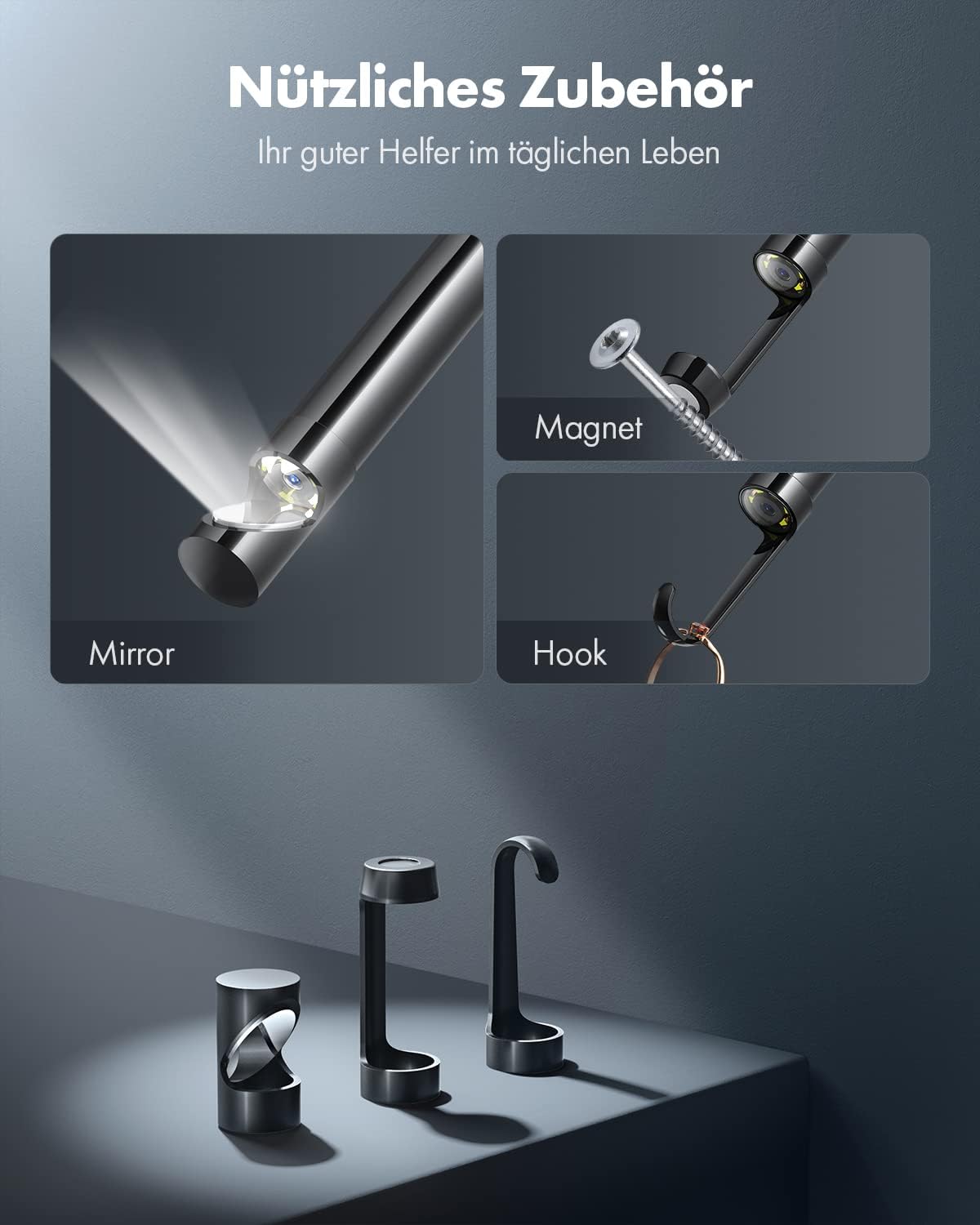
Image: Useful accessories for the endoscope camera, including a mirror, magnet, and hook, designed to assist in various inspection tasks.
Konec produktuview
The Anykit USB Endoscope Camera is a versatile inspection tool featuring:
- Snadná obsluha Plug-and-Play: No Bluetooth or Wi-Fi connections required, no separate charging. Simply connect and use.
- Široká kompatibilita: Supports Android 7.0+ devices with OTG function, and iPhone/iPad devices with iOS 9.0+ (including iPhone 15+ and iPads with Type-C port, and older iPhones via Lightning adapter).
- Rozlišení ve vysokém rozlišení: Delivers clear HD photos and smooth video streaming directly to your connected device.
- Flexible Semi-Rigid Cable: A 5-meter cable that can be bent and shaped to navigate various inspection paths while retaining its form.
- Vodotěsná kamera s IP67: The 8.5mm diameter camera lens is rated IP67, making it suitable for use in wet or damp prostředí.
- 8 nastavitelných LED světel: Integrated LEDs provide illumination in dark areas, with adjustable brightness for optimal viewIng.

Image: The flexible semi-rigid cable of the Anykit endoscope, demonstrating its ability to hold shape compared to a standard soft cable.

Image: The IP67 waterproof camera head, shown with water droplets, highlighting its suitability for wet conditions.
Nastavení
- Stáhněte si aplikaci: Hledat and download the recommended 'Anykit' or compatible endoscope application from your device's app store (e.g., Google Play Store for Android, Apple App Store for iOS).
- Připojení endoskopu:
- Pro zařízení Android: Connect the endoscope's Type-C connector directly to your Android phone or tablet. Ensure your Android device supports OTG (On-The-Go) functionality and that it is enabled in your device settings if necessary.
- Pro zařízení iPhone/iPad: Use the provided Lightning adapter cable (if your iPhone uses Lightning) or connect the endoscope's Type-C connector directly to your iPhone 15+ or iPad with a Type-C port.
- Spusťte aplikaci: Open the installed endoscope application. The camera feed should appear automatically.

Image: The USB-C inspection camera connected to a tablet, demonstrating its use for inspecting hard-to-reach areas like under a sink.

Image: The USB-C endoscope cable and connector, illustrating its compatibility with various phone and tablet devices. Note: Windows PC, Macbook, Type-C devices without OTG, and USB microphone devices are not supported.
Návod k obsluze
- Žít View: Once connected and the app is open, the live video feed from the endoscope camera will be displayed on your device's screen.
- Nastavení jasu LED: Locate the brightness adjustment wheel on the endoscope cable. Rotate it to increase or decrease the intensity of the 8 LED lights to achieve optimal visibility in dark environments.
- Pořídit fotografie: Within the app, tap the 'Photo' or camera icon to take still images of the inspection area.
- Nahrávat videa: Tap the 'Video' or record icon to start recording video footage. Tap again to stop recording.
- Access Media: Captured photos and videos are saved directly to your connected device's gallery or within the app's media section.
- Použijte příslušenství: Attach the mirror, magnet, or hook accessories to the camera head as needed for specific tasks, such as viewing at an angle, retrieving small metal objects, or pulling cables.
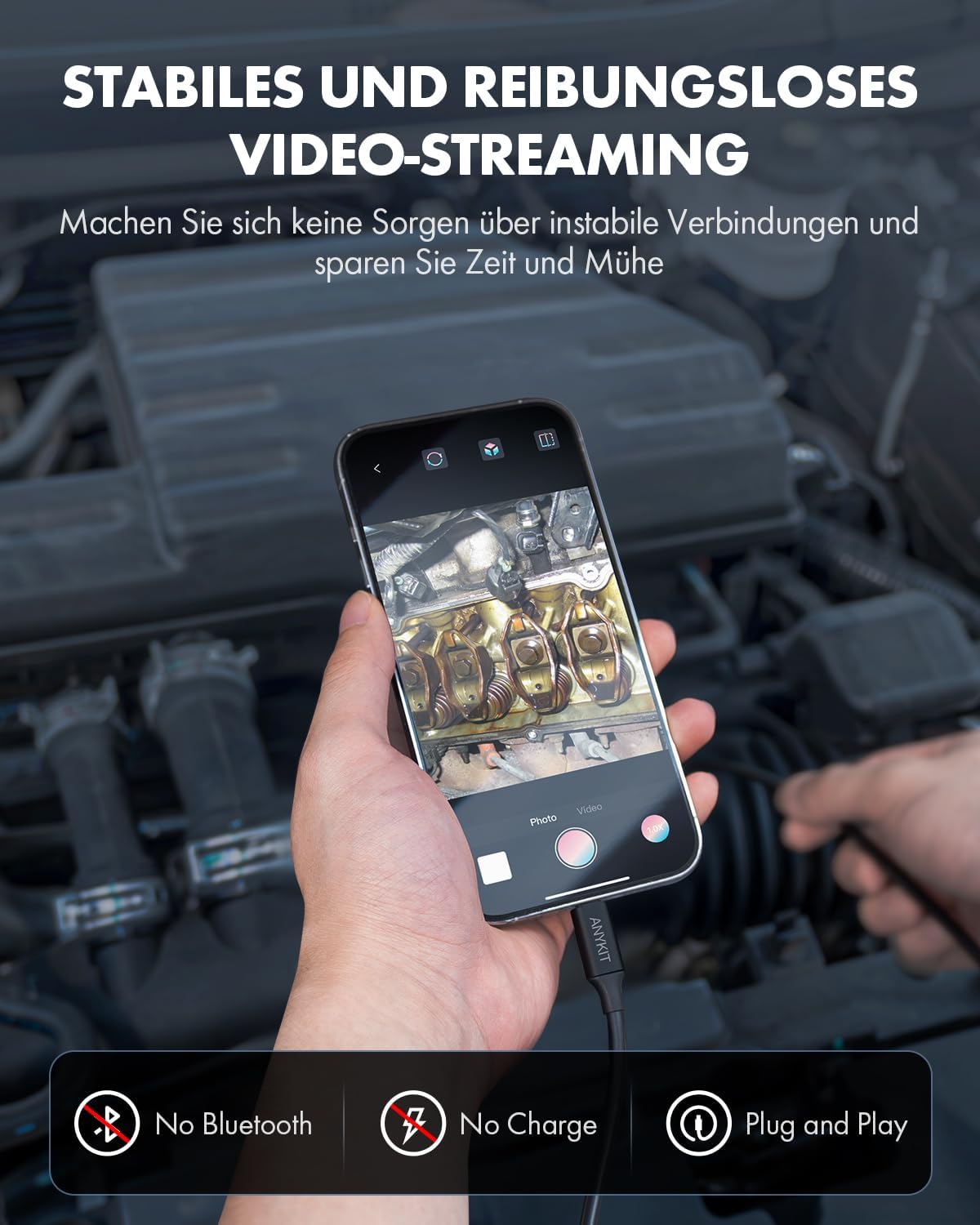
Image: Stable and smooth video streaming from the endoscope to a smartphone, inspecting an engine. Features include no Bluetooth, no separate charge, and plug-and-play functionality.

Image: The endoscope camera in use, demonstrating its wide application for inspecting areas like a car's brake system.
Údržba
- Čištění objektivu: After each use, gently wipe the camera lens with a soft, dry cloth to remove any dirt or debris. For stubborn grime, a slightly damp Lze použít hadřík a poté nechat uschnout.
- Péče o kabely: Coil the semi-rigid cable loosely after use to prevent kinks or damage. Avoid sharp bends or excessive force.
- Skladování: Store the endoscope camera and its accessories in a clean, dry place, away from direct sunlight and extreme temperatures.
Odstraňování problémů
- Žádný obraz na obrazovce:
- Ensure the endoscope is securely connected to your device.
- Verify that the correct app is installed and open.
- For Android, check if OTG function is enabled in your device settings.
- Restartujte aplikaci nebo zařízení.
- Špatná kvalita obrazu:
- Vyčistěte čočku fotoaparátu.
- Adjust the LED brightness using the control wheel on the cable.
- Ensure there is sufficient ambient light if the LEDs are not enough.
- Device Not Compatible:
- Confirm your Android device supports OTG and is running Android 7.0 or higher.
- Confirm your iPhone/iPad is running iOS 9.0 or higher, and for direct Type-C connection, it must be an iPhone 15+ or compatible iPad.
- This endoscope does NOT support Windows PC, Macbook, Type-C devices without OTG, or USB microphone devices.
Specifikace
| Značka | Anykit |
| Model | NTC30L-5m |
| Barva | Černý |
| Rozlišení videa | 1080p |
| Délka kabelu | 5 metrů |
| Hodnocení voděodolnosti | IP67 (pouze kamerová sonda) |
| Průměr čočky | 8.5 mm |
| LED světla | 8 nastavitelných LED diod |
| Kompatibilní zařízení | Android 7.0+ (with OTG), iPhone 15+ and iPad with Type-C port, iOS 9.0+ (via Lightning adapter) |
| Typ zaměření | Pevné zaostření |
| Rozsah ISO | 100-3200 |
| Rozměry balení | 13.9 x 13.8 x 3.6 cm |
| Hmotnost balení | 280 gramů |
Záruka a podpora
For warranty claims or technical support, please contact the manufacturer directly. Information regarding spare parts availability and guaranteed software updates is currently unavailable.
Výrobce: Anykit
Evropský zástupce: E-CrossStu GmbH
Mainzer Landstr.69, 60329 Frankfurt am Main, Germany
Designed by Anykit in California, Made in China.
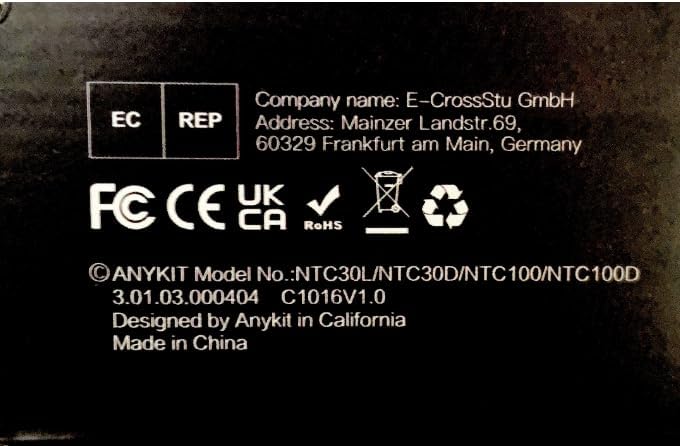
Image: Product label displaying manufacturer information, model numbers (NTC30L/NTC30D/NTC100/NTC100D), and regulatory compliance marks (FC, CE, UKCA, RoHS).