1. Úvod
This manual provides detailed instructions for the installation, operation, and maintenance of your LAMTTO Wireless Car Stereo. This portable touch screen device integrates Apple CarPlay, Android Auto, a 2.5K front dash camera, and a 1080P rear camera, offering advanced connectivity and recording capabilities for a safer and more convenient driving experience. Please read this manual thoroughly before using the product to ensure proper function and longevity.

Figure 1.1: LAMTTO Wireless Car Stereo and Included Components.
2. Vlastnosti produktu
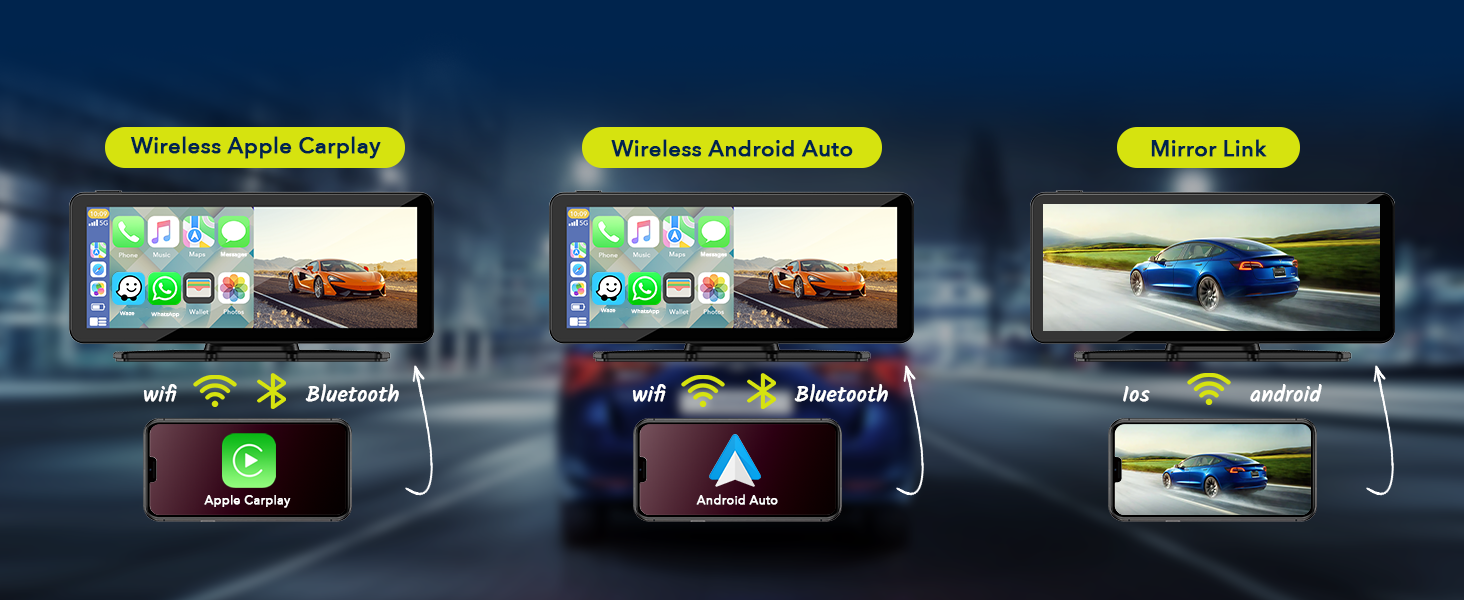
- Bezdrátové CarPlay a Android Auto: Seamless integration with your smartphone for navigation, music, calls, and more, accessible via the 6.86-inch touch screen. Supports Siri and Google Assistant voice control.
- Dual Camera Dash Cam: Features a 2.5K front camera and a 1080P waterproof rear camera with 170° viewing angle, night vision, and loop recording. Includes a 64GB TF card for immediate use.
- Upgraded Bluetooth Stereo Output: Transmit audio wirelessly to your car's stereo speakers for high-quality sound. Also supports FM wireless transmission and AUX output.
- Android/iOS Mirror Link (AirPlay/Android Cast): Display content from your smartphone, including videos (excluding Netflix), on the 1600*600 resolution screen.
- Chytré hlasové ovládání: Built-in microphone for hands-free calling and voice commands to Siri/Google Assistant for music, navigation, messages, and calls.
- Live GPS Navigation: Utilizes your smartphone's navigation through CarPlay or Android Auto for real-time, updated maps without additional fees.
- Universal Compatibility & Easy Installation: Designed for 99% of cars (12-36V), trucks, caravans, vans, trailers, and campers. Features a 360-degree rotatable suction cup mount and self-adhesive bracket for flexible placement and easy removal.

Figure 2.1: Wireless CarPlay and Android Auto Connectivity.
3. Co je v krabici
Po otevření balení se prosím ujistěte, že jsou součástí balení všechny následující komponenty:
- 1 x 6.86 Inch Carplay Screen (with 64G card included)
- 1 x 1080P Reverse Camera
- Kabel 1 x AUX
- 1 x Instalační nástroj
- 1 x Stolní stojan
- 1 x držák přísavky
- 1 x Uživatelská příručka
Obrázek 3.1: Obsah balení.
4. Nastavení a instalace
The LAMTTO Wireless Car Stereo is designed for easy installation in most vehicles. Follow these steps for a successful setup:
- Vyberte místo montáže: Vyberte vhodné místo na palubní desce nebo čelním skle, které vám nebude překážet view or interfere with driving controls. The 360-degree rotatable suction cup mount or the self-adhesive bracket can be used.
- Připojit držák: Securely attach the chosen mount to the desired surface. Ensure the surface is clean and dry for optimal adhesion.
- Attach Car Stereo: Slide the LAMTTO car stereo screen onto the mount until it clicks into place. Adjust the angle for optimal viewIng.
- Připojení napájení: Connect the car stereo to your vehicle's cigarette lighter socket. The unit supports 12-36V voltage.
- Instalace zadní kamery (volitelné): If using the 1080P waterproof rear camera, route its cable to the back of your vehicle and mount the camera in a suitable position (e.g., near the license plate). Connect the camera cable to the designated input on the main unit.
- Počáteční zapnutí: Once connected, the unit should power on automatically or by pressing the power button.

Obrázek 4.1: Přample of Car Stereo Installation on Dashboard.
5. Návod k obsluze
5.1 Bezdrátové CarPlay a Android Auto
Bezdrátové připojení smartphonu:
- Ujistěte se, že je na vašem smartphonu povoleno Bluetooth a Wi-Fi.
- On the car stereo screen, navigate to the CarPlay or Android Auto icon.
- Follow the on-screen prompts to pair your phone via Bluetooth. Once paired, the system will automatically connect via Wi-Fi for full CarPlay/Android Auto functionality.
- Your phone's compatible apps, navigation, and media will now be accessible on the car stereo screen.
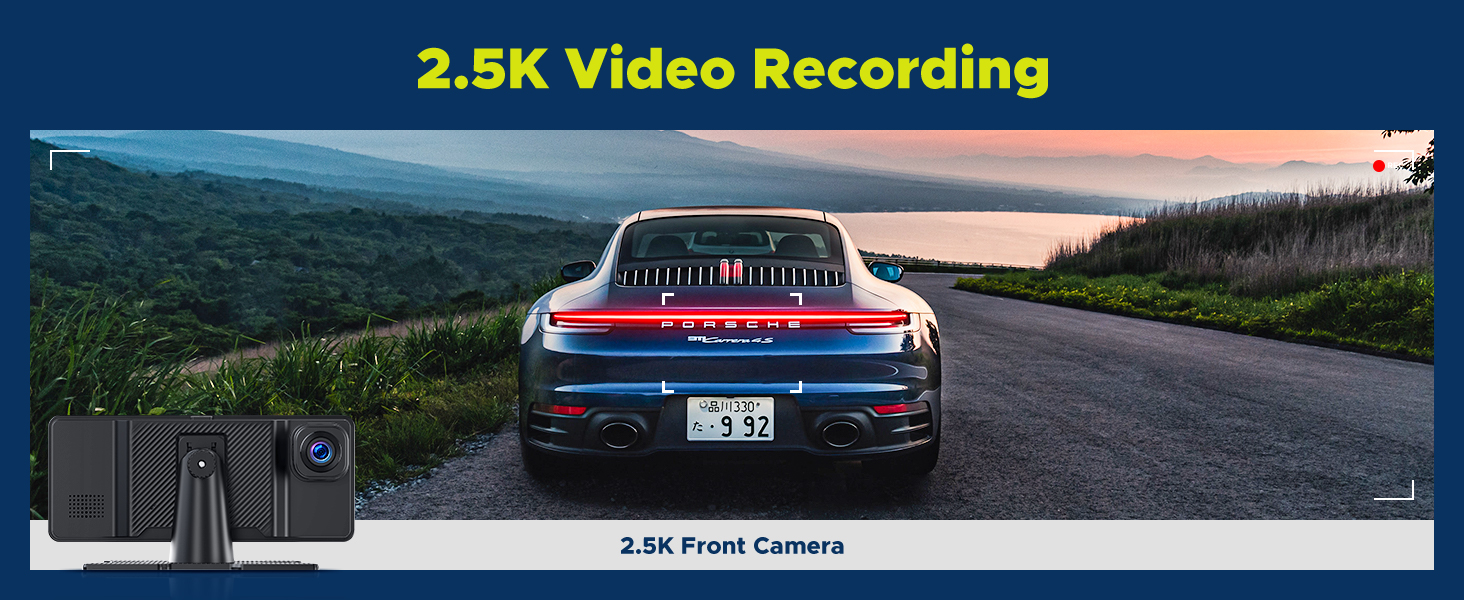
Figure 5.1: Wireless CarPlay and Android Auto Connection.
5.2 Dash Cam Operation (Front 2.5K & Rear 1080P)
The integrated dash cam automatically begins recording when the unit powers on. The included 64GB TF card stores footage.
- Záznam: Both front (2.5K) and rear (1080P) cameras record simultaneously. Footage is saved in a loop recording format, overwriting the oldest files, když je karta plná.
- Viewing Footage: Access recorded videos directly on the screen through the dash cam interface.
- Noční vidění: The cameras support night vision for clear recording in low-light conditions.
- G-senzor: In case of sudden impact or collision, the G-sensor will automatically lock the current video file aby nedošlo k jeho přepsání.
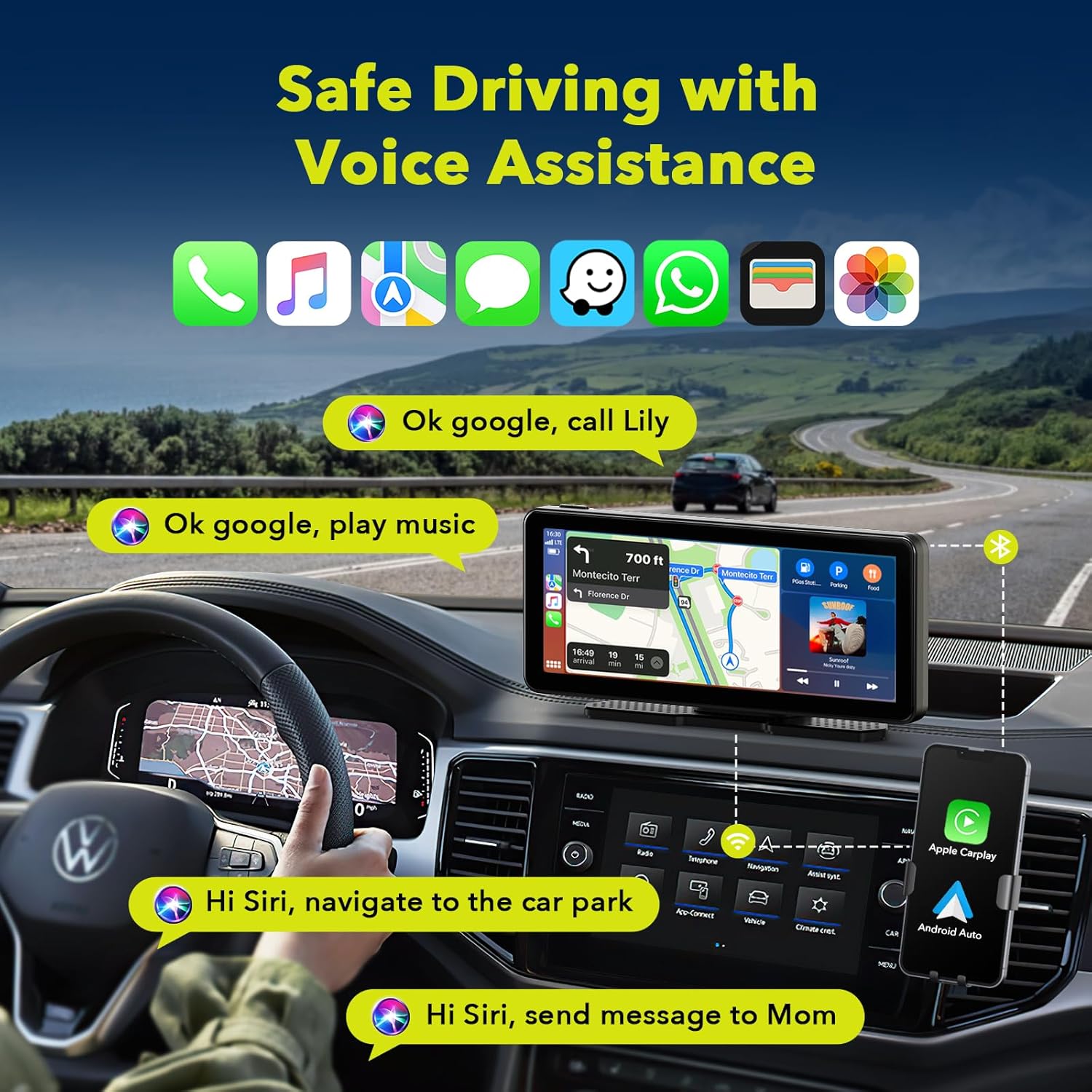
Figure 5.2: 2.5K Front Camera View.
5.3 Možnosti zvukového výstupu
The unit offers multiple ways to output audio to your car's sound system:
- Bluetooth: Connect wirelessly to your car's Bluetooth system for high-quality audio transmission.
- FM přenos: Tune your car's FM radio to a specific frequency to receive audio from the car stereo.
- AUX výstup: Use the provided AUX cable to connect the unit directly to your car's AUX input for a wired audio connection.
- Vestavěný reproduktor: The unit has a built-in speaker for direct audio playback, useful for quick alerts or if external audio connection is not desired.

Figure 5.3: Audio Output Options.
5.4 Zrcadlový odkaz (Apple AirPlay a Android Cast)
Mirror Link allows you to display your smartphone's screen directly onto the car stereo. This is useful for apps not natively supported by CarPlay/Android Auto.
- Select the "AirPlay" (for iOS) or "Android Cast" (for Android) option on the car stereo screen.
- Follow the on-screen instructions to connect your smartphone. This typically involves connecting to a specific Wi-Fi network broadcast by the car stereo.
- Once connected, your phone's screen will be mirrored. Note that certain streaming services like Netflix may not be supported due to content protection.

Figure 5.4: Apple AirPlay and Android Cast Functionality.
5.5 Hlasové ovládání (Siri a Google Assistant)
Používejte hlasové příkazy pro ovládání bez použití rukou:
- Ujistěte se, že je váš chytrý telefon připojen přes CarPlay nebo Android Auto.
- Activate Siri or Google Assistant by saying "Hey Siri" or "Hey Google" (if enabled on your phone) or by tapping the voice assistant icon on the screen.
- Issue commands such as "Play music," "Navigate to [address]," "Send message to [contact]," or "Make phone calls."

Figure 5.5: Voice Assistant Interaction.
5.6 Rozdělený displej
Přístroj podporuje funkci rozdělené obrazovky, která vám umožňuje view více aplikací současně.
- Access the split-screen option from the main menu or by dragging an app to the side of the screen (if supported by the interface).
- Common split-screen combinations include navigation and music, or the dash cam view alongside CarPlay/Android Auto.

Figure 5.6: Split Screen Display Options.
6. Údržba
To ensure the longevity and optimal performance of your LAMTTO Wireless Car Stereo, follow these maintenance guidelines:
- Čištění: K čištění obrazovky a vnějšího povrchu použijte měkký, suchý hadřík, který nepouští vlákna. V případě odolných šmouh lehceamphadřík vodou. Nepoužívejte abrazivní čisticí prostředky, rozpouštědla ani aerosolové spreje.
- Teplota: Nevystavujte přístroj extrémním teplotám (velmi vysokým nebo velmi nízkým) po delší dobu, protože to může ovlivnit jeho výkon a životnost.
- Skladování: Pokud budete jednotku skladovat delší dobu, odpojte ji od napájení a uložte ji na chladném a suchém místě.
- Správa kabelů: Ensure all cables are properly routed and not pinched or strained to prevent damage.
7. Řešení problémů
If you encounter issues with your LAMTTO Wireless Car Stereo, refer to the following common troubleshooting steps:
| Problém | Možná příčina | Řešení |
|---|---|---|
| Jednotka se nezapne. | Žádné napájení ze zapalovače cigaret; uvolněné spojení. | Check cigarette lighter fuse. Ensure power cable is securely plugged into both the unit and the cigarette lighter socket. |
| CarPlay/Android Auto se nepřipojuje bezdrátově. | Bluetooth/Wi-Fi off on phone; incorrect pairing. | Ensure Bluetooth and Wi-Fi are active on your phone. Forget previous pairings on both devices and re-pair. Ensure phone is compatible. |
| Žádný audio výstup. | Incorrect audio output mode selected; volume too low. | Check if Bluetooth, FM, or AUX is correctly configured. Increase volume on both the unit and your car stereo. |
| Palubní kamera nenahrává nebo je problémtage chybí. | TF card full or corrupted; camera disconnected. | Format the TF card (backup important footage first). Ensure the camera cable is securely connected. Check camera settings. |
| Dotyková obrazovka nereaguje. | Dočasná softwarová závada. | Restart the unit by unplugging and replugging the power cable. If issue persists, contact customer support. |
If the problem persists after trying these solutions, please contact LAMTTO customer support for further assistance.
8. Specifikace
| Funkce | Detail |
|---|---|
| Číslo modelu | RC09 |
| Velikost obrazovky | 6.86 palce (úhlopříčka viditelné obrazovky: 7" / 18 cm) |
| Rozlišení obrazovky | 1600*600 |
| Rozlišení videa z přední kamery | 2.5 tis |
| Rear Camera Video Resolution | 1080p |
| Pole View | 170 stupňů |
| Technologie připojení | Bluetooth, Wi-Fi (for CarPlay/Android Auto) |
| Kontrolní metoda | Dotyk, Hlas |
| Vstup napájení | 12–36 V (zapalovač cigaret) |
| Typ montáže | Držák na lepidlo, držák na sání |
| Zahrnuté úložiště | Karta 64GB TF |
| Hmotnost položky | 1.87 libry |
| Rozměry balení | 9.06 x 5.63 x 4.21 palce |

Obrázek 8.1: Zadní View of the Unit with Model Information.

Obrázek 8.2: Rozměry produktu.
9. Záruka a podpora
LAMTTO is committed to providing quality products and excellent customer service.
- Zásady vrácení: Enjoy a 90-day return or exchange policy without reason.
- Služby zákazníkům: Lifelong customer service is provided for products and accessories.
- Kontakt: For any inquiries or support, please refer to the contact information provided in the product packaging or on the official LAMTTO webmísto.

Figure 9.1: LAMTTO Customer Service Commitment.


