Zavedení
Děkuji za nákupasing the Present Time Flat LED Alarm Clock with Wireless Charger. This device combines a modern digital alarm clock with the convenience of wireless charging, all housed in an elegant bamboo design. Please read this manual carefully to ensure proper use and maintenance of your new device.
Bezpečnostní informace
Pro zajištění bezpečného provozu a prevenci poškození dodržujte prosím následující bezpečnostní opatření:
- Nevystavujte zařízení vodě, vlhkosti ani extrémním teplotám.
- Zabraňte pádu zařízení nebo jeho vystavení silným nárazům.
- Nepokoušejte se zařízení rozebírat, opravovat ani upravovat sami. Veškerý servis svěřte kvalifikovanému personálu.
- Use only the provided power adapter or a compatible power source.
- Udržujte zařízení mimo dosah zdrojů tepla a přímého slunečního záření.
- Ensure proper ventilation around the device during operation, especially when using the wireless charging function.
Obsah balení
Zkontrolujte prosím, zda jsou v balení přítomny všechny položky:
- Present Time Flat LED Alarm Clock with Wireless Charger (Model: PTG-KA5934)
- Napájecí adaptér
- Uživatelská příručka
Konec produktuview
Přední a horní View
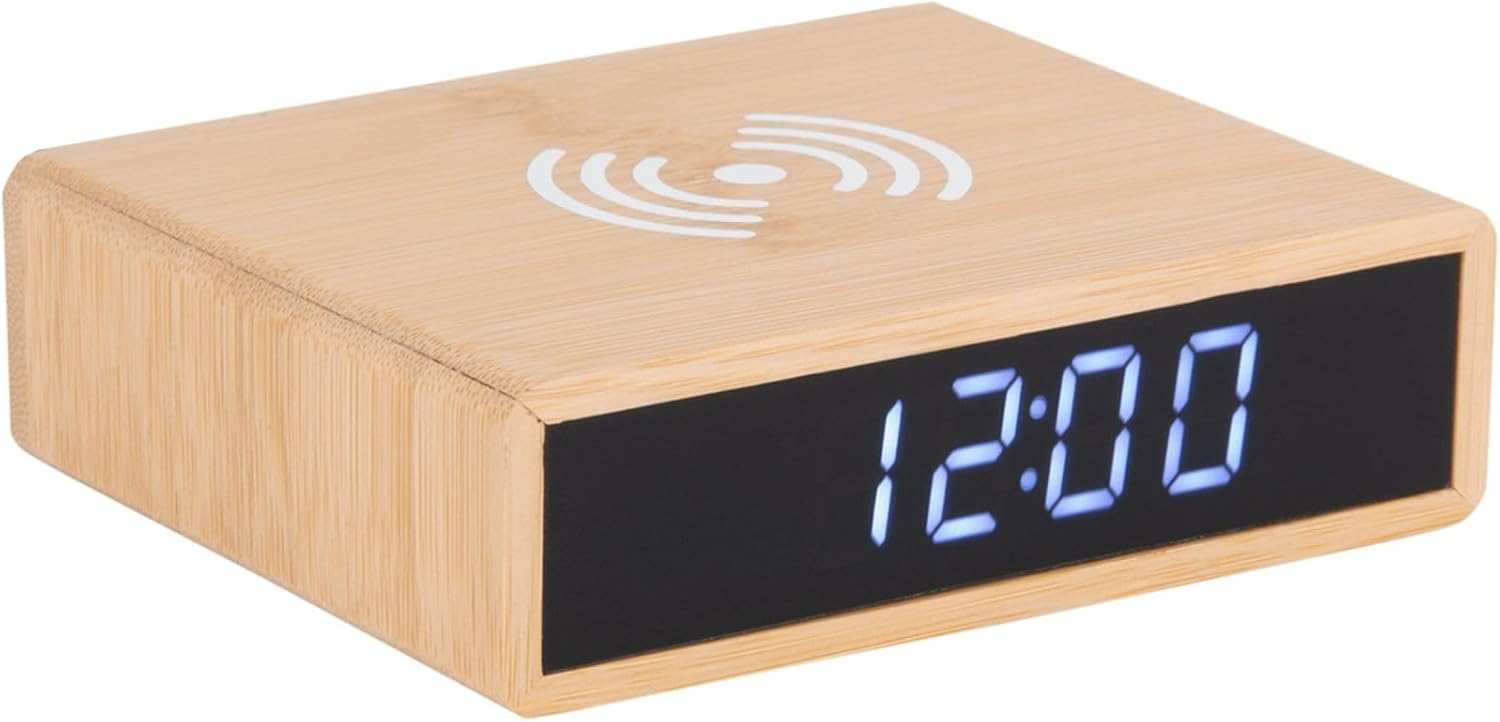
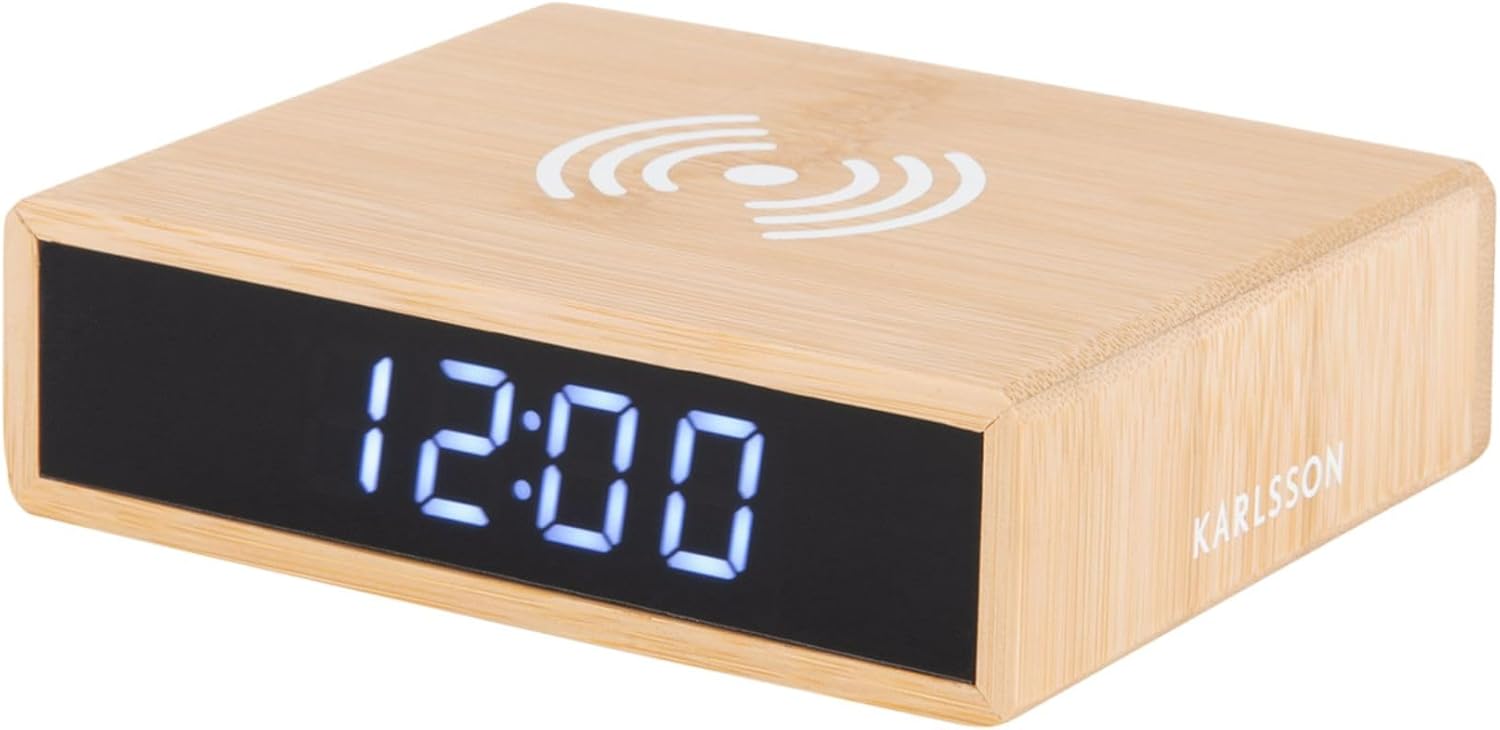
This image displays the front of the alarm clock with its clear digital LED time display and the top surface featuring the wireless charging pad symbol. The clock is made of bamboo.

This image illustrates the wireless charging functionality, showing a smartphone being placed on the top surface of the alarm clock, aligning with the charging symbol.
Zadní View a ovládací prvky
Zadní část view of the device reveals the control panel, including buttons for setting time and alarm, a small reset pinhole, and the DC power input jack.
- Tlačítko pro nastavení času: Používá se pro vstup do režimu nastavení času.
- Tlačítko nastavení budíku: Používá se pro vstup do režimu nastavení budíku.
- Tlačítka nahoru/dolů: Adjust values during setting.
- Resetovat dírku: Pro obnovení továrního nastavení (použijte tenký předmět, například kancelářskou sponku).
- Port DC IN: Připojuje se k napájecímu adaptéru.
- Bezdrátová nabíjecí podložka: Nachází se na horní ploše.
Nastavení
1. Připojení napájení
- Připojte dodaný napájecí adaptér k portu DC IN na zadní straně budíku.
- Plug the power adapter into a standard wall outlet. The LED display will light up.
2. Nastavení času
- Stiskněte a podržte Nastavení času tlačítko na zadní straně hodin, dokud nezačnou blikat číslice hodin.
- Použijte Up a Dolů tlačítka pro nastavení hodiny.
- Stiskněte tlačítko Nastavení času znovu stiskněte tlačítko pro potvrzení hodiny a přechod k nastavení minut. Číslice minut budou blikat.
- Použijte Up a Dolů tlačítka pro nastavení minut.
- Stiskněte tlačítko Nastavení času button one more time to save the time and exit setting mode.
3. Nastavení alarmu
- Stiskněte a podržte Alarm set tlačítko na zadní straně hodin, dokud nezačnou blikat číslice hodin budíku.
- Použijte Up a Dolů tlačítka pro nastavení hodiny budíku.
- Stiskněte tlačítko Alarm set button again to confirm the alarm hour and move to the alarm minute setting. The alarm minute digits will flash.
- Použijte Up a Dolů tlačítka pro nastavení minut budíku.
- Stiskněte tlačítko Alarm set ještě jednou tlačítko pro uložení času budíku.
- Chcete-li alarm aktivovat nebo deaktivovat, krátce stiskněte Alarm set button. An alarm icon will appear on the display when the alarm is active.
Návod k obsluze
Funkce bezdrátového nabíjení
The top surface of the alarm clock features a built-in wireless charging pad compatible with Qi-enabled devices.
- Place your Qi-enabled smartphone or device directly onto the wireless charging symbol on the top of the clock.
- Ensure the device is centered on the charging pad for optimal charging efficiency.
- A charging indicator (if available on your phone) will confirm that charging has begun.
- Po úplném nabití zařízení vyjměte.
Poznámka: Wireless charging may not work through thick phone cases or cases containing metal. Remove such cases if charging issues occur.
Nastavení jasu displeje
The display brightness can typically be adjusted by briefly pressing one of the control buttons (often the Up/Down buttons when not in setting mode, or a dedicated brightness button if present). Refer to the specific button functions on the rear panel for your model.
Funkce Snooze
When the alarm sounds, briefly press any button (often the large button on top or a dedicated snooze button) to activate the snooze function. The alarm will temporarily stop and sound again after a set interval (e.g., 5 or 9 minutes). To turn off the alarm completely, press and hold the Alarm Set button or the designated alarm off button.
Údržba
- Čištění: Zařízení otřete měkkým, suchým hadříkem. Nepoužívejte abrazivní čisticí prostředky ani rozpouštědla.
- Skladování: Pokud zařízení delší dobu nepoužíváte, odpojte jej ze zásuvky a uložte jej na chladném a suchém místě.
- Obecná péče: Avoid placing heavy objects on the device or exposing it to excessive dust.
Odstraňování problémů
| Problém | Možná příčina | Řešení |
|---|---|---|
| Display is off or not lighting up. | Žádné připojení k napájení. | Ujistěte se, že je napájecí adaptér bezpečně zapojený do hodin a do zásuvky. |
| Bezdrátové nabíjení nefunguje. | Phone not Qi-enabled; phone not centered; thick case; foreign objects. | Verify phone compatibility. Reposition phone. Remove thick/metal case. Remove objects from charging pad. |
| Alarm nezní. | Alarm not activated; alarm volume too low (if adjustable); incorrect time set. | Check if alarm icon is displayed. Ensure alarm time is correctly set. |
| Čas je nesprávný. | Čas není správně nastaven; výpadek proudu. | Reset the time as per "Setting the Time" instructions. |
Specifikace
| Značka | Karlsson |
| Číslo modelu | PTG-KA5934 |
| Barva | Dřevo (bambus) |
| Materiál | Bambus |
| Rozměry (D x Š x V) | 42 x 3.81 x 6 cm (přibližně 16.5 x 1.5 x 2.4 palce) |
| Hmotnost | 190 g (přibližně 0.42 libry) |
| Typ zobrazení | Digitální LED |
| Vlastnosti | Alarm, Wireless Charging (Qi-compatible) |
| Zdroj napájení | AC/DC Adapter (included) |
Záruka a podpora
This product is covered by a standard manufacturer's warranty. For detailed warranty information, please refer to the warranty card included in your package or contact your retailer. For technical support or service inquiries, please contact the customer service department of Karlsson or your point of purchase.
For further assistance, please visit the official Karlsson webnebo kontaktujte jejich zákaznickou podporu.


