Zavedení
Thank you for choosing the Karlsson Alarm Clock with Wireless Charger. This device combines a stylish LED alarm clock with the convenience of wireless phone charging, all housed in an elegant dark wood veneer finish. This manual provides detailed instructions to help you set up, operate, and maintain your new alarm clock.

Přední view of the Karlsson Alarm Clock, displaying the time and temperature.
Nastavení
Napájení zařízení
The alarm clock can be powered via the included USB adapter or by 4 AAA batteries (not included). For continuous operation and wireless charging functionality, it is recommended to use the USB adapter.
- Napájení USB: Connect the provided USB cable to the DC 5V input port on the back of the alarm clock. Plug the other end into a compatible USB power adapter (included) and then into a wall outlet.
- Napájení z baterie (záložní): Insert 4 AAA batteries (not included) into the battery compartment on the back of the unit. Batteries are primarily for backup during power outages or for temporary portability, and may not support continuous display or wireless charging.

Zadní view of the alarm clock, showing the power input and control buttons.
Počáteční nastavení
Once powered on, the LED display will illuminate. The clock may display a default time or require immediate setting. Refer to the 'Operating' section for instructions on setting the time and alarm.
Provozní
The control buttons (SET, UP, DOWN, RESET) are located on the back of the unit.
Nastavení času
- Stiskněte tlačítko SOUBOR Jedním stisknutím tlačítka přejděte do režimu nastavení času. Číslice hodin budou blikat.
- Použijte UP a DOLŮ tlačítka pro nastavení hodiny.
- Stiskněte SOUBOR znovu pro přechod k nastavení minut. Číslice minut budou blikat.
- Použijte UP a DOLŮ tlačítka pro nastavení minut.
- Stiskněte SOUBOR potřetí pro potvrzení a ukončení režimu nastavení času.
Nastavení alarmu
- Stiskněte tlačítko SOUBOR button repeatedly until the alarm icon (if present) or 'AL' appears, indicating alarm setting mode. The alarm hour digits will flash.
- Použijte UP a DOLŮ tlačítka pro nastavení hodiny budíku.
- Stiskněte SOUBOR again to move to alarm minute setting. The alarm minute digits will flash.
- Použijte UP a DOLŮ tlačítka pro nastavení minut budíku.
- Stiskněte SOUBOR potřetí pro potvrzení a ukončení režimu nastavení budíku.
- Chcete-li aktivovat nebo deaktivovat budík, použijte tlačítko UP or DOLŮ button while in normal time display mode, or follow specific instructions in the alarm setting menu.
Používání funkce bezdrátového nabíjení
The alarm clock features an integrated wireless charging pad on its top surface. This function is active when the clock is powered via the USB adapter.
- Ensure the alarm clock is connected to the USB power adapter.
- Place your Qi-compatible smartphone or device directly onto the center of the top surface of the alarm clock, aligning it with the wireless charging symbol.
- The device should begin charging automatically. A charging indicator (e.g., a light on the phone or clock, or a symbol on the clock's display) may appear.
- If charging does not begin, adjust the position of your device on the charging pad. Remove any thick phone cases that might interfere with charging.
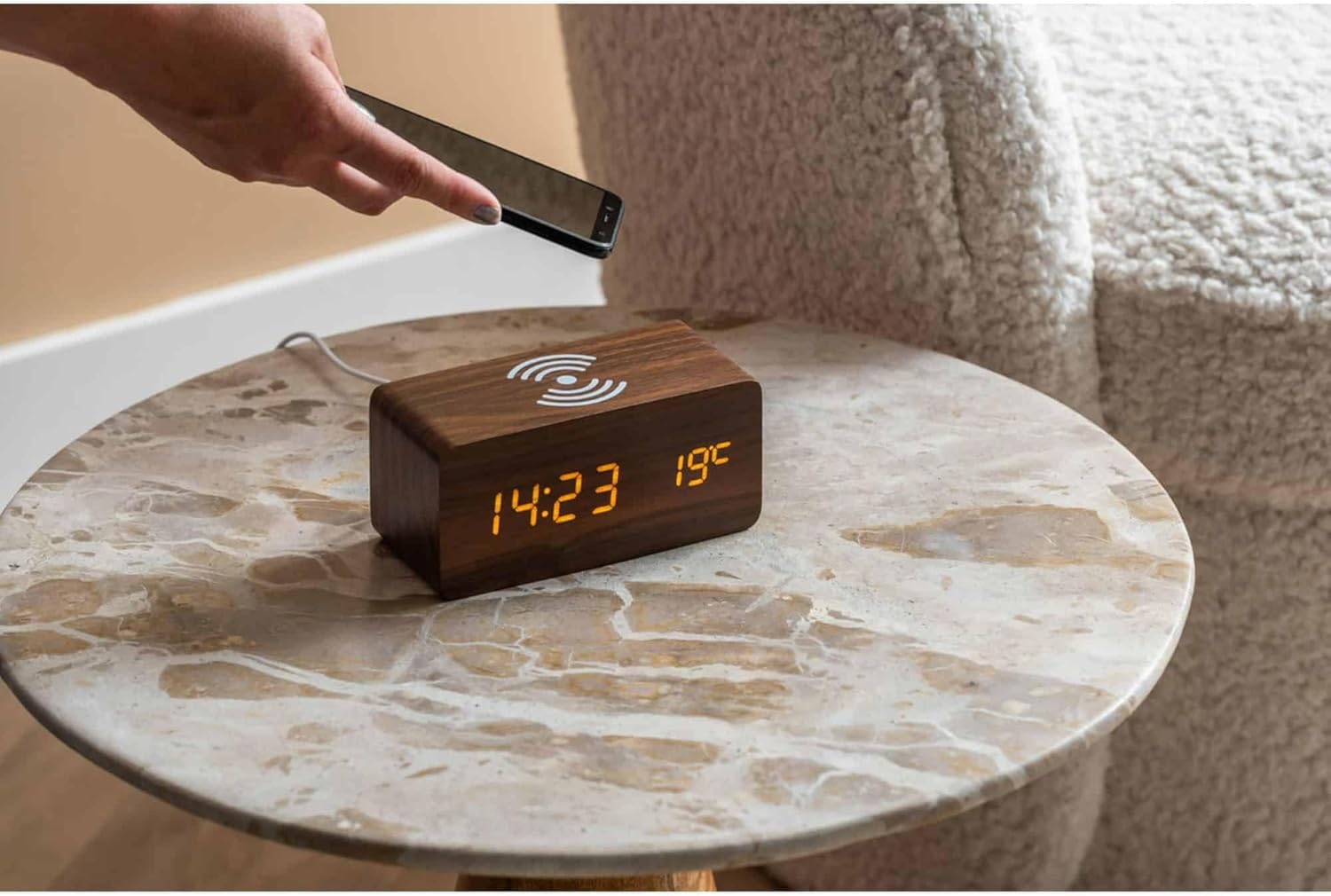
A smartphone being placed on the alarm clock for wireless charging.

Nahoru view of the alarm clock, highlighting the wireless charging area.
Jas displeje
Some models allow adjustment of display brightness. Typically, this is done by pressing the UP or DOLŮ button in normal time display mode, or through a dedicated setting within the menu accessed by the SOUBOR tlačítko.
Údržba
Čištění
To clean the alarm clock, gently wipe the surface with a soft, dry, or slightly damp cloth. Do not use abrasive cleaners, solvents, or harsh chemicals, as these may damage the wood veneer or electronic components.
Výměna baterie
If using AAA batteries for backup, replace all four batteries simultaneously when the display dims or the clock loses time during a power outage. Při vkládání nových baterií dbejte na správnou polaritu.
Odstraňování problémů
- Displej je vypnutý nebo ztlumený:
- Ensure the USB power adapter is securely connected to both the clock and a working power outlet.
- If using batteries, check if they are depleted or inserted correctly. Replace if necessary.
- Adjust display brightness if applicable. - Bezdrátové nabíjení nefunguje:
- Confirm the clock is powered by the USB adapter, not just batteries.
- Ensure your phone is Qi-compatible.
- Reposition your phone on the charging pad, ensuring it is centered.
- Remove any thick phone cases that might obstruct charging.
- Check for any metal objects between the phone and the charging pad. - Alarm nezní:
- Verify that the alarm time is set correctly.
- Ensure the alarm function is activated (check for an alarm icon on the display).
- Check the alarm volume setting if available. - Hodiny ztrácejí čas:
- Ensure a stable power supply. If using batteries, replace them.
Specifikace
| Funkce | Detail |
|---|---|
| Značka | Karlsson |
| Číslo modelu | KA5933DW |
| Rozměry (D x Š x V) | 15 x 3.81 x 7.1 cm |
| Materiál | MDF (dřevovláknitá deska střední hustoty) |
| Napájení | USB Adapter (included), 4 x AAA Batteries (not included) |
| Vlastnosti | LED Display, Alarm Function, Wireless Induction Charging |
Záruka a podpora
Informace o záruce a zákaznické podpoře naleznete v dokumentaci dodané s vaším nákupem nebo se obraťte přímo na prodejce či výrobce. Uschovejte si doklad o koupi pro případné reklamace.


